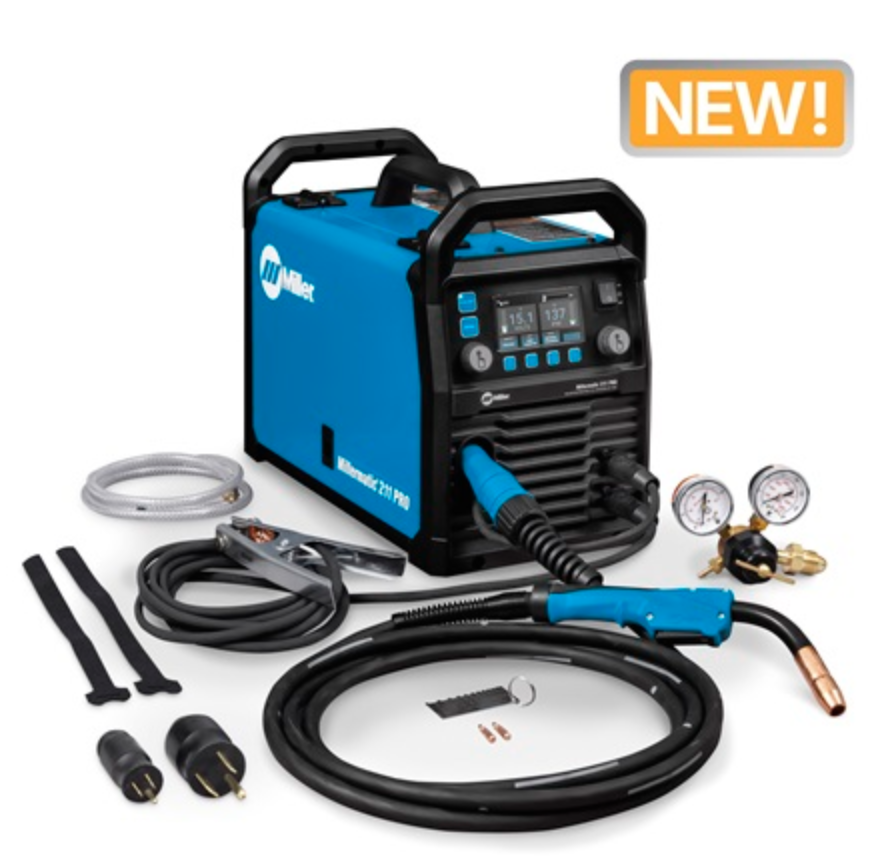
Tag: Millermatic 211 Pro

  • Millermatic 211 PRO MIG Welder: Consumables Setup, Burnback Prevention, and Spare Parts Checklist

    The Millermatic 211 PRO is a portable dual-voltage MIG and flux-cored welder, but the machine is only part of the setup. Most day-to-day welding problems still come back to contact tips, nozzle spatter, liner drag, wire size mismatch, gas coverage, or poor work lead contact.

    This guide is for buyers comparing the Millermatic 211 PRO and for owners who want the right consumable strategy before burnback, birdnesting, sputtering, or porosity starts wasting tips and wire.

    Millermatic 211 PRO MIG Welder Machine – Dual-Voltage Welder with Dyna-Pulse™ MIG, Auto-Set & Program Mode – Aluminum, Mild & Stainless Steel Wire Feed Gas Welder
    • Dyna-Pulse MIG Welding: Now with Dyna-Pulse MIG, this welder supports mild steel, stainless steel, aluminum (with spool gun), and flux-cored wire; powered by continually upgradable USB-enabled software
    • BeadVision & Auto-Set: Built-in BeadVision delivers real-time bead monitoring for greater control; Auto-Set simplifies setup while Smooth-Start eliminates spatter for clean arc starts every time
    • Program Memory & Weld Longer: Save and recall your most-used weld parameters with new Program Memory; weld longer with a higher duty cycle — ideal for a dependable, high-performance MIG welding machine
    • Dual Voltage with MVP Plug: Easily switch between 120V and 240V with no tools needed; plug-and-play flexibility makes this a top choice for a portable MIG welder for shop or job site use
    • Heavy-Duty Drive System & Spool Gun Ready: Angled cast-aluminum drive, Quick Select drive roll, .024–.035 in. wire support; auto-detects spool gun for seamless aluminum welding — 15-ft MIG gun included

    Last update on 2026-06-05 / Affiliate links / Images from Amazon Product Advertising API

    Key Takeaways

    • The verified ASIN B0FFWV5DJG is associated with the Miller Millermatic 211 PRO MIG welder listing found in Amazon search results.
    • Miller lists the Millermatic 211 PRO for 120 V or 240 V input, solid/stainless wire from .024–.035 in., flux-cored wire from .030–.035 in., and 60–600 IPM wire feed speed.
    • The first wear items to stock are contact tips, nozzles, wire liner, drive rolls matched to wire type, anti-spatter, and PPE.
    • Burnback is usually not a “bad welder” problem. Start with tip size, wire feed drag, nozzle spatter, stickout, and voltage/wire speed balance.
    • For best shop readiness, keep spare contact tips in every wire size you run and verify MDX-100 consumable compatibility before ordering.

    Problem / Context: Why a Good MIG Welder Still Needs a Consumables Plan

    A new MIG welder can feel like an upgrade right away, but consumable neglect will make even a capable machine act inconsistent. The symptoms usually show up as wire burning back into the tip, wire stubbing into the puddle, erratic arc starts, excess spatter, or weld porosity.

    The Millermatic 211 PRO gives you dual-voltage flexibility and enough wire-feed range for common shop work, but the gun still depends on correct fit-up: the contact tip must match the wire diameter, the liner must match the wire and gun length, the nozzle must stay clear, and the drive system must feed without crushing or slipping the wire.

    Verified Product Snapshot

    ProductMiller Millermatic 211 PRO MIG Welder
    Verified ASINB0FFWV5DJG
    Process focusMIG / GMAW and flux-cored welding
    Input voltage120 V or 240 V, per Miller product data
    Wire feed speed60–600 IPM, per Miller product data
    Solid / stainless wire range.024–.035 in., per Miller product data
    Flux-cored wire range.030–.035 in., per Miller product data
    Included gun compatibilityMDX-100 MIG gun referenced in Miller literature; verify exact package contents and consumables before purchase

    Root Causes of Common Problems After Buying a Millermatic 211 PRO

    1. Contact Tip Burnback

    Burnback happens when the wire fuses to the contact tip. Common triggers include too little wire speed, too short stickout, wrong tip size, a worn tip bore, a clogged nozzle, poor work clamp contact, or wire drag inside the gun.

    Related internal guide: Why Does My MIG Wire Burn Back and Stick to the Contact Tip?

    2. Birdnesting at the Drive Rolls

    Birdnesting usually points to feed resistance downstream of the drive rolls. Check the contact tip first, then the liner, gun cable bends, drive roll groove, wire spool tension, and drive tension. Do not simply crank down the drive rolls; crushed wire sheds debris and can make the liner problem worse.

    3. Porosity from Poor Gas Coverage

    Porosity can come from contamination, wind, low shielding gas, wrong gas, leaks, a clogged nozzle, or an excessive stickout. Before blaming the machine, clean the base metal, inspect nozzle spatter, verify gas flow, and make a test bead on clean scrap.

    4. Sputtering and Inconsistent Arc

    Sputtering often looks like a settings problem, but worn contact tips, incorrect wire size, dirty liner, poor ground, and feed tension issues are frequent causes. Check consumables before making large voltage or wire speed changes.

    Related internal guide: MIG Settings Troubleshooting

    What Wears Out First

    Wear ItemWhat FailsTypical SymptomAction
    Contact tipBore wears, spatter sticks, wire fusesBurnback, erratic arc, wire dragReplace with correct wire diameter
    NozzleSpatter restricts gas flowPorosity, spatter, unstable arcClean or replace
    LinerDebris, kinks, wrong diameterSurging feed, birdnesting, burnbackReplace with compatible liner
    Drive rollsWrong groove or worn grooveWire slipping or shavingMatch roll to wire type and size
    Work clamp / cable connectionLoose or dirty contactHard starts, unstable arcClean and tighten
    Shielding gas setupLeaks, incorrect flow, empty cylinderPorosity, oxidation, dirty beadLeak-check and verify flow

    Visual Wear Indicators

    • Oval contact tip hole: replace the tip.
    • Wire welded into the tip: replace the tip and check feed drag.
    • Heavy spatter inside nozzle: clean or replace the nozzle.
    • Wire dust near drive rolls: reduce over-tension and inspect liner.
    • Arc surges when gun cable is bent: suspect liner drag or a kinked gun lead.
    • Porosity appears after several minutes of welding: check nozzle blockage, gas flow, and cylinder level.

    Solution: Millermatic 211 PRO Setup Checklist Before the First Weld

    1. Confirm input voltage and plug setup for the job.
    2. Install wire that falls within the machine’s supported wire diameter range.
    3. Match the contact tip to the exact wire diameter.
    4. Match the drive roll groove to the wire type and size.
    5. Keep the gun cable as straight as practical while feeding wire.
    6. Set drive tension only tight enough to feed without slipping.
    7. Clean the base metal and attach the work clamp to clean metal.
    8. Verify shielding gas flow when using solid wire.
    9. Use flux-cored polarity only as specified by the wire and machine setup instructions.
    10. Run a test bead on scrap before welding the final part.

    Product Recommendations

    Best Overall Machine Pick: Millermatic 211 PRO MIG Welder

    For a buyer who wants a higher-quality portable MIG platform instead of a bargain welder, the Millermatic 211 PRO is the central pick for this page. It makes the most sense for a shop that wants 120 V convenience, 240 V capability, solid wire, stainless wire, flux-cored wire, and a consumables ecosystem that can be maintained over time.

    Millermatic 211 PRO MIG Welder Machine – Dual-Voltage Welder with Dyna-Pulse™ MIG, Auto-Set & Program Mode – Aluminum, Mild & Stainless Steel Wire Feed Gas Welder
    • Dyna-Pulse MIG Welding: Now with Dyna-Pulse MIG, this welder supports mild steel, stainless steel, aluminum (with spool gun), and flux-cored wire; powered by continually upgradable USB-enabled software
    • BeadVision & Auto-Set: Built-in BeadVision delivers real-time bead monitoring for greater control; Auto-Set simplifies setup while Smooth-Start eliminates spatter for clean arc starts every time
    • Program Memory & Weld Longer: Save and recall your most-used weld parameters with new Program Memory; weld longer with a higher duty cycle — ideal for a dependable, high-performance MIG welding machine
    • Dual Voltage with MVP Plug: Easily switch between 120V and 240V with no tools needed; plug-and-play flexibility makes this a top choice for a portable MIG welder for shop or job site use
    • Heavy-Duty Drive System & Spool Gun Ready: Angled cast-aluminum drive, Quick Select drive roll, .024–.035 in. wire support; auto-detects spool gun for seamless aluminum welding — 15-ft MIG gun included

    Last update on 2026-06-05 / Affiliate links / Images from Amazon Product Advertising API

    Budget Option: Consumables First

    If the machine is already in your shop, the budget upgrade is not another welder. Start with correct-size contact tips, a clean nozzle, anti-spatter, fresh wire, and a liner inspection. Unknown ASINs: Verify before adding AAWP boxes.

    Heavy-Duty Option: Spare Gun Consumables Kit

    For repeated shop use, keep a dedicated MDX-100-compatible consumables kit with contact tips, nozzles, diffuser-related parts, and a spare liner. Compatibility must be verified against the exact gun and Miller part numbers before purchase.

    Upgrade Path: Spool Gun for Aluminum

    If aluminum MIG is part of the plan, verify the supported Miller spool gun for the Millermatic 211 PRO package. Aluminum wire is soft and feed-sensitive, so a spool gun can reduce feed problems compared with pushing soft wire through a long MIG gun liner. Exact spool gun compatibility: Unknown (Verify).

    Related Accessory: Anti-Spatter and Nozzle Cleaning Tools

    Anti-spatter and a nozzle cleaning tool are low-cost prevention items. They help keep gas flow open around the contact tip and reduce the chance that spatter buildup gets misdiagnosed as a machine settings problem.

    Comparison Table: Machine vs. Consumables vs. Accessories

    CategoryBest UseBuyer IntentAAWP Status
    Millermatic 211 PROPrimary MIG / flux-cored welding platformBest overall machine upgradeVerified ASIN: B0FFWV5DJG
    Contact tipsBurnback, unstable arc, wire dragReplacement consumableUnknown ASIN (Verify)
    NozzlesPorosity and spatter controlReplacement consumableUnknown ASIN (Verify)
    Gun linerBirdnesting, surging feed, wire dragTroubleshooting replacementUnknown ASIN (Verify)
    Drive rollsWire slipping, shaving, flux-core setupCompatibility partUnknown ASIN (Verify)
    Anti-spatterNozzle maintenancePreventative itemUnknown ASIN (Verify)
    Welding gloves / helmetArc, heat, sparks, grinding prepPPE buying intentUnknown ASIN (Verify)

    Recommended Spare Quantity

    • Contact tips: keep 10 per wire size you use most often.
    • Nozzles: keep 2–3 spares for the gun.
    • Liner: keep 1 spare liner matched to wire size and gun length.
    • Drive rolls: keep the correct roll set for solid wire and flux-cored wire if you run both.
    • Wire: keep one sealed backup spool of your most common diameter.
    • PPE: keep spare cover lenses, gloves, safety glasses, and ear protection near the welder.

    Recommended Shop Setup

    A practical Millermatic 211 PRO setup includes the welder, cart or stable surface, properly chained gas cylinder, clean work clamp area, dry wire storage, tip/nozzle organizer, anti-spatter, nozzle pliers, wire brush, flap discs, gloves, helmet, safety glasses, and ventilation appropriate for the material being welded.

    Related internal guide: Flap Disc Prep and Weld Cleaning

    Related internal guide: Welding Safety Equipment

    Common Misdiagnosis

    • “The welder is defective” when the contact tip is actually worn or the liner is dragging.
    • “I need more drive roll tension” when the wire path is blocked downstream.
    • “The gas is bad” when the nozzle is packed with spatter.
    • “The voltage is wrong” when the work clamp is attached to dirty metal.
    • “The wire is junk” when the wrong contact tip size is installed.

    If Ignored

    Ignoring consumable wear leads to wasted contact tips, wasted wire, poor starts, spatter cleanup, porosity repairs, and unnecessary troubleshooting time. In production or repair work, the hidden cost is often not the contact tip itself; it is the time spent stopping, clipping wire, clearing the gun, grinding defects, and restarting.

    Related Failures

    FAQ

    Is B0FFWV5DJG the Millermatic 211 PRO?

    Search results verified B0FFWV5DJG as an Amazon listing associated with the Miller Millermatic 211 PRO MIG welder. Always confirm the product title, seller, package contents, and warranty details on Amazon before publishing or purchasing.

    What contact tips fit the Millermatic 211 PRO?

    The Millermatic 211 PRO literature references MDX-100 MIG gun consumables, but exact tip part numbers and compatibility should be verified against the included gun, wire size, and current Miller documentation before ordering.

    Why does my MIG wire burn back into the tip?

    Burnback usually comes from poor wire feed, incorrect stickout, wrong contact tip size, too little wire speed for the voltage, a dirty nozzle, liner drag, or poor work lead contact. Replace the damaged tip first, then isolate feed resistance.

    Should I buy extra consumables with the welder?

    Yes. At minimum, keep contact tips for each wire size, spare nozzles, a liner, anti-spatter, and PPE consumables. A good welder without spare tips can still stop a job over a minor burnback event.

    Can the Millermatic 211 PRO weld aluminum?

    Miller and Amazon listing text reference aluminum capability with a spool gun. Verify the exact supported spool gun, package contents, calibration steps, and aluminum wire requirements before buying accessories.

    Is a larger MIG welder better than replacing consumables?

    Not when the symptom is burnback, birdnesting, porosity, or erratic arc caused by the gun setup. Replace worn consumables and verify wire feed first. Upgrade machine capacity only when the material thickness, duty cycle, or process needs exceed the welder’s limits.

    Safety Notes

    • Disconnect or power down the welder before removing the contact tip, nozzle, liner, or drive roll components.
    • Wear welding helmet, gloves, flame-resistant clothing, and safety glasses during welding and grinding prep.
    • Secure shielding gas cylinders upright so they cannot fall.
    • Use ventilation suitable for the material, coating, filler wire, and work area.
    • Do not weld on unknown coated, galvanized, painted, or contaminated metal without proper hazard controls.
    • Follow the Miller owner’s manual and applicable AWS, OSHA, and ANSI safety guidance.

    Sources Checked

    • Miller Millermatic 211 PRO product page and specification data.
    • Miller Millermatic 211 PRO owner’s manual.
    • Miller Millermatic 211 PRO literature referencing MDX-100 MIG gun consumables.
    • Amazon search result for ASIN B0FFWV5DJG.
    • Weld Support Parts internal MIG troubleshooting, MIG consumables, flap disc, and welding safety pages.
    • OSHA welding, cutting, and brazing safety guidance.
    • ANSI Z49.1 welding safety guidance referenced for general safety context.
  • Miller 211 PRO MIG Wire Slipping in Drive Rolls: Feed Pressure, Groove, and MDX-100 Checks

    If a Miller 211 PRO slips wire in the drive rolls, do not immediately crank down the tension knob. Wire slipping usually means the drive system is fighting drag somewhere else: wrong drive-roll groove, weak pressure setting, worn roll, wrong contact tip, blocked MDX-100 liner, tight spool hub, tangled wire, or a kinked gun cable. The Millermatic 211 PRO uses a Quick Select drive roll and a 15 ft MDX-100 MIG gun, so the drive roll, liner, contact tip, and wire diameter must all match.

    Start with the simple checks: confirm the wire is sitting in the correct groove, begin around the manual’s initial pressure setting, feed wire onto wood or another non-conductive surface, and tighten only enough to prevent slipping. Too much pressure can flatten wire, shave copper coating, overload the drive motor, and make liner drag worse.

    Common Symptoms

    • Drive roll turns but wire does not move: Pressure is too low, the wrong groove is selected, or the gun path is blocked.
    • Wire shavings near the feeder: Excess pressure, wrong groove, worn roll, or rough inlet guide.
    • Birdnesting after the drive roll: The wire is being pushed into a restriction downstream.
    • Burnback at the contact tip: Wire feed slows at the arc because the wire is slipping or dragging.
    • Feed improves when the gun cable is straight: Suspect liner drag, cable kink, or wire path restriction.
    • Slipping with flux-core wire: Wrong groove or smooth V-groove used where a V-knurled groove is needed.
    • Intermittent feed after changing wire size: Groove, tip, liner, or Auto-Set diameter selection may not match the wire.

    What the Drive Rolls Do

    The drive roll grips the welding wire and pushes it through the inlet guide, gun liner, diffuser, and contact tip. The pressure knob only supplies clamping force. It cannot fix a blocked tip, wrong liner, tight spool hub, or kinked gun cable. If the wire path is restricted, adding more pressure may hide the symptom briefly while damaging the wire.

    Compatibility Notes for the Miller 211 PRO

    The Millermatic 211 PRO includes a 15 ft MDX-100 MIG gun and a Quick Select drive roll. Miller lists the Quick Select drive roll 261157 for .024 in solid wire, .030/.035 in solid wire, and .030/.035 in flux-cored wire. Miller also lists V-knurled dual-groove drive roll 202926 for .030/.035 in or .045 in flux-cored wire. Do not use non-MDX front-end parts on the MDX-100 gun unless fitment is independently verified.

    For gun-side parts, use the Miller MDX-100 gun parts breakdown. For related support paths, see MIG wire feed issues, MIG consumables, liner replacement, and contact tip troubleshooting.

    Correct Drive Roll Groove Checks

    Wire TypeWire SizeCorrect Direction
    Solid steel / stainless.024 inUse .024 V-groove
    Solid steel / stainless.030/.035 inUse .030/.035 V-groove
    Flux-cored.030/.035 inUse .030/.035 V-knurled groove
    Flux-cored.045 inVerify 202926 V-knurled drive roll
    AluminumSpool gun setupDo not push aluminum through the MDX-100 path unless OEM setup says so

    Fast Checks Before Replacing Parts

    1. Open the side door and confirm the wire is actually in the drive-roll groove.
    2. Check that the groove label aligned with the retaining pin matches the wire type and diameter.
    3. Remove the contact tip and nozzle from the MDX-100 gun.
    4. Lay the gun cable straight and jog wire.
    5. If wire feeds with the tip removed, replace the contact tip or inspect the diffuser area.
    6. If wire still slips with the tip removed, check liner drag, spool hub tension, inlet guide, and drive-roll pressure.
    7. Feed wire onto a non-conductive surface and tighten only enough to stop slipping.

    Diagnosis Table

    SymptomLikely CauseFirst Check
    Roll turns, wire stallsToo little pressure or downstream blockageRemove tip and test feed
    Wire is flattenedPressure too highBack off pressure and check liner/tip
    Copper dust at feederWrong groove, too much pressure, rough guideInspect drive roll and inlet guide
    Flux-core slipsWrong smooth grooveUse V-knurled groove for flux-core
    Slips only with cable bentLiner drag or kinked gun cableStraight-cable feed test
    Birdnesting at feederBlocked tip, diffuser, liner, or gun cableInspect MDX-100 front end and liner

    What Wears Out First

    The contact tip often fails before the drive roll. A worn, undersized, overheated, or spatter-packed contact tip can stop wire and make the drive roll slip. The liner is the next major suspect if the problem changes when the gun cable is bent. Replace the drive roll only after verifying groove selection, pressure, tip condition, spool tension, and liner condition.

    Spool Hub Tension Check

    The wire spool should not overrun, but it also should not take heavy force to turn. Miller’s manual describes spool hub tension as correct when only slight force is needed to turn the spool. If the hub is too tight, the drive roll slips. If it is too loose, the spool can overrun and tangle wire into the drive area.

    Common Wrong-Part and Wrong-Setup Mistakes

    • Running .030 wire in the .024 groove.
    • Running flux-cored wire in a smooth solid-wire V-groove.
    • Using a contact tip smaller than the wire diameter.
    • Leaving the MDX-100 gun cable coiled tightly during feed testing.
    • Overtightening drive pressure until wire is flattened.
    • Replacing the drive motor before checking the liner and contact tip.
    • Using non-MDX contact tips, diffusers, or liners on the MDX-100 gun.

    Test Procedure

    1. Turn off the welder and release drive pressure.
    2. Clip the wire end clean and hold the spool so it does not unravel.
    3. Verify the selected groove and wire size.
    4. Set the pressure indicator near the initial setting recommended in the manual.
    5. Remove the nozzle and contact tip.
    6. Turn the machine on and feed wire through the straight MDX-100 gun cable.
    7. Feed wire against wood or another non-conductive surface and increase pressure only until slipping stops.
    8. Reinstall the correct contact tip and nozzle, then test weld on scrap.

    Field Fix vs Proper Fix

    Field fix: Straighten the gun cable, verify the drive-roll groove, replace the contact tip, reduce excessive spool tension, and reset drive pressure just high enough to feed without slipping.

    Proper fix: Install the correct Miller drive roll for the wire type, replace worn drive components, install the correct MDX-100 tip and liner, clean the inlet guide, and confirm the spool hub, pressure setting, and wire path with a feed test before welding.

    Safety Notes

    • Keep hands away from drive rolls while feeding wire.
    • Wear safety glasses when clipping or feeding wire.
    • Do not point the gun at yourself or another person during feed tests.
    • Disconnect input power before internal service.
    • The wire, drive roll housing, and parts touching welding wire can be electrically live during operation.
  • Millermatic 211 PRO MIG Gun Trigger Failure Diagnosis: MDX-100 Switch, Cable, and Machine Checks

    If a Millermatic 211 PRO does not feed wire when the trigger is pulled, feeds intermittently, welds only when the gun cable is moved, or keeps feeding after the trigger is released, diagnose the MDX-100 gun trigger circuit before replacing the drive motor or control board. The trigger is a low-voltage control switch. It tells the machine to start wire feed, gas flow, and welding output. A failed switch, loose terminals, broken trigger wires, damaged handle, or poor gun connection can make a good welder act dead.

    The Millermatic 211 PRO uses the MDX-100 gun family, and the MDX trigger switch reference used on MDX-100 and MDX-250 guns is 211-5-MDX. Do not order trigger parts by welder model alone. Verify the gun tag, handle style, trigger terminals, and parts breakdown before replacing the switch.

    Common Symptoms

    • No wire feed: Trigger pull does nothing, but the welder powers on.
    • No gas flow: The trigger does not open the machine gas valve.
    • No arc output: Wire may not feed because the trigger circuit never closes.
    • Intermittent feed: Wire feeds only when the gun handle or cable is moved.
    • Trigger feels loose or stuck: Mechanical handle or switch damage is likely.
    • Feeds after trigger release: Trigger switch may be sticking or terminals may be shorted.
    • Machine works with another gun: Failure is likely in the MDX-100 gun, trigger, or gun cable.

    What This Part Does

    The MDX-100 trigger switch closes a control circuit when the operator pulls the trigger. That signal starts the weld sequence. On most failures, the machine is not “bad”; it is waiting for a clean trigger signal. A broken switch wire, loose switch terminal, crushed gun handle, or contaminated trigger can interrupt that signal.

    Compatibility Notes

    For the Millermatic 211 PRO, use the MDX-100 gun path unless the gun has been physically changed. The Miller MDX-100 gun parts breakdown lists the MDX trigger switch as item 10, part 211-5-MDX. Miller also lists 211-5-MDX as the replacement trigger switch for MDX-100 and MDX-250 MIG guns.

    If the machine has an aftermarket gun, older M-Series gun, spool gun, or different connector, treat trigger fitment as Unknown (Verify). Do not assume the MDX-100 trigger switch fits a non-MDX gun.

    Fast Checks Before Opening the Gun

    1. Confirm the machine powers on normally.
    2. Confirm the gun connector is fully seated at the machine.
    3. Check that the trigger is not physically jammed with spatter, grit, or handle damage.
    4. Move the gun cable while holding the trigger. If feed cuts in and out, suspect broken trigger wires or a cable/handle fault.
    5. Try a known-good compatible MDX gun if available. If the machine works, the fault is in the original gun assembly.
    6. Disconnect input power before opening the gun handle.

    Trigger Failure Diagnosis Table

    SymptomLikely CauseFirst Check
    No feed, no gas, no arcOpen trigger circuitGun connector, trigger switch, trigger wires
    Feeds only when cable is bentBroken wire inside gun cable/handleFlex test near handle and rear strain relief
    Trigger feels stuckMechanical switch/handle damageInspect handle and trigger movement
    Feeds after trigger releaseSticking switch or shorted trigger leadsInspect switch terminals and trigger return
    Machine works with another gunOriginal gun trigger circuit faultReplace switch or repair gun wiring
    Trigger clicks but no responseSwitch may click mechanically but not close electricallyContinuity test the switch

    Test Procedure

    1. Turn the machine off and disconnect input power.
    2. Remove the MDX-100 handle screws carefully and separate the handle halves.
    3. Inspect the trigger, switch body, terminals, handle pivots, and wire routing.
    4. Look for pulled terminals, crushed insulation, heat damage, loose butt connectors, or broken wires.
    5. Use a multimeter on continuity mode across the trigger switch leads.
    6. With the trigger released, the switch should be open. With the trigger pulled, it should close.
    7. If the switch does not change state cleanly, replace the trigger switch.
    8. If the switch tests good, inspect the trigger wires through the gun cable and rear strain relief.

    Visual Wear Indicators

    • Loose or missing handle screws.
    • Trigger does not spring back.
    • Cracked handle near the trigger pocket.
    • Switch terminals pulled partly off the switch.
    • Flattened, pinched, or cut trigger wires inside the handle.
    • Trigger wires broken where they enter the rear strain relief.
    • Contamination inside the handle from grinding dust, spatter, or shop debris.

    Common Wrong-Part Mistakes

    • Ordering by “211 PRO” instead of the MDX-100 gun parts breakdown.
    • Replacing the machine control board before testing the gun trigger circuit.
    • Replacing the wire drive motor when the trigger signal never reaches the machine.
    • Installing a trigger switch for a non-MDX gun.
    • Ignoring a broken trigger wire because the switch itself clicks normally.
    • Reassembling the handle with wires pinched between the handle halves.

    Field Fix vs Proper Fix

    Field fix: Reseat the gun connector, check the trigger for free movement, remove visible debris, and inspect the handle for loose terminals. If the gun works only when held a certain way, stop using it until the trigger wiring is repaired.

    Proper fix: Replace the failed MDX trigger switch with the verified MDX part, repair damaged trigger wiring, replace a cracked handle kit if needed, and test the gun through multiple trigger pulls before returning it to production.

    Related Failure Paths

    Safety Notes

    • Disconnect input power before opening the gun handle.
    • Do not bypass the trigger switch for welding.
    • Do not operate a gun that feeds wire after the trigger is released.
    • Keep hands clear of drive rolls while testing trigger response.
    • Use only verified replacement parts for the installed gun family.
  • 211 Pro MIG Weld Porosity Troubleshooting: MDX-100 Gas Coverage, Nozzle, and Setup Checks

    If a 211 Pro MIG weld has pinholes, worm tracks, black soot, popping starts, or porous spots after grinding, check shielding coverage before changing wire speed or blaming the machine. On the Millermatic 211 PRO, the standard gun path is the MDX-100 with AccuLock MDX consumables, so porosity troubleshooting should start at the gas cylinder, regulator, gas hose, machine gas valve, MDX-100 gun connection, diffuser, nozzle, contact tip, and weld surface condition.

    Porosity is trapped gas in the weld. The cause may be no gas, low gas, too much turbulent gas, wind, a blocked nozzle, a clogged diffuser, a loose fitting, wrong shielding gas, damp/dirty base metal, contaminated wire, or poor gun angle. A flowmeter can show gas moving while the weld puddle still has poor shielding at the arc.

    Common Symptoms

    • Pinholes in the bead: Usually shielding loss, contamination, or gas trapped in the weld pool.
    • Porosity after grinding: The surface looked acceptable, but internal holes were exposed.
    • Black soot around the weld: Gas coverage, gas mix, stickout, or base metal cleanliness is suspect.
    • Popping starts: Gas delay, poor ground, bad tip, or contaminated wire end can cause unstable starts.
    • Porosity near the end of a weld: Gas coverage may be lost as travel speed, angle, or stickout changes.
    • Porosity only outdoors: Wind is blowing shielding gas away from the puddle.
    • Porosity only after several welds: Nozzle or diffuser may be loading with spatter.

    What This Failure Means

    MIG shielding gas must protect the molten puddle until the metal solidifies. If air reaches the puddle, oxygen, nitrogen, and moisture can enter the weld and leave visible or hidden pores. On a 211 Pro, this can happen even when the welder feeds wire normally. Do not diagnose porosity only as a wire-feed problem unless burnback, stutter, or birdnesting is also present.

    Compatibility Notes

    The Millermatic 211 PRO package uses the MDX-100 gun family. Use MDX-100 / AccuLock MDX nozzles, tips, diffusers, and liners unless the gun has been physically changed. The Miller MDX-100 gun parts page is the correct parts breakdown direction. Do not use Lincoln Magnum, Tweco, Bernard Centerfire, or Miller M-Series consumables on an MDX-100 unless fitment is independently verified.

    Fast Porosity Checks Before Replacing Parts

    1. Confirm the cylinder valve is open and the cylinder is not empty.
    2. Verify the shielding gas matches the process: C25 or CO2 for mild steel MIG, correct stainless mix for stainless, and argon for aluminum spool gun work.
    3. Pull the trigger and confirm gas flow at the MDX-100 nozzle.
    4. Inspect the nozzle bore for spatter, slag, or anti-spatter buildup.
    5. Inspect the AccuLock MDX diffuser gas ports for blockage or damage.
    6. Check that the contact tip is tight, correct for wire size, and not burned back.
    7. Remove fans, drafts, and open-door airflow from the weld area.
    8. Clean the base metal to bright metal where the arc and gas coverage will be.

    Porosity Diagnosis Table

    SymptomLikely CauseFirst Check
    No gas sound at nozzleClosed cylinder, empty cylinder, blocked line, gas valve issueCheck cylinder and regulator flow
    Gas sound present but porous beadLeak, wind, blocked nozzle, wrong gas, contaminationCheck nozzle, diffuser, fittings, gas type
    Porosity only outdoorsShielding gas blown awayUse wind protection or change process
    Porosity after welding for a whileNozzle/diffuser spatter buildupRemove front end and inspect gas path
    Porosity at startsGas delay, long stickout, dirty wire end, bad tipTrim wire and check tip/nozzle
    Porosity with high gas flowTurbulence pulling air into gas streamReduce flow and check nozzle size

    MDX-100 Front-End Items That Cause Porosity

    • Nozzle: Spatter narrows the gas path and disturbs shielding around the puddle.
    • Diffuser: Blocked gas ports can send gas unevenly through the nozzle.
    • Contact tip: A burned or loose tip creates unstable arc length and poor starts.
    • Liner: A restricted liner can cause feed stutter that makes gas coverage look inconsistent.
    • Gun connection: A poor seat or damaged seal can leak gas before it reaches the nozzle.

    Base Metal and Wire Contamination Checks

    Clean metal matters. Mill scale, paint, oil, cutting fluid, rust, zinc coating, moisture, marker residue, and anti-spatter overspray can all create porosity. Clean both sides of a joint when possible, especially on lap joints, tubing, and repaired material where contamination can vent into the puddle from underneath.

    Gas Flow Notes

    Use the machine, wire, and gas supplier guidance as the final reference. For short-circuit MIG on mild steel, many shop setups run in a moderate CFH range, but the correct setting depends on gas mix, nozzle bore, stickout, joint access, amperage, and air movement. Do not fix wind by turning the flowmeter excessively high. High flow can create turbulence and pull air into the shielding envelope.

    Common Wrong-Setup Mistakes

    • Running solid wire with the gas cylinder closed.
    • Using 100% argon on mild steel short-circuit MIG.
    • Using a gasless flux-core nozzle while trying to weld with shielding gas.
    • Leaving fans or open doors blowing across the weld.
    • Welding over oil, paint, mill scale, rust, or moisture.
    • Using non-MDX front-end consumables on an MDX-100 gun.
    • Turning gas flow too high and creating turbulence.
    • Replacing drive rolls when the actual problem is gas coverage or contamination.

    Test Procedure

    1. Install a clean, correct-size AccuLock MDX contact tip.
    2. Remove and clean or replace the MDX nozzle.
    3. Inspect the diffuser and replace it if gas ports are blocked or damaged.
    4. Confirm gas flow at the nozzle with the trigger pulled.
    5. Check external gas fittings with leak-detection solution or soapy water.
    6. Clean scrap steel to bright metal and weld indoors with drafts removed.
    7. If the clean indoor test weld is sound, the machine is likely not the root cause.
    8. If porosity remains, isolate gas supply, regulator, hose, gun connection, and machine gas valve.

    Field Fix vs Proper Fix

    Field fix: Clean the nozzle, replace the contact tip, block drafts, confirm gas flow, trim the wire, and test on clean scrap.

    Proper fix: Replace damaged MDX-100 front-end parts, repair leaks, verify gas type, clean the work properly, correct stickout and gun angle, and document the gas/wire/material setup that produces a sound test weld.

    Related Failure Paths

    Safety Notes

    • Secure shielding gas cylinders upright.
    • Do not use damaged regulators, hoses, or fittings.
    • Keep your head out of fumes and use ventilation.
    • Do not weld coated, oily, or unknown material without identifying hazards.
    • Disconnect input power before internal machine service.
  • 211 PRO MIG Shielding Gas Flow Problems: MDX-100 Porosity and Gas Coverage Checks

    If a 211 PRO MIG welder suddenly makes porous welds, black soot, oxidized beads, popping starts, or welds that look contaminated even on clean steel, check shielding gas flow before changing drive rolls or liners. The Millermatic 211 PRO is supplied with an MDX-100 MIG gun, so gas-flow diagnosis should focus on the cylinder, regulator/flowmeter, gas hose, machine gas valve, MDX-100 gun connection, diffuser, nozzle, and front-end spatter buildup.

    Gas flow problems usually show up as porosity, pinholes, gray/black weld surface contamination, unstable starts, or inconsistent weld appearance from one bead to the next. They are not always caused by low flow. Too much flow, a blocked nozzle, loose gas fitting, cracked hose, damaged gun O-ring, wrong nozzle, or wind across the weld can all break shielding coverage.

    Common Symptoms

    • Porosity: Small pinholes or wormholes in the bead or after grinding.
    • Black soot around the weld: Shielding is poor, gas mix is wrong, or the weld area is contaminated.
    • Popping starts: Gas is delayed, blocked, or not reaching the nozzle consistently.
    • Good welds followed by bad welds: Intermittent gas flow, drafts, or nozzle spatter buildup.
    • Porosity only near edges or corners: Gas coverage is being pulled away by joint geometry or travel angle.
    • No gas hiss at the gun: Empty cylinder, closed valve, regulator issue, solenoid issue, blocked gun path, or disconnected hose.
    • Flowmeter moves but weld is still porous: Leak, turbulence, blocked diffuser, wrong nozzle, wind, or contaminated metal/wire.

    What This System Does

    The shielding gas system protects the molten weld pool from oxygen, nitrogen, and moisture in the air. On the 211 PRO with the MDX-100 gun, gas must move from the cylinder through the regulator, hose, machine gas valve, gun connection, gun cable, diffuser, and nozzle. A restriction or leak anywhere in that path can create the same weld defect at the bead.

    Correct Compatibility Direction

    For a standard 211 PRO package, use MDX-100 / AccuLock MDX front-end parts, not Lincoln Magnum, Tweco, Bernard Centerfire, or Miller M-Series consumables. If the gun has been changed, treat fitment as Unknown (Verify). Confirm the gun tag and use the Miller MDX-100 gun parts page before ordering nozzles, diffusers, contact tips, or liners.

    First Checks Before Replacing Parts

    1. Confirm the cylinder is not empty and the valve is open.
    2. Confirm the gas matches the process: C25 or CO2 for mild steel MIG, correct stainless mix for stainless, and argon for aluminum spool gun work.
    3. Set flow at the regulator/flowmeter, then pull the trigger and watch for stable flow.
    4. Listen for gas at the MDX-100 nozzle.
    5. Inspect the nozzle for spatter blockage.
    6. Inspect the AccuLock MDX diffuser ports for spatter or damage.
    7. Check the gun connection at the machine for loose seating or damaged seals.
    8. Check for drafts, fans, open doors, or welding outdoors without wind protection.

    Gas Flow Problem Diagnosis Table

    SymptomLikely CauseFirst Check
    No gas sound at gunClosed cylinder, empty cylinder, bad regulator, blocked line, gas valve issueCheck cylinder and trigger flow
    Porosity with gas sound presentLeak, wrong gas, wind, contamination, blocked nozzleCheck nozzle, fittings, and gas type
    Porosity after several weldsNozzle/diffuser loading with spatterRemove and inspect MDX front end
    Porosity only outdoorsShielding gas blown awayUse wind screen or switch process
    Flowmeter fluctuatesRegulator, leak, restriction, or cylinder issueCheck fittings and hose
    High flow but bad weldsTurbulence pulling air into gas streamReduce flow and inspect nozzle bore

    MDX-100 Front-End Parts That Affect Gas Coverage

    • Nozzle: Directs shielding gas around the arc. Spatter buildup can choke flow or create turbulence.
    • Diffuser: Spreads gas into the nozzle. Damaged or blocked diffuser ports can create uneven coverage.
    • Contact tip: A burned or recessed/extended front end can disturb stickout and arc stability.
    • Gun connection: A loose connection or damaged seal can leak gas before it reaches the nozzle.
    • Gun cable: Damage inside the cable can create gas leakage or restriction.

    Flow Rate Notes

    Use the wire manufacturer and machine setup guidance as the final reference. For short-circuit MIG on mild steel, many shop setups run in the general 20–30 CFH range, but the correct value depends on gas mix, nozzle size, wire size, amperage, joint access, and air movement. Do not solve wind by cranking flow excessively. High flow can create turbulence and still pull air into the shielding envelope.

    Common Wrong-Part and Wrong-Setup Mistakes

    • Using a gasless flux-core nozzle while trying to run solid wire with gas.
    • Installing non-MDX front-end parts on an MDX-100 gun.
    • Replacing the liner when porosity is actually from a blocked diffuser or wind.
    • Using 100% argon for mild steel short-circuit MIG.
    • Trying to weld outdoors with solid wire and shielding gas in moving air.
    • Turning gas flow too high and creating turbulence.
    • Not checking the gun connection seal after removing or swapping the gun.

    Test Procedure

    1. Turn off welding output and remove the nozzle.
    2. Inspect the nozzle bore for spatter, slag, anti-spatter buildup, or deformation.
    3. Inspect the diffuser gas ports. Replace the diffuser if ports are blocked or damaged.
    4. Reinstall the correct MDX nozzle and contact tip.
    5. Pull the trigger and confirm gas flow at the nozzle.
    6. Apply soapy water to external gas fittings and watch for bubbles.
    7. Test weld on clean scrap indoors with fans off.
    8. If porosity disappears indoors but returns outdoors, the issue is shielding loss from air movement.

    Field Fix vs Proper Fix

    Field fix: Clean the nozzle, replace a blocked contact tip, reduce drafts, confirm the cylinder valve is open, and reset the flowmeter to a normal range for the wire/gas setup.

    Proper fix: Replace damaged MDX-100 front-end parts, repair leaking gas fittings, replace damaged hose or gun seals, verify the correct shielding gas, and test weld on clean material with stable indoor gas coverage.

    Related Failure Paths

    Safety Notes

    • Secure shielding gas cylinders upright.
    • Do not use damaged regulators, hoses, or fittings.
    • Keep your head out of welding fumes and use ventilation.
    • Do not weld in confined spaces without proper atmospheric controls.
    • Disconnect input power before internal machine service.
  • Millermatic 211 Drive Roll Selection Guide

    The Millermatic 211 drive-roll decision comes down to wire type first, then wire diameter. For the current Millermatic 211 PRO, Miller lists a Quick Select drive roll with three groove choices: 0.024 V-groove for 0.024 solid wire, 0.030–0.035 V-groove for 0.030–0.035 solid wire, and 0.030–0.035 V-knurled groove for flux-core wire. Miller’s spec sheet also lists the Quick Select drive roll as part number 261157 for the Millermatic 211 PRO. Do not select the groove by appearance alone. Rotate the drive roll until the correct groove marking aligns with the retaining pin.

    If the 211 is slipping, shaving wire, birdnesting, or feeding inconsistently, check the selected groove before increasing tension. Too much tension can flatten solid wire, damage flux-core wire, and create liner drag. The correct roll should feed with minimum tension, no wire shaving, and no deep marks on the wire.

    Quick Selection Chart

    Wire TypeWire DiameterDrive Roll GrooveNotes
    Solid MIG wire0.024 in.0.024 V-grooveUse for small solid wire. Confirm contact tip and liner size.
    Solid MIG wire0.030 in.0.030–0.035 V-grooveCommon mild steel MIG setup with shielding gas.
    Solid MIG wire0.035 in.0.030–0.035 V-grooveUse smooth V-groove, not knurled, unless OEM setup says otherwise.
    Flux-core wire0.030–0.045 in.0.030–0.035 V-knurled grooveKnurled groove improves grip on flux-core wire. Verify polarity and contact tip.
    Aluminum wireUnknownUnknown (Verify)Use Miller-approved spool gun or aluminum setup. Do not assume standard drive roll fitment.

    What This Part Does

    The drive roll grips the welding wire and pushes it from the spool through the inlet guide, gun liner, contact tip, and arc. On the Millermatic 211 PRO, the Quick Select roll reduces changeover time because multiple grooves are built into one roll. The selected groove must match the wire size and wire style. A correct groove with bad tension can still feed poorly, and correct tension with the wrong groove can still slip or shave wire.

    Common Symptoms of the Wrong Drive Roll

    • Wire slips while the drive motor turns.
    • Wire has copper dust, flat spots, or shaving marks.
    • Wire birdnests at the feeder.
    • Arc sputters even when voltage and wire speed are close.
    • Flux-core wire stalls or grinds under the roll.
    • Solid wire feeds but becomes flattened before entering the liner.

    Inspection Steps

    1. Turn off the machine and open the wire-drive compartment.
    2. Confirm the wire type: solid MIG, flux-core, stainless, or aluminum.
    3. Confirm the wire diameter printed on the spool.
    4. Find the groove marking on the drive roll.
    5. Rotate the drive roll so the correct marking aligns with the retaining pin.
    6. Check the inlet guide for wear, grooves, or wire dust.
    7. Reset tension using the least pressure that feeds without slipping.
    8. Jog wire with the gun lead straight before welding.

    Drive Roll Tension Setup

    Drive-roll tension should not be used to force wire through a dirty liner, wrong contact tip, tight spool brake, or kinked gun cable. Set the roll first, then set tension. If the wire slips, increase tension slightly. If the wire is flattened, copper dust appears, or the liner loads up with shavings, tension is too high or the groove is wrong.

    What To Verify Before Ordering

    • Exact machine: Millermatic 211 or Millermatic 211 PRO.
    • Serial number or revision when available.
    • Existing drive roll number and groove markings.
    • Wire type: solid, flux-core, stainless, or aluminum.
    • Wire diameter.
    • Gun model, especially MDX-100 versus older M-series style guns.
    • Contact tip size and liner size range.
    • Whether the issue is actually a liner, tip, spool brake, or polarity problem.

    Common Wrong-Part Mistakes

    • Using the knurled flux-core groove on solid wire and creating wire shavings.
    • Using the solid-wire V-groove on flux-core and getting feed slip.
    • Ordering by “Millermatic 211” without checking whether the machine is the newer 211 PRO.
    • Changing drive rolls when the contact tip is undersized or spatter-packed.
    • Trying to solve liner drag by over-tightening the pressure arm.
    • Assuming aluminum wire should run through the same setup as steel wire.

    Related Failure Paths

    Replacement Notes

    For the Millermatic 211 PRO, Miller identifies Quick Select drive roll 261157 for 0.024 solid wire, 0.030/0.035 solid wire, and 0.030/0.035 flux-core wire. Older Millermatic 211 versions may have different gun, feeder, or accessory configurations. Treat older machine fitment as Unknown (Verify) until the serial number, manual, and existing drive-roll markings are checked.

    Safety Notes

    Disconnect input power before changing drive rolls or inlet guides. Keep gloves and eye protection on when clipping wire. Do not hold the gun near your hand while jogging wire. After changing from solid wire to flux-core, verify polarity and shielding requirements before welding.

  • Miller Millermatic 211 Pro vs Lincoln POWER MIG 215 MPi: Which Welder Fits Your Shop?

    The Miller Millermatic 211 Pro is the better choice when the job is primarily MIG and flux-cored welding with portability, simple setup, and lighter machine handling. The Lincoln POWER MIG 215 MPi is the better choice when you need one compact welder for MIG, flux-cored, stick, and DC TIG. The wrong choice usually comes from comparing amperage alone instead of checking process needs, gun family, input power, duty cycle, spool gun plans, and future consumable support.

    For a fabrication bench, trailer repair shop, maintenance department, farm shop, or mobile repair setup, both machines can make sense. The deciding question is not “Which welder is better?” It is: do you need a dedicated MIG-focused machine, or do you need a multi-process machine that can cover stick and DC TIG when MIG is not the right repair method?

    Fast Recommendation

    Best FitRecommended MachineWhy
    MIG-first fabricationMiller Millermatic 211 ProFocused MIG/flux-cored platform, lighter weight, Auto-Set setup help, MDX-100 gun system
    Repair shop or farm shopLincoln POWER MIG 215 MPiAdds stick and DC TIG capability for mixed repair work
    PortabilityMiller 211 ProListed at 35 lb
    Process flexibilityLincoln 215 MPiMIG, flux-cored, DC stick, and DC TIG
    Simple MIG setupMiller 211 ProAuto-Set and Smooth-Start features support fast MIG setup
    One-machine maintenance useLincoln 215 MPiBetter fit when stick welding or DC TIG may be needed later

    Specification Comparison

    ItemMiller Millermatic 211 ProLincoln POWER MIG 215 MPi
    ProcessesMIG and flux-coredMIG, flux-cored, DC stick, DC TIG
    Input power120/240 V single phase120/230 V single phase
    Output range30–230 A20–220 A DC on 230 V
    Rated output120 V: 110 A at 60%; 240 V: 160 A at 60%215 A at 30%
    Weight35 lb48 lb
    Included MIG gunMDX-100 gunMagnum PRO 175L gun
    Spool gun capableYes, verify spool gun modelYes, verify package and spool gun model
    TIG capableNo TIG process listedYes, DC TIG
    Stick capableNo stick process listedYes, DC stick

    What This Means in the Shop

    The Miller 211 Pro is a cleaner choice when the machine will stay in the MIG lane: mild steel wire, stainless wire, flux-cored wire, and occasional aluminum with the correct spool gun setup. It is lighter, easy to move, and avoids paying for extra welding processes that may not be used.

    The Lincoln 215 MPi is the more flexible maintenance machine. Stick welding matters when the work is dirty, outdoors, rusty, painted, or not practical for MIG. DC TIG matters when controlled heat input and cleaner welds are needed on steel or stainless. It does not replace AC TIG for aluminum TIG welding.

    Consumable and Gun Compatibility Notes

    The Miller 211 Pro is tied to the Miller MDX-100 / AccuLock MDX consumable path. Before ordering, verify contact tip size, nozzle style, diffuser, liner length, and wire diameter. A common wrong-part mistake is ordering older Miller-style consumables when the machine uses the newer MDX front-end system.

    The Lincoln 215 MPi uses a Magnum PRO gun family path. Verify whether the machine package includes the Magnum PRO 175L, and match tips, nozzles, diffuser, liner, drive rolls, and wire size to the actual gun. Lincoln machines also require product number, code number, and serial number checks before service-part ordering.

    Common Wrong-Part Mistakes

    • Ordering contact tips by wire size only without checking the gun family.
    • Buying a liner that matches wire diameter but not gun length.
    • Assuming a spool gun is included when it may be optional or package-specific.
    • Assuming DC TIG means aluminum TIG capability; aluminum TIG normally requires AC TIG.
    • Comparing max amperage instead of rated output and duty cycle.
    • Using the Lincoln product number when the code number is required for service lookup.

    What To Verify Before Buying

    • Input power available: 120 V only, or 230/240 V available.
    • Main process: MIG only, or MIG plus stick/TIG.
    • Material: mild steel, stainless, aluminum, or mixed repair work.
    • Wire diameters planned: .023/.024, .030, .035, or larger.
    • Gun family: Miller MDX-100 or Lincoln Magnum PRO 175L.
    • Spool gun model and connector compatibility.
    • Duty cycle needs for longer welds.
    • Availability of replacement tips, nozzles, diffusers, liners, and drive rolls.

    Field Fix vs Proper Fix

    If feeding problems show up, do not start by blaming the welder. First check the contact tip, liner, drive roll groove, wire tension, spool drag, polarity, and shielding gas. A quick field fix may be replacing a burned tip or trimming the wire. The proper fix is verifying the entire wire path from spool to contact tip and matching all consumables to the gun system.

    Final Verdict

    Buy the Miller Millermatic 211 Pro if you want a portable, MIG-focused machine for clean fabrication work and simpler setup. Buy the Lincoln POWER MIG 215 MPi if you want one machine that can handle MIG, flux-cored, stick, and DC TIG for broader repair coverage. For most MIG-only users, the Miller is the cleaner pick. For mixed-process repair users, the Lincoln is the safer long-term choice.

    Related Support Links

  • Millermatic 211 PRO vs Multimatic 215 PRO: Which Miller Welder Fits Your Setup?

    The Millermatic 211 PRO and Multimatic 215 PRO are close in MIG capacity, but they are not the same machine. The 211 PRO is a dedicated MIG/flux-cored welder. The 215 PRO is a multiprocess machine for MIG, flux-cored, DC TIG, and stick. For most parts, consumable, and troubleshooting decisions, the process difference matters more than the model number.

    Key Takeaways

    • Choose the Millermatic 211 PRO if you only need MIG and flux-cored welding.
    • Choose the Multimatic 215 PRO if you need MIG plus DC TIG or stick capability.
    • Both use 120/240 V input and include a 15 ft MDX-100 MIG gun package.
    • Do not assume TIG, stick, spool gun, drive roll, or liner compatibility without checking the exact Miller part listing.
    • For replacement parts, verify torch series, machine model, connector type, wire size, cable length, consumable family, OEM part number, and connector configuration.

    Problem / Context

    The common buying mistake is treating the 215 PRO as a “bigger 211 PRO.” It is not just a larger MIG machine. It is a multiprocess platform. If the shop only runs short-arc MIG on mild steel, the 211 PRO keeps the setup simpler. If the same machine also needs to run stick electrodes or DC TIG on steel or stainless, the 215 PRO is the better fit.

    Main Support Section: Machine Comparison

    Millermatic 211 PROMultimatic 215 PROSupport Note
    Machine typeMIG / flux-coredMIG / flux-cored / DC TIG / stickMain decision point
    Input power120/240 V MVP120/240 V MVPVerify branch circuit and plug setup
    MIG gun15 ft MDX-10015 ft MDX-100Verify MDX consumable family before ordering
    Wire range.024, .030, .035 in Auto-Set selections.024–.035 in solid wire; .030–.045 in flux-cored listedVerify drive roll and tip size
    Spool gun useSupported with listed Miller spool gun accessoriesSupported with listed Miller spool gun accessoriesVerify spool gun model and connector
    TIGNot a TIG machineDC TIG capableUnknown (Verify) TIG kit contents by package
    StickNot a stick machineStick capableNot recommended for 6010 electrodes per Miller spec sheet
    Best fitDedicated MIG work, repair, fabrication, light shop useOne-machine setup for MIG, DC TIG, and stickChoose by process, not only amperage

    Compatibility / Verification Notes

    Both machines may use similar MIG front-end parts when equipped with the MDX-100 gun, but compatibility should be verified by gun label and Miller part number. Do not order by machine name alone.

    • Verify torch series: MDX-100, spool gun, TIG torch, or other accessory.
    • Verify machine model: Millermatic 211 PRO or Multimatic 215 PRO.
    • Verify wire size: .024, .030, .035, or .045 where applicable.
    • Verify drive roll style: solid wire groove vs flux-cored groove.
    • Verify cable length: 15 ft MDX gun parts may differ from other gun lengths or series.
    • Verify OEM part number before ordering tips, liners, diffusers, nozzles, drive rolls, or spool gun parts.

    Inspection or Troubleshooting Steps

    SymptomLikely CauseCheckFixNotes
    Wire feeds unevenlyWrong tip, worn liner, drive roll tension issueFeed with gun lead straight and tip removedReplace tip or liner; reset tensionDo not overtighten rolls
    Birdnesting at feederRestriction in tip/liner or crushed wireInspect tip bore, liner drag, roll grooveCorrect tip/roll match; replace worn linerCommon on both models
    Burnback to contact tipWire speed too low, feed hesitation, worn tipMatch tip size to wire and inspect spatterReplace tip, clean nozzle, adjust wire speedChange one variable at a time
    Poor gas coverageNozzle spatter, gas leak, wrong flow setupInspect nozzle and gas hoseClean/replace nozzle; verify regulator setupShielding gas and PPE are not optional
    Stick/TIG issue on 211 PROWrong machine selectionConfirm process requirementUse a compatible TIG/stick power source211 PRO is MIG/flux-cored only

    Parts / Consumables Table

    PartFunctionWear SignsVerify Before OrderingNotes
    MDX-100 contact tipTransfers current to wireOval bore, burnback, arc instabilityWire size and MDX compatibilityDo not use wrong tip family
    MDX-100 linerGuides wire through gun cableDrag, stutter, bend-sensitive feedingWire size and 15 ft gun lengthFront-load liner style must match gun
    NozzleDirects shielding gas and protects tipSpatter buildup, poor gas coverageNozzle style and gun seriesClean before replacing
    DiffuserSeats tip and distributes gasLoose tip, poor gas flow, heat damageMDX-100 diffuser part numberMisdiagnosed as bad gas bottle
    Quick Select drive rollFeeds solid or flux-cored wireSlipping, shaving, wrong groove wearWire diameter and wire typeSolid and flux-cored grooves are not interchangeable
    Spool gun partsFeed aluminum wire near arcFeed drag, tip burnback, poor aluminum startsSpool gun model and wire sizeUnknown (Verify) by exact spool gun model
    TIG kitDC TIG setup for 215 PROUnknown (Verify)215 PRO package, torch, gas fitting, remote needsNot applicable to 211 PRO

    Common Wrong-Part Mistakes

    • Ordering by “Miller 211” instead of confirming Millermatic 211 PRO vs older Millermatic 211.
    • Buying M-series consumables for an MDX gun without checking compatibility.
    • Using a .030 contact tip with .035 wire or the wrong drive roll groove.
    • Assuming the 211 PRO accepts TIG or stick accessories because the 215 PRO does.
    • Ordering spool gun consumables without verifying Spoolmate model.

    Related Failure Paths

    Safety Notes

    • Disconnect input power before changing drive rolls, liners, tips, or internal accessories.
    • Use eye protection when clipping wire or clearing birdnested wire.
    • Use adequate ventilation and correct shielding gas setup.
    • Confirm polarity before switching between solid wire, flux-cored wire, stick, or TIG processes.
    • Follow the Miller owner’s manual for process setup and maintenance.

    FAQ

    Is the Multimatic 215 PRO just a stronger Millermatic 211 PRO?

    No. The main difference is process capability. The 211 PRO is for MIG and flux-cored welding. The 215 PRO adds DC TIG and stick capability.

    Do both machines use the same MIG gun?

    Miller lists a 15 ft MDX-100 MIG gun with both current PRO packages. Still verify the gun label and part number before ordering consumables.

    Can the Millermatic 211 PRO TIG weld?

    No. Use the Multimatic 215 PRO or another compatible TIG-capable machine if DC TIG is required.

    Which one is better for aluminum?

    Both can be used with compatible spool gun setups listed by Miller. Verify spool gun model, wire size, and connector configuration before ordering.

    Next Step

    Pick the machine by process first. If the work is mostly MIG and flux-cored, the Millermatic 211 PRO is the cleaner fit. If the shop needs one portable machine for MIG, DC TIG, and stick, compare the Multimatic 215 PRO package options and verify the required accessories before buying consumables.

    Sources Checked

    • Miller Millermatic 211 PRO product page
    • Miller Millermatic 211 PRO spec sheet
    • Miller Multimatic 215 PRO product page
    • Miller Multimatic 215 PRO spec sheet
    • Weld Support Parts internal MIG troubleshooting posts
  • Millermatic 211 Pro MIG Welder | Powerful & Portable

    Millermatic 211 Pro MIG Welder | Powerful & Portable


    Model: Millermatic® 211 Pro

    ⚠️ Note for Readers: This post may contain affiliate links. If you purchase through them, we may earn a small commission at no cost to you. Thank you for supporting our site.


    Introduction

    The Miller Electric Millermatic 211 Pro is a compact, professional-grade MIG (GMAW) welder designed for use across a wide spectrum of metal fabrication tasks. Built with both portability and welding performance in mind, it’s an evolution of one of Miller’s most popular mid-range welders, optimized for ease-of-use, multi-voltage operation, and superior arc quality.

    This machine occupies a sweet spot for professional fabricators, maintenance personnel, students, field technicians, and DIY welders demanding industrial performance in a lightweight package. With its ability to run on both 120V and 240V input power, the Millermatic 211 Pro is suited for everything from shop settings to on-site jobs.


    Types / Variants / Models

    At the time of writing, Miller Electric lists only the Millermatic 211 Pro as a standalone model—this is a streamlined iteration of the previous Millermatic 211 (non-“Pro”) model.

    While there’s no fleet of variants under the “211 Pro” name, it’s useful to differentiate:

    • Millermatic® 211 Pro (Current Model)

      • Updated UI and design
      • Simplified interface with precision adjustment
      • New industrial-grade drive system
    • Millermatic® 211 (Legacy Models)

      • Auto-Set™ technology (not present in the “Pro”)
      • Slightly different interface and control system

    The “Pro” version is aimed more at professionals who prefer manual voltage and wire feed control over automated settings like Auto-Set™ found in consumer models.


    Key Features or Specifications

    Here’s a breakdown of the critical specs and design features that define the Millermatic 211 Pro:

    Power Source

    • Multi-voltage input: 120V or 240V
    • MVP™ (Multi-Voltage Plug): Adapts to varying job site power supplies
      Benefit: Maximum portability without sacrificing performance

    Output Amperage Range

    • 120V Input: 30–150 A
    • 240V Input: 30–230 A
      Benefit: Wide amperage range accommodates thin-gauge to thick materials (24 ga to 3/8″ in a single pass)

    Duty Cycle

    • 240V: 40% @ 150A
    • 120V: 20% @ 115A
      Benefit: Practical for extended use at medium output; improves productivity with adequate cooling time

    Machine Dimensions & Weight

    • Height: 12.5 in
    • Width: 11.25 in
    • Depth: 20.5 in
    • Net Weight: 38 lbs
      Benefit: Extremely portable for a welder with this power class

    Wire Compatibility

    • Wire sizes supported:
      • Solid wire: 0.023–0.035 in
      • Flux-cored wire: 0.030–0.045 in
        Benefit: Flexible enough for both MIG and FCAW applications

    Build & Durability

    • Industrial-grade cast aluminum drive system
    • Integrated spool gun control for aluminum welding
      Benefit: Long operational life and compatibility with spool guns like the Spoolmate™ 100

    Certifications

    • CSA-certified
    • IP23S-rated for rugged environments
      Benefit: Meets key safety and durability standards expected in professional use environments

    Usage & Compatibility

    Supported Welding Processes

    • GMAW (MIG)
    • FCAW (Flux-Cored Arc Welding)
      (Not compatible with SMAW or GTAW)

    Welder Compatibility

    • Ready out of the box for MIG and flux-cored processes
    • Compatible with accessories such as the Spoolmate™ 100 spool gun for aluminum
    • Works with standard MIG consumables and drive rolls

    User Experience Highlights

    • Manual controls: No Auto-Set™, requires knowledge of voltage/wire speed chart
    • Digital voltage and wire feed readouts: Ensures consistency and ease of setup
    • Smooth arc starts with minimal spatter: Reduces need for post-weld cleanup

    Pros

    • Lightweight and portable
    • Excellent arc characteristics
    • Dual-voltage capability
    • Ideal for aluminum with a compatible spool gun

    Cons

    • No Auto-Set™ feature may require a learning curve for beginners
    • Slightly more expensive than entry-level models

    Common Applications

    The Millermatic 211 Pro has been widely adopted across various use cases due to its ability to weld a broad range of materials and manage differing material thicknesses effectively.

    Industries and Job Types

    • Automotive repair & fabrication
    • Farm and ranch maintenance
    • General metal fabrication
    • Field/portable welding
    • Light industrial manufacturing
    • Technical education programs

    Material Compatibility

    • Mild steel, stainless steel, aluminum (with spool gun)
    • Welds steel thicknesses from 24-gauge to 3/8 in in a single pass

    Why It’s Ideal

    • Its power-to-weight ratio makes it perfect for mobile fabricators
    • Dual-voltage input means it works equally well in workshops and field settings
    • Designed for performance in demanding environments with consistent weld quality

    Tips & Best Practices

    To get the most from your Millermatic 211 Pro, consider these tips:

    Setup Tips

    • Use the included setup chart for voltage/wire feed references based on material type and thickness
    • Ensure correct polarity depending on weld wire type (e.g., reverse polarity for solid wire with shielding gas, straight polarity for flux-core)

    Welding Practices

    • Use clean, properly prepared material for stronger welds
    • Maintain a steady travel speed to avoid undercut or poor penetration

    Maintenance Recommendations

    • Clean drive rolls and liner regularly to avoid feed issues
    • Store indoors if possible—while IP23S rated, prolonged moisture exposure affects electronics
    • Blow out dust and debris periodically with dry compressed air

    Troubleshooting

    • Welds sputter? Check wire speed and contact tip size
    • No arc? Confirm ground clamp connection, spool gun toggle, and trigger circuit
    • Wire feeding erratically? Check for liner wear or incorrect tension on feed rolls

    Conclusion

    The Miller Electric Millermatic 211 Pro delivers professional-grade performance in a compact and portable MIG welder. Designed with structural repair

    Check out the Miller store!

Listen with Audible