Tag: MIG consumables

  • MIG Diffuser Clogging Symptoms: Porosity, Burnback, Spatter Buildup, and Poor Gas Coverage

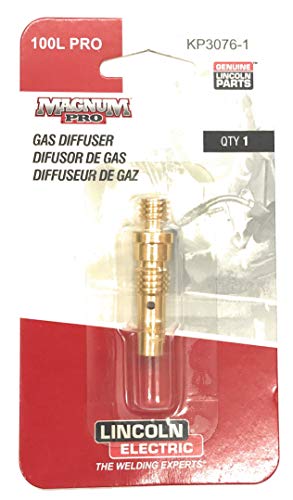
    A clogged MIG diffuser usually shows up as porosity, unstable arc starts, extra spatter, fast nozzle buildup, contact tip overheating, and repeated burnback. The diffuser sits behind the nozzle and routes shielding gas around the contact tip. When spatter blocks the diffuser ports, gas flow becomes restricted or turbulent, leaving the weld pool exposed even if the regulator still shows gas flow.

    The quick test is to remove the nozzle, inspect the diffuser holes, clean out spatter, install a clean correct-size contact tip, and run a short test bead with the same settings. If porosity or spatter drops immediately, the front-end consumables were causing the problem. Do not keep raising gas flow to compensate for a blocked diffuser; excessive flow can also create turbulence.

    Related checks include MIG burnback troubleshooting, contact tip burnback causes, MIG wire feed slipping fixes, and MIG wire selection.

    Common Symptoms

    SymptomLikely Diffuser IssueFirst Check
    Porosity appears suddenlyGas ports blocked or gas flow turbulentRemove nozzle and inspect diffuser holes
    Nozzle fills with spatter quicklyArc instability and poor gas envelopeClean nozzle, tip, and diffuser together
    Contact tip runs hotSpatter bridges around tip or diffuserReplace tip and inspect diffuser threads
    Wire burns back into tipTip overheating or gas/front-end restrictionCheck diffuser, tip bore, and stickout
    Arc starts rough or sputtersUnstable shielding and current transfer areaClean front end before changing settings

    What This Part Does

    The MIG diffuser, sometimes called a gas diffuser or contact tip adapter depending on gun design, directs shielding gas evenly into the nozzle area. On many guns it also holds the contact tip or connects the tip to the gooseneck. If the diffuser is packed with spatter, cross-threaded, overheated, loose, or wrong for the gun series, the weld can act like the gas is bad even when the cylinder, regulator, and hose are fine.

    Visual Wear Indicators

    • Spatter packed into diffuser gas holes.
    • Dark heat marks around the diffuser and contact tip seat.
    • Damaged or crossed threads where the tip screws in.
    • Loose contact tip that will not tighten squarely.
    • Nozzle spatter touching the tip or diffuser.
    • Gas holes unevenly blocked on one side, causing directional gas flow.

    Inspection Steps

    1. Turn off the machine and let the gun cool. Front-end parts can stay hot after short welds.
    2. Remove the nozzle. Look for spatter bridges between the nozzle, tip, and diffuser.
    3. Remove the contact tip. Replace it if the bore is oval, spatter-packed, or heat damaged.
    4. Inspect diffuser holes. Blocked ports are the main diffuser clogging sign.
    5. Clean only if the diffuser is still serviceable. Use a wire brush, small wire, or approved cleaning tool. Do not gouge the seating surfaces.
    6. Check tip seating. A loose or crooked tip can overheat and increase spatter.
    7. Confirm gas flow at the nozzle. Do this after cleaning, not just at the regulator.
    8. Run one test bead. Keep voltage and wire speed unchanged so the diffuser repair is the isolated variable.

    Common Causes of Diffuser Clogging

    • Excessive spatter: wrong voltage/WFS balance, dirty base metal, poor work connection, or wrong polarity.
    • Too much stickout: increases arc instability and front-end spatter exposure.
    • Dirty nozzle: spatter buildup redirects heat and gas flow back toward the diffuser.
    • Wrong consumable stack: mismatched nozzle, tip, or diffuser can disturb gas coverage.
    • Anti-spatter misuse: heavy gel or spray contamination can trap debris and carbonize around hot parts.
    • Overheated gun front end: duty-cycle abuse can cook spatter onto the diffuser and damage threads.

    Field Fix vs Proper Fix

    ProblemField FixProper Fix
    Light spatter in diffuser holesClean ports carefullyAdd diffuser/nozzle cleaning to routine maintenance
    Porosity after nozzle cloggingClean nozzle and diffuserReplace damaged consumables and verify gas coverage
    Tip will not tightenStop using that diffuserReplace diffuser/contact tip adapter
    Repeated burnbackReplace tip and clean diffuserFix wire feed drag, stickout, and front-end heat
    Spatter returns quicklyClean again and check settingsCorrect voltage/WFS, work clamp, polarity, gas, and metal prep

    Common Wrong-Part Mistakes

    • Ordering a diffuser by welder model instead of the actual MIG gun series.
    • Mixing MDX, M-series, Bernard, Tweco-style, or Lincoln consumables without verifying fitment.
    • Replacing only the contact tip when the diffuser holes are blocked.
    • Using a gasless nozzle while trying to run solid wire with shielding gas.
    • Installing a diffuser that fits the threads but does not match the nozzle/tip system.

    Compatibility Notes

    Verify the gun series before ordering diffusers. Weld Support Parts lists the Miller M-25 gas diffuser/contact tip adapter separately from Miller MDX diffuser parts, and those systems should not be treated as interchangeable. If the gun has been replaced in the field, the welder model alone is not enough to identify the diffuser.

    For verified WSP breakdowns, compare the installed gun to the Miller M-25 gun breakdown, Miller MDX-100 gun parts, and Miller MDX-250 gun parts.

    Related Failure Paths

    • Porosity blamed on bad gas when the diffuser is blocked.
    • Burnback blamed on wire speed when the tip is overheating.
    • Spatter blamed on machine settings when the nozzle and diffuser are packed.
    • Wire-feed slipping caused by a tip that overheats and grabs the wire.
    • Short consumable life caused by loose tip seating or damaged diffuser threads.

    Safety Notes

    • Let the nozzle, tip, and diffuser cool before removal.
    • Wear eye protection when brushing or chipping spatter from consumables.
    • Disconnect input power before deeper gun or feeder service.
    • Do not weld through poor gas coverage; porosity can weaken the weld.
    • Use ventilation or local exhaust to keep welding fumes away from the breathing zone.

    Sources Checked

    • Lincoln Electric MIG problems and maintenance guidance.
    • Bernard/Tregaskiss porosity and GMAW consumable troubleshooting.
    • Weld Support Parts Miller M-25, MDX-100, and MDX-250 gun breakdown pages.
    • Weld Support Parts burnback, wire-feed slipping, and MIG consumable support pages.

  • Millermatic 211 PRO MIG Welder: Consumables Setup, Burnback Prevention, and Spare Parts Checklist

    The Millermatic 211 PRO is a portable dual-voltage MIG and flux-cored welder, but the machine is only part of the setup. Most day-to-day welding problems still come back to contact tips, nozzle spatter, liner drag, wire size mismatch, gas coverage, or poor work lead contact.

    This guide is for buyers comparing the Millermatic 211 PRO and for owners who want the right consumable strategy before burnback, birdnesting, sputtering, or porosity starts wasting tips and wire.

    Millermatic 211 PRO MIG Welder Machine – Dual-Voltage Portable Flux Core Welder with Auto-Set & Spool Gun Detection – Aluminum, Mild & Stainless Steel Welding Machine – Wire Feed Gas Welder
    • Versatile MIG Welding: Miller MIG welder supports welding on mild steel, stainless steel, aluminum (with spool gun), and flux-cored wire; a go-to multifunctional welding machine for a variety of applications; Now with continually upgradable USB-enabled software for expanded machine capabilities
    • Auto-Set & Smooth-Start Technology: Built for efficiency, this Miller welder includes Auto-Set to simplify setup and Smooth-Start for spatter-free arc starts; weld longer with a higher duty cycle, ideal for users who need a dependable, high-performance MIG welding machine.
    • Dual Voltage with MVP Plug: Easily switch between 120V & 240V with no tools needed; this 240/120V welder offers plug-and-play power flexibility, making it a top choice for those seeking a portable MIG welder.
    • Built-In Spool Gun Detection: Our 240/120 volt welder automatically detects when a spool gun is connected, eliminating manual adjustments; this feature transforms the aluminum welder into a reliable spool gun welder; Extend your reach with the 15-ft MIG gun โ€“ comes standard with the Millermatic 211 PRO.
    • Heavy-Duty Drive System & Quick Setup: Includes an angled cast-aluminum drive, Quick Select drive roll, and support for .024โ€“.045 in. wires; great for pros needing a wire feed welder, flux core welder, or gas MIG welder thatโ€™s built to last.

    Last update on 2026-05-18 / Affiliate links / Images from Amazon Product Advertising API

    Key Takeaways

    • The verified ASIN B0FFWV5DJG is associated with the Miller Millermatic 211 PRO MIG welder listing found in Amazon search results.
    • Miller lists the Millermatic 211 PRO for 120 V or 240 V input, solid/stainless wire from .024โ€“.035 in., flux-cored wire from .030โ€“.035 in., and 60โ€“600 IPM wire feed speed.
    • The first wear items to stock are contact tips, nozzles, wire liner, drive rolls matched to wire type, anti-spatter, and PPE.
    • Burnback is usually not a โ€œbad welderโ€ problem. Start with tip size, wire feed drag, nozzle spatter, stickout, and voltage/wire speed balance.
    • For best shop readiness, keep spare contact tips in every wire size you run and verify MDX-100 consumable compatibility before ordering.

    Problem / Context: Why a Good MIG Welder Still Needs a Consumables Plan

    A new MIG welder can feel like an upgrade right away, but consumable neglect will make even a capable machine act inconsistent. The symptoms usually show up as wire burning back into the tip, wire stubbing into the puddle, erratic arc starts, excess spatter, or weld porosity.

    The Millermatic 211 PRO gives you dual-voltage flexibility and enough wire-feed range for common shop work, but the gun still depends on correct fit-up: the contact tip must match the wire diameter, the liner must match the wire and gun length, the nozzle must stay clear, and the drive system must feed without crushing or slipping the wire.

    Verified Product Snapshot

    ProductMiller Millermatic 211 PRO MIG Welder
    Verified ASINB0FFWV5DJG
    Process focusMIG / GMAW and flux-cored welding
    Input voltage120 V or 240 V, per Miller product data
    Wire feed speed60โ€“600 IPM, per Miller product data
    Solid / stainless wire range.024โ€“.035 in., per Miller product data
    Flux-cored wire range.030โ€“.035 in., per Miller product data
    Included gun compatibilityMDX-100 MIG gun referenced in Miller literature; verify exact package contents and consumables before purchase

    Root Causes of Common Problems After Buying a Millermatic 211 PRO

    1. Contact Tip Burnback

    Burnback happens when the wire fuses to the contact tip. Common triggers include too little wire speed, too short stickout, wrong tip size, a worn tip bore, a clogged nozzle, poor work clamp contact, or wire drag inside the gun.

    Related internal guide: Why Does My MIG Wire Burn Back and Stick to the Contact Tip?

    2. Birdnesting at the Drive Rolls

    Birdnesting usually points to feed resistance downstream of the drive rolls. Check the contact tip first, then the liner, gun cable bends, drive roll groove, wire spool tension, and drive tension. Do not simply crank down the drive rolls; crushed wire sheds debris and can make the liner problem worse.

    3. Porosity from Poor Gas Coverage

    Porosity can come from contamination, wind, low shielding gas, wrong gas, leaks, a clogged nozzle, or an excessive stickout. Before blaming the machine, clean the base metal, inspect nozzle spatter, verify gas flow, and make a test bead on clean scrap.

    4. Sputtering and Inconsistent Arc

    Sputtering often looks like a settings problem, but worn contact tips, incorrect wire size, dirty liner, poor ground, and feed tension issues are frequent causes. Check consumables before making large voltage or wire speed changes.

    Related internal guide: MIG Settings Troubleshooting

    What Wears Out First

    Wear ItemWhat FailsTypical SymptomAction
    Contact tipBore wears, spatter sticks, wire fusesBurnback, erratic arc, wire dragReplace with correct wire diameter
    NozzleSpatter restricts gas flowPorosity, spatter, unstable arcClean or replace
    LinerDebris, kinks, wrong diameterSurging feed, birdnesting, burnbackReplace with compatible liner
    Drive rollsWrong groove or worn grooveWire slipping or shavingMatch roll to wire type and size
    Work clamp / cable connectionLoose or dirty contactHard starts, unstable arcClean and tighten
    Shielding gas setupLeaks, incorrect flow, empty cylinderPorosity, oxidation, dirty beadLeak-check and verify flow

    Visual Wear Indicators

    • Oval contact tip hole: replace the tip.
    • Wire welded into the tip: replace the tip and check feed drag.
    • Heavy spatter inside nozzle: clean or replace the nozzle.
    • Wire dust near drive rolls: reduce over-tension and inspect liner.
    • Arc surges when gun cable is bent: suspect liner drag or a kinked gun lead.
    • Porosity appears after several minutes of welding: check nozzle blockage, gas flow, and cylinder level.

    Solution: Millermatic 211 PRO Setup Checklist Before the First Weld

    1. Confirm input voltage and plug setup for the job.
    2. Install wire that falls within the machineโ€™s supported wire diameter range.
    3. Match the contact tip to the exact wire diameter.
    4. Match the drive roll groove to the wire type and size.
    5. Keep the gun cable as straight as practical while feeding wire.
    6. Set drive tension only tight enough to feed without slipping.
    7. Clean the base metal and attach the work clamp to clean metal.
    8. Verify shielding gas flow when using solid wire.
    9. Use flux-cored polarity only as specified by the wire and machine setup instructions.
    10. Run a test bead on scrap before welding the final part.

    Product Recommendations

    Best Overall Machine Pick: Millermatic 211 PRO MIG Welder

    For a buyer who wants a higher-quality portable MIG platform instead of a bargain welder, the Millermatic 211 PRO is the central pick for this page. It makes the most sense for a shop that wants 120 V convenience, 240 V capability, solid wire, stainless wire, flux-cored wire, and a consumables ecosystem that can be maintained over time.

    Millermatic 211 PRO MIG Welder Machine – Dual-Voltage Portable Flux Core Welder with Auto-Set & Spool Gun Detection – Aluminum, Mild & Stainless Steel Welding Machine – Wire Feed Gas Welder
    • Versatile MIG Welding: Miller MIG welder supports welding on mild steel, stainless steel, aluminum (with spool gun), and flux-cored wire; a go-to multifunctional welding machine for a variety of applications; Now with continually upgradable USB-enabled software for expanded machine capabilities
    • Auto-Set & Smooth-Start Technology: Built for efficiency, this Miller welder includes Auto-Set to simplify setup and Smooth-Start for spatter-free arc starts; weld longer with a higher duty cycle, ideal for users who need a dependable, high-performance MIG welding machine.
    • Dual Voltage with MVP Plug: Easily switch between 120V & 240V with no tools needed; this 240/120V welder offers plug-and-play power flexibility, making it a top choice for those seeking a portable MIG welder.
    • Built-In Spool Gun Detection: Our 240/120 volt welder automatically detects when a spool gun is connected, eliminating manual adjustments; this feature transforms the aluminum welder into a reliable spool gun welder; Extend your reach with the 15-ft MIG gun โ€“ comes standard with the Millermatic 211 PRO.
    • Heavy-Duty Drive System & Quick Setup: Includes an angled cast-aluminum drive, Quick Select drive roll, and support for .024โ€“.045 in. wires; great for pros needing a wire feed welder, flux core welder, or gas MIG welder thatโ€™s built to last.

    Last update on 2026-05-18 / Affiliate links / Images from Amazon Product Advertising API

    Budget Option: Consumables First

    If the machine is already in your shop, the budget upgrade is not another welder. Start with correct-size contact tips, a clean nozzle, anti-spatter, fresh wire, and a liner inspection. Unknown ASINs: Verify before adding AAWP boxes.

    Heavy-Duty Option: Spare Gun Consumables Kit

    For repeated shop use, keep a dedicated MDX-100-compatible consumables kit with contact tips, nozzles, diffuser-related parts, and a spare liner. Compatibility must be verified against the exact gun and Miller part numbers before purchase.

    Upgrade Path: Spool Gun for Aluminum

    If aluminum MIG is part of the plan, verify the supported Miller spool gun for the Millermatic 211 PRO package. Aluminum wire is soft and feed-sensitive, so a spool gun can reduce feed problems compared with pushing soft wire through a long MIG gun liner. Exact spool gun compatibility: Unknown (Verify).

    Related Accessory: Anti-Spatter and Nozzle Cleaning Tools

    Anti-spatter and a nozzle cleaning tool are low-cost prevention items. They help keep gas flow open around the contact tip and reduce the chance that spatter buildup gets misdiagnosed as a machine settings problem.

    Comparison Table: Machine vs. Consumables vs. Accessories

    CategoryBest UseBuyer IntentAAWP Status
    Millermatic 211 PROPrimary MIG / flux-cored welding platformBest overall machine upgradeVerified ASIN: B0FFWV5DJG
    Contact tipsBurnback, unstable arc, wire dragReplacement consumableUnknown ASIN (Verify)
    NozzlesPorosity and spatter controlReplacement consumableUnknown ASIN (Verify)
    Gun linerBirdnesting, surging feed, wire dragTroubleshooting replacementUnknown ASIN (Verify)
    Drive rollsWire slipping, shaving, flux-core setupCompatibility partUnknown ASIN (Verify)
    Anti-spatterNozzle maintenancePreventative itemUnknown ASIN (Verify)
    Welding gloves / helmetArc, heat, sparks, grinding prepPPE buying intentUnknown ASIN (Verify)

    Recommended Spare Quantity

    • Contact tips: keep 10 per wire size you use most often.
    • Nozzles: keep 2โ€“3 spares for the gun.
    • Liner: keep 1 spare liner matched to wire size and gun length.
    • Drive rolls: keep the correct roll set for solid wire and flux-cored wire if you run both.
    • Wire: keep one sealed backup spool of your most common diameter.
    • PPE: keep spare cover lenses, gloves, safety glasses, and ear protection near the welder.

    Recommended Shop Setup

    A practical Millermatic 211 PRO setup includes the welder, cart or stable surface, properly chained gas cylinder, clean work clamp area, dry wire storage, tip/nozzle organizer, anti-spatter, nozzle pliers, wire brush, flap discs, gloves, helmet, safety glasses, and ventilation appropriate for the material being welded.

    Related internal guide: Flap Disc Prep and Weld Cleaning

    Related internal guide: Welding Safety Equipment

    Common Misdiagnosis

    • โ€œThe welder is defectiveโ€ when the contact tip is actually worn or the liner is dragging.
    • โ€œI need more drive roll tensionโ€ when the wire path is blocked downstream.
    • โ€œThe gas is badโ€ when the nozzle is packed with spatter.
    • โ€œThe voltage is wrongโ€ when the work clamp is attached to dirty metal.
    • โ€œThe wire is junkโ€ when the wrong contact tip size is installed.

    If Ignored

    Ignoring consumable wear leads to wasted contact tips, wasted wire, poor starts, spatter cleanup, porosity repairs, and unnecessary troubleshooting time. In production or repair work, the hidden cost is often not the contact tip itself; it is the time spent stopping, clipping wire, clearing the gun, grinding defects, and restarting.

    Related Failures

    FAQ

    Is B0FFWV5DJG the Millermatic 211 PRO?

    Search results verified B0FFWV5DJG as an Amazon listing associated with the Miller Millermatic 211 PRO MIG welder. Always confirm the product title, seller, package contents, and warranty details on Amazon before publishing or purchasing.

    What contact tips fit the Millermatic 211 PRO?

    The Millermatic 211 PRO literature references MDX-100 MIG gun consumables, but exact tip part numbers and compatibility should be verified against the included gun, wire size, and current Miller documentation before ordering.

    Why does my MIG wire burn back into the tip?

    Burnback usually comes from poor wire feed, incorrect stickout, wrong contact tip size, too little wire speed for the voltage, a dirty nozzle, liner drag, or poor work lead contact. Replace the damaged tip first, then isolate feed resistance.

    Should I buy extra consumables with the welder?

    Yes. At minimum, keep contact tips for each wire size, spare nozzles, a liner, anti-spatter, and PPE consumables. A good welder without spare tips can still stop a job over a minor burnback event.

    Can the Millermatic 211 PRO weld aluminum?

    Miller and Amazon listing text reference aluminum capability with a spool gun. Verify the exact supported spool gun, package contents, calibration steps, and aluminum wire requirements before buying accessories.

    Is a larger MIG welder better than replacing consumables?

    Not when the symptom is burnback, birdnesting, porosity, or erratic arc caused by the gun setup. Replace worn consumables and verify wire feed first. Upgrade machine capacity only when the material thickness, duty cycle, or process needs exceed the welderโ€™s limits.

    Safety Notes

    • Disconnect or power down the welder before removing the contact tip, nozzle, liner, or drive roll components.
    • Wear welding helmet, gloves, flame-resistant clothing, and safety glasses during welding and grinding prep.
    • Secure shielding gas cylinders upright so they cannot fall.
    • Use ventilation suitable for the material, coating, filler wire, and work area.
    • Do not weld on unknown coated, galvanized, painted, or contaminated metal without proper hazard controls.
    • Follow the Miller ownerโ€™s manual and applicable AWS, OSHA, and ANSI safety guidance.

    Sources Checked

    • Miller Millermatic 211 PRO product page and specification data.
    • Miller Millermatic 211 PRO ownerโ€™s manual.
    • Miller Millermatic 211 PRO literature referencing MDX-100 MIG gun consumables.
    • Amazon search result for ASIN B0FFWV5DJG.
    • Weld Support Parts internal MIG troubleshooting, MIG consumables, flap disc, and welding safety pages.
    • OSHA welding, cutting, and brazing safety guidance.
    • ANSI Z49.1 welding safety guidance referenced for general safety context.
  • MIG Contact Tip Burnback Troubleshooting: Wire Sticking, Fusing, or Melting Back Into the Tip

    MIG contact tip burnback happens when the welding wire melts faster than it is being delivered, then fuses inside the contact tip. The most common causes are wire feed speed too low, stickout too short, a worn or wrong-size contact tip, liner drag, tight gun cable bends, incorrect drive roll pressure, wrong drive roll groove, spool brake drag, or spatter buildup at the nozzle and diffuser. Replace the contact tip first, then check the feed path before changing major machine parts.

    Do not fix repeated burnback by only tightening the drive rolls. Excessive drive pressure can deform solid wire, shave soft wire, pack debris into the liner, and create more feed restriction. Burnback is usually a symptom of unstable wire delivery or incorrect arc length, not just a bad tip.

    Common Symptoms

    SymptomLikely CauseFirst Check
    Wire welded inside contact tipLow wire feed speed, short stickout, feed restrictionReplace tip and straighten gun lead
    Tip glows red or discolorsExcessive heat, loose tip, wrong tip, high duty cycleTighten or replace tip
    Wire feeds, then stops mid-weldLiner drag, spool drag, drive roll slipRemove tip and test feed
    Arc stutters before burnbackWorn tip bore, dirty liner, poor wire contactInstall correct new tip
    Birdnesting after burnbackWire blocked downstream of drive rollsInspect tip, diffuser, liner, and gun cable
    Burnback repeats with new tipsWrong consumable family or feed-path restrictionVerify gun model, liner, wire size, and drive rolls

    Quick Fix: Do This First

    1. Stop welding and turn off the machine before touching the gun front end.
    2. Clip the wire clean near the contact tip.
    3. Remove the nozzle and unscrew the burned contact tip.
    4. Install a new contact tip that matches both the wire diameter and the gun series.
    5. Straighten the gun cable. Avoid tight loops, kinks, and sharp bends.
    6. Jog wire with the tip removed. If feed improves, the old tip was blocked or wrong.
    7. If feed is still rough, check liner drag, drive roll pressure, drive roll groove, and spool brake tension.
    8. Restart with correct stickout and adjust wire feed speed only after the mechanical feed path is stable.

    What This Part Does

    The contact tip transfers welding current to the MIG wire and guides the wire at the exit point of the gun. The tip bore must be the correct size for the wire. Too small can restrict feeding and cause burnback. Too large can reduce electrical contact, allow arc wander, and cause unstable starts. The tip must also match the gunโ€™s thread, length, seating style, and diffuser/retaining head system.

    Root Causes of Contact Tip Burnback

    CauseWhy It Causes BurnbackProper Fix
    Wire feed speed too lowArc consumes wire faster than feeder delivers itIncrease wire feed speed within procedure range
    Stickout too shortArc heat is too close to the tipHold proper contact-tip-to-work distance
    Wrong contact tip sizeWire drags or loses stable electrical contactMatch tip to wire diameter and gun family
    Dirty or kinked linerWire slows, surges, or hesitatesClean or replace liner
    Gun cable bent too tightlyWire friction increases before the tipStraighten cable during test
    Drive roll pressure wrongWire slips or gets crushedReset pressure only tight enough to feed
    Spool brake too tightFeeder motor fights spool dragReduce hub tension until spool stops without overrunning
    Spatter-packed nozzle/diffuserHeat builds up and gas flow becomes unstableClean nozzle and inspect diffuser

    What Wears Out First

    • Contact tip: Replace when the bore is oval, pitted, spatter-packed, loose, overheated, or repeatedly fusing wire.
    • Liner: Replace when wire drags with the tip removed, when changing wire size outside the liner range, or when the gun cable has been kinked.
    • Drive rolls: Clean or replace when the groove is worn, packed with wire shavings, or wrong for solid, flux-cored, or aluminum wire.
    • Diffuser/retaining head: Inspect if tips loosen, overheat, seat poorly, or fail repeatedly.
    • Nozzle: Clean spatter before it traps heat or disrupts shielding gas.

    Compatibility Notes

    Contact tips are not universal. Before ordering, verify the MIG gun brand and series, contact tip thread, tip length, wire diameter, diffuser style, and liner system. A .035 tip for one gun family may not fit another .035 gun. Miller AccuLock MDX, Miller AccuLock S, Lincoln Magnum, Tweco-style, Bernard, Tregaskiss, and ESAB/Tweco systems use different part families depending on gun model.

    Confirmed support pages:

    What To Verify Before Ordering

    • MIG gun model and rear connector type.
    • Wire diameter and wire type.
    • Contact tip part family, thread, length, and bore size.
    • Diffuser or retaining head style.
    • Liner size range and gun cable length.
    • Drive roll groove size and type.
    • Shielding gas and polarity for the process.
    • Whether the gun is original or a replacement gun.

    Common Wrong-Part Mistakes

    • Buying by wire size only instead of gun series.
    • Installing a .030 tip on .035 wire.
    • Using a worn diffuser that no longer seats the tip tightly.
    • Replacing tips repeatedly without checking liner drag.
    • Using excessive drive roll pressure to overcome a blocked liner.
    • Mixing Miller, Lincoln, Tweco, Bernard, and Tregaskiss consumables without confirming thread and seating style.

    Field Fix vs Proper Fix

    ProblemField FixProper Fix
    Wire fused in tipClip wire and replace tipCorrect wire speed, stickout, tip size, and feed path
    Burnback with cable bentStraighten gun leadReplace kinked liner or damaged gun cable
    Tip overheatsLet gun cool and clean nozzleVerify duty cycle, tip seating, diffuser, and settings
    Drive rolls slipReset pressureFix liner drag, roll groove, or spool brake tension
    Repeated burnbackInstall new tipInspect full wire path from spool to tip

    Safety Notes

    Turn off input power before servicing the gun, feeder, liner, or drive rolls. Wear safety glasses when clipping wire or clearing a fused tip. Hot tips and nozzles can burn skin through light gloves. Do not bypass feeder covers, defeat trigger controls, or continue welding with repeated burnback until the restriction is found.

    Sources Checked

    • Weld Support Parts MIG burnback and wire feed troubleshooting pages.
    • Weld Support Parts Miller MDX-100, Lincoln Magnum 100L, and Tweco Fusion gun breakdowns.
    • Bernard/Tregaskiss troubleshooting references for contact tip burnback, worn tips, liner restriction, and wrong tip size.
    • American Torch Tip burnback reference for low wire-feed-speed burnback cause.
  • Miller Multimatic 220 AC/DC Support Guide: Consumables, Setup, and Common Failure Points

    The Miller Multimatic 220 AC/DC is a multi-process inverter welder supporting MIG, Flux-Cored, DC Stick, DC TIG, and AC TIG welding. Its portability and broad process capability make it common in fabrication shops, mobile repair, motorsports, aluminum work, and home garages.

    This support guide focuses on practical setup verification, consumable identification, wear inspection, and common troubleshooting paths.

    What This Machine Does

    • MIG welding steel and stainless
    • Flux-core welding
    • AC TIG aluminum welding
    • DC TIG steel and stainless welding
    • Stick welding with common SMAW electrodes

    Common Consumables and Wear Components

    ComponentCommon Wear SymptomsWhat To Verify
    MIG contact tipBurnback, erratic arc, wire stutterWire size match
    MIG nozzlePoor shielding gas coverageSpatter buildup
    MIG linerWire feeding issuesCorrect wire diameter
    TIG cupTurbulent shielding gasCracks and heat damage
    TIG colletPoor tungsten gripTungsten size compatibility
    Tungsten electrodeArc instabilityContamination or incorrect grind
    Drive rollsWire slipping or shavingWire type and groove style

    What Usually Wears Out First

    • MIG contact tips from heat and burnback
    • Liners from dirty wire or kinked cables
    • TIG cups from impact damage
    • Drive rolls from incorrect tension settings
    • Ground clamp connections from heat cycling

    Common Symptoms and Likely Causes

    Wire Feeds but Arc Is Unstable

    • Worn contact tip
    • Incorrect polarity
    • Dirty liner
    • Poor work clamp connection
    • Contaminated shielding gas

    TIG Arc Wanders During Aluminum Welding

    • Contaminated tungsten
    • Improper AC balance settings
    • Damaged gas cup
    • Insufficient gas flow
    • Loose collet body

    Excessive MIG Spatter

    • Incorrect voltage/wire speed balance
    • Wrong shielding gas
    • Poor stickout control
    • Worn nozzle or diffuser

    Compatibility Notes

    The Multimatic 220 AC/DC supports multiple torch and consumable configurations depending on process setup.

    • MIG gun compatibility depends on the connector configuration and trigger wiring
    • TIG torch compatibility depends on amperage rating and connector style
    • Spool gun compatibility should be verified against Miller-approved models
    • Drive rolls must match wire type and diameter
    • Tungsten selection depends on AC or DC process use

    Unknown (Verify) for non-OEM gun and torch compatibility unless manufacturer documentation confirms fitment.

    What To Verify Before Ordering Parts

    • Machine serial number
    • MIG gun model
    • TIG torch series
    • Wire diameter
    • Connector type
    • Consumable family
    • Input voltage setup
    • Shielding gas type

    Common Wrong-Part Mistakes

    • Using the wrong liner diameter
    • Installing flux-core polarity incorrectly
    • Mixing diffuser and nozzle series
    • Using pure tungsten for modern inverter DC TIG
    • Overtightening contact tips

    Inspection Steps

    • Inspect drive rolls for wire shaving
    • Check liner resistance by hand-feeding wire
    • Inspect contact tip bore for oval wear
    • Check gas hoses for leaks
    • Inspect Dinse-style connections for overheating
    • Verify cooling airflow through side vents

    Field Fix vs Proper Fix

    ProblemTemporary Field FixProper Repair
    Birdnested wireTrim and reload wireReplace liner and inspect drive rolls
    Gas leakTighten fittingsReplace damaged hose or regulator seal
    Arc instabilityRegrind tungstenReplace contaminated consumables

    Related Failure Paths

    • Dirty wire causes liner wear and feed instability
    • Poor grounding overheats cables and connectors
    • Incorrect gas flow contributes to porosity and tungsten contamination
    • Excessive drive tension damages wire and liner assemblies

    Safety Notes

    • Disconnect input power before servicing internal components
    • Allow torch consumables to cool before handling
    • Use approved respiratory protection when welding coated metals
    • Inspect cables regularly for insulation damage

    Related Parts Breakdown

    No confirmed WSP breakdown found.

    Sources Checked

    • Miller Multimatic 220 AC/DC product documentation
    • Miller setup and process references
    • Confirmed Weld Support Parts blog references
  • Millermatic 211 PRO vs Multimatic 215 PRO: Which Miller Welder Fits Your Setup?

    The Millermatic 211 PRO and Multimatic 215 PRO are close in MIG capacity, but they are not the same machine. The 211 PRO is a dedicated MIG/flux-cored welder. The 215 PRO is a multiprocess machine for MIG, flux-cored, DC TIG, and stick. For most parts, consumable, and troubleshooting decisions, the process difference matters more than the model number.

    Key Takeaways

    • Choose the Millermatic 211 PRO if you only need MIG and flux-cored welding.
    • Choose the Multimatic 215 PRO if you need MIG plus DC TIG or stick capability.
    • Both use 120/240 V input and include a 15 ft MDX-100 MIG gun package.
    • Do not assume TIG, stick, spool gun, drive roll, or liner compatibility without checking the exact Miller part listing.
    • For replacement parts, verify torch series, machine model, connector type, wire size, cable length, consumable family, OEM part number, and connector configuration.

    Problem / Context

    The common buying mistake is treating the 215 PRO as a โ€œbigger 211 PRO.โ€ It is not just a larger MIG machine. It is a multiprocess platform. If the shop only runs short-arc MIG on mild steel, the 211 PRO keeps the setup simpler. If the same machine also needs to run stick electrodes or DC TIG on steel or stainless, the 215 PRO is the better fit.

    Main Support Section: Machine Comparison

    Millermatic 211 PROMultimatic 215 PROSupport Note
    Machine typeMIG / flux-coredMIG / flux-cored / DC TIG / stickMain decision point
    Input power120/240 V MVP120/240 V MVPVerify branch circuit and plug setup
    MIG gun15 ft MDX-10015 ft MDX-100Verify MDX consumable family before ordering
    Wire range.024, .030, .035 in Auto-Set selections.024โ€“.035 in solid wire; .030โ€“.045 in flux-cored listedVerify drive roll and tip size
    Spool gun useSupported with listed Miller spool gun accessoriesSupported with listed Miller spool gun accessoriesVerify spool gun model and connector
    TIGNot a TIG machineDC TIG capableUnknown (Verify) TIG kit contents by package
    StickNot a stick machineStick capableNot recommended for 6010 electrodes per Miller spec sheet
    Best fitDedicated MIG work, repair, fabrication, light shop useOne-machine setup for MIG, DC TIG, and stickChoose by process, not only amperage

    Compatibility / Verification Notes

    Both machines may use similar MIG front-end parts when equipped with the MDX-100 gun, but compatibility should be verified by gun label and Miller part number. Do not order by machine name alone.

    • Verify torch series: MDX-100, spool gun, TIG torch, or other accessory.
    • Verify machine model: Millermatic 211 PRO or Multimatic 215 PRO.
    • Verify wire size: .024, .030, .035, or .045 where applicable.
    • Verify drive roll style: solid wire groove vs flux-cored groove.
    • Verify cable length: 15 ft MDX gun parts may differ from other gun lengths or series.
    • Verify OEM part number before ordering tips, liners, diffusers, nozzles, drive rolls, or spool gun parts.

    Inspection or Troubleshooting Steps

    SymptomLikely CauseCheckFixNotes
    Wire feeds unevenlyWrong tip, worn liner, drive roll tension issueFeed with gun lead straight and tip removedReplace tip or liner; reset tensionDo not overtighten rolls
    Birdnesting at feederRestriction in tip/liner or crushed wireInspect tip bore, liner drag, roll grooveCorrect tip/roll match; replace worn linerCommon on both models
    Burnback to contact tipWire speed too low, feed hesitation, worn tipMatch tip size to wire and inspect spatterReplace tip, clean nozzle, adjust wire speedChange one variable at a time
    Poor gas coverageNozzle spatter, gas leak, wrong flow setupInspect nozzle and gas hoseClean/replace nozzle; verify regulator setupShielding gas and PPE are not optional
    Stick/TIG issue on 211 PROWrong machine selectionConfirm process requirementUse a compatible TIG/stick power source211 PRO is MIG/flux-cored only

    Parts / Consumables Table

    PartFunctionWear SignsVerify Before OrderingNotes
    MDX-100 contact tipTransfers current to wireOval bore, burnback, arc instabilityWire size and MDX compatibilityDo not use wrong tip family
    MDX-100 linerGuides wire through gun cableDrag, stutter, bend-sensitive feedingWire size and 15 ft gun lengthFront-load liner style must match gun
    NozzleDirects shielding gas and protects tipSpatter buildup, poor gas coverageNozzle style and gun seriesClean before replacing
    DiffuserSeats tip and distributes gasLoose tip, poor gas flow, heat damageMDX-100 diffuser part numberMisdiagnosed as bad gas bottle
    Quick Select drive rollFeeds solid or flux-cored wireSlipping, shaving, wrong groove wearWire diameter and wire typeSolid and flux-cored grooves are not interchangeable
    Spool gun partsFeed aluminum wire near arcFeed drag, tip burnback, poor aluminum startsSpool gun model and wire sizeUnknown (Verify) by exact spool gun model
    TIG kitDC TIG setup for 215 PROUnknown (Verify)215 PRO package, torch, gas fitting, remote needsNot applicable to 211 PRO

    Common Wrong-Part Mistakes

    • Ordering by โ€œMiller 211โ€ instead of confirming Millermatic 211 PRO vs older Millermatic 211.
    • Buying M-series consumables for an MDX gun without checking compatibility.
    • Using a .030 contact tip with .035 wire or the wrong drive roll groove.
    • Assuming the 211 PRO accepts TIG or stick accessories because the 215 PRO does.
    • Ordering spool gun consumables without verifying Spoolmate model.

    Related Failure Paths

    Safety Notes

    • Disconnect input power before changing drive rolls, liners, tips, or internal accessories.
    • Use eye protection when clipping wire or clearing birdnested wire.
    • Use adequate ventilation and correct shielding gas setup.
    • Confirm polarity before switching between solid wire, flux-cored wire, stick, or TIG processes.
    • Follow the Miller ownerโ€™s manual for process setup and maintenance.

    FAQ

    Is the Multimatic 215 PRO just a stronger Millermatic 211 PRO?

    No. The main difference is process capability. The 211 PRO is for MIG and flux-cored welding. The 215 PRO adds DC TIG and stick capability.

    Do both machines use the same MIG gun?

    Miller lists a 15 ft MDX-100 MIG gun with both current PRO packages. Still verify the gun label and part number before ordering consumables.

    Can the Millermatic 211 PRO TIG weld?

    No. Use the Multimatic 215 PRO or another compatible TIG-capable machine if DC TIG is required.

    Which one is better for aluminum?

    Both can be used with compatible spool gun setups listed by Miller. Verify spool gun model, wire size, and connector configuration before ordering.

    Next Step

    Pick the machine by process first. If the work is mostly MIG and flux-cored, the Millermatic 211 PRO is the cleaner fit. If the shop needs one portable machine for MIG, DC TIG, and stick, compare the Multimatic 215 PRO package options and verify the required accessories before buying consumables.

    Sources Checked

    • Miller Millermatic 211 PRO product page
    • Miller Millermatic 211 PRO spec sheet
    • Miller Multimatic 215 PRO product page
    • Miller Multimatic 215 PRO spec sheet
    • Weld Support Parts internal MIG troubleshooting posts
  • Why Your MIG Wire Burns Back Into the Contact Tip (Fast Fix)

    If your MIG wire keeps burning back and welding itself into the contact tip, youโ€™re not dealing with a โ€œmystery setting.โ€ Youโ€™ve got wire feed interruption (mechanical) or a wire speed/voltage mismatch (setup) thatโ€™s letting the arc eat the wire faster than itโ€™s being delivered. This guide walks you through a fast diagnosis and a clean, one-variable-at-a-time fix.

    Where to Buy (Quick Fix Parts)

    Most burnback events trace back to one of these failed/dirty components:

    • Contact tip (wrong size, worn, or spatter-packed) โ†’ wire drags, overheats, and fuses
    • Nozzle/diffuser area clogged with spatter โ†’ tip overheats, arc gets unstable
    • Liner friction (kinked/dirty/wrong size) โ†’ wire feed stutters and stalls

    Top Pick (Primary Fix)

    No verified ASIN available (omit AAWP box).

    Backup / Consumable Option

    No verified ASIN available (omit AAWP box).


    Key Takeaways

    • Burnback is usually wire feed stopping or wire speed too low for the voltage.
    • Replace the contact tip first if the wire is stickingโ€”donโ€™t waste time tuning around a bad tip.
    • Clean spatter from the nozzle/diffuser before changing settings.
    • If itโ€™s not fixed in 2โ€“3 minutes, replace the consumable and move on.
    • Donโ€™t ignore safety: eye protection, gloves, and ventilation matter even during โ€œquick fixes.โ€

    Symptoms (Fast Diagnosis)

    • Wire fuses to the contact tip at the end of a weld or during starts
    • Arc gets โ€œangry,โ€ then the wire suddenly stops feeding
    • You hear the drive rolls slip or the feeder motor strain
    • Tip is discolored/blue, nozzle is packed with spatter
    • Wire feels โ€œstickyโ€ when you pull it by hand through the gun (power off)

    Root Causes (Mapped to Symptoms)

    • Wire sticks in tip repeatedly โ†’ worn tip, wrong tip size, tip overheated, spatter packed in tip/nozzle
    • Burnback happens at the end of the weld โ†’ burnback setting (if equipped) too high, poor stop technique, wire speed too low
    • Burnback happens mid-weld โ†’ wire feed interruption: liner friction, kinked lead, drive roll tension wrong, spool drag too high
    • Starts are violent then burn back โ†’ stickout too short, starting on cold/dirty metal, wire speed too low for voltage

    Quick Fix (Do This First)

    Do these in order. Donโ€™t touch your machine settings until the mechanical stuff is clean.

    1. Kill power to the welder.
    2. Clip the wire at the contact tip, remove the nozzle, and inspect the tip.
    3. If the wire is fused: replace the contact tip (correct diameter for your wire).
    4. Clean spatter from the nozzle and diffuser area (spatter can trap heat and destabilize the arc).
    5. Straighten the gun lead and remove tight loops. A tight coil can create enough drag to stall the wire.

    No verified ASIN available (omit AAWP box).


    Step-by-Step Fix

    1. Confirm the basics (30 seconds)
      1. Wire diameter matches the contact tip size (example: .030 in wire needs a .030 in tip).
      2. Polarity is correct for your wire/process (unknownโ€”verify per wire manufacturer).
      3. Work clamp is clean and tight.
    2. Fix wire feed drag (most common โ€œhiddenโ€ cause)
      1. Lay the gun lead out as straight as possible.
      2. Check drive roll tension: tighten only enough to feed consistently. If itโ€™s crushing the wire, it can create shavings and drag.
      3. Check spool tension/brake: too tight increases drag; too loose can overrun (different problem, but still feed instability).
    3. Replace/clean the hot-end consumables
      1. Replace the contact tip if itโ€™s worn, ovaled, or packed with spatter.
      2. Clean/replace nozzle if itโ€™s heavily spattered.
      3. Inspect the diffuser for spatter buildup or damaged threads.
    4. Only then adjust settings (one variable at a time)
      1. If burnback is happening: increase wire speed slightly or reduce voltage slightly (small moves).
      2. If your machine has a burnback timer/setting: reduce it (unknownโ€”verify per machine manual).
      3. Re-test on clean scrap of the same thickness.
    5. Technique check (quick)
      1. Keep a consistent stickout (too short increases heat at the tip).
      2. Donโ€™t โ€œjamโ€ the wire into the puddleโ€”maintain a stable arc length.

    Parts That Actually Fix This

    Contact tip

    • Replace when: wire sticks, arc becomes unstable, tip bore is worn/ovaled, heavy spatter inside.
    • Adjust instead when: tip is clean and correct size, but settings are clearly off.

    Liner

    • Replace when: wire feed stutters with the lead straight, you feel drag pulling wire by hand (power off), visible shavings/dirt.
    • Adjust instead when: drag is caused by a tight lead coil or excessive drive roll/spool tension.

    Drive rolls

    • Replace when: grooves are worn, wrong groove type for wire, wire is slipping even with correct tension.
    • Adjust instead when: tension is simply too tight/too loose.

    Diffuser / nozzle

    • Replace when: threads are damaged, diffuser is packed with spatter, gas flow is disrupted (symptoms may include porosity too).
    • Adjust instead when: light spatter can be cleaned and gas coverage is stable.

    Replace vs Adjust (Fast Decision Table)

    ProblemAdjust FirstReplace
    Wire fuses to contact tipSlight wire speed increase (small step)Contact tip (correct size)
    Burnback happens mid-weldStraighten lead; reduce drive roll/spool dragLiner (if drag persists)
    Burnback at end of weldBurnback setting (if equipped) / stop techniqueContact tip if sticking continues
    Arc unstable + spatter-packed front endClean nozzle/diffuserNozzle/diffuser if damaged

    Rule: If not fixed in 2โ€“3 minutes โ†’ replace the consumable.


    Prevention Tips

    • Keep the gun lead straight during long welds; tight loops add liner drag.
    • Replace tips on a schedule if you run production (interval: unknownโ€”depends on amperage, wire type, and duty cycle).
    • Store wire dry and clean; contamination increases feeding issues and spatter.
    • Donโ€™t overtighten drive rollsโ€”crushed wire creates shavings that load the liner.
    • Safety: wear ANSI Z87.1 eye protection when chipping/cleaning, gloves for hot consumables, and ensure adequate ventilation for welding fumes.

    FAQ

    Why does burnback happen right when I stop welding?
    Often the wire stops feeding before the arc fully extinguishes (burnback timing/stop technique), or wire speed is too low for the voltage. If your machine has a burnback control, check the manual and reduce it (unknownโ€”verify).

    Can a wrong contact tip size cause burnback?
    Yes. Too tight increases drag and heat at the tip; too loose can cause poor current transfer and instability. Match tip size to wire diameter.

    Is burnback a gas problem?
    Usually no. Gas issues show up more as porosity/oxidation. Burnback is primarily wire feed + heat balance at the tip.

    Do I need to replace the liner every time?
    No. Straighten the lead and correct tension first. Replace the liner when drag persists and feeding is inconsistent with everything else correct.


    Internal Linking


  • Why Your MIG Wire Stops Feeding (And How to Fix It in 5 Minutes)

    Intro

    Your MIG welder fires up fine, but halfway through the bead, the wire quits feeding. You hear the motor grinding. Nothing comes out. It’s frustrating, costly downtime, and it happens more often than it should. The fix is usually simpleโ€”but only if you know where to look.

    Key Takeaways

    • Wire feed failure is usually caused by liner wear, drive roll tension, or spool brake issues
    • A worn or dirty liner creates friction that stops the wire cold
    • Replacing the liner is the fastest fix and costs under $20
    • Check drive roll pressure and spool tension before assuming the worst
    • Keep a spare liner on hand to avoid shop downtime

    The Problem

    MIG wire feed failure shows up as:

    • Wire stops mid-weld with motor still running
    • Grinding or clicking sound from the feeder
    • Inconsistent feed speed (stuttering)
    • Wire bunching or bird nesting at the contact tip

    The culprit is almost always friction inside the liner. As you weld, the wire slides through a plastic or steel tube (the liner) thousands of times. Over time, the liner gets scored, kinked, or contaminated with spatter and oxidation. When friction builds up, the drive rolls can’t push the wire forwardโ€”it just slips and grinds.

    Why It Matters

    A dead wire feed kills productivity. You stop mid-bead, troubleshoot, waste time, and restart. On a production job, that’s money. On a tight deadline, it’s a missed commitment. Plus, repeated grinding wears out your drive rolls faster, turning a $15 liner replacement into a $60+ drive roll replacement.

    The Fix

    1. Disconnect the gun and remove the spool. Unplug the welder or kill the power.
    1. Inspect the liner. Pull the wire out and look inside the liner with a flashlight. If it’s scored, kinked, or clogged with spatter, it’s done.
    1. Measure the old liner. Note the length and diameter (usually .035″ or .045″ for MIG).
    1. Install the new liner. Feed it through the feeder, conduit, and gun. Make sure it seats flush at both endsโ€”no gaps.
    1. Reload the wire and test. Run a test bead at low amp to confirm smooth feed.

    Why This Product Solves It

    The LM3A-15 Miller Acculock MDX Liner (15′ Liner, 035/.045) is a direct replacement for Miller Acculock systems and compatible MDX guns. It’s the exact spec you need for smooth, consistent wire feed without grinding or slipping. Miller liners are precision-engineered to tight tolerances, so you get the same feed quality as factory equipment.

    Product Link:  Product not found.

    “>
    Product not found.
     

    What to Check Before You Buy

    • Liner length: Measure your old liner or check your gun manual (15′, 25′, or custom length)
    • Wire size compatibility: This liner handles .035″ and .045″ wire
    • Gun model: Confirm it’s Miller Acculock or compatible (check your gun label)
    • Conduit fit: The liner should slide smoothly into your gun conduit without binding

    Real-World Use

    A fabricator running a Miller MDX-250 noticed wire feed stuttering on 0.035″ mild steel. Swapped the liner in under 5 minutes. Feed was smooth again. No more grinding, no more restarts. One liner lasted 6 months of regular use before needing replacement.

    Common Mistakes

    • Replacing the contact tip when the real problem is the liner
    • Forcing a liner that doesn’t match your gun model (causes kinking)
    • Not checking for spatter buildup inside the conduit before installing a new liner
    • Ignoring drive roll tensionโ€”a worn liner + loose rolls = guaranteed failure
    • Buying a generic liner instead of the OEM spec (fit and feed quality suffer)

    Safety Notes

    Always disconnect power before removing the spool or working on the feeder. If you’re unsure about liner length or compatibility, verify your gun model and check the manual. Improper liner installation can cause erratic arc and poor weld quality.

    Always follow the manufacturer’s instructions and your shop’s safety procedures. If you’re unsure about fitment or ratings, verify before you buy or install.

    Related Reading

  • Worn MIG Contact Tips Causing Porosity? Here’s the Fix

    Intro

    Your MIG welds are coming out porous, weak, or with inconsistent penetration. You’ve checked your gas flow, wire speed, and voltageโ€”everything looks right. The culprit? A worn contact tip.

    A degraded contact tip creates poor electrical contact with the wire, causing arc instability and incomplete fusion. This is one of the most overlooked failure points in MIG welding, and it’s costing you time and rework.

    Key Takeaways

    • Worn contact tips cause porosity, spatter buildup, and weak welds
    • Signs: Pitting, erosion, or a loose fit on the wire
    • Replace every 50โ€“100 hours of welding or when you notice performance drop
    • Proper fitment matters: match your wire size (.023″, .030″, .035″, .045″)
    • Quality replacement tips prevent downtime and improve weld quality

    The Problem

    A contact tip is a consumable that wears with every pass. As current flows through it to the wire, the tip gradually erodes and pits. When it gets too worn, it can’t maintain consistent electrical contact, causing:

    • Arc instability: Erratic arc behavior, spatter, and poor fusion
    • Porosity: Gas pockets trapped in the weld due to arc interruption
    • Weak beads: Inconsistent penetration and bead profile
    • Spatter buildup: Excess spatter around the nozzle area

    Most shops don’t replace tips until they fail completelyโ€”by then, you’ve already scrapped parts.

    Why It Matters

    Worn contact tips don’t just make bad welds; they cost money:

    • Rework: Porosity and weak fusion mean cutting out bad sections and re-welding
    • Downtime: Troubleshooting a worn tip wastes 30 minutes to hours
    • Material waste: Scrap parts and wasted filler material add up fast
    • Safety: Weak welds on structural or pressure-bearing work are a liability

    A $5โ€“$15 contact tip replacement takes 2 minutes and prevents all of this.

    The Fix

    Replace your contact tip as part of routine maintenance:

    1. Stop the welder and let it cool for 30 seconds
    2. Unscrew the nozzle (usually 1/2″ or 5/8″ wrench)
    3. Remove the old tip by hand or with a tip puller
    4. Install the new tip hand-tight, then snug with the nozzle
    5. Re-install the nozzle and resume welding

    That’s it. Total time: under 2 minutes.

    Why This Product Solves It

    The Bernard AccuLock S Contact Tip is a direct replacement for Miller AccuLock S guns (MDX-100, MDX-250, and compatible systems). It maintains precise electrical contact with the wire, delivering stable arc and consistent penetration.

    Key benefits:

    • Exact fitment: Engineered for AccuLock S gunsโ€”no guessing
    • Reliable contact: Precision-molded for tight wire fit and stable arc
    • Affordable: Pack of 10 tips covers months of welding
    • Compatible: Works with .030″, .035″, and .045″ wire (check your size)

    Replace every 50โ€“100 hours or when you notice spatter or porosity. Preventive replacement beats troubleshooting a failed tip mid-job.

    What to Check Before You Buy

    • Your gun type: This is for Miller AccuLock S guns (MDX-100, MDX-250). If you use a Lincoln, ESAB, or Tweco gun, you need a different tip
    • Wire size: Available in .030″, .035″, and .045″โ€”match your setup
    • Quantity: Pack of 10 is standard; one tip lasts 50โ€“100 hours depending on duty cycle
    • Fitment: Unknown (Verify) โ€” confirm your gun model before ordering

    Real-World Use

    A fabrication shop running steady MIG work replaces contact tips every 2โ€“3 weeks. One worn tip caused 4 hours of rework on a structural assembly before they realized the problem. Now they replace tips every 50 hours as preventive maintenance. No more porosity, no more downtime.

    Common Mistakes

    • Waiting too long to replace: Worn tips degrade weld quality for days before failing completely
    • Wrong size: Installing a .035″ tip in a .045″ gun (or vice versa) causes loose fit and arc instability
    • Not cleaning the nozzle: Spatter buildup on the nozzle can also cause arc issuesโ€”clean it when you replace the tip
    • Over-tightening: Hand-tight is enough; over-tightening can crack the tip
    • Ignoring porosity: If you see porosity, replace the tip immediatelyโ€”it’s the first thing to check

    Safety Notes

    • Always wear ANSI Z87.1-rated safety glasses or a helmet when welding
    • Let the gun cool for 30 seconds before removing the nozzleโ€”contact tips can retain heat
    • Ensure proper ventilation; MIG welding produces fumes that require respiratory protection (OSHA guidelines)
    • Never touch the tip or nozzle immediately after weldingโ€”they will cause burns

    Always follow the manufacturer’s instructions and your shop’s safety procedures. If you’re unsure about fitment or ratings, verify before you buy or install.

    Where to Buy

    Available at ArcWeld.store (stock and shipping: Unknown โ€“ verify)

  • MIG Wire Feed Bird Nesting: Causes, Fixes & Roller Replacement Guide

    Cluster: MIG Troubleshooting & Wire Feed Systems

    Quick Diagnosis

    You’re feeding wire, but it bunches up inside the gun or linerโ€”a tangled mess that stops the arc cold. This is bird nesting, and it kills productivity fast.

    Most likely causes (in order):

    1. Feed roller tension too tight โ€” squeezes wire, causes backpressure
    1. Dirty or worn feed roller โ€” grooves clogged with spatter, wire slips
    1. Kinked or damaged liner โ€” restricts wire path
    1. Wrong wire size for roller โ€” .023″ wire in a .030″/.035″ groove
    1. Spool cast โ€” wire coiled too tight, won’t feed straight

    Safety Notes

    • Disconnect the gun from the feeder before adjusting rollers or removing wire.
    • Relieve tension on the feed knob before servicingโ€”don’t let it snap back.
    • Always inspect the liner for cracks; damaged liners can cause wire drag and poor contact.

    Step-by-Step Troubleshooting Checklist

    Step 1: Check Feed Roller Tension

    1. Locate the feed knob (usually a thumbscrew or lever on the side of the feeder).
    1. Loosen it slightly โ€” you should be able to stop the wire by pinching it between your fingers without it feeding.
    1. Test: Spin the roller by hand; wire should slip smoothly, not bind.
    1. If still nesting: Move to Step 2.

    Step 2: Clean the Feed Roller

    1. Remove the spool of wire.
    1. Inspect the knurled grooves โ€” look for spatter buildup, rust, or debris.
    1. Clean with a wire brush or cloth; wipe dry.
    1. Check for flat spots or wear โ€” if grooves are smooth/shiny, the roller is worn and needs replacement.
    1. Reinstall and test.

    Step 3: Inspect the Liner

    1. Disconnect the gun from the feeder.
    1. Look inside the liner with a flashlight โ€” check for kinks, cracks, or blockages.
    1. Try to feed wire by hand through the liner without the gun attached; it should slide freely.
    1. If resistance: The liner is damaged and must be replaced.

    Step 4: Verify Wire Size Matches Roller Groove

    1. Check your wire diameter โ€” .023″, .030″, .035″, or .045″.
    1. Check the roller groove โ€” it’s usually marked on the feeder or roller itself (e.g., “K .030/.035”).
    1. If they don’t match: You’re using the wrong roller. Replace it.

    Step 5: Check Spool Cast

    1. Cut 2โ€“3 feet of wire from the spool.
    1. Lay it flat on a table โ€” it should lie nearly flat.
    1. If it coils tightly: The spool has excessive cast. Try a different spool or wire brand.

    Fix Options (Ranked by Cost & Effort)

    Free / Adjustment (Try First)

    • Loosen feed tension โ€” 80% of bird nesting stops here.
    • Clean the roller โ€” removes spatter that causes slipping.
    • Straighten the liner โ€” gently unbend kinked sections.

    Low Cost (~$10โ€“$20)

    • Replace the liner โ€” if kinked or cracked, a new liner solves drag issues.
    • Clean nozzle dip โ€” apply anti-spatter gel to reduce buildup inside the gun.

    Medium Cost (~$15โ€“$30)

    • Replace the feed roller โ€” if worn smooth or grooves are damaged, a new roller restores grip and eliminates slipping.

    Product Recommendation: Drive Roll K.023 K.030 K.035 K.045 Knurled V U Groove Wire Feed for MIG Welders

    Why it helps:

    • Multiple groove options โ€” choose K (knurled), V, or U groove to match your wire size and feeder type.
    • Bearing steel construction โ€” durable, resists spatter buildup better than soft rollers.
    • 15 size variants โ€” covers .023″ through .045″ wire, fits Clarke, SIP, and most hobby/pro MIG welders.
    • Direct replacement โ€” no special tools needed; swap in 2 minutes.
    • Affordable โ€” costs less than a service call.

    What to compare before you buy:

    • Your feeder model โ€” check the manual or feeder nameplate (Clarke, SIP, Lincoln, Hobart, etc.).
    • Wire size you run โ€” .023″, .030″, .035″, or .045″.
    • Groove type โ€” K (knurled for steel), V (V-groove for aluminum), or U (universal).
    • Roller diameter โ€” 1″ or 1.2″ OD (outer diameter); check your feeder.
    • Condition of your current roller โ€” if it’s smooth/shiny, replacement is overdue.
    Drive Roll K.023 K.030 K.035 K.045 Knurled V U Groove Wire Feed for MIG Welders, MIG Welding Equipment Drive Roller Replacement(#4)
    • ใ€Compatibleใ€‘Made of high-quality materials, this Drive Roll is designed to be sturdy and long-lasting. It is compatible with many standard build MIG welders such as for Clarke, SIP, MIG100/130/160/180/200, etc.
    • ใ€Versatile Wire Feedใ€‘The Drive Roller is designed with a knurled V U groove, allowing it to feed wires of various sizes. It is compatible with wire sizes .023, .030, .035, and .045, providing versatility for different welding applications.
    • ใ€Convenient and Practicalใ€‘This drive roll is a practical welding accessory that is very convenient to use. It is easy to install and ensures smooth wire feeding, enhancing the overall welding experience.
    • ใ€Wide Range of Model Optionsใ€‘ This Drive Roll is available in 15 different model options, allowing you to choose the perfect fit for your specific welding needs. Each model is designed with different dimensions and specifications to accommodate various wire sizes.
    • ใ€High-Quality Materialใ€‘The Drive Roll is made of bearing steel, ensuring its strength and durability. It is built to withstand the demands of welding, providing reliable performance and ensuring long-term usage.

    Last update on 2026-05-18 / Affiliate links / Images from Amazon Product Advertising API

    Common Mistakes

    • Tightening tension to stop nesting โ€” this makes it worse. Loosen instead.
    • Ignoring a kinked liner โ€” you’ll keep having feed problems until you replace it.
    • Using the wrong wire size for your roller โ€” .023″ wire will slip in a .030″ groove every time.
    • Not cleaning the roller โ€” spatter buildup is invisible but deadly for feed consistency.
    • Replacing the roller without checking tension โ€” you’ll bird nest again in a week.

    FAQ

    Q: How do I know if my roller is worn? A: If the grooves look shiny/smooth instead of knurled (bumpy), it’s worn. Worn rollers slip and cause bird nesting even with correct tension.

    Q: Can I use a .030″ roller with .023″ wire? A: No. The wire will slip in the larger groove. Always match wire size to groove size.

    Q: How often should I replace my liner? A: Every 50โ€“100 spools of wire, or sooner if you notice drag or bird nesting. Liners wear out faster than rollers.

    Q: What’s the difference between K, V, and U grooves? A: K (knurled) grips steel wire best; V is for aluminum (softer); U is universal. Check your feeder manual.

    Q: Can I clean a worn roller instead of replacing it? A: Cleaning helps, but if grooves are smooth, replacement is the only fix. Worn rollers can’t grip wire properly.

    Next Steps

    1. Loosen your feed tension and test โ€” this solves most bird nesting.
    1. Clean your roller with a wire brush if it’s clogged with spatter.
    1. If nesting persists: Check your liner for kinks and verify wire size matches your roller groove.
    1. If your roller is worn smooth: Replace it with a bearing-steel roller that matches your wire size and feeder type.
    1. Check our MIG troubleshooting guides for arc length, spatter, and contact tip issues โ€” common companions to feed problems.

  • Try Amazon Prime Free