A machine rarely chooses a convenient time to go down. The failure lands in the middle of a production day, and the first few minutes usually sound the same: Who worked on it last? Was that cable replaced? When did the compressor start making that noise? Is the part already on order?
In a large operation, a computerized maintenance system may answer those questions. In a smaller welding or fabrication shop, the answer is often spread across a notebook, a whiteboard, a stack of receipts, and the memory of the one person who seems to know every machine. That system works—until that person is off, the note disappears, or the same problem returns six months later.
Good maintenance records are not office decoration. They help a shop decide what needs attention, who owns the next step, and where downtime is actually coming from. The system does not have to be complicated. It does have to be used.
Start with four questions
A practical shop-maintenance system should answer four questions without a scavenger hunt:
- What equipment do we have? Record a clear asset ID, description, location, status, and the information needed to find the correct manual or service history.
- What work is due? Keep recurring inspection and maintenance tasks in one schedule, with an owner and the correct calendar- or meter-based interval for that asset.
- What happened last time? Document service, repairs, findings, parts, labor, outside service, and corrective action while the details are still fresh.
- What is the interruption costing? Separate the price of the repair from the hours and production exposure created by the downtime.
Those questions apply to more than welding power sources. Plasma systems, fume extraction, compressors, saws, positioners, ovens, material-handling equipment, and other recurring shop assets all compete for maintenance attention. Without a common record, urgent work crowds out preventive work and yesterday’s temporary repair quietly becomes today’s operating condition.
A record should help the next person
“Checked machine” is not a useful service entry. Neither is “fixed.” A useful record identifies the asset, the symptom or task, the work performed, the condition found, any parts used, the person or vendor involved, the result, and the next required action. If the unit remains out of service, that status should be visible instead of buried in a note.
The goal is not paperwork for its own sake. The goal is continuity. A welder coming onto the next shift, a supervisor reviewing a repeat failure, or an outside technician arriving weeks later should be able to understand what has already happened. A consistent asset ID ties those records together even when several machines share the same model name.
Use the dashboard as a question, not an answer
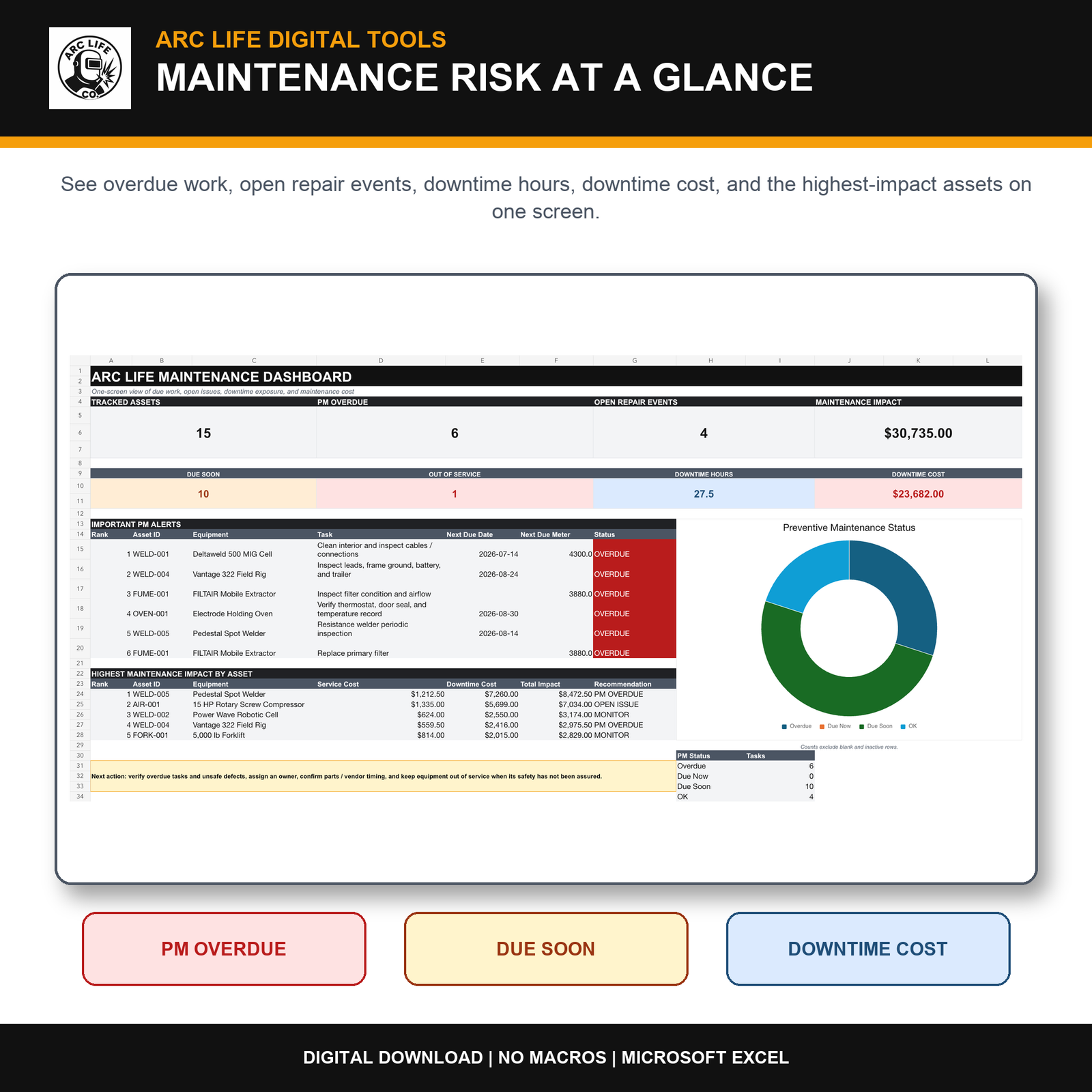
Dashboards are valuable because they compress a lot of records into a short review. They can show overdue preventive work, open repair events, out-of-service equipment, downtime hours, and assets with unusually high maintenance impact. That makes it easier to decide where a morning meeting should begin.
But a red cell is not a maintenance instruction. The correct task, inspection method, interval, and return-to-service decision still come from the current manufacturer documentation, qualified personnel, applicable inspection requirements, the shop’s operating conditions, and its safety program. A spreadsheet can organize those decisions. It cannot make them safely on its own.
Start with a free equipment record
Use WSP’s free equipment and attached-tool record to collect the machine model, serial number, attached gun or torch, and manual reference. Print one sheet for each setup.
Where a spreadsheet fits—and where it does not
Some shops need a full CMMS with automatic notifications, mobile scanning, work-order approvals, supplier integrations, user permissions, and enterprise controls. Others need a disciplined bridge between memory and enterprise software. That middle ground is where a well-built spreadsheet earns its place.
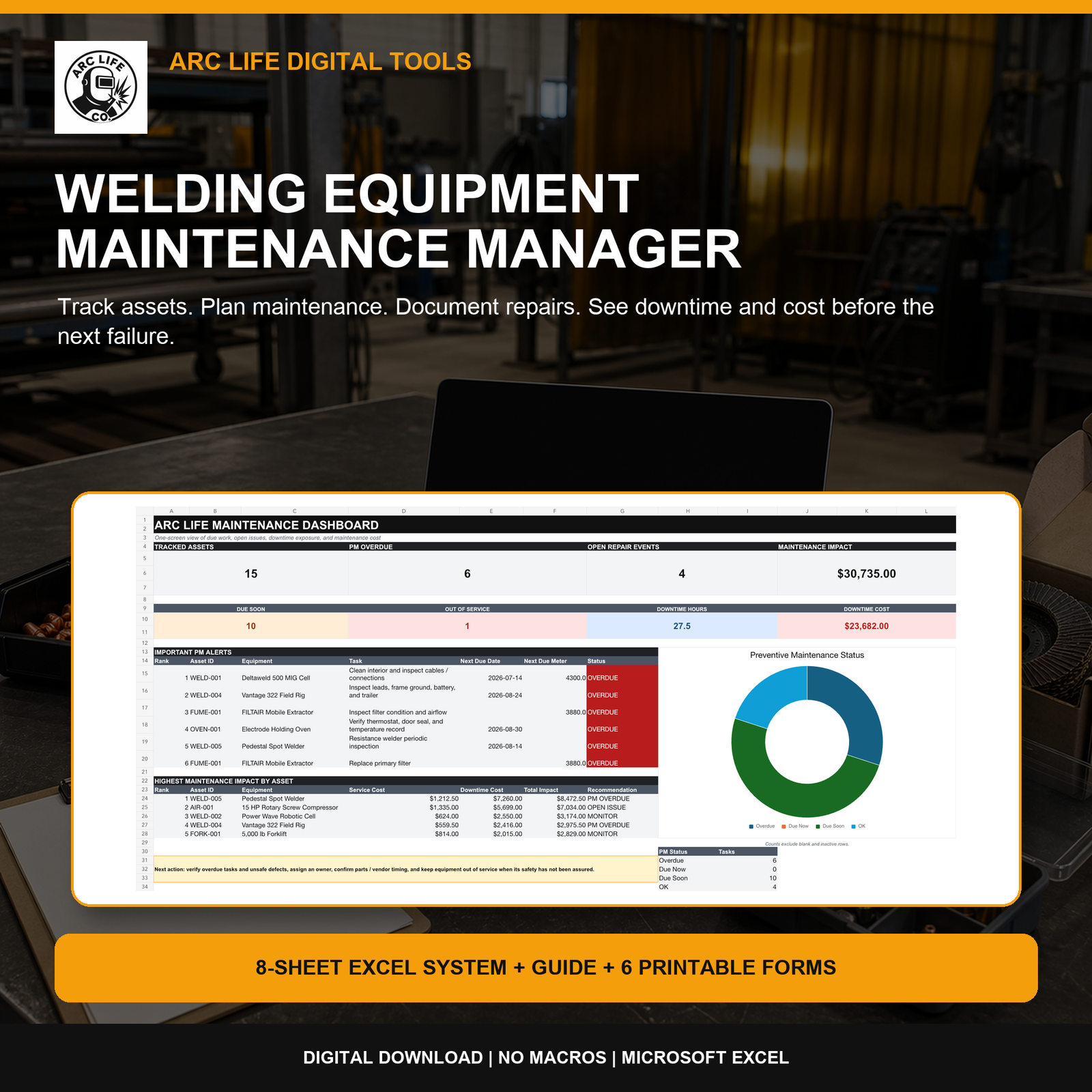
The Arc Life Welding Equipment Maintenance Manager was built for that smaller-shop use case. The Excel system includes an asset register, preventive-maintenance schedule, service log, repair and downtime records, cost analysis, a dashboard, a quick-start guide, and six printable forms. It uses standard formulas rather than macros. The current version supports up to 200 assets, 500 recurring maintenance tasks, 1,000 service events, and 500 repair or defect events.
Keep the records current. Replace demonstration data with verified equipment records, tasks and intervals. According to the current V1.2 listing, qualifying completed service records update the matching maintenance task when both Asset ID and Schedule ID match. Completed, Pass and Pass with Notes results can update the schedule. Use the baseline date and meter fields for older history, and resolve missing, mismatched or duplicate-record warnings before relying on due status. Equipment must remain out of service until your shop’s authorized return-to-service process is complete. The tool is a planning and recordkeeping aid—not a substitute for lockout/tagout, inspections, training, qualified maintenance, or engineering judgment.
The habit is more important than the file
The best maintenance file in the world becomes useless when nobody owns it. Pick one person responsible for the weekly review, define who closes tasks, and decide where paper forms or field notes enter the main record. Keep the process short enough that it survives a busy week. Then review repeat problems and high-impact assets instead of merely clearing colored cells.
A shop will never eliminate every surprise. It can stop treating every surprise like the first time it happened.
Shop question: What piece of equipment causes the most disruption when it goes down—and could your current records show its last three service events in less than a minute?
Explore the full collection of practical shop systems in Arc Life Digital Tools.
Leave a Reply