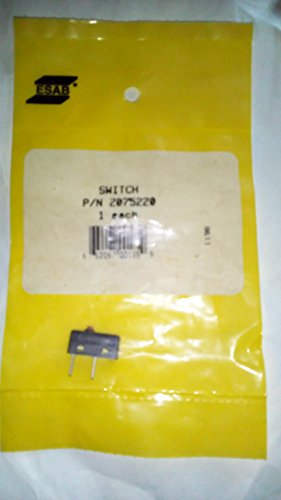
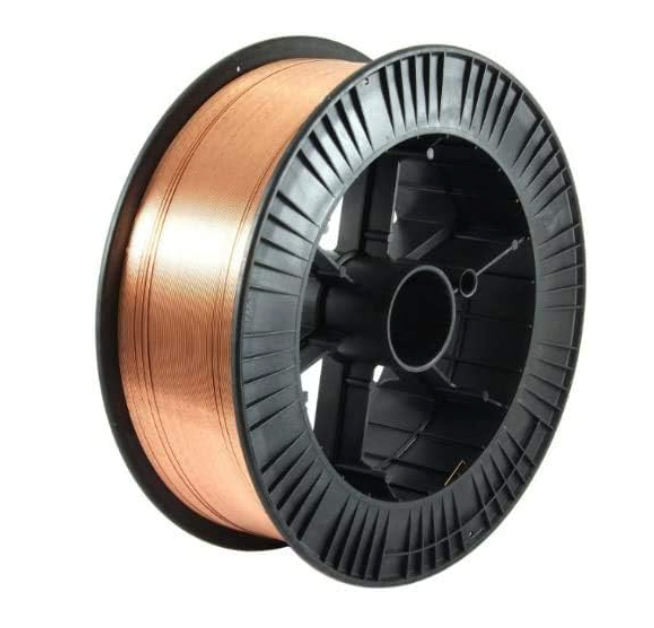
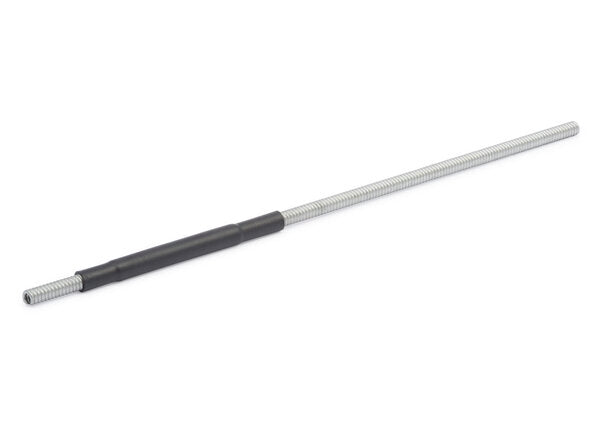
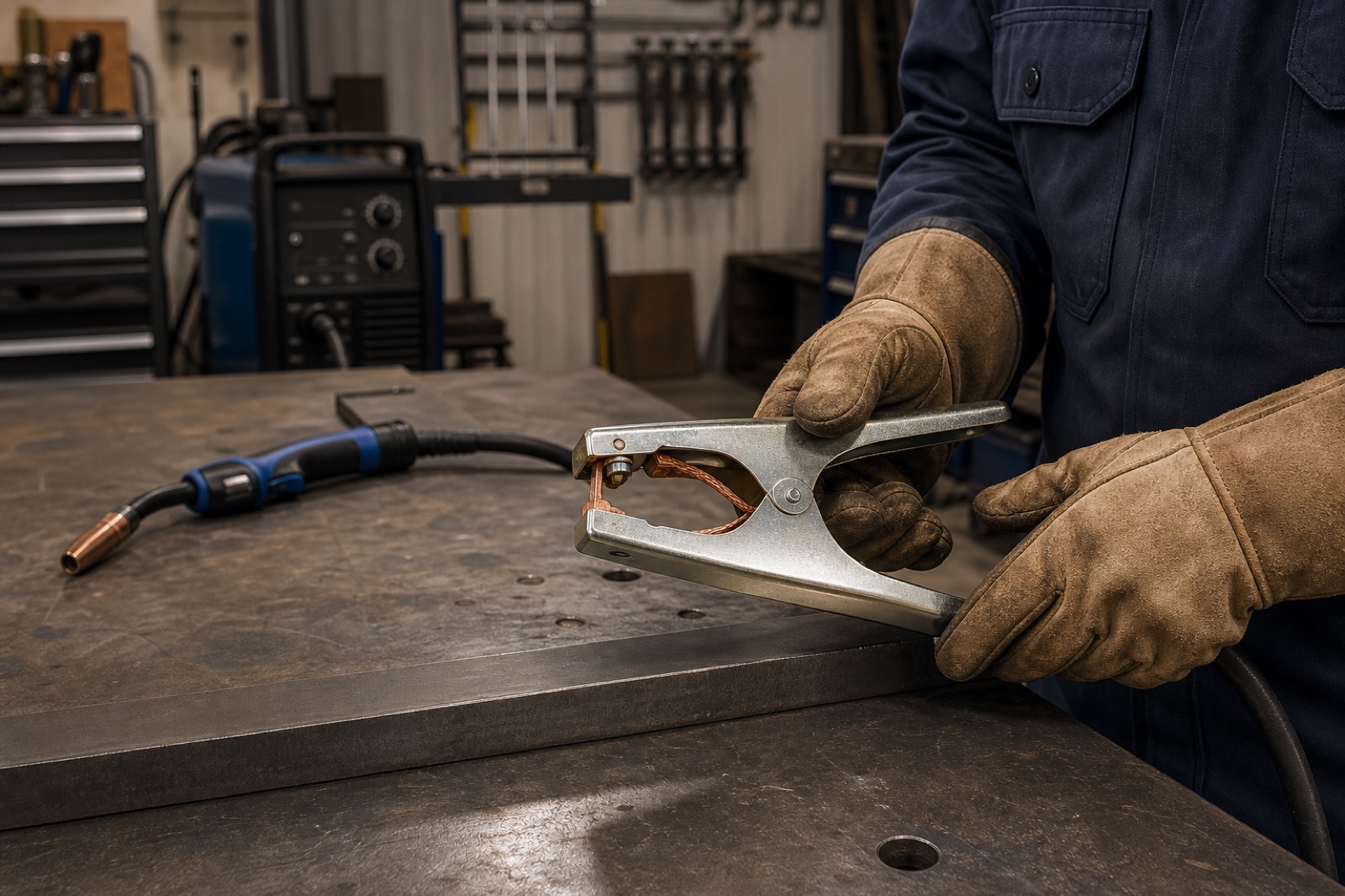
If your MIG gun trigger is intermittent, stuck, or dead, the fix is often the switchโnot the entire gun. The 94R Tweco MIG Gun Trigger Switch Assembly is a replacement trigger switch intended for compatible Tweco-style MIG gun handles. Itโs a small part, but it directly affects arc starts, wire feed consistency, and overall uptime. Fitment matters hereโverify compatibility before ordering.
Key Specs
Spec
Value
Product
94R Tweco MIG Gun Trigger Switch Assembly
SKU
2040-2096
Welding process
MIG (GMAW/FCAW)
Part type
Trigger switch assembly
Compatible guns/handles
Unknown (Verify)
Electrical rating
Unknown (Verify)
Included hardware
Unknown (Verify)
Price (ArcWeld.store)
Unknown (Verify)
Best For
MIG guns where the trigger is cutting out, double-clicking, or not feeding wire consistently
Shops that want to repair the gun instead of replacing the whole assembly
Maintenance bins for common failure items (trigger switches are wear parts)
Troubleshooting scenarios where youโve already ruled out:
Loose liner/lead connections
Broken trigger leads at the strain relief
Machine-side trigger circuit issues
Pros & Cons
Pros
Replaces a common failure point without buying a full MIG gun
Helps restore consistent starts and wire feed (when the trigger is the root cause)
Small, low-downtime repair if you already know the handle style
Good โkeep one on the shelfโ part for production environments
Cons
Fitment is not universalโmust match your gun/handle style (Unknown (Verify))
Electrical rating and connector style not listed on the store page (Unknown (Verify))
Installation may require opening the handle and routing leads correctly
If the issue is in the lead/machine trigger circuit, a new switch wonโt fix it
Current price: Unknown (Verify) CTA: Buy now at Arc Weld.store
Bottom Line
If your MIG gun is acting like it has a โbad trigger,โ this is a practical repair partโbut only after you confirm fitment for your exact gun/handle.
If youโre welding thin sheet metal, wire choice matters more than most people think. E71T-GS .030 (self-shielded flux-core, โgaslessโ) can run without a bottle and will tolerate less-than-perfect conditions, but it typically runs hotter, makes more spatter, and leaves slag you must remove. ER70S-6 .023 (solid wire) with 75/25 Ar/CO2 (C25) is usually the cleaner, easier path for thin steel when you can control wind and have shielding gas.
This guide compares E71T-GS .030 vs ER70S-6 .023 specifically for thin mild steel sheet metal (typical auto/body panels, light fab, brackets, patch panels), and gives practical setup and technique notes you can apply on a 120V or small 240V MIG.
Key takeaways
Best overall for sheet metal:ER70S-6 .023 + C25 (cleaner bead, less spatter, no slag).
Best when you canโt use gas (wind/outdoors/field):E71T-GS .030 can work, but expect more cleanup and a narrower โsweet spotโ on thin material.
If you run E71T-GS on thin sheet: use DCEN polarity (electrode negative) as recommended by manufacturers to help reduce burn-through risk.
Technique beats settings on thin steel: short stitch welds, skip welding, tight fit-up, and heat control matter more than chasing a perfect chart.
What these wires are (and what the numbers actually mean)
ER70S-6 .023 (solid wire)
Process: GMAW (MIG) short-circuit transfer on sheet metal.
Shielding gas: typically 75% Argon / 25% CO2 (C25) for a stable short-circuit arc and reduced spatter.
Why itโs common on thin steel: smaller diameter wire (.023) supports lower amperage and smoother control on 22โ16 ga.
Shielding gas: none (the flux provides shielding).
โGSโ reality: generally positioned as single-pass and light fabrication/repair; not the same intent as structural self-shielded wires used for code work.
Thin metal note: manufacturers explicitly position 71T-GS as usable on thin gauge materials, but it still tends to be less forgiving cosmetically than solid wire.
Head-to-head: which is better on sheet metal?
1) Heat control and burn-through risk
ER70S-6 .023 usually wins on thin sheet because you can run lower wire feed speeds and keep the puddle small. With C25, short-circuit transfer is predictable and easier to โtack-tack-tackโ without piling heat.
E71T-GS .030 can be run on thin material, but it often feels more aggressive. The arc is typically harsher, and because youโre dealing with slag and more spatter, you can end up spending more time cleaning and reworking thin edges.
Practical takeaway: if youโre patching 22โ18 ga, solid .023 is the default choice when gas is available.
2) Cleanup and finish work
ER70S-6: no slag. Youโll still have some spatter depending on machine and technique, but cleanup is usually minimal.
E71T-GS: slag is part of the process. On a thin sheet where youโre doing many short stitches, slag removal becomes a real-time cost.
If the part will be painted, solid wire is typically faster end-to-end.
3) Wind and outdoor welding
This is where E71T-GS earns its keep. If youโre outside and wind is killing your gas coverage, flux-core can keep you welding.
Tradeoff: youโre paying for that convenience with more spatter/cleanup and generally fewer โprettyโ beads on the thin sheet.
4) Dirty/galvanized sheet
Flux-core wires are often chosen when the steel isnโt perfectly clean. That said, galvanized welding has serious fume hazards and should be approached with proper ventilation/respiratory protection and surface prep.
Practical takeaway: both wires prefer clean metal. If you must weld through light contamination, ER70S-6 is known for deoxidizers, but you should still clean to bright metal on thin sheet whenever possible.
Quick comparison table (sheet metal focus)
Category
ER70S-6 .023 + C25
E71T-GS .030 (gasless)
Best use on sheet
Indoor/controlled conditions
Outdoor/windy/no gas
Bead appearance
Typically smoother
Typically rougher
Spatter
Lower (with good setup)
Higher
Slag
None
Yes
Burn-through control
Easier
More technique-sensitive
Speed on thin sheet
Good (stitch/skip)
Often slower due to cleanup
Equipment needs
Gas bottle/regulator
No gas
Setup: polarity, gas, and consumables
ER70S-6 .023 setup checklist
Polarity: DCEP (electrode positive) for solid wire MIG.
Gas:C25 is the common baseline for short-circuit on mild steel.
Drive rolls: V-groove for solid wire.
Contact tip: match wire diameter (.023 tip).
Stickout: keep it consistent (shorter stickout generally helps arc stability on thin work).
E71T-GS .030 setup checklist
Polarity:DCEN (electrode negative) is commonly recommended by manufacturers for E71T-GS and is specifically called out as helping minimize burn-through risk on thin sheet.
Drive rolls: knurled rolls are typical for flux-core.
Contact tip: match wire diameter (.030 tip).
No gas: confirm your machine is set for flux-core mode if it has a selector.
Technique that matters most on thin sheet (regardless of wire)
Use stitch welding, not long beads
On sheet metal, long continuous welds are the fastest way to warp panels and blow holes. Instead:
Tack every 1โ2 in. (25โ50 mm) to lock fit-up.
Stitch 1/2 in. (12 mm) or less.
Skip around to spread heat.
Let it cool, then connect stitches.
Fit-up and backing are your cheat codes
Tight gap = easier control.
Copper backing bars/spoons help absorb heat and support the puddle.
Clamp the work to prevent panel movement.
Push vs drag
Solid wire MIG on sheet: many welders prefer a slight push angle for visibility and puddle control.
Self-shielded flux-core: often runs better with a slight drag angle. If you push it like solid wire, it can get messy fast.
Youโre outside or in wind and gas coverage is unreliable.
You need a quick repair and cleanup/appearance is secondary.
You donโt have a bottle/regulator available.
Common problems and fixes
Burn-through
Drop voltage one tap (or reduce volts).
Increase travel speed.
Shorten stitch length.
Use backing (copper spoon).
For E71T-GS: confirm DCEN polarity.
Excess spatter (especially with E71T-GS)
Check stickout and keep it consistent.
Reduce wire feed slightly if the arc is harsh.
Clean the base metal better than you think you need to.
Porosity
Solid wire: check gas flow, leaks, and drafts.
Flux-core: protect from wind; verify correct polarity and technique (drag angle, proper stickout).
Safety notes (donโt skip this on sheet metal)
Fumes: Welding on painted, oily, or galvanized sheet can generate hazardous fumes. Use local exhaust ventilation and appropriate respiratory protection.
Fire risk: Thin sheet work often happens near interiors, undercoating, seam sealer, or shop debris. Keep a fire watch and have an extinguisher ready.
Eye/skin protection: Short-circuit MIG and flux-core still produce intense UV.
Bottom line
For most sheet metal work, ER70S-6 .023 with C25 is the cleaner, more controllable setup with less cleanup and less frustration. E71T-GS .030 is a practical โno gasโ option when conditions force your hand, but itโs usually a compromise on thin panelsโespecially if you care about finish quality.
If you tell me your exact thickness (22/20/18/16 ga) and your welder model, I can tighten this into a settings-first guide with a small parameter table and a troubleshooting flow.
High Performance Welding Wire: Experience unmatched performance with this versatile and high-performing stainless steel flux cored welding wire, designed for a wide range of applications
Durable Construction: Built to last with a durable construction that ensures long-lasting performance, even in demanding environments
Advanced Technology: Unleash your creativity and productivity with this cutting-edge product that offers unparalleled efficiency and precision
User-Friendly Interface: Boasts an advanced technology and user-friendly interface that sets it apart from the competition
Sleek Design: With its sleek and modern design, it seamlessly blends functionality and style
Last update on 2026-04-20 / Affiliate links / Images from Amazon Product Advertising API
E308LFC-O FLUX CORE WIRE: E308LFC-O is a stainless steel welding wire featuring flu core inside, which is used to stabilize the arc, improve the operating performance and play a protective role.
EXCELLENT PERFORMANCE: Engineered for high productivity, this continuous wire allows for longer, uninterrupted welds. It excels in all-position welding (flat, horizontal, vertical, overhead), providing a smooth arc action and excellent operator control.
VERSATILE APPLICATIONS: Ideal for outdoor windy conditions, thanks to its self-shielding design, eliminating the need for external shielding gas. It excels in all position welding The self-shielding nature also enhances its portability and convenience.
MATERIAL COMPATIBILITY: Specifically designed for welding common austenitic stainless steels, including 304, 304L, 308, 308L, 321, and 347. It delivers strong, corrosion-resistant welds that match the base metal properties.
STRONG SPOOL: The wire is supplied on a robust spool constructed from a new ABS plastic material. This spool is highly durable, tough, and anti-fragile, ensuring it withstands the rigors of transportation and operates flawlessly within the welding machine.
Last update on 2026-04-20 / Affiliate links / Images from Amazon Product Advertising API
High Performance Welding Wire: Experience unmatched performance with this versatile and high-performing stainless steel flux cored welding wire, designed for a wide range of applications
Durable Construction: Built to last with a durable construction that ensures long-lasting performance, even in demanding environments
Advanced Technology: Unleash your creativity and productivity with this cutting-edge product that offers unparalleled efficiency and precision
User-Friendly Interface: Boasts an advanced technology and user-friendly interface that sets it apart from the competition
Sleek Design: With its sleek and modern design, it seamlessly blends functionality and style
Last update on 2026-04-20 / Affiliate links / Images from Amazon Product Advertising API
Best for: High-volume production; smooth arc action; consistent deposition.
YESWELDER’s E308LFC-O is engineered for operator control and feedability. The internal flux core stabilizes the arc, reducing spatter and improving weld appearance on 300-series stainless.
Key Specs:
Diameter: .030″ (0.8 mm)
Spool Weight: 2 lb
AWS Classification: E308LFC-O
Tensile Strength: 70 kpsi minimum
Elongation: 30% minimum
Welding Position: Flat, horizontal (F, H)
Application Notes: Flux-core design provides shielding without external gas, making it ideal for outdoor work and windy conditions. Compatible with Lincoln, Miller, Forney, and Harbor Freight MIG welders.
E308LFC-O FLUX CORE WIRE: E308LFC-O is a stainless steel welding wire featuring flu core inside, which is used to stabilize the arc, improve the operating performance and play a protective role.
EXCELLENT PERFORMANCE: Engineered for high productivity, this continuous wire allows for longer, uninterrupted welds. It excels in all-position welding (flat, horizontal, vertical, overhead), providing a smooth arc action and excellent operator control.
VERSATILE APPLICATIONS: Ideal for outdoor windy conditions, thanks to its self-shielding design, eliminating the need for external shielding gas. It excels in all position welding The self-shielding nature also enhances its portability and convenience.
MATERIAL COMPATIBILITY: Specifically designed for welding common austenitic stainless steels, including 304, 304L, 308, 308L, 321, and 347. It delivers strong, corrosion-resistant welds that match the base metal properties.
STRONG SPOOL: The wire is supplied on a robust spool constructed from a new ABS plastic material. This spool is highly durable, tough, and anti-fragile, ensuring it withstands the rigors of transportation and operates flawlessly within the welding machine.
Last update on 2026-04-20 / Affiliate links / Images from Amazon Product Advertising API
Best for: Professional shops; reduced splatter; corrosion-critical applications.
PGN’s stainless flux-core wire is formulated for smooth welds with minimal cleanup. Produces consistent results on 304, 304L, 308, 308L, 321, and 347 stainless grades.
Key Specs:
Diameter: .030″ (0.8 mm)
Spool Weight: 2 lb
AWS Classification: E308LFC-O
Tensile Strength: 70 kpsi minimum
Low Splatter: Reduced post-weld cleanup
Welding Position: Flat, horizontal (F, H)
Application Notes: Low carbon content (.03% max) meets ASME SFA A5.22 requirements. Excellent for food-grade stainless, chemical tanks, and architectural applications where corrosion resistance is critical.
Last update on 2026-04-20 / Affiliate links / Images from Amazon Product Advertising API
Top Pick
Fox Alloy E308LFC-O .030″ โ Best Overall Value
For most welders, Fox Alloy delivers the best balance of cost, quality, and availability. Meets full AWS E308LFC-O specifications, produces clean welds on 304/308 stainless, and works with any standard MIG welder. Vacuum-packed spool prevents oxidation during storage.
How to Choose Stainless Flux-Core Wire
1. Check Your Material Grade
304 stainless: Use E308LFC-O (slightly higher chromium/nickel)
308/308L stainless: Direct match with E308LFC-O
430 stainless (ferritic): E308LFC-O compatible but verify fit with manufacturer
2. Match Wire Diameter to Machine & Material Thickness
.035″ (0.9 mm): Thicker material (1/8″ to 3/16″), higher deposition rate
3. Verify Spool Weight
2 lb spool: Hobby/small shop (most affordable)
10 lb spool: Production runs, higher cost per pound but better value
4. Confirm Polarity & Machine Compatibility
All E308LFC-O requires DCEP (reverse polarity)
Check your MIG welder manual for wire diameter compatibility
FAQ
Q: Do I need shielding gas with E308LFC-O wire? A: No. E308LFC-O is self-shielded; the internal flux core provides protection. No gas cylinder required, making it ideal for outdoor/portable work.
Q: Can I weld stainless steel in overhead position with flux-core wire? A: Not recommended without extensive practice. E308LFC-O is rated for flat (F) and horizontal (H) positions only. Overhead work requires special technique and may cause slag inclusion.
Q: What’s the difference between E308LFC-O and ER308L solid wire? A: E308LFC-O is flux-core (self-shielded, no gas). ER308L is solid wire (requires shielding gas). Flux-core is easier for beginners; solid wire produces slightly cleaner welds in controlled conditions.
Q: How do I prevent porosity in stainless welds? A: Ensure clean base metal (wire brush or stainless wire wheel), maintain proper travel speed (not too fast), and keep the nozzle clear of spatter. Low carbon content in E308LFC-O reduces sensitization risk.
Q: Is stainless flux-core wire more expensive than mild steel? A: Yes. Stainless (E308LFC-O) costs 2โ3ร more than mild steel (E71T-GS) due to alloy content. Budget accordingly for production runs.
Safety Notes
Arc Flash & Eye Protection (ANSI Z87.1)
Wear auto-darkening helmet (shade 10โ12 for stainless MIG)
Use side shields or safety glasses for grinding/cleanup
Stainless produces bright arc; protect eyes from indirect flash
Fume Exposure & Respiratory Protection
Stainless welding releases chromium and nickel fumes
Use local exhaust ventilation (fume extractor) or work outdoors
For extended work, wear NIOSH-approved P100 respirator
Refer to AWS D1.1 and OSHA PEL for manganese/chromium limits
If youโre fighting MIG burnback, you canโt โbuy your way outโ of bad wire feed or mismatched settingsโbut you can reduce downtime by using contact tips that maintain consistent wire transfer and donโt pack up with spatter as quickly.
This page focuses on what matters when youโre buying tips specifically to reduce burnback events and extend consumable life.
Internal link: MIG Contact Tip Burnback: Symptoms, Causes, and a Step-by-Step Fix (Use your troubleshooting post URL/slug once published.)
What to look for (buyer checklist)
1) Correct tip size for your wire diameter
This is non-negotiable. Tip size must match your wire diameter. If youโre unsure, stop and verify the wire spool label and the tip marking.
Wire diameter:ย Unknown (Verify)
Tip marking:ย Unknown (Verify)
2) Consistent bore tolerance and material quality
Burnback gets worse when the tip bore wears quickly or becomes irregular. Higher-quality tips typically hold shape longer, which helps keep starts consistent.
3) Tip style compatibility with your gun
Tips are not universal. Your gun uses a specific tip style/series. Verify:
Gun model
Diffuser type
Tip series (example naming varies by brandโUnknown (Verify))
4) Spatter management
If spatter is packing into the nozzle and tip area, youโll shorten stickout and overheat the front end.
Keep nozzle clean
Use anti-spatter appropriately (product choice depends on your environment and processโUnknown (Verify))
What to avoid (common buying mistakes)
Buying โclose enoughโ tips that donโt match your gun series
Wrong tip size for wire diameter
Ignoring feed-path issues and blaming consumables
Running one tip until it fails catastrophically (replace at first signs of poor starts)
When a โbetter tipโ actually helps (and when it wonโt)
Better tips help when:
Youโre already feeding smoothly
Youโre using the correct tip size
Your starts are mostly consistent, but tips wear fast
Better tips wonโt fix:
Liner drag, slipping rolls, or crushed wire
Severe parameter mismatch (wire feed too low for voltage)
Poor work clamp connection
Recommended next step
Before you buy anything, do a 2-minute verification:
If your MIG wire balls up and fuses inside the contact tip, youโre dealing with burnback. It typically shows up as an abrupt โpop,โ the arc dies, and the wire is welded to the tip. You clip the wire, swap a tip, and it happens again.
This guide is a practical troubleshooting flow to stop burnback without guessing.
What burnback looks like (quick symptoms)
Wireย fuses to the contact tipย (wonโt feed; you have to cut it free)
Arc starts, thenย instantly stubs out
Tip getsย overheatedย and fails early
You see aย ballย on the wire end after it sticks
Starts are inconsistent: some fine, some โpop-and-stickโ
Why burnback happens (plain-English)
Burnback occurs when the wire melts faster than itโs being pushed forward, or when the wire canโt feed smoothly. The arc โclimbsโ back toward the tip, and the wire welds itself into the tip bore.
Step-by-step fix (do this order)
Step 1: Confirm the wire is feeding smoothly (most common root cause)
Burnback often starts as a feeding problem.
Check:
Drive roll tension: Too tight can deform wire and create drag; too loose slips. Set it so it feeds without crushing the wire.
Spool tension/brake: Too tight = drag; too loose = overrun/birdnest risk.
Liner condition: Dirty liner increases drag. If youโre seeing inconsistent feeding, consider replacing the liner (exact liner type/length varies by gunโUnknown (Verify)).
Contact tip size match: Tip ID must match wire diameter. Wrong size increases friction or poor electrical transfer. (Verify your wire diameter and tip marking.)
If the wire feed feels โnotchy,โ surges, or slips, fix that before touching settings.
Step 2: Reset stickout and starting technique
Run a consistentย stickoutย appropriate to your process and parameters. If youโre too tight into the puddle, you can overheat the tip and shorten the arc length.
Start with the wireย trimmed cleanย (no long whisker) and avoid jamming the nozzle into the work.
If youโre welding in tight corners, watch for the nozzle/tip getting too close and heat-soaking.
Step 3: Re-balance wire feed speed vs voltage (burnback is often โwire too slowโ)
General rule: if the wire is melting back into the tip, you often need more wire feed speed and/or a better voltage match for that feed rate.
Do this:
Increase wire feed speed slightly.
Test start and short bead.
If it becomes harsh/stubby, adjust voltage to match.
Do not chase it with big swings. Small changes + repeatable tests.
Step 4: Inspect consumables (tip/nozzle/diffuser) for heat and spatter issues
Replace the contact tip if the bore is worn, ovaled, or spatter-packed.
Clean spatter from the nozzle so gas flow and stickout arenโt being forced shorter.
Check the diffuser and tip seat: poor contact can create heat and instability.
If youโre burning tips rapidly, assume something is off upstream (feed drag, wrong tip size, or technique).
Step 5: Check work lead/ground and connections
A poor work clamp connection can destabilize the arc and contribute to bad starts.
Clamp on clean metal.
Inspect cable connections for looseness or heat damage.
Step 6: Confirm youโre not overheating the front end
If youโre running long beads or high output:
Pause to let the gun cool.
Consider whether your gun/consumables are appropriate for the duty cycle (exact ratings vary by modelโUnknown (Verify)).
Quick decision tree (fast diagnosis)
Wire sticks immediately on startย โ feeding drag, wrong tip size, or settings mismatch
Wire feeds, then sticks after a few secondsย โ heat buildup, stickout too short, spatter-packed tip/nozzle
Random burnbackย โ inconsistent feed (liner/roll tension/spool brake) or loose connections
What to do if it keeps happening
If burnback repeats after youโve confirmed smooth feeding and reasonable stickout:
Replace the tip and liner (if suspect)
Re-check drive roll type for your wire (V-groove/knurled depends on wire typeโUnknown (Verify))
Verify your wire diameter and consumable markings
Companion buyer guide
If you want to reduce burnback frequency and downtime, the easiest โbuy onceโ improvement is usually better-quality contact tips that hold tolerance and resist spatter packing.
Wrong stainless wire shows up fast: sugaring, porosity, ugly wet-out, and corrosion problems later. This page is built for buyersโpick the right wire grade the first time, with verified Amazon ASINs and manufacturer-backed specs.
Key Takeaways
ER308L is the standard match for 304/304L and 308/308L stainless.
ER309L is the better choice for stainless-to-mild steel and many repair jobs on unknown stainless.
For cleaner beads and better wetting, consider ER308LSi (more silicon).
Stainless MIG typically runs best on tri-mixโverify your wire’s datasheet.
Buy wire that clearly states AWS A5.9 / ASME SFA-A5.9 on the label.
Comparison Table
Model
Key Specs
Best For
Amazon
Best Welds ER308L (.030 in)
AWS A5.9 ER308L; low carbon “L”; solid wire
304/308 stainless general work
See links below
Blue Demon ER308LSi (.030 in)
AWS A5.9 ER308LSi; higher Si for bead appearance
Cosmetic welds, smoother wetting
See links below
ER309L stainless MIG wire
AWS A5.9 ER309L; dissimilar-metal filler
Stainless to mild steel, unknown stainless repairs
Last update on 2026-04-20 / Affiliate links / Images from Amazon Product Advertising API
Product Picks (Details)
Best Welds ER308L (.030 in) โ Best for most 304/308 jobs
If you’re welding common stainless (304/304L, 308/308L), ER308L is the default for a reason: it matches chemistry well and the low carbon helps reduce sensitization-related corrosion.
Can also be used for welding types 321 and 347 stainless steels
Used for welding types 304, 304L, 308 and 308L stainless steels
Very similar to type 308 but has a carbon content held to a max of 0.03% to avoid carbide precipitation
Last update on 2026-04-20 / Affiliate links / Images from Amazon Product Advertising API
Blue Demon ER308LSi (.030 in) โ Best for bead appearance and wetting
ER308LSi is still a 308L wire, but with more silicon to help the puddle flow and lay down smoother. If you care about bead profile (food equipment, visible rails, shop work), this is often worth it.
ER308LSI produces exceptionally smooth welds for applications that require a good cosmetic appearance
This product is used primarily with welding grades 304 and 308
AWS A5.9, Welding Current DCEP
Last update on 2026-04-20 / Affiliate links / Images from Amazon Product Advertising API
ER309L MIG wire โ Best for stainless-to-mild steel and unknown stainless repairs
Use ER309L when you’re joining stainless to carbon steel, or when the base stainless grade is unknown and you need a more forgiving filler. It’s a common “repair wire” because it handles dilution better.
Last update on 2026-04-20 / Affiliate links / Images from Amazon Product Advertising API
Top Pick
Top Pick for most buyers:ER308L (.030 in) in a spool size that matches your usage. It’s the correct match for the stainless most people are actually welding.
Buying Guide: How to Choose Stainless MIG Wire
Match the base metal
304/308 โ ER308L
316 โ ER316L
Stainless to mild steel โ ER309L
Pick diameter
0.030 in: thinner material, better control
0.035 in: general-purpose shop work
Confirm gas
Many stainless solid wires run well on tri-mix can improve arc and wetting.
Check packaging
AWS A5.9 marking, sealed spool, clean wire.
FAQ
Can I use ER308L on 316 stainless?No. Use ER316L for 316/316L to maintain corrosion resistance.
Is ER308LSi “better” than ER308L?Not universally. It’s often better for appearance and wetting; ER308L is fine for general work.
Do I need special rollers/liner for stainless wire?Often yesโstainless is stiffer. Use the right drive rolls and keep the liner clean to prevent feeding issues.
What polarity for stainless solid MIG wire?Typically DCEPโverify on the spool.
Safety Notes
Stainless welding fumes can contain hexavalent chromium. Use ventilation and a respirator as needed.
Wear ANSI Z87.1 eye protection and appropriate gloves/jacket.
If your MIG wire feed keeps slippingโespecially mid-beadโyouโll see an unstable arc, hear the drive rolls โchirp,โ and end up with inconsistent penetration. This guide walks you through a fast diagnosis and a clean, one-variable-at-a-time fix so you stop chasing settings.
Where to Buy (Quick Fix Parts)
Most โwire slippingโ complaints come down to these components:
Drive rolls (wrong groove / worn groove):ย rolls spin but canโt grip the wire consistently.
Spool hub tension (too tight):ย the feeder canโt pull wire off the spool smoothly, so it surges/slips.
Gun liner (dirty, kinked, wrong length):ย too much drag; the rolls slip before the wire moves.
Top Pick (Primary Fix)
Unknown (Verify ASIN) โ liner choices are highly gun-specific (length + wire size + brand compatibility). To avoid recommending the wrong part, no AAWP box is included.
Backup / Consumable Option
Unknown (Verify ASIN) โ drive rolls are feeder/model-specific. No AAWP box included.
Key Takeaways
Wire โslippingโ is usuallyย dragย (liner/tip) orย mismatchย (drive roll groove/wire size), not voltage/WFS settings.
Fix it fastest by checkingย spool brake tensionย andย drive roll grooveย first.
If itโs not fixed inย 2โ3 minutes, stop adjusting andย replace the liner or contact tipย (most common wear items).
Keep one rule:ย one change at a timeย so you donโt create a second problem.
Symptoms (Fast Diagnosis)
Drive rolls spin but wire speedย surgesย orย stalls
Arc sounds like itโsย cutting in/out
Wire feed feelsย jerkyย when you pull the trigger
You hearย clicking/chirpingย from the feeder
You get randomย burnbackย or the wire โsticksโ at the tip
You seeย wire shavingsย near the drive rolls (wire being crushed)
Root Causes (Mapped to Symptoms)
Surging wire speedย โ spool brake too tight, liner drag, or contact tip partially blocked
Clicking/chirping at feederย โ drive roll tension wrong, wrong groove for wire size/type, worn rolls
Wire shavings/dustย โ too much drive roll pressure, wrong knurl/V-groove selection, misaligned inlet guide
Feeds fine with tip removedย โ contact tip worn/blocked, diffuser/nozzle contamination, or tip size mismatch
Feeds worse when gun is bentย โ liner kinked, liner too short/too long, cable damage, tight bends in lead
Quick Fix (Do This First)
Stop adjusting voltage/WFS.ย Slipping is mechanical 90% of the time.
Set the gun lead straightย (no tight loops) and test again.
Back off spool brake tensionย until the spoolย justย stops free-spinning when you release the trigger.
Confirm drive roll groove matches the wireย (size and type).
Remove the contact tipย and test feed for 2 seconds:
If it feeds smoothly now โ tip/diffuser/nozzle area is the restriction.
If it still slips โ liner/drive rolls/spool tension is the restriction.
(AAWP omitted โ no verified ASIN.)
Step-by-Step Fix
Confirm wire size and type
Verify the spool label (example: .030 in / 0.8 mm solid ER70S-6, or flux-core).
Make sure your drive rolls are correct for that wire (V-groove for solid, knurled for flux-coreโmodel dependent).
Check drive roll groove selection
Many rolls are double-sided. Make sure youโre on the correct groove for your wire diameter.
If the groove is polished/worn, it may slip even with correct tension.
Reset drive roll tension (donโt crush the wire)
Start low. Increase only until the wire feeds without slipping.
Too much tension creates wire shavings and makes liner drag worse.
Set spool hub/brake tension
Too tight = feeder struggles to pull wire, causing surging/slip.
Too loose = overrun/birdnesting risk when you stop feeding.
Isolate the gun end
Remove nozzle and contact tip. Feed wire briefly.
If itโs smooth now, replace theย contact tipย first (cheap, fast).
If still slipping: service/replace the liner
Blow out the liner (dry air only) and inspect for kinks or rust/dirt.
If the liner is worn, kinked, or contaminated, replacement is usually faster than trying to โsave it.โ
Re-test with the lead in a normal working bend
If it only fails under bend, the liner/cable is the culprit.
Parts That Actually Fix This
Liner Replace when: feed gets worse with bends, you see dust/rust, or it wonโt feed smoothly even with correct roll setup. Adjust when: liner is clean and straight, and the issue disappears with the tip removed.
Contact tips Replace when: wire sticks, arc is unstable, tip is ovaled, or feeding improves when the tip is removed. Adjust when: tip size is correct and the problem is clearly upstream (rolls/spool/liner).
Drive rolls Replace when: groove is worn/polished, wire slips even at correct tension, or wire is being deformed. Adjust when: wrong groove/side is selected or tension is mis-set.
Diffuser / nozzle (if relevant) Replace/clean when: spatter buildup constricts the wire path or the tip seat is damaged. Adjust when: itโs simply dirtyโcleaning restores normal feed.
Replace vs Adjust (Fast Decision Table)
Problem
Adjust First
Replace
Wire slips only at higher WFS
Spool brake tension + correct roll groove
Drive rolls (worn groove)
Feeds smooth with tip removed
Tip size/condition check
Contact tip
Worse when gun lead is bent
Straighten lead + check routing
Liner
Wire shavings at feeder
Reduce roll tension + correct roll type
Liner (if packed with debris)
Copy table
Rule: If not fixed in 2โ3 minutes โ replace the consumable causing drag (tip or liner).
Prevention Tips
Keep the gun lead as straight as practical; avoid tight coils on the floor.
Store wire dry; rust/dirt increases liner drag fast.
Donโt overtighten drive rollsโset tension to feed reliably without crushing wire.
Replace contact tips proactively when arc stability drops (interval: Unknown; depends on amperage/time-on-arc).
Use proper ventilation and fume control; keep spatter under control so the nozzle/tip area doesnโt clog.
Safety note: Wear ANSI Z87.1-rated eye protection under your hood, welding gloves, and ensure adequate ventilation when welding and when blowing out liners (avoid breathing dust/particulate).
FAQ
Why does my MIG wire feed slip only when Iโm welding (not when I free-feed)? Heat and load increase drag at the tip/nozzle area. A marginal contact tip or spatter buildup can show up only under arc conditions.
Should I crank drive roll tension until it stops slipping? No. Too much tension deforms wire, creates shavings, and makes liner drag worse. Fix the restriction first.
How do I know if itโs the liner or the contact tip? Remove the contact tip and test feed. If it becomes smooth, the tip/nozzle area is the restriction. If it still slips, look upstream (liner/rolls/spool tension).
Can the wrong drive roll groove cause slipping? Yes. A mismatch between groove and wire size/type is a common cause of inconsistent feed and wire deformation.
MIG burnback is when the arc climbs up the wire and fuses it to the contact tip. It wastes tips, stops production, and usually points to one of three things: wire feed is inconsistent, your settings/stickout are off, or the gun consumables are dirty/worn.
This page gives you a fast troubleshooting path first, then a practical fix you can apply today.
Key Takeaways
Most burnback fixes take 5โ15 minutes and cost $0โ$40.
The most common causes are wire speed too slow, stickout too short, or wire feeding inconsistently.
If youโre burning tips every few welds, assume spatter buildup or a feeding restriction until proven otherwise.
A simple consumable change (tip/nozzle maintenance) often fixes โrandomโ burnback without touching the machine.
Quick Diagnosis
Symptoms (what you see)
Wire fuses to the contact tip at arc stop or during the weld
โPopโ at the end of the weld, then the gun wonโt feed
Tips fail fast (every few welds)
Wire feels jerky when feeding, or you hear the drive rolls slip
Likely causes (most common first)
Wire feed speed too low for the voltage/heat youโre running
Stickout too short (youโre too close to the puddle)
Inconsistent wire feeding (liner restriction, drive roll tension, kinked lead)
Spatter/slag packed in nozzle/tip area causing drag and poor current transfer
Wrong tip size or worn tip (wire binds, overheats, and fuses)
Safety Notes
Wear eye/face protection rated to ANSI Z87.1 when chipping, brushing, or using compressed air.
Disconnect input power before opening the machine or servicing the feeder.
Keep ventilation on. MIG fumes and ozone increase fast in enclosed bays.
Let the gun cool before changing tips/nozzles. Hot consumables can burn skin through gloves.
Step-by-Step Troubleshooting
Clip the wire and replace the contact tip (if itโs fused)
What to do: Cut the wire clean, remove the fused tip, install a fresh tip of the correct size.
Why: A partially blocked tip causes drag + overheating, which makes burnback repeat immediately.
Increase wire feed speed slightly (small change)
What to do: Bump WFS up a small amount and test on scrap.
Why: Burnback often happens when the wire canโt โoutrunโ the arc at the end of the weld.
Check stickout and gun angle
What to do: Maintain a consistent stickout (unknownโverify for your wire/process) and avoid burying the tip into the puddle.
Why: Too-short stickout overheats the tip and increases the chance the wire fuses at arc stop.
Inspect the gun lead for tight bends, twists, or crushing
What to do: Straighten the lead as much as possible while testing. Avoid sharp bends near the feeder.
Why: Restrictions create inconsistent feed that shows up as burnback, especially at arc stop.
Verify drive roll tension (do not overtighten)
What to do: Set tension so the wire feeds consistently without deforming it. If the rolls slip easily, tighten slightly; if the wire is flattened, back off.
Why: Slipping causes slow feed; crushing causes liner drag. Both can trigger burnback.
Clean the nozzle and check for spatter bridging
What to do: Remove the nozzle and look for spatter buildup that can touch the tip or restrict gas flow.
Why: Spatter buildup increases heat, causes poor current transfer, and can physically interfere with wire exit.
Check the liner condition (if the problem is โrandomโ)
What to do: If feeding feels rough even with a straight lead, the liner may be dirty, kinked, or worn.
Why: A restricted liner causes inconsistent feed that your settings canโt compensate for.
Fix Options (Ranked)
Adjustment (free)
Increase wire feed speed slightly
Maintain consistent stickout and avoid pushing the tip into the puddle
Straighten the gun lead during test welds
Consumable change (~$10โ$50)
Replace contact tip (correct size)
Clean nozzle and reduce spatter adhesion so the tip area stays consistent
If burnback persists across multiple guns/liners with correct setup, the feeder or gun may be undersized for the duty cycle (Unknownโverify).
Recommended Fix (Product Section)
If your burnback is happening โevery few welds,โ donโt ignore the nozzle/tip area. Spatter buildup and contamination can increase drag, trap heat, and make current transfer inconsistentโespecially at arc stop. A nozzle gel helps keep spatter from sticking so the gun stays stable longer between cleanings.
Why it works
Leaves a thin barrier that helps prevent spatter from bonding to the nozzle/tip area
Reduces cleanup time and helps keep wire exit consistent
When to use it
Youโre getting frequent spatter buildup on the nozzle/tip area
Burnback happens after a few welds, not immediately on a fresh tip
You want a low-cost step before replacing liners or feeder parts
When NOT to use it
If your wire feed is slipping, jerky, or binding (fix feeding first)
If youโre using a process/material where any contamination is unacceptable (Unknownโverify for your spec/work instructions)
What to check before buying
Confirm itโs intended for MIG nozzle/tip anti-spatter use
Confirm itโs silicone-free if your shop prohibits silicone products (Unknownโverify on the listing/manufacturer page)
Make sure you have a routine: dip/coat lightly, donโt pack the nozzle full
Verify it fits your workflow (gel vs spray preference)
Last update on 2026-04-20 / Affiliate links / Images from Amazon Product Advertising API
Comparable Options (Optional)
If you prefer spray instead of gel, look for a silicone-free MIG anti-spatter spray (verify compatibility with your shop rules and paint requirements).
Cranking drive roll tension down hard. It can flatten wire and increase liner drag, which makes feeding worse.
Running too short of stickout to โget in there.โ It overheats the tip and makes burnback more likely at arc stop.
Ignoring a kinked gun lead. A tight bend can feed fine for a minute, then bind as the lead shifts.
Replacing tips repeatedly without cleaning the nozzle. Spatter buildup can keep recreating the same problem.
Changing multiple settings at once. Make one change, test, then move to the next step.
FAQ (SNIPPET-OPTIMIZED)
Why does my MIG wire keep burning back into the contact tip? Most often itโs wire feed speed too low, stickout too short, or inconsistent feeding from liner/drive roll issues.
Can a dirty liner cause burnback? Yes. Any restriction that slows or jerks wire feed can let the arc climb the wire and fuse it to the tip.
Does burnback happen more at the end of the weld? Often, yes. If the wire stops feeding cleanly at arc stop, the arc can โcatchโ the wire and weld it to the tip.
Should I tighten the drive rolls to stop burnback? Not as a first move. Too much tension can deform wire and increase drag, which can make burnback worse.
Will anti-spatter gel stop burnback by itself? It can help if spatter buildup and nozzle/tip fouling are contributing, but it wonโt fix a true wire feed restriction or incorrect settings.
Your MIG welder sputters, pops, or cuts out mid-weld. The arc is unstable, the weld looks rough, and you’re losing time troubleshooting. This guide walks you through the most common causesโand how to fix each one in under 30 minutes.
Key Takeaways
Sputtering is usually caused by worn contact tips, dirty nozzles, or poor ground connections (not the machine itself)
Most fixes are free or cost under $20
Replace contact tips every 50โ100 hours of welding for consistent performance
Clean your nozzle and check your ground clamp before buying new parts
A worn contact tip can cause arc instability even on a quality machine
Quick Diagnosis
What you’ll see:
Arc pops or crackles during welding
Wire feed seems inconsistent
Spatter builds up on the nozzle and tip
Weld bead looks rough or has gaps
Machine may cut out briefly, then restart
Most likely causes (ranked by frequency):
Worn or damaged contact tip (most common)
Spatter buildup on nozzle or tip
Poor ground connection or dirty work clamp
Wire speed set too high or too low
Gas flow rate too low or regulator issue
Kinked or damaged gun liner
Safety Notes
PPE:ย Wear ANSI Z87.1-rated helmet with appropriate shade (typically #10โ#12 for MIG), leather gloves, and flame-resistant clothing. Keep helmet DOWN during all welding.
Ventilation:ย Ensure adequate fume extraction. MIG welding produces COโ and metal fumesโuse a fume hood or work in well-ventilated space.
Electrical:ย Disconnect the welder from power before inspecting the gun, liner, or contact tip.
Gas:ย Check regulator for leaks before starting. Do not exceed manufacturer’s recommended gas flow rate.
Step-by-Step Troubleshooting
Step 1: Inspect the Contact Tip (Free)
Remove the nozzle from your MIG gun.
Look at the contact tip (the small copper piece at the end of the gun).
If it’s worn, pitted, or has a flat spot instead of a tapered point, replace it.
Why:ย A worn tip creates poor electrical contact, causing arc instability and sputtering.
Step 2: Clean the Nozzle (Free)
Remove the nozzle (usually a threaded brass or ceramic piece).
Use a wire brush or old contact tip to scrub away spatter buildup inside and outside.
Reinstall and test.
Why:ย Spatter on the nozzle blocks gas flow and creates electrical resistance, destabilizing the arc.
Step 3: Check Your Ground Clamp (Free)
Inspect the ground clamp on your work piece. Look for rust, paint, or corrosion.
Clean the contact surface with a wire brush or file.
Ensure the clamp is tight and making solid metal-to-metal contact.
Why:ย A poor ground path increases electrical resistance, causing the arc to be unstable.
Step 4: Verify Wire Speed and Voltage (Free)
Check your machine’s wire speed and voltage settings against the manufacturer’s chart for your wire type and thickness.
If wire speed is too high, the tip can overheat and wear faster. If too low, the arc may be weak.
Adjust to the middle of the recommended range and test.
Why:ย Incorrect settings stress the contact tip and create inconsistent arc conditions.
Step 5: Check Gas Flow Rate (Free)
Locate your regulator and check the flow rate (usually 15โ25 CFH for MIG).
If the gauge reads below 15 CFH, increase the flow slightly.
If you suspect a leak, apply soapy water to all connectionsโbubbles indicate a leak.
Why:ย Low gas flow allows air into the weld, causing porosity and arc instability. Leaks reduce shielding.
Step 6: Inspect the Gun Liner (Free)
Remove the wire spool and pull the wire out of the gun.
Look through the gun liner (the tube inside the gun that guides the wire).
If you see kinks, cracks, or heavy wear, the liner may be restricting wire feed.
Why:ย A damaged liner causes friction, which can jam the wire and destabilize the arc.
Fix Options (Ranked)
Option 1: Adjustment (Free)
Clean nozzle and ground clamp.
Verify wire speed and gas flow settings.
Test weld.
When to use:ย If sputtering started recently and your machine is less than 5 years old.
Option 2: Replace Contact Tip (~$5โ$15)
Order a replacement contact tip that matches your gun type and wire size (e.g., 0.035″ for standard MIG).
Remove the old tip, install the new one, and test.
When to use:ย If the tip is visibly worn, pitted, or you’ve been welding for 50+ hours since the last replacement.
Option 3: Replace Gun Liner (~$15โ$40)
If the liner is kinked or damaged, order a replacement liner kit for your gun model.
Follow the manufacturer’s installation instructions.
When to use:ย If you’ve ruled out the tip and nozzle, and the wire feed feels sluggish.
Option 4: Equipment Upgrade (if applicable)
If your machine is 10+ years old and you’ve replaced the tip and liner, consider upgrading to a newer machine with better arc stability.
When to use:ย Only after all consumables and settings have been checked.
Recommended Fix: Replace Your Contact Tips
A worn contact tip is the #1 cause of sputtering. Copper tips wear down with every weldโthe arc erodes the tapered point, creating a flat or pitted surface. Once worn, the tip can’t deliver consistent electrical contact to the wire, and your arc becomes unstable.
Why this works:
A fresh contact tip restores the precise tapered geometry needed for stable arc initiation.
Copper’s high conductivity ensures reliable electrical transfer.
New tips prevent spatter buildup and reduce nozzle fouling.
When to use it:
Your contact tip is visibly worn or pitted.
You’ve been welding for 50โ100 hours since the last replacement.
You’ve cleaned the nozzle and ground clamp, but sputtering persists.
When NOT to use it:
If your nozzle is heavily fouled with spatterโclean that first (it’s free).
If your ground clamp is loose or corrodedโfix that before replacing the tip.
If your wire speed or voltage is way offโadjust settings first.
What to check before buying:
Confirm your gun type (e.g., Lincoln Magnum 100L, Miller M25, Tweco Mini).
Match the wire size (0.030″, 0.035″, or 0.045″).
Buy a multi-pack (20โ30 tips) so you always have spares on hand.
Look for tips with at least 4+ stars and 100+ reviews.
Verify the tip is copper (not steel) for best conductivity.
1. Package Includes 30 Premium Quality .035โ ๏ผร0.9mm๏ผwelding Tips.
2.Premium Contact Tips โ Compatible with Lincoln, Tweco, Binzel, and Similar Mini MIG Gun Styles.
3. Made of high-quality copper, this welding contact tip offers excellent conductivity, high temperature resistance, and wear resistance, ensuring long-lasting performance.
4.Thread๏ผM6ร1.0thd.
5.If you have any questions, feel free to get in touch. We’re here to offer service and help you out in any way we can!
Last update on 2026-04-20 / Affiliate links / Images from Amazon Product Advertising API
Comparable Options
If you need tips for a different gun type, check these:
Using the wrong wire size tip.ย A 0.030″ tip won’t work with 0.035″ wire. Check your machine manual or gun label.
Not replacing tips regularly.ย Tips wear outโdon’t wait until sputtering is severe. Replace every 50โ100 hours.
Ignoring the nozzle.ย Spatter buildup on the nozzle blocks gas and causes arc instability. Clean it every few welding sessions.
Assuming the machine is broken.ย 90% of sputtering issues are consumables or settings, not the welder itself.
Over-tightening the contact tip.ย Hand-tight is enough. Over-tightening can crack the tip or damage the gun threads.
FAQ
Q: How often should I replace my contact tip? A: Every 50โ100 hours of welding, or sooner if you notice visible wear. A worn tip costs you time and material in bad welds.
Q: Can I clean and reuse a contact tip? A: No. Once a tip is pitted or flattened, cleaning won’t restore its geometry. Replace it.
Q: Why does my tip wear out so fast? A: High wire speed, incorrect voltage, or poor shielding gas flow accelerates wear. Check your settings and gas flow rate.
Q: What’s the difference between copper and steel contact tips? A: Copper conducts electricity better and lasts longer. Steel tips are cheaper but wear faster and create more spatter. Use copper.
Q: Can a bad ground clamp cause sputtering? A: Yes. A loose or corroded ground clamp increases electrical resistance, destabilizing the arc. Always ensure solid metal-to-metal contact.
Next Steps
Clean your nozzle and ground clamp nowย โ this is free and fixes 30% of sputtering issues.
Check your wire speed and gas flowย โ verify they match your machine’s recommended settings for your wire type.
Order replacement contact tipsย โ keep a multi-pack on hand so you’re never without spares.
If your MIG wire keeps welding itself to the contact tip and stopping the weld cold, youโre dealing with burnbackโthe arc climbs up the wire and fuses it inside the tip. The good news: you can usually fix it in minutes by addressing feed consistency first, then consumables.
This guide is a fast, symptom-first troubleshooting path that avoids random setting changes and gets you back to a stable arc.
Where to Buy (Quick Fix Parts)
The most likely failed components when wire sticks in the tip are:
Gun linerย (dirty, kinked, wrong size, or packed with dust/rust)
Nozzle/diffuser areaย (spatter buildup causing heat and drag)
Top Pick (Primary Fix)
Unknown (Verify ASIN). Reason: contact tips are the #1 โswap firstโ consumable for burnback, but the correct tip depends on gun style (Tweco/Lincoln/Miller) and wire diameter.
Backup / Consumable Option
Unknown (Verify ASIN). Reason: liners are the next most common fix when feeding is inconsistent, but liner fit depends on gun model + length + wire type.
Key Takeaways
If wire sticks in the tip, assumeย wire feed slowed downย before you assume settings are wrong.
Swap theย contact tip firstย (fastest, cheapest diagnostic).
Donโt chase voltage/WFS until the wire feeds smoothly with the gun straight.
Symptoms (Fast Diagnosis)
Wire fuses to the contact tip during a start or mid-bead
Arc gets harsh, then the gun โstutters,โ then stops feeding
You hear the drive rolls slip or chatter
Tip is discolored/blue, wire is balled up at the end
Wire feeds fine with the gun straight, but sticks when the lead is bent
Root Causes (Mapped to Symptoms)
Wire sticks on startsย โ wire speed too low at start, stickout too short, tip partially blocked
Random sticking mid-beadย โ inconsistent feeding (liner drag, roll tension wrong, spool drag too high)
Drive rolls slip + stickingย โ roll tension too loose, wrong roll groove, worn rolls, dirty wire
Only happens when lead is bentย โ liner kinked/worn, lead routed too tight, liner too short/long
Tip burns up fastย โ wrong tip size, poor electrical contact at tip/diffuser, excessive heat from short stickout
Quick Fix (Do This First)
Do these in order. This avoids over-adjusting your machine.
Stop and cut the wireย clean (donโt yank it out under tension).
Replace the contact tipย (fastest way to eliminate a partially blocked/worn tip).
Straighten the gun leadย and test-feed wire. If it feeds better straight than bent, suspect the liner/lead routing.
Back off drive-roll tension, then re-tighten just enough to feed without slipping (donโt crush the wire).
Check spool drag: the spool should not freewheel, but it also shouldnโt feel โbraked.โ
Step-by-Step Fix
Power downย and remove the nozzle and contact tip.
Inspect the tip bore: if itโs ovaled, packed with spatter, or the wire shows scoring, replace it.
Check stickoutย (typical short-circuit MIG is often around 3/8 in. / 10 mm; exact value depends on process and parameters). If youโre extremely short, you can overheat the tip fast.
Verify wire size matches tip sizeย (Unknownโverify whatโs installed). A mismatch can cause drag or arcing at the tip.
Open the feeder:
Confirm correctย drive-roll grooveย (solid vs flux-core knurled; correct diameter).
Setย tensionย so the wire feeds reliably but does not deform.
Check the liner:
Blow out debris (dry air only; avoid introducing oil).
If the liner is kinked, rusty, or packed with dust, replace it.
Reassembleย and run a short test bead.
Only after feed is stable:ย fine-tune wire speed and voltageย one change at a time.
Parts That Actually Fix This
Contact Tip
Replace when:
Wire sticks repeatedly
Tip bore is worn/oval
Spatter is baked inside the tip Adjust instead when:
Tip is clean/new and the problem tracks with feed speed or stickout
Liner
Replace when:
Feeding changes dramatically when the lead is bent vs straight
Wire feels โgrittyโ when you hand-feed
You see rust/dirt coming out when you remove the tip
Drive Rolls
Replace/repair when:
Rolls are worn smooth
Wrong groove type/size is installed Adjust instead when:
Tension is simply too tight/too loose
Diffuser / Nozzle (if relevant)
Replace when:
Threads are damaged or the tip doesnโt seat tightly