Author: Adam

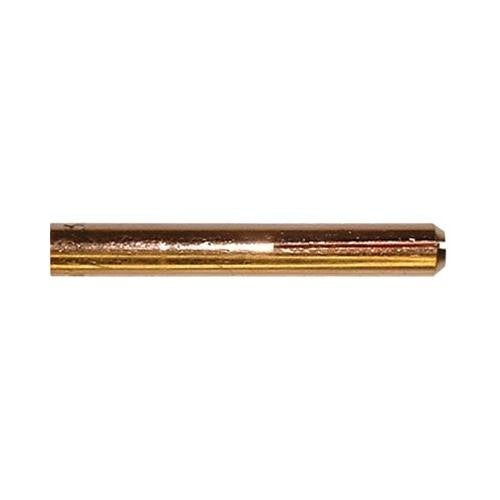
  • ARCCAPTAIN TIG Torch Consumables Kit: Complete 11-Piece Setup for WP-17/18/26 Torches

    TIG welding demands precision, and that starts with reliable consumables. A worn collet, damaged cup, or mismatched gas lens can derail your arc quality and waste time troubleshooting. The ARCCAPTAIN 11-piece TIG torch consumables kit bundles the essential parts you need to keep your torch running clean and consistent.

    What’s Included in This Kit

    The ARCCAPTAIN kit covers the core consumables for WP-17, WP-18, and WP-26 torches:

    • 1x Alumina Nozzle โ€” Ceramic cup for shielding gas flow
    • 2x Collets โ€” Electrode holders (standard sizes for 1/16″ and 3/32″ tungsten)
    • 2x Back Caps โ€” Torch body connectors
    • 2x Gas Lenses โ€” Improved gas coverage and shielding
    • 2x Ceramic Cups โ€” Replacement nozzles for wear
    • 2x Insulating Bushings โ€” Electrical isolation components

    This multi-pack approach means you have spares on hand, reducing downtime when a part fails mid-job.

    Who Should Buy This Kit

    This kit is ideal for:

    • Hobby and shop welders stepping up from single-piece replacements to a complete consumables set
    • TIG welders running WP-17/18/26 torches who want to avoid emergency supply runs
    • Fabricators and instructors who need backup parts for multiple torches or training setups
    • Budget-conscious shops looking for a multipack at a reasonable price point
    ARCCAPTAIN 11Pcs TIG Welding Torch Consumables Kit Collets Alumina Ceramic Cups for WP-17/18/26
    • Complete TIG Torch Kit – 11pcs Tig Welding Torch accessories (consumables) kit. This set includes all the essential TIG torch accessories and consumables, so you can get started on your welding projects right away.
    • Compatible – This TIG torch accessories kit fits all WP-17 WP-18 WP-26 TIG Welding Torch, including the ARCCAPTAIN TIG welding torches(quick connector 10-25mm/35-50mm/XS12-5P).
    • Highlights – Pure Copper Material, Accurate Punching, Precise Cutting. Electric conductivity is similar to a 2% thoriated tungsten electrode at either AC or DC. No need to change any welding program. With excellent plasticity, toughness, and crack resistance, especially low-temperature impact toughness higher.
    • Wide application – WP-17 WP-18 WP-26 TIG Welding Torch, for many locations of the pipeline TIG welding arc welding and arc welding, can be welded carbon steel and some low alloy steel.
    • Note – The insulator rings can not match the CK Torch.

    Last update on 2026-04-20 / Affiliate links / Images from Amazon Product Advertising API

    Performance & Use

    What to Compare Before You Buy

    • Torch Compatibility โ€” Verify your torch model (WP-17, WP-18, or WP-26); this kit is NOT compatible with WP-9 or larger industrial torches
    • Tungsten Size โ€” Confirm whether you run 1/16″, 3/32″, or mixed tungsten sizes; collet sizing matters for arc stability
    • Gas Lens vs. Standard Cup โ€” Gas lenses improve shielding in drafty environments; standard cups work fine for bench work
    • Material Grade โ€” Alumina cups are standard; some shops prefer ceramic for specific applications
    • Quantity โ€” This is an 11-piece set; if you run multiple torches daily, consider buying two kits

    Comparable Amazon Picks (Optional)

    Installation & Maintenance

    Swapping consumables is straightforward:

    1. Cool the torch โ€” Let it sit for 2โ€“3 minutes after your last weld
    1. Unscrew the back cap โ€” Use a 7/16″ or 1/2″ wrench; don’t force it
    1. Remove the old collet and cup โ€” They slide out together
    1. Insert new collet and cup โ€” Align the collet with the torch body; it should sit flush
    1. Reattach the back cap โ€” Hand-tighten, then snug with a wrench; over-tightening can crack the collet

    Maintenance tip: Clean the torch body and collet threads every 20โ€“30 hours of welding to prevent carbon buildup and stuck parts.

    Durability & Lifespan

    Consumables wear at different rates depending on amperage, duty cycle, and shielding gas:

    • Collets โ€” 40โ€“80 hours of active welding before replacement
    • Ceramic cups โ€” 30โ€“60 hours; cracks indicate replacement time
    • Gas lenses โ€” 50โ€“100 hours; clogging reduces gas coverage
    • Back caps โ€” 100+ hours; rarely need replacement unless cross-threaded

    At $25โ€“$35 for this 11-piece kit, you’re looking at roughly $2โ€“$3 per consumable part, making it a cost-effective backup supply.

    Safety Notes

    • Always wear welding gloves when handling hot torches or consumables
    • Ensure your torch is cool before disassembly
    • Check gas lens alignment; misaligned lenses can cause poor shielding and porosity
    • Use only argon or argon/COโ‚‚ blends with this torch; check your machine’s gas compatibility

    When to Replace This Kit’s Parts

    Replace consumables when you notice:

    • Erratic arc โ€” Worn collet or misaligned cup
    • Visible cracks or pitting on ceramic cups
    • Gas coverage loss โ€” Clogged gas lens or damaged nozzle
    • Difficulty inserting tungsten โ€” Worn collet

        1. Why Your MIG Welder Sputters and Pops: Diagnosis and Fix

          Your MIG welder sputters, pops, or cuts out mid-weld. The arc is unstable, the weld looks rough, and you’re losing time troubleshooting. This guide walks you through the most common causesโ€”and how to fix each one in under 30 minutes.

          Key Takeaways

          • Sputtering is usually caused by worn contact tips, dirty nozzles, or poor ground connections (not the machine itself)
          • Most fixes are free or cost under $20
          • Replace contact tips every 50โ€“100 hours of welding for consistent performance
          • Clean your nozzle and check your ground clamp before buying new parts
          • A worn contact tip can cause arc instability even on a quality machine

          Quick Diagnosis

          What you’ll see:

          • Arc pops or crackles during welding
          • Wire feed seems inconsistent
          • Spatter builds up on the nozzle and tip
          • Weld bead looks rough or has gaps
          • Machine may cut out briefly, then restart

          Most likely causes (ranked by frequency):

          1. Worn or damaged contact tip (most common)
          2. Spatter buildup on nozzle or tip
          3. Poor ground connection or dirty work clamp
          4. Wire speed set too high or too low
          5. Gas flow rate too low or regulator issue
          6. Kinked or damaged gun liner

          Safety Notes

          • PPE:ย Wear ANSI Z87.1-rated helmet with appropriate shade (typically #10โ€“#12 for MIG), leather gloves, and flame-resistant clothing. Keep helmet DOWN during all welding.
          • Ventilation:ย Ensure adequate fume extraction. MIG welding produces COโ‚‚ and metal fumesโ€”use a fume hood or work in well-ventilated space.
          • Electrical:ย Disconnect the welder from power before inspecting the gun, liner, or contact tip.
          • Gas:ย Check regulator for leaks before starting. Do not exceed manufacturer’s recommended gas flow rate.

          Step-by-Step Troubleshooting

          Step 1: Inspect the Contact Tip (Free)

          • Remove the nozzle from your MIG gun.
          • Look at the contact tip (the small copper piece at the end of the gun).
          • If it’s worn, pitted, or has a flat spot instead of a tapered point, replace it.
          • Why:ย A worn tip creates poor electrical contact, causing arc instability and sputtering.

          Step 2: Clean the Nozzle (Free)

          • Remove the nozzle (usually a threaded brass or ceramic piece).
          • Use a wire brush or old contact tip to scrub away spatter buildup inside and outside.
          • Reinstall and test.
          • Why:ย Spatter on the nozzle blocks gas flow and creates electrical resistance, destabilizing the arc.

          Step 3: Check Your Ground Clamp (Free)

          • Inspect the ground clamp on your work piece. Look for rust, paint, or corrosion.
          • Clean the contact surface with a wire brush or file.
          • Ensure the clamp is tight and making solid metal-to-metal contact.
          • Why:ย A poor ground path increases electrical resistance, causing the arc to be unstable.

          Step 4: Verify Wire Speed and Voltage (Free)

          • Check your machine’s wire speed and voltage settings against the manufacturer’s chart for your wire type and thickness.
          • If wire speed is too high, the tip can overheat and wear faster. If too low, the arc may be weak.
          • Adjust to the middle of the recommended range and test.
          • Why:ย Incorrect settings stress the contact tip and create inconsistent arc conditions.

          Step 5: Check Gas Flow Rate (Free)

          • Locate your regulator and check the flow rate (usually 15โ€“25 CFH for MIG).
          • If the gauge reads below 15 CFH, increase the flow slightly.
          • If you suspect a leak, apply soapy water to all connectionsโ€”bubbles indicate a leak.
          • Why:ย Low gas flow allows air into the weld, causing porosity and arc instability. Leaks reduce shielding.

          Step 6: Inspect the Gun Liner (Free)

          • Remove the wire spool and pull the wire out of the gun.
          • Look through the gun liner (the tube inside the gun that guides the wire).
          • If you see kinks, cracks, or heavy wear, the liner may be restricting wire feed.
          • Why:ย A damaged liner causes friction, which can jam the wire and destabilize the arc.

          Fix Options (Ranked)

          Option 1: Adjustment (Free)

          • Clean nozzle and ground clamp.
          • Verify wire speed and gas flow settings.
          • Test weld.
          • When to use:ย If sputtering started recently and your machine is less than 5 years old.

          Option 2: Replace Contact Tip (~$5โ€“$15)

          • Order a replacement contact tip that matches your gun type and wire size (e.g., 0.035″ for standard MIG).
          • Remove the old tip, install the new one, and test.
          • When to use:ย If the tip is visibly worn, pitted, or you’ve been welding for 50+ hours since the last replacement.

          Option 3: Replace Gun Liner (~$15โ€“$40)

          • If the liner is kinked or damaged, order a replacement liner kit for your gun model.
          • Follow the manufacturer’s installation instructions.
          • When to use:ย If you’ve ruled out the tip and nozzle, and the wire feed feels sluggish.

          Option 4: Equipment Upgrade (if applicable)

          • If your machine is 10+ years old and you’ve replaced the tip and liner, consider upgrading to a newer machine with better arc stability.
          • When to use:ย Only after all consumables and settings have been checked.

          Recommended Fix: Replace Your Contact Tips

          A worn contact tip is the #1 cause of sputtering. Copper tips wear down with every weldโ€”the arc erodes the tapered point, creating a flat or pitted surface. Once worn, the tip can’t deliver consistent electrical contact to the wire, and your arc becomes unstable.

          Why this works:

          • A fresh contact tip restores the precise tapered geometry needed for stable arc initiation.
          • Copper’s high conductivity ensures reliable electrical transfer.
          • New tips prevent spatter buildup and reduce nozzle fouling.

          When to use it:

          • Your contact tip is visibly worn or pitted.
          • You’ve been welding for 50โ€“100 hours since the last replacement.
          • You’ve cleaned the nozzle and ground clamp, but sputtering persists.

          When NOT to use it:

          • If your nozzle is heavily fouled with spatterโ€”clean that first (it’s free).
          • If your ground clamp is loose or corrodedโ€”fix that before replacing the tip.
          • If your wire speed or voltage is way offโ€”adjust settings first.

          What to check before buying:

          • Confirm your gun type (e.g., Lincoln Magnum 100L, Miller M25, Tweco Mini).
          • Match the wire size (0.030″, 0.035″, or 0.045″).
          • Buy a multi-pack (20โ€“30 tips) so you always have spares on hand.
          • Look for tips with at least 4+ stars and 100+ reviews.
          • Verify the tip is copper (not steel) for best conductivity.
          TimelyDu Mig Welder Tips 30-Pack .035โ€ 0.9mm Welding Tips Contact Tip for Mig Welding Gun Welding Torch MIG Gun Replacement,Welding Accessories, Copper (.035โ€ tips)
          • 1. Package Includes 30 Premium Quality .035โ€ ๏ผˆร˜0.9mm๏ผ‰welding Tips.
          • 2.Premium Contact Tips โ€“ Compatible with Lincoln, Tweco, Binzel, and Similar Mini MIG Gun Styles.
          • 3. Made of high-quality copper, this welding contact tip offers excellent conductivity, high temperature resistance, and wear resistance, ensuring long-lasting performance.
          • 4.Thread๏ผšM6ร—1.0thd.
          • 5.If you have any questions, feel free to get in touch. We’re here to offer service and help you out in any way we can!

          Last update on 2026-04-20 / Affiliate links / Images from Amazon Product Advertising API

          Comparable Options

          If you need tips for a different gun type, check these:

          Common Mistakes

          • Using the wrong wire size tip.ย A 0.030″ tip won’t work with 0.035″ wire. Check your machine manual or gun label.
          • Not replacing tips regularly.ย Tips wear outโ€”don’t wait until sputtering is severe. Replace every 50โ€“100 hours.
          • Ignoring the nozzle.ย Spatter buildup on the nozzle blocks gas and causes arc instability. Clean it every few welding sessions.
          • Assuming the machine is broken.ย 90% of sputtering issues are consumables or settings, not the welder itself.
          • Over-tightening the contact tip.ย Hand-tight is enough. Over-tightening can crack the tip or damage the gun threads.

          FAQ

          Q: How often should I replace my contact tip? A: Every 50โ€“100 hours of welding, or sooner if you notice visible wear. A worn tip costs you time and material in bad welds.

          Q: Can I clean and reuse a contact tip? A: No. Once a tip is pitted or flattened, cleaning won’t restore its geometry. Replace it.

          Q: Why does my tip wear out so fast? A: High wire speed, incorrect voltage, or poor shielding gas flow accelerates wear. Check your settings and gas flow rate.

          Q: What’s the difference between copper and steel contact tips? A: Copper conducts electricity better and lasts longer. Steel tips are cheaper but wear faster and create more spatter. Use copper.

          Q: Can a bad ground clamp cause sputtering? A: Yes. A loose or corroded ground clamp increases electrical resistance, destabilizing the arc. Always ensure solid metal-to-metal contact.

          Next Steps

          1. Clean your nozzle and ground clamp nowย โ€” this is free and fixes 30% of sputtering issues.
          2. Check your wire speed and gas flowย โ€” verify they match your machine’s recommended settings for your wire type.
          3. Order replacement contact tipsย โ€” keep a multi-pack on hand so you’re never without spares.
          4. Read our related troubleshooting guides:

          For more welding fixes and gear options, see our full resource page: https://blog.weldsupportparts.com/links/

        2. Best Welding Respirator for Fumes (P100) โ€“ Top 3 3M Picks

          Best welding respirator for fumes (P100): 3 proven 3M options

          If youโ€™re welding in a shop or garage, the โ€œburnt metalโ€ smell is the least of the problem. Welding fumes and fine particulate can hang in the air, especially during MIG/flux-core, grinding, and stainless work. A reusable half-mask respirator paired with P100 filters is a common, practical step up from disposable masksโ€”when it fits correctly and you use the right cartridges/filters for the hazard.

          Where to Buy (quick links)

          • ArcWeld.store (preferred): Check availability below per product (some may be N/A).
          • Amazon (backup): Use the AAWP boxes/shortcodes below.

          Key takeaways

          • P100 filters are a common choice for welding fume particulate; add the right cartridge if you also need gas/vapor protection (verify your hazard).
          • Comfort drives compliance: silicone face seals and good harness design matter if you wear it for hours.
          • Fit is everything: a great respirator that leaks is the wrong respirator.
          • Low-profile masks are easier to run under many welding helmets and face shields.

          Comparison table

          Model Key Specs (manufacturer) Best For ArcWeld Link Amazon
          3M 6502QL (6500QL Series) Quick Latch drop-down; bayonet connection; silicone faceseal; low-profile design Welders who need fast on/off between tacks and grinding N/A
          3M Rugged Comfort Quick Latch Half Facepiece Reusable Respirator 6502QL, NIOSH, Cool Flow Exhalation Valve, Bayonet Connection, Silicone Face Seal, for Gases, Vapors, Dust, Maintenance, Construction,M
          • NIOSH-APPROVED: NIOSH, a USA federal government regulatory agency, has tested and approved the 3M Rugged Comfort 6500 Series Quick Latch Half Facepiece Reusable Respirator with 3M cartridges, filters or supplied air systems to help reduce inhaling certain airborne contaminants
          • EASY ON AND OFF: Quick latch design offers an easy, one hand touch drop down mechanism for putting the face piece on and off while moving in and out of contaminated areas
          • COMFORTABLE: Adjustable head harness assembly promotes a comfortable fit with 3 size adjustable head cradle; long lasting polyester/spandex straps
          • COOL COMFORT: Proprietary 3M Cool Flow Valve is designed for easy exhalation to help keep the wearer more comfortable
          • DURABLE: Resilient silicone faceseal provides comfort, durability, and stability with a soft but firm seal. Keeps its shape in high heat environments

          Last update on 2026-04-20 / Affiliate links / Images from Amazon Product Advertising API

          3M 7502 (7500 Series) Advanced silicone faceseal; Cool Flow valve; bayonet connection; dual-mode head harness All-day comfort for shop welding + fabrication N/A
          3M P95 / Organic Vapor Paint Project Reusable Respirator 6311, Large Size , NIOSH-APPROVED, Use For Professional Paint Spraying, Lightweight, Flexible, Thermoplastic Faceseal For Comfort (6311P1-DC)
          • NIOSH-APPROVED 6001 OV CARTRIDGE HELPS REDUCE EXPOSURE to certain organic vapors encountered during activities involving latex and oil-based painting, including paint spraying, varnishes, stains, sealants, solvents, certain solvent-based cleaners or pesticides
          • NIOSH-APPROVED 5P71 P95 RATED FILTERS HELP REDUCE EXPOSURE to certain particles from paint spraying, spray adhesives and pesticide
          • FOR WORKPLACE/OCCUPATIONAL USE ONLY
          • LIGHTWEIGHT, FLEXIBLE, THERMOPLASTIC FACESEAL for comfort
          • 3M BAYONET CONNECTION compatible with 3M cartridges and filters

          Last update on 2026-04-20 / Affiliate links / Images from Amazon Product Advertising API

          3M 2097 P100 Filter (pair) NIOSH P100; 99.97% filter efficiency (P100 test criteria); nuisance-level organic vapor relief (carbon layer); bayonet-style connection Welding fume particulate + reduced โ€œshop smellโ€ (nuisance OV relief) N/A

          Last update on 2026-04-20 / Affiliate links / Images from Amazon Product Advertising API

          Top pick (most welders should start here)

          Top Pick: 3M 7502 + 3M 2097 P100 filters

          If you want one setup thatโ€™s comfortable enough to actually wear and easy to maintain, the 7502 (medium) paired with 2097 P100 filters is a straightforward, widely-used combination. The key is getting the right size and doing a proper seal check every time.

          Product details

          1) 3M Rugged Comfort Quick Latch Half Facepiece Reusable Respirator 6502QL (Medium)

          Why itโ€™s on this list: The Quick Latch feature is legitimately useful in a welding workflowโ€”drop it down without removing your headgear when you need to talk, check fit-up, or step out of the fume zone.

          Best for: Short-cycle welding (tack/fit/tack), frequent on/off, dirty shop environments.

          Key specs (manufacturer):

          • Quick Latch drop-down mechanism (6500QL series)
          • Bayonet connection system (compatible with approved 3M filters/cartridges)
          • Silicone faceseal (comfort/durability)
          • Low-profile design (helps with compatibility under many shields/helmets)

          ArcWeld link: N/A

          Amazon (verified ASIN): B00IF7RBS4

          3M Rugged Comfort Quick Latch Half Facepiece Reusable Respirator 6502QL, NIOSH, Cool Flow Exhalation Valve, Bayonet Connection, Silicone Face Seal, for Gases, Vapors, Dust, Maintenance, Construction,M
          • NIOSH-APPROVED: NIOSH, a USA federal government regulatory agency, has tested and approved the 3M Rugged Comfort 6500 Series Quick Latch Half Facepiece Reusable Respirator with 3M cartridges, filters or supplied air systems to help reduce inhaling certain airborne contaminants
          • EASY ON AND OFF: Quick latch design offers an easy, one hand touch drop down mechanism for putting the face piece on and off while moving in and out of contaminated areas
          • COMFORTABLE: Adjustable head harness assembly promotes a comfortable fit with 3 size adjustable head cradle; long lasting polyester/spandex straps
          • COOL COMFORT: Proprietary 3M Cool Flow Valve is designed for easy exhalation to help keep the wearer more comfortable
          • DURABLE: Resilient silicone faceseal provides comfort, durability, and stability with a soft but firm seal. Keeps its shape in high heat environments

          Last update on 2026-04-20 / Affiliate links / Images from Amazon Product Advertising API

          2) 3M Half Facepiece Reusable Respirator 7502 (Medium, 7500 Series)

          Why itโ€™s on this list: This is the comfort-biased option. For many welders, the 7500 series silicone seal and harness design makes it easier to wear for longer sessionsโ€”especially when youโ€™re also wearing a hood, glasses, and hearing protection.

          Best for: Longer welding sessions, general fabrication, anyone who hates stiff face seals.

          Key specs (manufacturer):

          • Advanced silicone faceseal (comfort/durability)
          • 3M Cool Flow exhalation valve (reduces heat/moisture buildup)
          • Bayonet connection system (approved 3M filters/cartridges)
          • Dual-mode head harness (per 3M 7500 series documentation)

          ArcWeld link: N/A

          Amazon (verified ASIN): B0009F5KDS

          3M P95 / Organic Vapor Paint Project Reusable Respirator 6311, Large Size , NIOSH-APPROVED, Use For Professional Paint Spraying, Lightweight, Flexible, Thermoplastic Faceseal For Comfort (6311P1-DC)
          • NIOSH-APPROVED 6001 OV CARTRIDGE HELPS REDUCE EXPOSURE to certain organic vapors encountered during activities involving latex and oil-based painting, including paint spraying, varnishes, stains, sealants, solvents, certain solvent-based cleaners or pesticides
          • NIOSH-APPROVED 5P71 P95 RATED FILTERS HELP REDUCE EXPOSURE to certain particles from paint spraying, spray adhesives and pesticide
          • FOR WORKPLACE/OCCUPATIONAL USE ONLY
          • LIGHTWEIGHT, FLEXIBLE, THERMOPLASTIC FACESEAL for comfort
          • 3M BAYONET CONNECTION compatible with 3M cartridges and filters

          Last update on 2026-04-20 / Affiliate links / Images from Amazon Product Advertising API

          3) 3M 2097 P100 Particulate Filter (with nuisance-level organic vapor relief)

          Why itโ€™s on this list: If youโ€™re specifically searching โ€œbest welding respirator for fumes,โ€ this filter is a common go-to because itโ€™s P100-rated for particulates and includes nuisance-level organic vapor relief (carbon layer). For many shops, itโ€™s a practical baseline for welding fume particulateโ€”assuming your hazard assessment doesnโ€™t require a different cartridge.

          Best for: Welding fume particulate; grinding dust; nuisance-level organic vapor odors (not a substitute for proper OV cartridges where required).

          Key specs (manufacturer):

          • NIOSH-approved P100 particulate filter
          • 99.97% filter efficiency (P100-series test criteria)
          • Nuisance-level organic vapor relief (carbon layer)
          • Bayonet-style connection for compatible 3M facepieces

          ArcWeld link: N/A

          Amazon (verified ASIN): B07WSQKTTB

          Note: Filters are only half the system. You still need a compatible 3M half-mask facepiece (like the 6502QL or 7502 above).

          Last update on 2026-04-20 / Affiliate links / Images from Amazon Product Advertising API

          Buying guide: how to choose the right welding respirator for fumes

          • Start with the hazard: โ€œFumesโ€ can mean particulate, gases/vapors, or both. P100 filters address particulate; gases/vapors may require a different cartridge. If you donโ€™t know, treat it as Unknown (Verify) and do a basic hazard assessment.
          • Pick the facepiece for comfort + workflow: If you take it on/off constantly, Quick Latch can be worth it. If you wear it for hours, prioritize silicone comfort and harness stability.
          • Confirm compatibility: Use only approved 3M filters/cartridges for your specific facepiece series (bayonet connection system).
          • Fit test mindset: At minimum, do a user seal check every time. A formal fit test is better if youโ€™re relying on it for real exposure control.
          • Plan for helmet/eye pro: Make sure the respirator doesnโ€™t break your safety glasses seal or interfere with your hoodโ€™s headgear.

          FAQ

          Whatโ€™s the best welding respirator for fumes in a small shop?

          For many welders, a comfortable reusable half-mask (like the 3M 7502) paired with P100 filters (like the 3M 2097) is a practical baseline for particulate. If you also have solvent/paint/VOC exposure, you may need additional cartridgesโ€”Unknown (Verify) based on your materials and ventilation.

          Is a P100 filter enough for welding fumes?

          P100 is commonly used for particulate. Welding environments can also include gases/vapors depending on process, coatings, cleaners, and ventilation. Treat โ€œenoughโ€ as job-specific and verify against your hazard controls and SDS.

          Will these fit under a welding helmet?

          Many half-mask respirators are designed with a low-profile shape to improve compatibility under face shields and welding helmets, but fit varies by helmet/headgear. Verify clearance before committing.

          How do I know if my respirator fits correctly?

          Do a user seal check every time you put it on, and consider a formal fit test if youโ€™re relying on it for exposure reduction. Facial hair can prevent a proper seal.

          How often should I replace P100 filters?

          Replace per the manufacturer guidance and your conditions (loading, breathing resistance, damage, contamination). If breathing becomes noticeably harder or filters are damaged/contaminated, replace immediately.

          Safety notes (eye/face + PPE)

          • Eye protection: Use safety glasses/goggles that meet ANSI Z87.1 when grinding, chipping, or when thereโ€™s flying debris risk. A respirator does not replace eye protection.
          • Ventilation still matters: Respirators are not a substitute for local exhaust or adequate shop ventilationโ€”use both when possible.
          • Fit and facial hair: A proper seal is critical. Facial hair can compromise performance.
          • Follow 3M user instructions: Inspect, don/doff, clean, and store the facepiece per the manufacturer documentation.

          SOURCES & VERIFICATION

          Sources Checked (manufacturer specs only)

          • 3M 6500QL Series Half Facepiece Reusable Respirator Data Sheet (PDF): https://multimedia.3m.com/mws/media/1730560O/3m-6500ql-series-half-face-respirator-data-sheet.pdf
          • 3M 7500 Series Half Facepiece Reusable Respirator Data Sheet (PDF): https://multimedia.3m.com/mws/media/1731320O/3m-7500-series-reusable-half-mask-data-sheet.pdf?&fn=3M-7500-Series-Reusable-Half-Mask-Datasheet.pdf
          • 3M Particulate Filter 2097, P100 (PDF): https://multimedia.3m.com/mws/media/5188O/3m-particulate-filter-2097-p100.pdf
          • 3M product page (6500QL series): https://www.3m.com/3M/en_US/p/d/b00039317/
          • 3M product page (7500 series): https://www.3m.com/3M/en_US/p/d/b00039314/

        3. Why does my MIG wire keep sticking in the contact tip? (Fast Burnback Fix)

          If your MIG wire keeps welding itself to the contact tip and stopping the weld cold, youโ€™re dealing with burnbackโ€”the arc climbs up the wire and fuses it inside the tip. The good news: you can usually fix it in minutes by addressing feed consistency first, then consumables.

          This guide is a fast, symptom-first troubleshooting path that avoids random setting changes and gets you back to a stable arc.


          Where to Buy (Quick Fix Parts)

          The most likely failed components when wire sticks in the tip are:

          • Contact tipย (worn, spattered, wrong size, overheated)
          • Gun linerย (dirty, kinked, wrong size, or packed with dust/rust)
          • Nozzle/diffuser areaย (spatter buildup causing heat and drag)

          Top Pick (Primary Fix)

          Unknown (Verify ASIN).
          Reason: contact tips are the #1 โ€œswap firstโ€ consumable for burnback, but the correct tip depends on gun style (Tweco/Lincoln/Miller) and wire diameter.

          Backup / Consumable Option

          Unknown (Verify ASIN).
          Reason: liners are the next most common fix when feeding is inconsistent, but liner fit depends on gun model + length + wire type.


          Key Takeaways

          • If wire sticks in the tip, assumeย wire feed slowed downย before you assume settings are wrong.
          • Swap theย contact tip firstย (fastest, cheapest diagnostic).
          • Then check forย liner dragย andย drive-roll issuesย (tension, size, debris).
          • Donโ€™t chase voltage/WFS until the wire feeds smoothly with the gun straight.

          Symptoms (Fast Diagnosis)

          • Wire fuses to the contact tip during a start or mid-bead
          • Arc gets harsh, then the gun โ€œstutters,โ€ then stops feeding
          • You hear the drive rolls slip or chatter
          • Tip is discolored/blue, wire is balled up at the end
          • Wire feeds fine with the gun straight, but sticks when the lead is bent

          Root Causes (Mapped to Symptoms)

          • Wire sticks on startsย โ†’ wire speed too low at start, stickout too short, tip partially blocked
          • Random sticking mid-beadย โ†’ inconsistent feeding (liner drag, roll tension wrong, spool drag too high)
          • Drive rolls slip + stickingย โ†’ roll tension too loose, wrong roll groove, worn rolls, dirty wire
          • Only happens when lead is bentย โ†’ liner kinked/worn, lead routed too tight, liner too short/long
          • Tip burns up fastย โ†’ wrong tip size, poor electrical contact at tip/diffuser, excessive heat from short stickout

          Quick Fix (Do This First)

          Do these in order. This avoids over-adjusting your machine.

          • Stop and cut the wireย clean (donโ€™t yank it out under tension).
          • Replace the contact tipย (fastest way to eliminate a partially blocked/worn tip).
          • Straighten the gun leadย and test-feed wire. If it feeds better straight than bent, suspect the liner/lead routing.
          • Back off drive-roll tension, then re-tighten just enough to feed without slipping (donโ€™t crush the wire).
          • Check spool drag: the spool should not freewheel, but it also shouldnโ€™t feel โ€œbraked.โ€

          Step-by-Step Fix

          1. Power downย and remove the nozzle and contact tip.
          2. Inspect the tip bore: if itโ€™s ovaled, packed with spatter, or the wire shows scoring, replace it.
          3. Check stickoutย (typical short-circuit MIG is often around 3/8 in. / 10 mm; exact value depends on process and parameters). If youโ€™re extremely short, you can overheat the tip fast.
          4. Verify wire size matches tip sizeย (Unknownโ€”verify whatโ€™s installed). A mismatch can cause drag or arcing at the tip.
          5. Open the feeder:
            • Confirm correctย drive-roll grooveย (solid vs flux-core knurled; correct diameter).
            • Setย tensionย so the wire feeds reliably but does not deform.
          6. Check the liner:
            • Blow out debris (dry air only; avoid introducing oil).
            • If the liner is kinked, rusty, or packed with dust, replace it.
          7. Reassembleย and run a short test bead.
          8. Only after feed is stable:ย fine-tune wire speed and voltageย one change at a time.

          Parts That Actually Fix This

          Contact Tip

          Replace when:

          • Wire sticks repeatedly
          • Tip bore is worn/oval
          • Spatter is baked inside the tip Adjust instead when:
          • Tip is clean/new and the problem tracks with feed speed or stickout

          Liner

          Replace when:

          • Feeding changes dramatically when the lead is bent vs straight
          • Wire feels โ€œgrittyโ€ when you hand-feed
          • You see rust/dirt coming out when you remove the tip

          Drive Rolls

          Replace/repair when:

          • Rolls are worn smooth
          • Wrong groove type/size is installed Adjust instead when:
          • Tension is simply too tight/too loose

          Diffuser / Nozzle (if relevant)

          Replace when:

          • Threads are damaged or the tip doesnโ€™t seat tightly
          • Spatter buildup is severe and recurring

          Replace vs Adjust (Fast Decision Table)

          ProblemAdjust FirstReplace
          Wire sticks only on startsIncrease wire feed slightly, confirm stickoutContact tip
          Wire sticks randomly mid-beadCheck drive-roll tension + spool dragLiner (if feed changes with lead bend)
          Drive rolls slip/chatterIncrease tension slightly, verify grooveDrive rolls (if worn/wrong type)
          Tip overheats/discolors fastIncrease stickout slightly, confirm duty cycle habitsTip + check diffuser seating

          Copy table

          Rule: If not fixed in 2โ€“3 minutes โ†’ replace the consumable.


          Prevention Tips

          • Keep wire clean and dryย (rusty wire increases liner drag fast).
          • Store spools sealed when possible; wipe dust off before loading.
          • Route the gun lead withย wide bends, not tight loops.
          • Replace tips on a routine interval based on usage (Unknownโ€”verify for your duty cycle and wire type).
          • Periodically blow out or replace linersโ€”especially if you run dirty environments (fabrication dust, grinding debris).

          Safety Notes

          • Wear anย ANSI Z87.1ย rated welding helmet and safety glasses under the hood.
          • Use proper welding gloves and keep hands clear of pinch points in the feeder.
          • Maintain ventilation appropriate for the material and process (especially galvanized, stainless, and flux-core fumes).

          FAQ

          Why does burnback happen even when my settings โ€œused to workโ€?

          Consumables drift. A slightly worn tip, dirty liner, or tight spool brake can slow feed just enough that the arc climbs into the tip.

          Can a bad ground cause wire sticking in the tip?

          It can contribute to unstable arc behavior, but most โ€œwire welded to tipโ€ events still trace back to feed inconsistency or a blocked/worn tip.

          Should I crank drive-roll tension to stop slipping?

          No. Too much tension can deform the wire, increase liner drag, and make feeding worse. Set tension to the minimum that feeds reliably.

          Why is it worse when the gun cable is bent?

          Thatโ€™s a classic liner/lead-routing indicator: bending increases friction, which slows wire feed and triggers burnback.


          Internal Links (Related WSP Guides)

        4. Angle Grinder Wire Wheel Brush Set: 8-Pack for Weld Cleaning & Rust Removal

          Surface Prep Doesn’t Have to Be Complicated

          Before you weld, you clean. After you weld, you clean again. A quality wire wheel brush set cuts prep time and delivers consistent surface finish. This 8-pack includes multiple sizes and stylesโ€”knotted, crimped, and cup designsโ€”so you have the right tool for the job without constant swaps.

          Cluster: Abrasive Support / Surface Prep

          What’s in the 8-Pack

          ItemQtySizeStyleBest Use
          Knotted wire wheel24″AggressiveHeavy rust, paint removal
          Crimped wire wheel24″CoarseGeneral cleaning, weld spatter
          Knotted cup brush23″AggressiveCorners, tight spaces
          Crimped cup brush23″CoarseFine finishing, edges

          Copy table

          This variety eliminates the need to buy separate wheels for different tasks.

          Performance & Use

          No products found.

          What to compare before you buy

          • Wheel size: 4-inch wheels cover area faster; 3-inch cups fit tight corners better. Choose based on your typical joint geometry.
          • Wire type: Knotted designs are aggressive (faster stock removal); crimped designs are gentler (better surface finish).
          • Arbor size: Verify your angle grinder uses a standard 5/8″-11 threaded arbor (most common).
          • RPM rating: Confirm your grinder’s max RPM matches the wheel rating (typically 6,000โ€“12,500 RPM for these sizes).
          • Material being cleaned: Carbon steel, stainless steel, and aluminum all benefit from wire brushes, but stainless requires care to avoid contamination.

          Comparable Amazon picks (optional)

          How to Use Wire Wheels Safely

          1. Wear face protection: Wire wheels can throw bristles at high speed. Use a full-face shield or safety glasses.
          2. Secure the workpiece: Clamp your part so both hands are free to control the grinder.
          3. Start at low speed: Gradually increase RPM to avoid sudden torque or binding.
          4. Keep the grinder moving: Don’t hold the wheel in one spot; move it across the surface in smooth passes.
          5. Inspect the wheel before use: Look for cracks, missing bristles, or damage.

          When to Use Each Wheel Type

          Knotted wheels (aggressive):

          • Heavy rust removal
          • Paint stripping
          • Thick mill scale on structural steel

          Crimped wheels (gentler):

          • Weld spatter cleanup
          • Fine surface finishing
          • Stainless steel (to minimize heat and contamination)

          Cup brushes (3-inch):

          • Inside corners and tight joints
          • Edge blending
          • Small-diameter tubing

          Common Wire Wheel Problems & Fixes

          Wheel is throwing bristles?

          • The wheel may be worn or damaged. Replace it.
          • Check that the arbor nut is tight.
          • Ensure you’re not exceeding the wheel’s RPM rating.

          Surface is too rough after cleaning?

          • Switch from a knotted to a crimped wheel for a finer finish.
          • Reduce pressure and make multiple light passes instead of one heavy pass.

          Wheel binds or catches?

          • Your workpiece may not be secure. Re-clamp it firmly.
          • Reduce RPM and approach the surface at a shallower angle.

          Why This 8-Pack Works

          Having multiple sizes and styles on hand eliminates downtime spent swapping single wheels. The mix of knotted and crimped designs covers most common prep tasksโ€”from aggressive rust removal to fine finishingโ€”without buying specialty wheels.

          Next Steps

          • Verify your grinder’s arbor sizeย (5/8″-11 is standard; some older models differ).
          • Check your grinder’s max RPMย to ensure it matches the wheel rating.
          • Stock replacement wheelsย for the styles you use most frequently.
          • Inspect your angle grinder’s guardย to ensure it’s properly positioned before use.
        5. TIG Welds Turning Black and Sooty? Fix Gas Coverage Fast

          Intro

          Your TIG welds come out black, sooty, or “dirty”โ€”not the shiny, clean beads you expect. This is a gas coverage problem, and it’s costing you weld quality and time spent cleaning. The fix isn’t complicated: it’s usually your gas lens, cup, or flow rate. Get it right, and you’ll see clean, professional welds every time.

          Key Takeaways

          • Black or sooty TIG welds indicate poor shielding gas coverage, allowing air to contaminate the weld pool
          • Gas lens kits improve coverage by directing argon flow more efficiently, replacing standard collet bodies
          • Insufficient gas flow (below 15 CFH for most TIG work) is a common cause; check your regulator and flow meter
          • Contamination sources include air drafts, dirty tungsten, and incorrect torch angle
          • A quality gas lens kit solves 80% of sooty weld problems and pays for itself in reduced rework

          The Problem

          Sooty or black TIG welds happen when shielding gas doesn’t fully cover the weld pool. Air sneaks in, oxidizing the molten metal and creating that dark, rough surface. This occurs because:

          1. Weak gas coverage:ย Standard collet bodies direct gas flow in a cone, leaving the edges of the weld pool exposed
          2. Low gas flow:ย If your regulator is set below 15 CFH (cubic feet per hour), coverage is incomplete
          3. Dirty tungsten:ย A contaminated or oxidized tungsten electrode disrupts gas flow patterns
          4. Poor torch angle:ย Holding the torch at the wrong angle (too far from vertical) exposes the pool to air
          5. Air drafts:ย Fans, open doors, or outdoor wind push shielding gas away from the weld

          The result: oxidation, porosity, and weak welds that need grinding and rework.

          Why It Matters

          Sooty welds mean:

          • Rework:ย You spend time grinding, cleaning, and re-welding
          • Weak joints:ย Oxidized welds have lower tensile strength and fatigue resistance
          • Poor appearance:ย Cosmetic failure on visible welds or finished parts
          • Material loss:ย Grinding removes good metal; rework wastes filler rod and time

          In aerospace, pipeline, or pressure vessel work, sooty welds are rejected outright.

          The Fix

          Gas coverage is a system problem. Check these in order:

          1. Verify gas flow:ย Set your regulator to 15โ€“20 CFH for most TIG work (higher for larger cups or outdoor work). Use a flow meter to confirm.
          2. Clean the tungsten:ย Remove any oxide coating by grinding or filing the tip to a sharp point.
          3. Inspect the cup:ย Look for cracks, pitting, or spatter buildup inside the cup. Replace if damaged.
          4. Check torch angle:ย Keep the torch as vertical as possible (within 15ยฐ of perpendicular to the work).
          5. Eliminate drafts:ย Close doors, turn off fans, and shield the weld area from wind.
          6. Upgrade to a gas lens kit:ย Replace your standard collet body with a gas lens for superior coverage.

          Why This Product Solves It

          The CK D3GS116-P Gas Saver Kit for 1/16″ w/Glass Cup is engineered to deliver clean, consistent gas coverage. Here’s why it works:

          • Gas lens design:ย Multiple small holes direct argon flow in a tight, even pattern, covering the entire weld pool
          • 40% gas savings:ย More efficient flow means you use less argon while getting better coverage
          • Glass cup:ย Clear cup lets you see the weld pool and gas coverage in real time
          • 1/16″ tungsten compatible:ย Sized for small, precise work
          • CK Worldwide quality:ย Industry-standard brand trusted by professional TIG welders

          Upgrading from a standard collet body to a gas lens is the single best investment for clean TIG welds. You’ll see the difference immediately.

          Product Link: CK D3GS116-P Gas Saver Kit for 1/16" w/Glass Cup

          ” target=”_blank” rel=”noreferrer noopener”>CK D3GS116-P Gas Saver Kit for 1/16″ w/Glass Cup

          What to Check Before You Buy

          • Tungsten size:ย This kit is for 1/16″ tungsten. If you use 3/32″ or 1/8″ tungsten, you’ll need a different kit size.
          • Torch compatibility:ย Verify this kit fits your TIG torch. CK Worldwide kits fit most torches, but confirm with your torch manufacturer or ArcWeld.store.
          • Cup size:ย The kit includes a glass cup. If you prefer ceramic, you may need to source separately.
          • Gas type:ย Designed for argon (pure) or argon-helium mixes. Not for COโ‚‚ or other gases.

          Real-World Use

          A small fabrication shop was producing sooty TIG welds on 1/16″ stainless steel. The operator was using a standard collet body with a ceramic cup and 12 CFH flow. After upgrading to a CK gas lens kit, setting flow to 18 CFH, and cleaning the tungsten before each weld, the welds came out clean and shiny. Rework time dropped by 60%.

          Common Mistakes

          • Running gas flow too low:ย Below 15 CFH, coverage fails. Increase flow and watch the improvement.
          • Not cleaning the tungsten:ย Oxide coating blocks gas flow. File or grind the tip sharp before each session.
          • Using a damaged cup:ย Cracks or spatter buildup inside the cup restrict gas. Replace it.
          • Holding the torch at an angle:ย Tilting the torch exposes the pool to air. Keep it vertical.
          • Ignoring drafts:ย Even a small fan can disrupt coverage. Shield the weld area.

          Safety Notes

          Argon is an inert gas, but it displaces oxygen. Ensure adequate ventilation when welding in enclosed spaces. TIG torches get hot during use; allow them to cool before handling. Wear welding gloves rated for TIG work (leather, not cotton). If you’re welding stainless steel or aluminum, ensure proper ventilation to avoid fume exposure.

          Always follow the manufacturer’s instructions and your shop’s safety procedures. If you’re unsure about fitment or ratings, verify before you buy or install.

          Related Reading

          Where to Buy

          Available at ArcWeld.store (stock and shipping: Unknown โ€“ verify)

          CK D3GS116-P Gas Saver Kit for 1/16" w/Glass Cup

          ” target=”_blank” rel=”noreferrer noopener”>View this product at ArcWeld.store

      1. MIG Contact Tip Burnback: Why Your Tip Welds Itself (And How to Fix It)

        Intro

        Your MIG gun stops feeding wire mid-weld. You power down, open the feeder, and find the wire welded solid into the contact tip. This is contact tip burnbackโ€”and it costs you time, consumables, and weld quality. The good news: it’s preventable with the right tip and maintenance routine.

        Key Takeaways

        • Contact tip burnback happens when the wire binds inside the tip under heat and spatter, creating a weld joint between wire and tip
        • Worn or undersized tips are the primary culprit; spatter buildup traps heat and restricts wire flow
        • Replacing the contact tip is the fastest, lowest-cost fix; cleaning alone rarely solves the root problem
        • Proper nozzle cleaning and tip inspection after every 8โ€“10 hours of welding prevents burnback
        • Using the correct tip size for your wire diameter and amperage reduces friction and heat

        The Problem

        Contact tip burnback occurs when the wire gets stuck inside the contact tip and actually welds itself to the copper. This happens because:

        1. Heat accumulation:ย Spatter builds up on the inside of the tip, trapping heat and raising the temperature above the wire’s melting point
        2. Friction:ย A worn or undersized tip creates drag, slowing wire feed and causing the wire to heat up further
        3. Electrical resistance:ย A corroded or damaged tip increases resistance, generating more heat at the contact point
        4. Wire binding:ย The wire catches on rough edges inside the tip, creating a mechanical bind that generates friction heat

        The result: the wire literally welds itself to the tip, and your feeder can’t push it through.

        Why It Matters

        Burnback stops your weld mid-joint. You lose:

        • Production time:ย Downtime to clear the jam, replace the tip, and re-feed wire
        • Weld quality:ย Restarting a weld often leaves a weak restart point or incomplete fusion
        • Consumables:ย You waste wire, spatter, and tips
        • Equipment stress:ย Forcing the feeder to push a jammed wire can damage the drive rollers

        On a job site or in a production shop, one burnback can cascade into multiple restarts and rework.

        The Fix

        Contact tip burnback is a tip problem, not a feeder problem. Here’s what to do:

        1. Power down the welder and open the feeder.
        2. Clip the wireย at the contact tip with wire cutters.
        3. Pull the wire backย 3โ€“4 inches to clear the jam.
        4. Remove the nozzleย and inspect the tip for spatter, corrosion, or pitting.
        5. Replace the contact tipย with a new one (don’t try to clean a burnt tipโ€”it’s damaged).
        6. Clean the nozzleย with a nozzle dip or brass brush to remove spatter.
        7. Re-feed the wireย and resume welding.

        Prevention: Replace contact tips every 8โ€“10 hours of welding, or sooner if you notice spatter buildup or inconsistent arc.

        Why This Product Solves It

        The Miller MDX Series MIG Contact Tip (.045″ or 1.2mm) is engineered for consistent wire flow and durability. Miller’s AccuLock design ensures:

        • Precise bore:ย The .045″ bore is sized for .045″ wire, eliminating undersizing friction
        • Copper construction:ย High-conductivity copper dissipates heat faster than lesser materials
        • Smooth interior:ย No pitting or rough edges means wire slides freely, reducing burnback risk
        • Reliable fit:ย AccuLock threads ensure the tip seats flush, preventing spatter leakage

        Using the correct tip size for your wire diameter is non-negotiable. A .035″ tip on .045″ wire will jam; a .045″ tip on .035″ wire will spit spatter. Miller tips are sized precisely to match your wire.

        Product Link: Miller MDX Series MIG Contact Tip (.045" or 1.2mm), part no. T-M045 (10 per pack).

        ” target=”_blank” rel=”noreferrer noopener”>Miller MDX Series MIG Contact Tip (.045″ or 1.2mm), part no. T-M045 (10 per pack)

        What to Check Before You Buy

        Real-World Use

        A fabrication shop running a Miller MDX-100 on .045″ mild steel was experiencing burnback every 30โ€“40 minutes. The operator was using undersized .035″ tips (wrong size). After switching to Miller .045″ tips and cleaning the nozzle every 4 hours, burnback stopped entirely. Production time increased by 15%.

        Common Mistakes

        Safety Notes

        Contact tips get hot during welding. Always allow the gun to cool before removing the nozzle or tip. Wear welding gloves when handling hot consumables. If you’re replacing tips while the welder is still warm, keep your hands clear of the arc area and power down the welder first.

        Always follow the manufacturer’s instructions and your shop’s safety procedures. If you’re unsure about fitment or ratings, verify before you buy or install.

        Related Reading

        Where to Buy

        Available at ArcWeld.store (stock and shipping: Unknown โ€“ verify)

        Miller MDX Series MIG Contact Tip (.045" or 1.2mm), part no. T-M045 (10 per pack).

        ” target=”_blank” rel=”noreferrer noopener”>View this product at ArcWeld.store

      2. Best P100 Respirators for Welding Fumes (Seal Leak Fix)

        Your respirator is leaking fumes because your mask is worn out or the wrong size.

        Here are the best P100 respirators that seal properly and protect against welding fumes.

        WHERE TO BUY

        CKE 20 Pairs Cable Railing Kit – 3/16″ Swage Toggle Turnbuckle Hardware Kit – T316 Stainless Steel for Wood Post Cable Railing System – Angle 180ยฐ Adjustable Angle Stairs Deck
        • ๐Ÿ”ฆใ€Multi Angled & Wide Adjustmentใ€‘This cable railing kit works for 3/16″ wire rope in multi angled stairways or horizontal sections cable railing systems. The multi adjustable angle feature enables the turnbuckle to rotate from 0 to180 degrees, closed-body of the turnbuckle adjust freely length from the min 7.2″ to max 10.1 inch”. This cable railing hardware kit package can make 20 cable runs.
        • ๐Ÿ”ฆใ€T316 Marine Grade Stainless Steelใ€‘This 3/16″ Cable Railing Hardware Kit made from T316 marine grade stainless steel, which means it’s excellent resistance to rust, corrosion with long-lasting protection. It can handle extreme weather conditions, even in coastal areas where there’s a lot of humidity and salty air. CKE Swage Toggle Turnbuckle for Wood Post is ideal for indoor and outdoor black deck stair cable railing kit system.
        • ๐Ÿ”ฆใ€Sizeใ€‘Fit for 3/16 inch stainless steel cable, apply for both wood posts. Turnbuckle: 7.2″ Deck Toggle End: 3″. We suggest the post spacing about 3-4 ft between wood post ends, and the cable spacing about 3″ to 4″ for each post.
        • ๐Ÿ”ฆใ€Applicationsใ€‘This 3/16″ Swage Toggle Turnbuckle Cable Railing Hardware Kit with wide adjustable range with cleanly looks solve the problem for tighten and adjust the tension of attached cable in multi angled stairways and ramps also for horizontal section cable railing systems for straight, stair or angled sections when using timber posts. This cable railing kit is installed simply by tightening the screws, please refer the picture of 3 to install.
        • ๐Ÿ”ฆใ€Package List & 100% Satisfaction Guaranteeใ€‘20 Set 180 Degree Adjustable Angle Cable Railing Kit (Kti Includes: 20 Pcs Swage Toggle Turnbuckles, 20 Pcs Deck Toggle Terminal, 80 Pcs screws, 1 Pcs CKE Patent Design Spanner Multi Tool). This package can make 20 cable runs. โญBuy with confidence: If you’re not satisfied with this item at anytime within two years after purchased, we’ll provide a refund or replacement.

        Last update on 2026-04-20 / Affiliate links / Images from Amazon Product Advertising API

        Key Takeaways

        • P100 filters block 99.97% of welding fumes (manganese, chromium, nickel, particulates)
        • Silicone facepieces seal better than rubber and last longer
        • Half-face respirators are lighter and more comfortable than full-face for all-day wear
        • Size mattersโ€”small, medium, large; wrong size = seal failure
        • Replace filters every 40 hours of use or when hard to breathe through

        Comparison Table

        ModelTypeSize RangeFilter TypeBest ForPrice Range
        3M 6502QLHalf-face, reusableSmall/Medium/LargeBayonet P100Daily welding, MIG/TIG$35โ€“$50
        Honeywell 5500Half-face, reusableSmall/Medium/LargeBayonet P100General welding, grinding$30โ€“$45
        3M 6391Half-face, reusableLarge onlyBayonet P100Larger faces, high-volume use$40โ€“$55
        3M 2097 FiltersReplacement filtersUniversal fitP100 + organic vapor reliefFilter replacement$8โ€“$12 per pair

        Product Sections

        3M 6502QL Rugged Comfort Quick Latch Respirator

        The 3M 6502QL is the gold standard for welding shops. Quick Latch design means you can snap cartridges on and off without twisting, saving time between jobs. Silicone facepiece seals tight and won’t degrade like rubber. Cool Flow exhalation valve reduces fogging and heat buildup.

        Key Specs:

        • Facepiece: Silicone, soft and durable
        • Filter connection: Bayonet (quick-click)
        • Sizes: Small, Medium, Large
        • Exhalation valve: Yes (reduces heat/moisture)
        • Reusable: Yes (lasts 5+ years with care)
        • NIOSH certified: Yes (ANSI Z87.1)

        Best for: Daily MIG/TIG welding, confined spaces, high-fume environments.

        Amazon:

        CKE 20 Pairs Cable Railing Kit – 3/16″ Swage Toggle Turnbuckle Hardware Kit – T316 Stainless Steel for Wood Post Cable Railing System – Angle 180ยฐ Adjustable Angle Stairs Deck
        • ๐Ÿ”ฆใ€Multi Angled & Wide Adjustmentใ€‘This cable railing kit works for 3/16″ wire rope in multi angled stairways or horizontal sections cable railing systems. The multi adjustable angle feature enables the turnbuckle to rotate from 0 to180 degrees, closed-body of the turnbuckle adjust freely length from the min 7.2″ to max 10.1 inch”. This cable railing hardware kit package can make 20 cable runs.
        • ๐Ÿ”ฆใ€T316 Marine Grade Stainless Steelใ€‘This 3/16″ Cable Railing Hardware Kit made from T316 marine grade stainless steel, which means it’s excellent resistance to rust, corrosion with long-lasting protection. It can handle extreme weather conditions, even in coastal areas where there’s a lot of humidity and salty air. CKE Swage Toggle Turnbuckle for Wood Post is ideal for indoor and outdoor black deck stair cable railing kit system.
        • ๐Ÿ”ฆใ€Sizeใ€‘Fit for 3/16 inch stainless steel cable, apply for both wood posts. Turnbuckle: 7.2″ Deck Toggle End: 3″. We suggest the post spacing about 3-4 ft between wood post ends, and the cable spacing about 3″ to 4″ for each post.
        • ๐Ÿ”ฆใ€Applicationsใ€‘This 3/16″ Swage Toggle Turnbuckle Cable Railing Hardware Kit with wide adjustable range with cleanly looks solve the problem for tighten and adjust the tension of attached cable in multi angled stairways and ramps also for horizontal section cable railing systems for straight, stair or angled sections when using timber posts. This cable railing kit is installed simply by tightening the screws, please refer the picture of 3 to install.
        • ๐Ÿ”ฆใ€Package List & 100% Satisfaction Guaranteeใ€‘20 Set 180 Degree Adjustable Angle Cable Railing Kit (Kti Includes: 20 Pcs Swage Toggle Turnbuckles, 20 Pcs Deck Toggle Terminal, 80 Pcs screws, 1 Pcs CKE Patent Design Spanner Multi Tool). This package can make 20 cable runs. โญBuy with confidence: If you’re not satisfied with this item at anytime within two years after purchased, we’ll provide a refund or replacement.

        Last update on 2026-04-20 / Affiliate links / Images from Amazon Product Advertising API


        Honeywell North 5500 Series P100 Half Mask

        The Honeywell 5500 is the budget-friendly alternative that doesn’t sacrifice protection. Direct cartridge-to-face seal (no valve) makes it simple and reliable. Soft elastomer facepiece is comfortable for 8-hour shifts. Compatible with a wide range of filter types.

        Key Specs:

        • Facepiece: Elastomer (soft, durable)
        • Filter connection: Direct bayonet
        • Sizes: Small, Medium, Large
        • Exhalation valve: No (simpler design)
        • Reusable: Yes (lasts 3โ€“5 years)
        • NIOSH certified: Yes

        Best for: Budget-conscious shops, occasional welding, grinding and sanding.

        Amazon:

        Honeywell Safety Products Multi-Purpose Reusable Half Mask MC/P100 Respirator Convenience Pack, Large (RWS-54032)
        • READY TO WEAR CONVENIENCE: Includes 2 multi-contaminant P100 cartridge/filter combos for excellent protection against gases, vapors and particulates; economical safe breathing solution that does not compromise on features
        • COST-EFFECTIVE REUSABILITY: Cartridges and filters are easily replaced so the facepiece can be reused; compatible with all of our N-Series cartridge types for other uses around the home; latex-free mask is non-allergenic, tough and long-lasting
        • SECURE FIT: Contoured face seal with variable thickness for optimal seal in all facial areas; fits most face shapes & sizes; threaded cartridge connectors prevent accidental disconnection; low-profile cartridge allows increased field of vision
        • LONGWEARING COMFORT: Strategically placed exhalation valve keeps mask cool and comfortable; strong support around the chin area and good flexibility on the nose bridge; upper strap features minimum give for strong support through extended wear on the job
        • BACKPACK ADAPTOR OPTION: NIOSH-Approved for use with backpack adaptor for welding and painting applications (adaptor sold separately); sealed packaging ensures a tamper-free 100% hygienic product

        Last update on 2026-04-20 / Affiliate links / Images from Amazon Product Advertising API


        3M 6391 Half Facepiece Respirator (Large)

        The 3M 6391 is the large-size version of the 6502, designed for welders with bigger faces or those who need maximum comfort. Same silicone quality and Cool Flow valve as the 6502. Wider straps distribute pressure evenly.

        Key Specs:

        • Facepiece: Silicone, large fit
        • Filter connection: Bayonet
        • Sizes: Large only
        • Exhalation valve: Yes (Cool Flow)
        • Reusable: Yes (lasts 5+ years)
        • NIOSH certified: Yes

        Best for: Large-face welders, all-day high-volume welding, TIG work.

        Amazon:

        No products found.


        3M 2097 P100 Particulate Filters (Replacement)

        Fresh filters are critical. The 3M 2097 includes organic vapor relief, which helps with the smell of welding fumes. Magenta color makes it easy to spot when they’re saturated (turn dark brown). Compatible with 3M 6500 series respirators and most half-face masks.

        Key Specs:

        • Filter type: P100 (99.97% efficiency)
        • Organic vapor relief: Yes
        • Fit: Bayonet (3M 6500 series, 6000 series, 7000 series)
        • Lifespan: 40 hours of use or until hard to breathe through
        • Quantity: 2 pairs (4 filters) per box
        • NIOSH certified: Yes

        Best for: Replacing worn-out filters, maintaining seal integrity, reducing fume odor.

        Amazon:

        Last update on 2026-04-20 / Affiliate links / Images from Amazon Product Advertising API


        Still Deciding? Compare These Options Below

        Honeywell Safety Products Multi-Purpose Reusable Half Mask MC/P100 Respirator Convenience Pack, Large (RWS-54032)
        • READY TO WEAR CONVENIENCE: Includes 2 multi-contaminant P100 cartridge/filter combos for excellent protection against gases, vapors and particulates; economical safe breathing solution that does not compromise on features
        • COST-EFFECTIVE REUSABILITY: Cartridges and filters are easily replaced so the facepiece can be reused; compatible with all of our N-Series cartridge types for other uses around the home; latex-free mask is non-allergenic, tough and long-lasting
        • SECURE FIT: Contoured face seal with variable thickness for optimal seal in all facial areas; fits most face shapes & sizes; threaded cartridge connectors prevent accidental disconnection; low-profile cartridge allows increased field of vision
        • LONGWEARING COMFORT: Strategically placed exhalation valve keeps mask cool and comfortable; strong support around the chin area and good flexibility on the nose bridge; upper strap features minimum give for strong support through extended wear on the job
        • BACKPACK ADAPTOR OPTION: NIOSH-Approved for use with backpack adaptor for welding and painting applications (adaptor sold separately); sealed packaging ensures a tamper-free 100% hygienic product

        Last update on 2026-04-20 / Affiliate links / Images from Amazon Product Advertising API

        How to Choose the Right Respirator

        1. Get the Right Size Try on small, medium, and large. The mask should feel snug but not painful. You should feel gentle suction when you inhale. If it shifts or gaps appear, try the next size.

        2. Check Your Filter Type Most modern half-face respirators use bayonet cartridges (click-on). Older models use threaded cartridges (screw-on). Know which one you have before buying filters.

        3. Consider Comfort Silicone facepieces (3M 6502, 6391) are more comfortable for all-day wear. Elastomer (Honeywell 5500) is cheaper but less comfortable. Cool Flow valves reduce heat buildup.

        4. Plan for Filter Replacement P100 filters last 40 hours of use. If you weld 8 hours a day, 5 days a week, you’ll need new filters every 1โ€“2 weeks. Budget accordingly.

        5. Check Compatibility Not all filters fit all masks. 3M 6500 series uses bayonet cartridges. Honeywell 5500 uses direct bayonet. Verify before buying.

        FAQ

        Q: Can I use an N95 for welding? A: No. N95 masks are for dust and pollen, not welding fumes. Welding fumes contain toxic metals (manganese, chromium, nickel). You need a P100 respirator.

        Q: How long do P100 filters last? A: 40 hours of use or until they become hard to breathe through. If your filters are dark brown, replace them. Don’t guessโ€”replace them.

        Q: Can I reuse a P100 filter? A: No. Once saturated, they lose efficiency. Throw them away and install fresh filters.

        Q: What if I have a beard? A: Shave the area where the mask contacts your face. Even 1/8 inch of beard hair breaks the seal. A leaking mask doesn’t protect you.

        Q: Do I need a fit test? A: OSHA recommends annual fit testing in high-risk environments. For shop use, do a quick seal check: cover the cartridges, inhale hard, and feel for leaks around the edges.

        Safety Notes

        Welding fumes contain manganese, chromium, nickel, and other toxic metals. Chronic exposure causes neurological damage, respiratory disease, and kidney problems. ANSI Z87.1 requires proper respiratory protection in confined spaces or high-fume environments. A proper seal is criticalโ€”a leaking mask gives false confidence and exposes you to harmful particulates.

        Always wear a properly sealed P100 respirator when welding in enclosed or poorly ventilated spaces.


      3. Why You’re Smelling Welding Fumes Through Your Respirator (And How to Fix It)

        You’re wearing a P100 respirator. You’ve got fresh filters. But you can still smell the fumes.

        That’s not normalโ€”and it means your mask isn’t protecting you.

        Here’s why it happens and how to fix it.

        Symptoms You Have a Seal Problem

        • Fume smell inside the mask during welding
        • Visible fumes leaking around the mask edges
        • Filters turn dark/brown faster than expected
        • Lip tingling or throat irritation despite wearing the mask
        • Fogging inside the mask (moisture escaping, not just condensation)

        Root Cause: Poor Mask Seal

        A P100 filter only works if air passes through the filter, not around it.

        If you smell fumes, one of these is happening:

        1. Facial Hair Breaks the Seal Beards, stubble, and sideburns create gaps between your face and the silicone facepiece. Even 1/8 inch of beard hair defeats the seal. Air (and fumes) bypass the filter entirely.

        2. Wrong Size Mask Half-face respirators come in small, medium, and large. A loose mask won’t seal; a too-tight mask causes discomfort and users remove it. Either way, you get leakage.

        3. Damaged Facepiece Cracked silicone, worn straps, or a loose exhalation valve let unfiltered air in. Silicone degrades over time, especially if stored in sunlight or heat.

        4. Filters Not Seated Properly Cartridges must click or screw in fully. Partial insertion leaves gaps. Dirty filter threads prevent a tight seal.

        5. Exhalation Valve Failure The one-way valve lets breath out but keeps fumes out. If it’s stuck open or damaged, fumes flow straight in.

        Per NIOSH and ANSI Z87.1, a proper seal is non-negotiable for respiratory protection.

        The Fix: 5 Steps to Stop Fume Leakage

        1. Shave Your Face Trim or shave facial hair where the mask contacts your skin. This is the #1 reason for seal failure. Check the mask fit lineโ€”anything touching that area must go.

        2. Verify Your Size Try on multiple sizes. The mask should feel snug but not painful. You should feel gentle suction when you inhale. If it shifts or gaps appear, try the next size up or down.

        3. Check Filter Seating Remove and reinstall cartridges. They should click (bayonet) or screw (threaded) until snug. Don’t forceโ€”just firm pressure. Wipe threads clean if they’re dusty.

        4. Inspect the Facepiece Look for cracks, tears, or discoloration in the silicone. Check the exhalation valve for cracks or debris. If damaged, replace the facepiece (most respirators have replaceable parts).

        5. Replace Old Filters P100 filters last 40 hours of use or until they become hard to breathe through. If your filters are dark brown or you’ve been using them for weeks, replace them. Clogged filters don’t seal well and reduce airflow.

        Real-World Tip

        Experienced welders do a fit test before every shift: put on the mask, cover the filter cartridges with your hands, and inhale hard. If you feel air being sucked in around the edges, the seal is broken. If it holds vacuum, you’re good.

        This takes 5 seconds and catches seal problems before you start welding.

        What to Do Next

        If this keeps happening, your facepiece is likely worn or your filters are clogged. See the best replacement respirators and filters โ†’ https://www.arcweld.store/collections/air-cleaning-equipment-and-respirators

        Safety Note

        Welding fumes contain manganese, chromium, nickel, and other toxic metals. ANSI Z87.1 requires proper respiratory protection in confined spaces or high-fume environments. A proper seal is criticalโ€”a leaking mask gives false confidence and exposes you to harmful particulates.


      4. Why Does My MIG Wire Feed Keep Slipping? (Fast Fix in 10 Minutes)

        If your MIG wire feed โ€œslipsโ€ (you hear clicking, the rolls spin but wire stalls, or the arc keeps cutting out), youโ€™re not dealing with a settings problem firstโ€”youโ€™re dealing with a wire-path problem. This guide walks you through a fast diagnosis and a clean troubleshooting path that fixes most slipping feeds in minutes.

        Youโ€™ll start with the highest-failure consumables and only adjust tension/settings after youโ€™ve confirmed the wire can physically move through the gun.

        Where to Buy (Quick Fix Parts)

        Most โ€œslippingโ€ wire feed problems trace back to a restriction at the end of the gun or inside the liner, which makes the drive rolls lose traction. The three most likely failed components are:

        • Contact tipย (burnt, oversized, spattered, or wrong size for wire)
        • Gun linerย (dirty, kinked, wrong length, worn)
        • Drive rollsย (wrong groove/type for wire, worn, misaligned)

        Top Pick (Primary Fix)

        If you need the fastest, highest-probability replacement: start with a fresh contact tip in the correct wire size.

        Last update on 2026-04-20 / Affiliate links / Images from Amazon Product Advertising API

        Disclosure: As an Amazon Associate, I earn from qualifying purchases.

        Backup / Consumable Option

        If the problem returns quickly (or gets worse when you straighten the gun lead), the liner is usually the next failure point.

        Last update on 2026-04-20 / Affiliate links / Images from Amazon Product Advertising API

        Key Takeaways

        • Slipping wire feed is usuallyย friction or restriction, not voltage/WFS.
        • Replace theย contact tip firstย if thereโ€™s any burnback, spatter clogging, or wrong size.
        • If the gun lead position changes the symptom, suspect theย linerย (kink/contamination/wear).
        • Set drive-roll tension to theย minimum that feeds reliablyโ€”too tight causes deformation and adds drag.
        • If itโ€™s not fixed inย 2โ€“3 minutes, replace the consumable instead of over-adjusting.

        Symptoms (Fast Diagnosis)

        • Drive rolls spin but wireย stallsย orย surges
        • You hearย clicking/chatteringย at the feeder
        • Arcย cuts in/outย like the wire is โ€œskippingโ€
        • Wire shaves or getsย flat spotsย (drive-roll marks)
        • Wire feeds fine straight, but slips when the gun lead isย curved
        • Burnback events increase (wire melts to tip) after feed starts slipping

        Root Causes (Mapped to Symptoms)

        • Slips worse when the gun lead is bent/loopedย โ†’ liner kinked, dirty, wrong length, or wrong type
        • Clicking at feeder + wire shavingsย โ†’ drive-roll tension too high, wrong groove, worn rolls, or misalignment
        • Wire stalls at the tip / arc stuttersย โ†’ contact tip clogged, wrong size, or burnback damage
        • Feeds fine with tip removedย โ†’ restriction is at the tip/nozzle area (tip, diffuser, spatter, nozzle blockage)
        • Slips more at higher WFSย โ†’ spool brake too tight, liner friction, or drive-roll traction issue

        Quick Fix (Do This First)

        Do these in orderโ€”fast, high-probability, and low-risk:

        • Replace the contact tipย (correct size for your wire).
        • Clip wire cleanย and re-thread with the gun lead as straight as possible.
        • Back drive-roll tension off, then increase only until it feeds without slipping.

        Last update on 2026-04-20 / Affiliate links / Images from Amazon Product Advertising API

        Step-by-Step Fix

        1. Stop and make it safe
          • Turn the machine off before opening the feeder or handling the drive rolls.
          • Wear gloves and eye protection (ANSI Z87.1 safety glasses under your hood).
        2. Rule out tip/nozzle restriction (fastest test)
          • Remove the nozzle.
          • Remove the contact tip.
          • Try feeding wire with the gun lead straight.
          • If it feeds smoothly with the tip removed, your restriction is likely theย tip/nozzle/diffuser area.
        3. Replace the contact tip (donโ€™t โ€œclean it and hopeโ€)
          • If thereโ€™s burnback, ovaling, heavy spatter, or the wrong size tip: replace it.
          • Unknown (Verify): exact tip-to-wire fit guidance varies by manufacturerโ€”confirm with your gun manual.
        4. Check drive-roll type and groove
          • Solid wire typically wants aย V-groove.
          • Flux-core often wants aย knurledย roll (varies by wire typeโ€”verify wire manufacturer guidance).
          • Make sure the roll matches your wire diameter (e.g., 0.030 in / 0.035 in).
        5. Set drive-roll tension correctly (minimum effective tension)
          • Start low.
          • Increase tension only until wire feeds consistently without slipping.
          • Too much tension can deform wire, increase liner drag, and create a โ€œfeeds bad everywhereโ€ problem.
        6. Check spool brake / hub tension
          • If the spool is hard to pull and the wire โ€œsnapsโ€ tight when you stop feeding, the brake may be too tight.
          • Set it so the spool doesnโ€™t overrun, but also doesnโ€™t fight the drive system.
        7. Suspect the liner if the symptom changes with lead position
          • If it slips when the lead is curved but feeds when straight, the liner is likely dirty, kinked, worn, or cut wrong.

        Parts That Actually Fix This

        Liner

        Replace when:

        • Feed changes dramatically with gun lead position
        • You see wire shavings/dust inside the gun
        • Youโ€™ve had repeated birdnesting or burnback events

        Adjust/clean when:

        • The liner is new and you suspect contamination from wire dust (blow out per manufacturer guidance; avoid unsafe practices)

        Contact tips

        Replace when:

        • Any burnback, ovaling, heavy spatter clogging, or erratic arc starts
        • Wire feels โ€œstickyโ€ through the tip even with the gun straight

        Adjust when:

        • Tip is correct size and clean, and restriction is clearly elsewhere

        Drive rolls

        Replace when:

        • Groove is worn smooth, chipped, or misaligned
        • Correct groove/type still slips at reasonable tension

        Adjust when:

        • Wrong groove selected or tension is clearly excessive/insufficient

        Diffuser / nozzle (when relevant)

        Replace when:

        • Spatter buildup blocks gas flow and physically crowds the tip area
        • Threads are damaged or the tip wonโ€™t seat correctly

        Replace vs Adjust (Fast Decision Table)

        ProblemAdjust FirstReplace
        Wire slips only when gun lead is bentStraighten lead, reduce drive-roll tensionLiner
        Clicking at feeder + wire shavingsReduce tension, confirm correct roll groove/typeDrive rolls (if worn)
        Arc stutters and wire feels tight at the tipRemove nozzle/tip and test feedContact tip
        Slips worse at higher wire speedReduce spool brake tension, confirm roll tractionLiner (if friction-related)

        Copy table

        Rule: If not fixed in 2โ€“3 minutes โ†’ replace the consumable.

        Prevention Tips

        • Keep wire clean and covered; wire dust increases liner drag over time.
        • Donโ€™t crank drive-roll tension โ€œjust to make it feedโ€โ€”set the minimum that works.
        • Store consumables (tips/liners) dry and organized by wire size to avoid mix-ups.
        • Replace tips proactively if youโ€™re doing frequent starts/stops or running hot (burnback risk increases).
        • Avoid tight loops in the gun lead during welding; tight bends increase friction and accelerate liner wear.

        FAQ

        Why does my MIG wire feed slip but not birdnest?

        Birdnesting is usually the feeder pushing wire into a restriction until it tangles. Slipping can happen earlierโ€”when the rolls canโ€™t maintain traction due to friction, wrong rolls, or low tension.

        How do I know if itโ€™s the liner or the contact tip?

        Quick test: remove the contact tip and feed wire with the lead straight. If it feeds smoothly, suspect the tip/nozzle area. If it still strugglesโ€”especially when the lead is bentโ€”suspect the liner.

        Can drive-roll tension being too tight cause slipping?

        Yes. Too much tension can deform wire, increase drag through the liner, and create inconsistent feeding that looks like slipping or surging.

        Should I change voltage or wire speed to fix slipping?

        Not first. Fix the mechanical feed path (tip, liner, rolls, spool brake) before touching settings. Settings changes can mask the real issue and waste time.

        Internal Linking (Add These)

      5. Try Amazon Prime Free