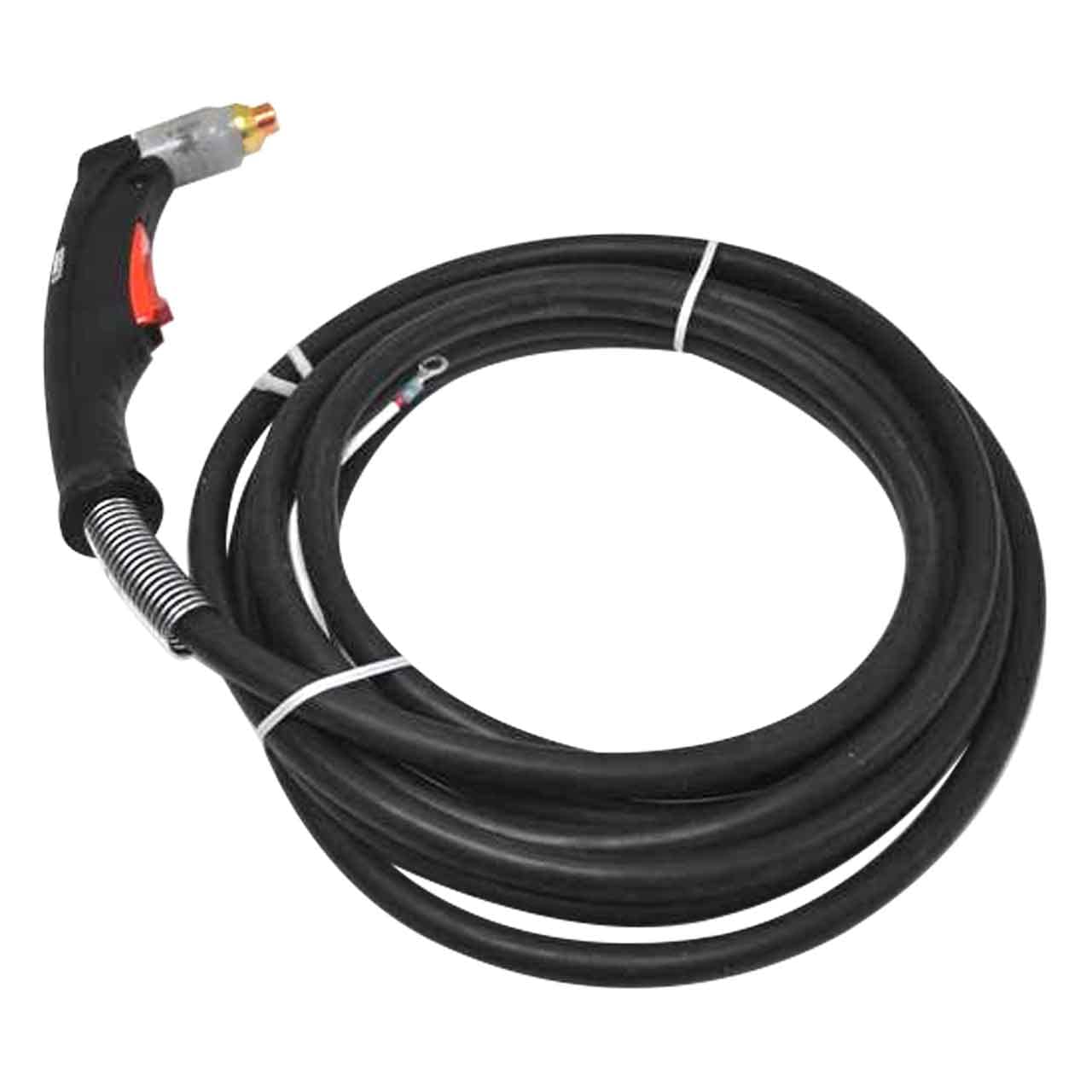
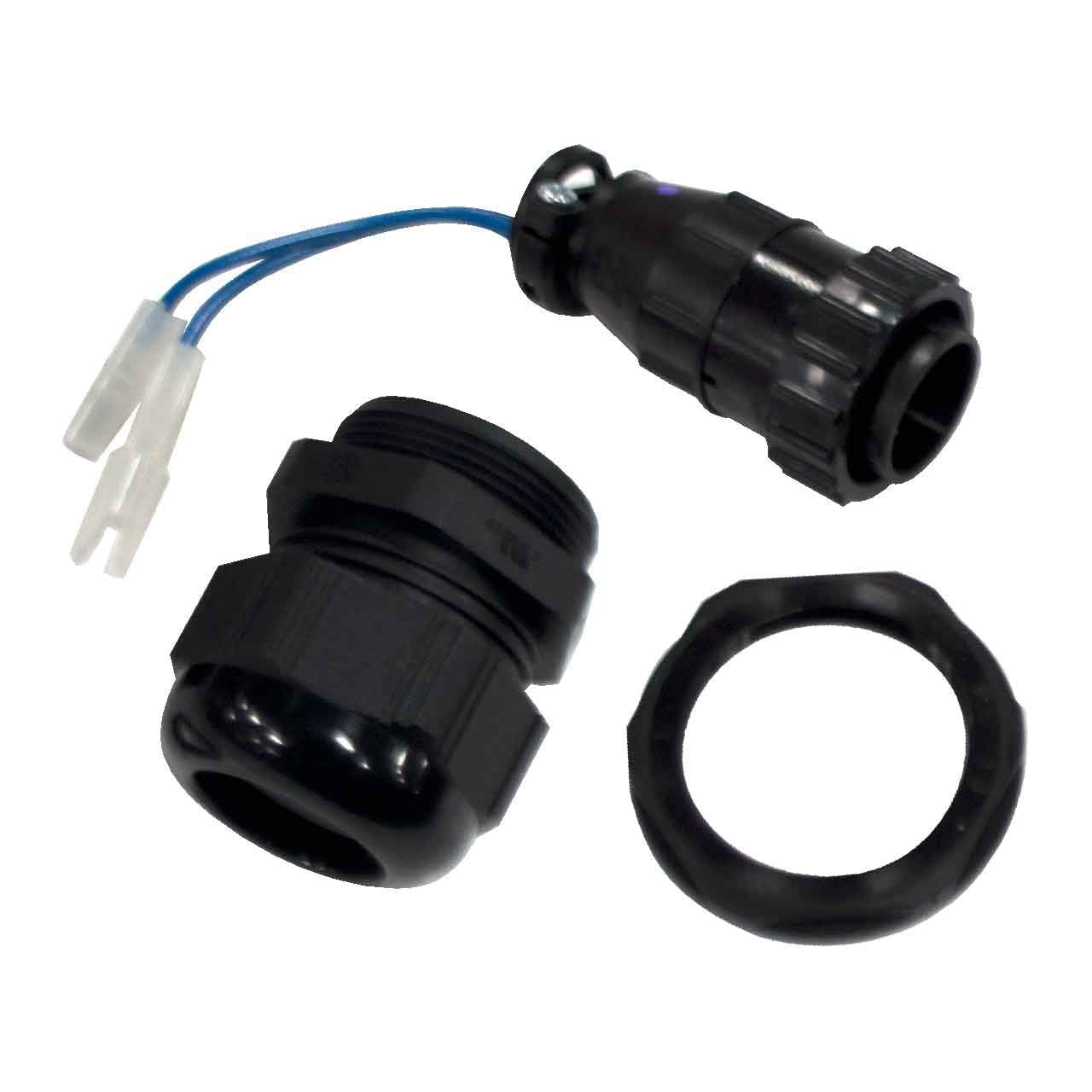
Tag: thermal dynamics
-
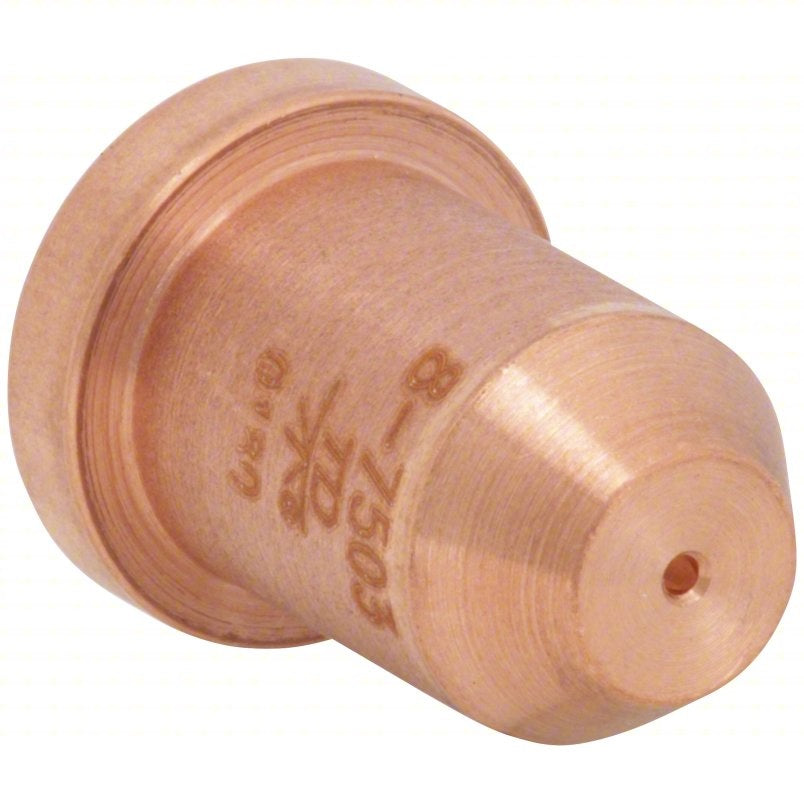
Thermal Dynamics 8-7503 Tip, 10 pack: Product Breakdown
“>
The Thermal Dynamics 8-7503 Tip, 10 pack is a plasma cutting consumable for users maintaining compatible Thermal Dynamics systems. This part is listed for the PCH-80 torch and is described as a 40 amp tip. It is also associated with the 625XR, Cutmaster 80XL, Pakmaster 75, Pakmaster 75XL, and Signature PAK625XR. Treat those fitment notes as the starting point for verification, not a substitute for checking the torch, machine, and current consumable chart before installation.
For maintenance buyers and shop leads, the practical question is not just whether the tip is available. The question is whether the consumable matches the torch body, the amperage setting, and the cut process you actually run. A wrong tip can cause poor arc start, unstable cut quality, excess wear, and unnecessary torch damage. Verify the part number on the old tip, the torch model, and the machine manual before you issue the replacement.
Key Takeaways
- Thermal Dynamics 8-7503 is a plasma tip sold in a 10-pack.
- It is listed for the PCH-80 torch and described as a 40 amp tip.
- Fitment is stated for 625XR, Cutmaster 80XL, Pakmaster 75, Pakmaster 75XL, and Signature PAK625XR, but you should verify against your manual and torch setup.
- Consumable life depends on cut current, standoff, air quality, pierce practice, and operator technique.
- If performance drops, inspect the tip first before replacing larger torch components.
What this part is used for
Plasma tips focus and constrict the plasma arc. In service, the tip is a wear item. When the orifice opens up, erodes, or becomes misshaped, cut quality declines. Common signs include rough edges, heavy dross, delayed arc transfer, unstable arc, and visible damage at the tip opening. If you see those symptoms, inspect the full consumable stack, not just the tip.
Check, inspect, verify before installation
Check the part number on the packaging and compare it to the torch consumable list. If your removed tip is readable, match the number stamped or identified by your internal records. Do not assume a similar-looking tip is correct.
Inspect the torch lead, electrode, shield, swirl ring, retaining cap, and any related wear parts. Tip wear may be a symptom of a larger issue such as misaligned assembly, dirty air, or incorrect operating technique. Look for carbon buildup, cracks, ovalization, heat discoloration, and thread damage where applicable.
Verify the amperage setting and cutting application. A 40 amp tip should be used only where the torch and system documentation support it. If the machine is being run above or below the intended operating range, verify the correct consumable set rather than forcing the current to match the part.
Troubleshooting support section
If cut quality is inconsistent, use the tip as the first checkpoint.
- Check arc start: Verify the electrode and tip are installed correctly and that the torch is fully assembled.
- Inspect air supply: Moisture, oil, and contamination can shorten tip life. Confirm clean, dry air at the torch input.
- Verify standoff: Excessive drag or too much gap can accelerate wear. Use the cutting method recommended by the machine maker.
- Check pierce technique: Aggressive piercing can blow molten material back into the consumables. Review pierce height and delay settings.
- Inspect the tip orifice: If the opening is enlarged, out of round, or burned, replace the tip and inspect the matching electrode.
If the same failure repeats after replacement, the root cause is likely upstream. Recheck torch assembly, air quality, power settings, and any process changes introduced before the problem started.
Product and parts notes
The available product information identifies this as the Thermal Dynamics 8-7503 Tip, 10 pack. It is described as a part for Thermal Dynamics PCH-80 and as a 40 amp tip. The listed compatible platforms are 625XR, Cutmaster 80XL, Pakmaster 75, Pakmaster 75XL, and Signature PAK625XR. If you are supporting mixed equipment in a maintenance crib, confirm that the torch system in service uses the same consumable family. Unknown (Verify) if your torch revision or retrofit kit changes the required tip stack.
Because this is a consumable, the value is in repeatable fitment and replacement control. Keep the part number tied to your issue list, not just the machine name. That reduces mis-picks when multiple Thermal Dynamics systems are in the same facility.
Support checklist for buyers and maintenance teams
- Confirm the torch model in use.
- Match the consumable part number to the old tip and current documentation.
- Verify amperage before release to the floor.
- Inspect the matching electrode and shield parts for wear.
- Log air quality and failure mode if tips are failing early.
Safety notes
Plasma cutting consumables are part of an energized cutting system. De-energize the machine and allow the torch to cool before service. Do not touch used consumables without verifying temperature. Use eye, hand, and body protection when inspecting torch parts. If the torch shows repeated overheating or unusual wear, remove it from service until the cause is identified.
FAQ
Is the Thermal Dynamics 8-7503 Tip, 10 pack a universal plasma tip?
No. It is listed for specific Thermal Dynamics torch systems. Verify the torch family and consumable chart before use.What amp rating is listed for this tip?
It is described as a 40 amp tip. Verify that this matches your machine setup and application before installation.What should I inspect when a tip wears out early?
Check the electrode, shield, swirl ring, air quality, standoff, and pierce technique. Early tip wear often points to a system issue, not just normal consumable life.Can I use the part number alone to confirm fitment?
Use the part number as the first check, but also verify the torch model and machine documentation. Unknown (Verify) if your setup includes nonstandard torch revisions or retrofit components.Sources Checked
- ArcWeld product page for Thermal Dynamics 8-7503 Tip, 10 pack: Product not found.
Related Arc Weld Part
Thermal Dynamics 8-7503 Tip, 10 pack
For Thermal Dynamics PCH-80. 40 Amp Tip. 625XR, Cutmaster 80XL, Pakmaster 75, Pakmaster 75XL, Signature PAK625XR. Package of 10
View at Arc Weld Store
Thermal Dynamics Model 9-6501 Air/Nitrogen Drag Tip with .031” Orifice, Pack of (10): Replacement Part Breakdown
The Thermal Dynamics Model 9-6501 Air/Nitrogen Drag Tip with .031” Orifice, Pack of (10) is a replacement consumable set used in plasma cutting support workflows. For maintenance buyers and shop technicians, the key question is not just whether the part name matches, but whether the tip matches the torch, shield stack, gas setup, and cut mode in service. This guide stays on the practical side: what to check, what to inspect, and what to verify before installation or replacement.
Key Takeaways
- This is a consumable drag tip, so wear, heat damage, and orifice distortion are expected failure points.
- Model number alone is not enough. Verify torch family and consumable stack compatibility before use.
- .031” orifice is a small opening; if cut quality changes, contamination or erosion should be checked first.
- Air/nitrogen service indicates gas selection context, but procedure approval depends on the torch and system setup. Unknown (Verify).
- Pack of 10 supports maintenance stocking, but each tip should still be inspected before issue to the floor.
Replacement Part Breakdown
The part name gives three useful signals. First, Thermal Dynamics Model 9-6501 identifies the replacement part family. Second, Air/Nitrogen indicates the gas service context used by the consumable. Third, the .031” orifice defines the flow opening at the tip. The orifice is the wear surface that most directly affects arc shape and cut consistency. If the hole is oval, burned back, chipped, or enlarged, the tip is no longer in serviceable condition.
What is not established from the listing alone: exact torch models, exact amperage range, drag shield pairing, retain cap pairing, or certification status. Those details are Unknown (Verify) unless confirmed in the torch manual or WSP lookup.
Practical Check, Inspect, Verify Steps
1) Check the torch and consumable family
- Check the torch model number on the machine, handle, or service records.
- Inspect the current consumables for matching geometry and stack order.
- Verify the 9-6501 tip is specified for that torch family in the OEM documentation or WSP lookup page.
2) Inspect the used tip before replacing
- Check the orifice edge for rounding, spatter, and heat discoloration.
- Inspect for internal soot, melt-back, or arc misalignment marks.
- Verify whether the old tip failed from normal wear, poor gas quality, or incorrect stand-off technique.
3) Verify gas and air quality
- Check filters, separators, and dryer condition in the air supply.
- Inspect for moisture, oil carryover, or pressure instability.
- Verify that the gas service matches the torch and cutting process requirements. If the setup is not documented, treat it as Unknown (Verify).
4) Confirm installation condition
- Check the retaining cap, shield, and electrode for wear before installing the new tip.
- Inspect the thread or seat surfaces for cross-threading, carbon buildup, or damage.
- Verify that the consumable stack is clean, seated correctly, and installed to the torch manual sequence.
Troubleshooting Support
If cut quality drops after tip replacement, do not assume the new tip is defective. Start with the system checks below.
- Cut quality is rough or angled: Check stand-off, torch angle, travel speed, and tip wear. Inspect the shield and electrode. Verify gas pressure and clean air supply.
- Arc starts poorly: Check for loose consumables, contamination on contact surfaces, and worn electrode condition. Verify that the torch is using the correct consumable family.
- Tip life is short: Inspect for pierce height issues, excessive heat, dragging outside the intended mode, or poor cooling/air quality. Verify operator technique and torch setup.
- Orifice damage appears immediately: Check for spatter blowback, misalignment, or incorrect assembly. Verify that the tip is not being used in a configuration outside the OEM instruction set.
For a broader compatibility workflow, see the internal guide Plasma Drag Shield Compatibility Guide: Torch Family, Amperage, Nozzle, Retaining Cap, and Cut Mode Checks. It is a useful starting point for stack-up verification, not a substitute for the torch manual.
Product and Parts Notes
This listing is a replacement consumable pack, not a complete torch kit. Based on the provided product record, the confirmed product identifier is the Amazon ASIN B01M258JH0. The item name is Thermal Dynamics Model 9-6501 Air/Nitrogen Drag Tip with .031” Orifice, Pack of (10). No additional product specifications should be assumed from the listing alone. Compatibility, exact torch series, and procedure approvals remain Unknown (Verify) until confirmed through the OEM documentation or internal lookup tools.
If you are building a plasma maintenance shelf, treat this type of part as a controlled consumable: issue it against a verified torch family, keep the packaging and part number visible, and do not mix tips from unknown stacks on the same bench.
Safety Notes
- Power down and isolate the plasma system before changing consumables.
- Allow hot parts to cool before handling.
- Do not install damaged consumables or force a mismatch.
- Use eye protection and gloves when inspecting used tips for spatter or heat damage.
- Verify ventilation, fume control, and gas supply condition before returning the torch to service.
FAQ
Is the 9-6501 tip compatible with every Thermal Dynamics torch?
No. Compatibility is not established from the product name alone. Check the torch model and verify the consumable stack in the OEM documentation or WSP lookup page. If no match is documented, treat it as Unknown (Verify).
What does the .031” orifice tell me?
It tells you the nozzle opening size stated in the product name. It does not by itself confirm amperage range, cut thickness, or gas procedure approval. Those details must be verified in the torch manual or support documentation.
How should I know when to replace the tip?
Replace it when the orifice is worn, distorted, chipped, or when cut quality changes and inspection shows tip damage. Also replace it if the tip has suffered melt-back or contamination that cannot be cleaned safely.
Can I use this guide to approve a cutting procedure?
No. This is a buyer and support guide for part breakdown and verification steps. It is not a procedure approval document.
Sources Checked
- Provided product record for ASIN B01M258JH0
- Internal link: Plasma Drag Shield Compatibility Guide
- Internal link: ARCCAPTAIN iControl Cut 55 Pro Review
All uncertain technical details are marked Unknown (Verify).
Matched Replacement Option
No products found.
Disclosure: As an Amazon Associate, Weld Support Parts may earn from qualifying purchases.
Related Weld Support Guides

Thermal Dynamics 7-5200 Torch and Leads, SL60 1Torch, 75 Deg Head, 20 ft Leads, O2B Connection: Product Breakdown
“>
The Thermal Dynamics 7-5200 Torch and Leads, SL60 1Torch, 75 Deg Head, 20 ft Leads, O2B Connection is a plasma torch-and-leads assembly listed for support and replacement use. For buyers and maintenance teams, the main job is not just identifying the nameplate description. It is confirming fit, connection type, torch head orientation, lead length, and wear-part support before the torch goes into service.
Key Takeaways
- This is a torch-and-leads assembly, not a complete plasma system.
- The listed configuration includes an SL60 1Torch, 75 degree head, 20 ft leads, and O2B connection.
- Compatibility with a specific power supply is Unknown (Verify) unless confirmed from the equipment manual or a qualified distributor source.
- Before installation, verify connection style, lead condition, torch body orientation, and consumable availability.
- Use the exact product listing and part identifiers when ordering support items.
What this product is used for
This assembly is intended for plasma cutting support applications where a replacement torch and lead set is needed. The short product description states that the 1Torch RPT torch is designed to work with a wide range of plasma power supplies, including high frequency start, CD start, touch start, and moving parts or blow-back start systems. That statement comes from the product source, but exact machine compatibility for this specific setup remains Unknown (Verify) until the power source model is checked.
For maintenance buyers, the practical question is whether the torch matches the machine-side connection and the operational setup on the shop floor. If the connection or start method does not match, the torch may not function correctly or may require adapters or alternate parts that are not identified here.
Product and parts breakdown
- Product title: Thermal Dynamics 7-5200 Torch and Leads, SL60 1Torch, 75 Deg Head, 20 ft Leads, O2B Connection
- Product type: Torch and leads assembly
- Torch family: SL60 1Torch
- Head angle: 75 degree head
- Lead length: 20 ft
- Connection: O2B connection
Any deeper compatibility detail, duty rating, amperage range, or consumable set mapping is Unknown (Verify) from the provided source. Do not assume torch ratings from the name alone.
Check, inspect, verify before use
Check
- Check the torch body for cracked insulation, heat damage, or bent components.
- Check the 20 ft leads for cuts, flattened sections, burn marks, or loose outer jacket areas.
- Check the machine-side and torch-side connection points for contamination, damaged threads, or worn seals.
Inspect
- Inspect consumable seating and torch head alignment before energizing the system.
- Inspect the 75 degree head for fit-up clearance against the workpiece and fixture layout.
- Inspect the cable path for pinch points, hot surfaces, and sharp edges that could shorten service life.
Verify
- Verify the power supply connection matches O2B before installation.
- Verify the machine manual and torch documentation for approved start method and torch interface.
- Verify consumable type and part numbers using the actual torch identification and source documentation.
- Verify whether any adapter, lead extension, or mounting hardware is required. If not stated, treat this as Unknown (Verify).
Troubleshooting and support notes
If the torch does not operate as expected, isolate the problem in stages.
- No arc start: Check machine settings, connection integrity, and consumable condition. If the start method is unsupported, that is a system mismatch, not a torch defect.
- Intermittent operation: Inspect lead continuity, connector tightness, and any heat damage near the torch head or cable ends.
- Poor cut quality: Verify consumables, torch angle, work clamp quality, and travel speed. Poor cut quality is often caused by setup or wear, not the torch label alone.
- Excessive flex or handling issues: Evaluate the 75 degree head and 20 ft lead routing against the actual work area. If access is still poor, the issue may be fixture layout or torch style selection.
Support teams should document what was checked, what was replaced, and what remains Unknown (Verify) so the next service interval starts with clear traceability.
When to replace the torch and leads
Replace the assembly when the torch body is damaged, lead insulation is compromised, or the connection no longer holds securely. In many shops, recurring torch faults are caused by cable abuse, heat exposure, or connector wear. If the torch has repeated startup issues, first verify the system-side compatibility and torch condition before ordering a second replacement.
For stocking decisions, use the exact product title and internal part reference from the ArcWeld listing. Do not substitute based on appearance alone. If a related consumable family is needed, confirm it directly from the torch documentation or manufacturer source.
Safety notes
- De-energize the plasma power supply before inspection, removal, or installation.
- Allow the torch and consumables to cool before handling.
- Do not use damaged leads or compromised connectors.
- Keep cables clear of cut paths, molten material, and sharp workpiece edges.
- If the connection type or start method is uncertain, stop and verify before use.
FAQ
Is this a complete plasma cutter?
No. This is a torch and leads assembly for plasma cutting support. The power supply is not included in the provided product description.
Will this torch work on my plasma machine?
That is Unknown (Verify) from the provided source alone. Check the machine manual, torch interface, and connection type before ordering or installation.
What does O2B connection mean here?
The product title identifies an O2B connection, but the detailed interface specification is Unknown (Verify) from the available source. Match it to the machine-side connector before use.
Are consumables included?
The provided source does not confirm consumables included with the assembly. Treat inclusion as Unknown (Verify) until confirmed by the product listing or documentation.
Sources Checked
- ArcWeld product listing:
Thermal Dynamics 7-5200 Torch and Leads, SL60 1Torch, 75 Deg Head, 20 ft Leads, O2B Connection
The 1Torch RPT torch is the first Plasma cutting torch that performs with virtually all Plasma cutting power supplies. The 1Torch works with high frequency start systems, CD start systems, touch start systems and moving parts (blow back) start systems. Install the 1Torch on your current Plasma power supply and you immediately benefit from the latest in high performance torch technology available today. Look for th...
View at Arc Weld Store - Provided product source description for Thermal Dynamics 7-5200 Torch and Leads, SL60 1Torch, 75 Deg Head, 20 ft Leads, O2B Connection
For any unanswered fit or application question, confirm against the machine manual and the product listing before release to production.