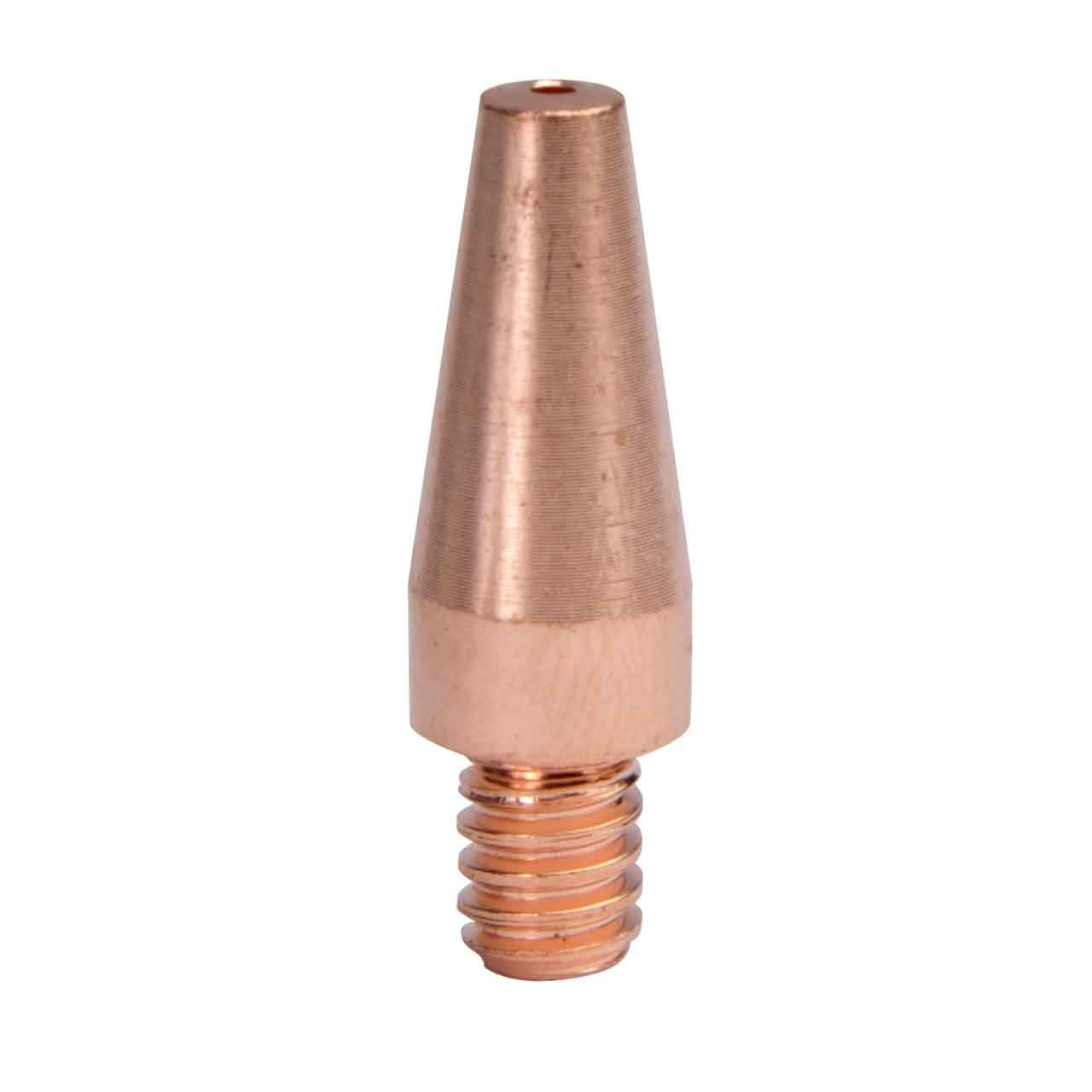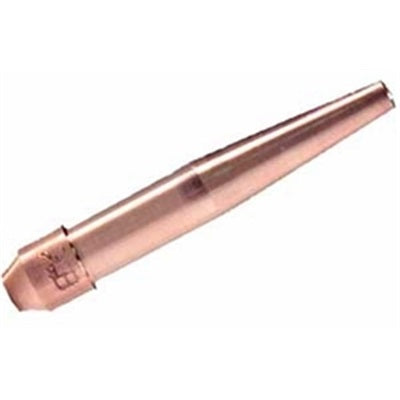
Tag: contact tips

  • Best Contact Tips for MIG Burnback (What to Buy + What to Avoid)

    If youโ€™re fighting MIG burnback, you canโ€™t โ€œbuy your way outโ€ of bad wire feed or mismatched settingsโ€”but you can reduce downtime by using contact tips that maintain consistent wire transfer and donโ€™t pack up with spatter as quickly.

    This page focuses on what matters when youโ€™re buying tips specifically to reduce burnback events and extend consumable life.

    Internal link: MIG Contact Tip Burnback: Symptoms, Causes, and a Step-by-Step Fix
    (Use your troubleshooting post URL/slug once published.)

    What to look for (buyer checklist)

    1) Correct tip size for your wire diameter

    This is non-negotiable. Tip size must match your wire diameter. If youโ€™re unsure, stop and verify the wire spool label and the tip marking.

    • Wire diameter:ย Unknown (Verify)
    • Tip marking:ย Unknown (Verify)

    2) Consistent bore tolerance and material quality

    Burnback gets worse when the tip bore wears quickly or becomes irregular. Higher-quality tips typically hold shape longer, which helps keep starts consistent.

    3) Tip style compatibility with your gun

    Tips are not universal. Your gun uses a specific tip style/series. Verify:

    • Gun model
    • Diffuser type
    • Tip series (example naming varies by brandโ€”Unknown (Verify))

    4) Spatter management

    If spatter is packing into the nozzle and tip area, youโ€™ll shorten stickout and overheat the front end.

    • Keep nozzle clean
    • Use anti-spatter appropriately (product choice depends on your environment and processโ€”Unknown (Verify))

    What to avoid (common buying mistakes)

    • Buying โ€œclose enoughโ€ tips that donโ€™t match your gun series
    • Wrong tip size for wire diameter
    • Ignoring feed-path issues and blaming consumables
    • Running one tip until it fails catastrophically (replace at first signs of poor starts)

    When a โ€œbetter tipโ€ actually helps (and when it wonโ€™t)

    Better tips help when:

    • Youโ€™re already feeding smoothly
    • Youโ€™re using the correct tip size
    • Your starts are mostly consistent, but tips wear fast

    Better tips wonโ€™t fix:

    • Liner drag, slipping rolls, or crushed wire
    • Severe parameter mismatch (wire feed too low for voltage)
    • Poor work clamp connection

    Recommended next step

    Before you buy anything, do a 2-minute verification:

    1. Confirm wire diameter on spool label.
    2. Confirm your gun model and tip series.
    3. Confirm tip size marking matches wire diameter.
  • MIG Contact Tip Burnback: Symptoms, Causes, and a Step-by-Step Fix

    If your MIG wire balls up and fuses inside the contact tip, youโ€™re dealing with burnback. It typically shows up as an abrupt โ€œpop,โ€ the arc dies, and the wire is welded to the tip. You clip the wire, swap a tip, and it happens again.

    This guide is a practical troubleshooting flow to stop burnback without guessing.

    What burnback looks like (quick symptoms)

    • Wireย fuses to the contact tipย (wonโ€™t feed; you have to cut it free)
    • Arc starts, thenย instantly stubs out
    • Tip getsย overheatedย and fails early
    • You see aย ballย on the wire end after it sticks
    • Starts are inconsistent: some fine, some โ€œpop-and-stickโ€

    Why burnback happens (plain-English)

    Burnback occurs when the wire melts faster than itโ€™s being pushed forward, or when the wire canโ€™t feed smoothly. The arc โ€œclimbsโ€ back toward the tip, and the wire welds itself into the tip bore.

    Step-by-step fix (do this order)

    Step 1: Confirm the wire is feeding smoothly (most common root cause)

    Burnback often starts as a feeding problem.

    Check:

    • Drive roll tension: Too tight can deform wire and create drag; too loose slips. Set it so it feeds without crushing the wire.
    • Spool tension/brake: Too tight = drag; too loose = overrun/birdnest risk.
    • Liner condition: Dirty liner increases drag. If youโ€™re seeing inconsistent feeding, consider replacing the liner (exact liner type/length varies by gunโ€”Unknown (Verify)).
    • Contact tip size match: Tip ID must match wire diameter. Wrong size increases friction or poor electrical transfer. (Verify your wire diameter and tip marking.)

    If the wire feed feels โ€œnotchy,โ€ surges, or slips, fix that before touching settings.

    Step 2: Reset stickout and starting technique

    • Run a consistentย stickoutย appropriate to your process and parameters. If youโ€™re too tight into the puddle, you can overheat the tip and shorten the arc length.
    • Start with the wireย trimmed cleanย (no long whisker) and avoid jamming the nozzle into the work.

    If youโ€™re welding in tight corners, watch for the nozzle/tip getting too close and heat-soaking.

    Step 3: Re-balance wire feed speed vs voltage (burnback is often โ€œwire too slowโ€)

    General rule: if the wire is melting back into the tip, you often need more wire feed speed and/or a better voltage match for that feed rate.

    Do this:

    1. Increase wire feed speed slightly.
    2. Test start and short bead.
    3. If it becomes harsh/stubby, adjust voltage to match.

    Do not chase it with big swings. Small changes + repeatable tests.

    Step 4: Inspect consumables (tip/nozzle/diffuser) for heat and spatter issues

    • Replace the contact tip if the bore is worn, ovaled, or spatter-packed.
    • Clean spatter from the nozzle so gas flow and stickout arenโ€™t being forced shorter.
    • Check the diffuser and tip seat: poor contact can create heat and instability.

    If youโ€™re burning tips rapidly, assume something is off upstream (feed drag, wrong tip size, or technique).

    Step 5: Check work lead/ground and connections

    A poor work clamp connection can destabilize the arc and contribute to bad starts.

    • Clamp on clean metal.
    • Inspect cable connections for looseness or heat damage.

    Step 6: Confirm youโ€™re not overheating the front end

    If youโ€™re running long beads or high output:

    • Pause to let the gun cool.
    • Consider whether your gun/consumables are appropriate for the duty cycle (exact ratings vary by modelโ€”Unknown (Verify)).

    Quick decision tree (fast diagnosis)

    • Wire sticks immediately on startย โ†’ feeding drag, wrong tip size, or settings mismatch
    • Wire feeds, then sticks after a few secondsย โ†’ heat buildup, stickout too short, spatter-packed tip/nozzle
    • Random burnbackย โ†’ inconsistent feed (liner/roll tension/spool brake) or loose connections

    What to do if it keeps happening

    If burnback repeats after youโ€™ve confirmed smooth feeding and reasonable stickout:

    • Replace the tip and liner (if suspect)
    • Re-check drive roll type for your wire (V-groove/knurled depends on wire typeโ€”Unknown (Verify))
    • Verify your wire diameter and consumable markings

    Companion buyer guide

    If you want to reduce burnback frequency and downtime, the easiest โ€œbuy onceโ€ improvement is usually better-quality contact tips that hold tolerance and resist spatter packing.

  • How to Fix MIG Contact Tip Burnback: Diagnosis & Solutions

    How to Fix MIG Contact Tip Burnback: Diagnosis & Solutions

    Your MIG wire is burning back and fusing to the contact tip, stopping your weld cold. This happens when the wire arcs at the tip instead of at the workpieceโ€”a sign of poor contact, dirty metal, or feeding issues. Fix it in 10 minutes with the right diagnosis.

    Key Takeaways

    • Contact tip burnback stops the arc and wastes time; most fixes are free or under $30
    • Root causes: dirty contact tip, poor base metal prep, wire feed tension, or loose electrical connections
    • Quick fix: clean the tip, prep your metal, check wire tension, and verify electrical connections
    • Prevent burnback: replace tips every 50โ€“100 hours of welding, use fresh wire, and keep the gun cable straight

    Quick Diagnosis

    What You’ll See:

    • Wire sticks to the contact tip instead of feeding smoothly
    • Arc won’t start or cuts out mid-weld
    • Tip glows red or shows visible discoloration
    • Wire may be bent or balled up inside the tip

    Most Likely Causes (Ranked by Frequency):

    1. Dirty or worn contact tip (most common)
    2. Rusty or mill-scale base metal (prevents good arc start)
    3. Wire feed tension too tight or too loose
    4. Loose electrical connections (gun, ground clamp, or machine)
    5. Bent gun cable or kinked liner (restricts wire flow)

    Safety Notes

    • PPE:ย Wear ANSI Z87.1-rated helmet (down), welding gloves, and long sleeves. Contact tip burnback can cause sudden arc flare.
    • Ventilation:ย MIG welding produces fume; ensure adequate shop ventilation or use a fume extractor per ANSI Z49.1.
    • Electrical:ย Disconnect the machine or switch to standby before removing the tip or inspecting the gun.
    • Hot Tip:ย Contact tips retain heat; let cool for 30 seconds before touching.

    Step-by-Step Troubleshooting

    Step 1: Inspect the Contact Tip (Free)

    • Remove the nozzle and diffuser from the gun.
    • Look inside the tip opening. If you see spatter, discoloration, or a balled-up wire, the tip is dirty or worn.
    • Why:ย Spatter buildup reduces contact between the wire and tip, causing arcing instead of feeding.
    • Fix:ย Use a small wire brush or a contact tip cleaner to scrub the inside of the tip. If the opening is enlarged or pitted, replace the tip (see Step 5).

    Step 2: Check Your Base Metal (Free)

    • Inspect the area where you’re welding. Look for rust, mill scale (gray/black oxide), or paint.
    • Why:ย Dirty metal prevents good electrical contact, forcing the wire to arc at the tip instead of the workpiece.
    • Fix:ย Use a wire brush, flap disc, or grinder to clean the weld area to bare metal. Wipe away dust.

    Step 3: Verify Wire Feed Tension (Free)

    • Locate the wire drive roll tension knob on your machine (usually on the side of the feeder).
    • Loosen it slightly, then tighten until you feel light resistance when pushing the wire by hand.
    • Why:ย Too much tension deforms the wire and causes slipping; too little causes the wire to slip in the rolls, starving the arc.
    • Fix:ย Adjust to a gentle gripโ€”the wire should feed smoothly without binding.

    Step 4: Check Electrical Connections (Free)

    • Verify the ground clamp is clamped directly to clean, bare metal on the workpiece.
    • Check that the gun cable is plugged firmly into the machine.
    • Inspect the gun trigger connection for corrosion or looseness.
    • Why:ย Loose connections increase resistance, weakening the arc and causing burnback.
    • Fix:ย Clean corroded connections with a wire brush and re-tighten.

    Step 5: Inspect the Gun Cable and Liner (Free to $30)

    • Straighten the gun cable. If it’s kinked or coiled, it restricts wire flow.
    • Look inside the cable for a white or clear plastic liner. If it’s cracked, burnt, or clogged, the wire binds.
    • Why:ย A damaged liner creates friction, slowing the wire and causing it to arc at the tip.
    • Fix:ย If the cable is kinked, straighten it. If the liner is damaged, replace the gun cable or just the liner (see Step 6).

    Step 6: Replace the Contact Tip and Liner (if needed) ($20โ€“$50)

    • If the tip is pitted, enlarged, or won’t clean, replace it with a new one matching your wire size (0.035″, 0.8mm, etc.).
    • If the liner is clogged or damaged, replace it too.
    • Why:ย A worn tip has poor contact; a clogged liner starves the arc.
    • Fix:ย Install new consumables and test.

    Fix Options (Ranked)

    1. Adjustment (Free)ย โ€” Clean the tip, prep the metal, adjust wire tension, and check electrical connections.
    2. Consumable Change (~$20โ€“$50)ย โ€” Replace the contact tip and/or liner if they’re worn or clogged.
    3. Gun Cable Replacement (~$50โ€“$150)ย โ€” If the cable is kinked or the liner is damaged beyond cleaning.
    4. Machine Check (~$100+)ย โ€” If burnback persists after all above steps, the machine’s wire feeder or power supply may need service.

    Recommended Fix: Contact Tip Replacement Kit

    If you’ve cleaned the tip and it still won’t work, or if you’re welding regularly, a multi-pack of contact tips ensures you always have a fresh tip on hand. Worn tips are the #1 cause of burnback; replacing them every 50โ€“100 hours of welding prevents the problem before it starts.

    Why It Works:

    • New copper tips have perfect contact geometry, ensuring smooth wire feed and strong arc start.
    • High-quality copper resists spatter buildup and heat damage longer than worn tips.
    • A 30-pack gives you backups, so you’re never stuck mid-job.

    When to Use It:

    • Your tip is pitted, enlarged, or won’t clean.
    • You weld more than 10 hours per week.
    • You want to prevent burnback before it happens.

    When NOT to Use It:

    • If the problem is dirty metal or loose electrical connections (fix those first).
    • If the gun cable is kinked (straighten or replace the cable first).

    What to Check Before Buying:

    • Match the tip size to your wire (0.035″, 0.8mm, etc.).
    • Confirm compatibility with your gun type (15AK, 24KD, MB15, etc.).
    • Verify the tip is copper, not steel (copper conducts better).
    • Check reviews for spatter resistance and durability.
    TimelyDu Mig Welder Tips 30-Pack .035โ€ 0.9mm Welding Tips Contact Tip for Mig Welding Gun Welding Torch MIG Gun Replacement,Welding Accessories, Copper (.035โ€ tips)
    • 1. Package Includes 30 Premium Quality .035โ€ ๏ผˆร˜0.9mm๏ผ‰welding Tips.
    • 2.Premium Contact Tips โ€“ Compatible with Lincoln, Tweco, Binzel, and Similar Mini MIG Gun Styles.
    • 3. Made of high-quality copper, this welding contact tip offers excellent conductivity, high temperature resistance, and wear resistance, ensuring long-lasting performance.
    • 4.Thread๏ผšM6ร—1.0thd.
    • 5.If you have any questions, feel free to get in touch. We’re here to offer service and help you out in any way we can!

    Last update on 2026-05-11 / Affiliate links / Images from Amazon Product Advertising API

    Comparable Options

    If you prefer a smaller pack or different wire size:

    Common Mistakes

    • Using a worn tip and hoping it works.ย A pitted tip won’t conduct current evenly; replace it.
    • Not cleaning the base metal.ย Rust and mill scale block the arc; always prep the metal first.
    • Over-tightening wire feed tension.ย This deforms soft wire (especially aluminum) and causes slipping.
    • Ignoring a kinked gun cable.ย A bent cable restricts wire flow just as much as a clogged liner.
    • Blaming the machine when the problem is the tip.ย 90% of burnback is a dirty or worn tip; check it first.

    FAQ

    Q: Can I clean a burnt contact tip and reuse it? A: Yes, if it’s just spatter. Use a contact tip cleaner or small wire brush. If the opening is enlarged or pitted, replace itโ€”a worn tip won’t conduct properly.

    Q: How often should I replace my contact tip? A: Every 50โ€“100 hours of welding, or sooner if you see spatter buildup or burnback. Frequent welders replace tips monthly.

    Q: Why does my wire burn back even after I cleaned the tip? A: Check your base metal (is it rusty?), wire feed tension (is it too tight?), and electrical connections (is the ground clamp clean?). Burnback is rarely just the tip.

    Q: Can a kinked gun cable cause burnback? A: Yes. A bent cable restricts wire flow, starving the arc. Straighten the cable or replace it if it’s cracked.

    Q: What’s the difference between burnback and wire sticking? A: Burnback is when the wire fuses to the tip (arc at the tip, not the workpiece). Wire sticking is when the wire jams in the tip but hasn’t melted. Both have similar causes: dirty tip, poor prep, or feeding issues.

    Next Steps

    1. Clean your contact tip and base metalย โ€” most burnback stops here.
    2. Check wire feed tension and electrical connectionsย โ€” free fixes that work 80% of the time.
    3. Replace the tip if it’s pitted or wornย โ€” use the kit above for a reliable spare.
    4. Explore related guides:

    For more welding fixes and gear options, see our full resource page: https://blog.weldsupportparts.com/links/

  • Why does my MIG wire keep birdnesting? (Fast Fix in 10 Minutes)

    If your MIG wire tangles into a โ€œbirdโ€™s nestโ€ at the feeder, youโ€™re not dealing with a settings problem firstโ€”youโ€™re dealing with a feed-path problem. This guide walks you through a symptom-first diagnosis and a fast, repeatable fix you can do without chasing voltage/WFS all over the place.


    Where to Buy (Quick Fix Parts)

    Most birdnesting comes from wire drag (liner/tip) or push force (drive-roll tension/incorrect rolls). These are the parts that fail most often:

    • MIG gun liner (kinked, packed with debris, wrong size for wire)
    • Contact tip (spatter-packed, undersized, overheated, worn oval)
    • Drive rolls (wrong groove type/size, worn, contaminated)

    Top Pick (Primary Fix)

    Unknown (Verify ASIN) โ€” MIG gun liners are highly gun-specific (brand/model/length/wire size). Iโ€™m not inserting an AAWP box without a verified ASIN that matches the exact gun style.

    Backup / Consumable Option

    Unknown (Verify ASIN) โ€” contact tips must match your gun style and wire diameter (.023/.030/.035/.045). Iโ€™m not inserting an AAWP box without a verified ASIN.


    Key Takeaways

    • Birdnesting happens when the feeder pushes wire faster than the gun can pass it.
    • Fix the mechanical feed path before touching voltage or wire speed.
    • If itโ€™s not fixed in 2โ€“3 minutes, stop adjusting and replace the consumable (tip/liner) thatโ€™s causing drag.
    • The most common causes are drive-roll tension too tight, liner restriction, or wrong drive-roll groove.

    Symptoms (Fast Diagnosis)

    • Wire tangles between the drive rolls and inlet guide (classic birdnest)
    • Wire feed surges, then stops, then surges again
    • Wire has deep โ€œtooth marksโ€ from the drive rolls
    • You hear the drive motor working but wire wonโ€™t feed smoothly
    • Tip gets hot fast / wire stubs into the puddle (often paired with drag)

    Root Causes (Mapped to Symptoms)

    • Birdnest right at the feeder โ†’ drive-roll tension too tight, wrong rolls, or liner/tip drag
    • Deep roller marks on wire โ†’ tension too high or wrong groove type (V-groove vs knurled vs U-groove)
    • Feed is smooth with gun straight, jams when bent โ†’ liner kinked/worn/dirty, or cable routing too tight
    • Wire stubs and then tangles โ†’ contact tip restriction (spatter/size mismatch) creating back-pressure
    • Frequent tangles after changing wire size โ†’ liner and tip not matched to the new wire diameter

    Quick Fix (Do This First)

    Do these in order, fast, and donโ€™t โ€œcompensateโ€ with more tension:

    1. Straighten the gun lead (no tight coils, no sharp bends).
    2. Back off drive-roll tension until it just feeds, then increase only enough to prevent slipping.
    3. Clip the wire, remove the nozzle, and check the contact tip for spatter blockage or wrong size.
    4. If the problem changes when you bend the lead, suspect the liner immediately.

    Unknown (Verify ASIN) โ€” Iโ€™m omitting the AAWP box here due to unverified ASIN.


    Step-by-Step Fix

    1. Power down and open the feeder.
      Cut the wire at the birdnest and remove the tangled section. Donโ€™t try to โ€œpull it throughโ€ the liner.
    2. Confirm the wire path is correct.
      Make sure the wire is seated in the inlet guide and the correct drive-roll groove.
    3. Set drive-roll tension correctly (donโ€™t guess).
      • Start low.
      • Feed wire into free air.
      • Increase tension only until the wire feeds without slipping.
        If you need โ€œcrush tensionโ€ to feed, the restriction is downstream (tip/liner).
    4. Check spool brake / hub tension.
      Too loose can overrun and contribute to tangles when you stop feeding. Too tight adds drag. Set it so the spool doesnโ€™t coast excessively.
    5. Remove nozzle and inspect the contact tip.
      Replace the tip if:
      • Itโ€™s spatter-packed
      • The bore looks oval
      • The wire drags when you hand-feed
    6. Test with the gun lead straight vs bent.
      If it feeds straight but binds when bent, replace/clean the liner and re-route the lead.
    7. Only after feed is stable, re-check WFS/voltage.
      Birdnesting is rarely fixed by voltage. Chasing settings usually wastes time.

    Parts That Actually Fix This

    Liner

    Replace the liner when:

    • Feed changes dramatically when the lead is bent
    • Youโ€™ve had repeated birdnests (wire shavings pack the liner)
    • The liner is the wrong size for the wire (common after switching diameters)

    Adjust instead when:

    • The liner is fine but the lead routing is too tight (re-route first)

    Contact tips

    Replace the tip when:

    • Wire drags through the tip by hand
    • Tip is overheated, spattered, or worn
    • You changed wire diameter and didnโ€™t change tips

    Adjust instead when:

    • Tip is correct and clean, but stickout/work angle is causing stubbing (less common than restriction)

    Drive rolls

    Replace or change rolls when:

    • Groove type is wrong for the wire (solid vs flux-core)
    • Groove size doesnโ€™t match wire diameter
    • Rolls are worn smooth or contaminated

    Adjust instead when:

    • Rolls are correct, but tension is simply too high

    Diffuser / nozzle (if relevant)

    Replace when:

    • Nozzle is packed with spatter and you canโ€™t maintain clearance
    • Diffuser threads are damaged and tip wonโ€™t seat correctly

    Replace vs Adjust (Fast Decision Table)

    ProblemAdjust FirstReplace
    Birdnesting at feederDrive-roll tension down; straighten leadContact tip if wire drags; liner if bend-sensitive
    Wire has heavy roller marksReduce tension; confirm correct grooveDrive rolls if wrong type/size or worn
    Feeds straight, jams when bentRe-route lead; reduce bendsLiner (most common)
    Wire stubs then tanglesCheck stickout and technique brieflyContact tip (most common restriction)

    Rule: If not fixed in 2โ€“3 minutes โ†’ replace the consumable causing drag (tip/liner) instead of cranking tension.


    Prevention Tips

    • Keep the gun lead as straight as practical during welding (avoid tight coils on the floor).
    • Match consumables to wire diameter every time you change wire.
    • Blow out or replace liners on a schedule based on shop dust and wire type (interval: Unknown; depends on environment and usage).
    • Avoid overtight drive-roll tension. Excess tension creates wire shavings that pack the liner and make the next birdnest more likely.

    Safety note: Wear safety glasses rated to ANSI Z87.1 when clipping wire and clearing tangles. Use gloves when handling sharp wire ends. Maintain proper ventilation when welding and when cleaning spatter/consumables.


    FAQ

    Why does my MIG birdnest right after I change wire size?

    Most often: the liner and/or contact tip wasnโ€™t changed to match the new wire diameter, or the drive rolls are on the wrong groove.

    Should I tighten the drive rolls more to stop birdnesting?

    Usually no. If you need high tension to feed, youโ€™re masking a restriction (tip/liner/lead routing). Too much tension also chews the wire and makes liner drag worse.

    Why does birdnesting happen only when I bend the gun lead?

    Thatโ€™s a classic liner/lead-routing indicator: the wire is binding when the path tightens. Straighten the lead; if it persists, service/replace the liner.

    Can a bad spool cause birdnesting?

    It can contribute (rusty/dirty wire, inconsistent cast), but most birdnesting is still caused by tension + restriction. Verify spool brake tension and check for wire shavings in the feeder.


    Internal Linking (Add These)

    • Link to your pillar: complete MIG wire feed troubleshooting
    • Link to related failure: burnback troubleshooting guide
    • Link to related failure: birdnesting causes and fixes
    • Link to consumables context: a relevant post on MIG contact tips and sizing (if you have one)
  • Why does my MIG wire keep birdnesting? (Fast fix in 10 minutes)

    You pull the trigger, the drive rolls spin, and suddenly youโ€™ve got a tangled mess behind the rollers. Thatโ€™s birdnesting. This guide gives you a fast diagnosis and a clean troubleshooting flow that fixes it without over-adjusting your machine.

    Where to Buy (Quick Fix Parts)

    Most birdnesting comes from wire drag (liner/tip) or wire being crushed (drive roll tension/incorrect rolls). Start with the parts that fail most often.

    Top Pick (Primary Fix)

    If the wire is hanging up, a fresh liner is the quickest โ€œreal fixโ€ on a worn gun.

    Disclosure: As an Amazon Associate, I earn from qualifying purchases.

    Backup / Consumable Option

    If the wire is sticking at the end of the gun, a new contact tip is the fastest low-cost test.

    Key Takeaways

    • Birdnesting is usually wire drag (liner/tip) or too much drive roll tension.
    • If itโ€™s not fixed in 2โ€“3 minutes, replace the consumable instead of chasing settings.
    • Keep the gun lead as straight as possible while testingโ€”tight coils create false problems.
    • Verify youโ€™re using the correct drive rolls for the wire type (solid vs flux-core).

    Symptoms (Fast Diagnosis)

    • Wire piles up behind the drive rolls (classic โ€œnestโ€)
    • Drive rolls slip, chatter, or grind a flat spot into the wire
    • Wire feeds fine with the gun straight, but birdnests when you bend the lead
    • Wire stubs into the puddle, arc gets erratic, then the feeder jams
    • You see copper shavings or heavy dust near the drive rolls (wire being crushed)

    Root Causes (Mapped to Symptoms)

    • Birdnest happens immediately when you pull the trigger
      • Likely cause: wire is blocked at the contact tip (spatter, wrong size tip, worn tip) or liner is plugged/kinked
    • Birdnest happens when the gun lead is bent or coiled
      • Likely cause: liner friction (dirty/worn liner, wrong liner size, kinked lead)
    • Wire has deep grooves / flattened sides
      • Likely cause: drive roll tension too tight or wrong drive roll style (knurled vs V-groove mismatch)
    • Drive rolls spin but wire doesnโ€™t move
      • Likely cause: tension too loose or wire is stuck at the front end (tip/liner), causing slip
    • Inconsistent feed + popping arc before the nest
      • Likely cause: drag at tip/liner, plus poor wire path (spool drag, sharp inlet guide angle)

    Quick Fix (Do This First)

    Replace the common failure parts first. Donโ€™t start by cranking tension or changing voltage.

    1. Install a new contact tip (correct size for your wire).
    2. Blow out or replace the liner if the lead is old, kinked, or contaminated.
    3. Set drive roll tension using the โ€œgloved pinch testโ€: with welding gloves on, pinch the wire as it exits the gun and pull the trigger.
      • If the rolls instantly birdnest: tension is too tight or the wire is blocked at the tip/liner.
      • If the rolls slip smoothly: tension is closer to correct.

    Safety note: Wear safety glasses that meet ANSI Z87.1 when clipping wire, blowing out liners, or handling wire ends. Gloves recommended. Ensure adequate ventilation when welding.

    Step-by-Step Fix

    Follow this in order. Change one variable at a time.

    1. Stop and cut the wire clean
      • Cut off the kinked section. A bent wire end will snag the liner/tip.
    2. Check the contact tip first (fastest test)
      • Remove the tip and try feeding wire through the gun.
      • If it feeds better with the tip removed, your tip is worn, clogged, or mismatched.
    3. Straighten the gun lead
      • Lay the lead straight on the floor/bench and test feed again.
      • If it only fails when bent, suspect liner friction or a kinked lead.
    4. Inspect drive rolls and wire path
      • Confirm roll type matches wire:
        • Solid wire typically uses V-groove rolls.
        • Flux-core often uses knurled rolls (verify your machineโ€™s recommendation).
      • Make sure the wire is centered through the inlet guide and into the liner.
    5. Set spool tension (donโ€™t overtighten)
      • Too much spool drag increases load and encourages slipping/crushing.
    6. Set drive roll tension last
      • Increase only until the wire feeds reliably without crushing.

    Parts That Actually Fix This

    • Liner
      • Replace when: feed worsens with bends, liner is old/dirty, you see rust/dust, or the lead has been kinked.
      • Adjust when: lead routing is the issue (tight loops, sharp bends).
    • Contact tips
      • Replace when: wire sticks, arc is unstable, tip is visibly worn/oval, or spatter blocks the bore.
      • Adjust when: youโ€™re running the wrong size tip for the wire (verify).
    • Drive rolls
      • Replace when: grooves are worn smooth, wire slips constantly, or rolls are the wrong profile for the wire.
      • Adjust when: tension is simply mis-set.
    • Diffuser / nozzle
      • Replace when: spatter buildup interferes with tip seating or you canโ€™t keep the tip tight/centered.

    Replace vs Adjust (Fast Decision Table)

    ProblemAdjust FirstReplace
    Birdnest happens only when lead is bentStraighten lead / reroute cableLiner (if still drags)
    Wire is flattened or shaved by rollsReduce drive roll tensionDrive rolls (if worn/wrong type)
    Wire sticks or feeds better with tip removedConfirm tip size / clean spatterContact tip

    Rule: If itโ€™s not fixed in 2โ€“3 minutes, replace the consumable.

    Prevention Tips

    • Keep the gun lead as straight as practical; avoid tight coils on the floor.
    • Clip wire clean every time you change spools; donโ€™t feed a kinked end into the liner.
    • Store wire dry; rust and dust increase liner friction.
    • Routine intervals (general guidance): replace tips when feed/arc becomes inconsistent; replace liners when feed becomes bend-sensitive or contamination is visible. Exact intervals are Unknown (depends on usage and environment).

    FAQ

    Why does my MIG wire birdnest when I increase wire speed?

    Higher wire speed increases push force. If thereโ€™s any restriction (tip/liner drag) or tension is too tight, the rolls will overpower the wire path and it will pile up.

    Can a bad contact tip cause birdnesting?

    Yes. A worn, spattered, or mismatched tip can grab the wire. A quick test is feeding with the tip removed (power off, safe handling).

    Should I tighten the drive rolls to stop birdnesting?

    Not as a first move. Too much tension crushes the wire, increases drag, and can make birdnesting worse. Replace/verify the tip and liner first.

    Why does it birdnest with flux-core more often?

    Flux-core wire can be softer and more sensitive to crushing, and itโ€™s often run through knurled rolls. Wrong roll type or too much tension is a common cause (verify your machineโ€™s recommendation).

    Internal Links

    • For a broader workflow, see our complete MIG wire feed troubleshooting guide.
    • If your wire is sticking to the tip instead of nesting, use this burnback troubleshooting guide.
    • If youโ€™re getting tangles at the feeder, this breakdown of birdnesting causes and fixes helps you isolate the exact failure point.
  • Worn MIG Contact Tips Causing Porosity? Here’s the Fix

    Intro

    Your MIG welds are coming out porous, weak, or with inconsistent penetration. You’ve checked your gas flow, wire speed, and voltageโ€”everything looks right. The culprit? A worn contact tip.

    A degraded contact tip creates poor electrical contact with the wire, causing arc instability and incomplete fusion. This is one of the most overlooked failure points in MIG welding, and it’s costing you time and rework.

    Key Takeaways

    • Worn contact tips cause porosity, spatter buildup, and weak welds
    • Signs: Pitting, erosion, or a loose fit on the wire
    • Replace every 50โ€“100 hours of welding or when you notice performance drop
    • Proper fitment matters: match your wire size (.023″, .030″, .035″, .045″)
    • Quality replacement tips prevent downtime and improve weld quality

    The Problem

    A contact tip is a consumable that wears with every pass. As current flows through it to the wire, the tip gradually erodes and pits. When it gets too worn, it can’t maintain consistent electrical contact, causing:

    • Arc instability: Erratic arc behavior, spatter, and poor fusion
    • Porosity: Gas pockets trapped in the weld due to arc interruption
    • Weak beads: Inconsistent penetration and bead profile
    • Spatter buildup: Excess spatter around the nozzle area

    Most shops don’t replace tips until they fail completelyโ€”by then, you’ve already scrapped parts.

    Why It Matters

    Worn contact tips don’t just make bad welds; they cost money:

    • Rework: Porosity and weak fusion mean cutting out bad sections and re-welding
    • Downtime: Troubleshooting a worn tip wastes 30 minutes to hours
    • Material waste: Scrap parts and wasted filler material add up fast
    • Safety: Weak welds on structural or pressure-bearing work are a liability

    A $5โ€“$15 contact tip replacement takes 2 minutes and prevents all of this.

    The Fix

    Replace your contact tip as part of routine maintenance:

    1. Stop the welder and let it cool for 30 seconds
    2. Unscrew the nozzle (usually 1/2″ or 5/8″ wrench)
    3. Remove the old tip by hand or with a tip puller
    4. Install the new tip hand-tight, then snug with the nozzle
    5. Re-install the nozzle and resume welding

    That’s it. Total time: under 2 minutes.

    Why This Product Solves It

    The Bernard AccuLock S Contact Tip is a direct replacement for Miller AccuLock S guns (MDX-100, MDX-250, and compatible systems). It maintains precise electrical contact with the wire, delivering stable arc and consistent penetration.

    Key benefits:

    • Exact fitment: Engineered for AccuLock S gunsโ€”no guessing
    • Reliable contact: Precision-molded for tight wire fit and stable arc
    • Affordable: Pack of 10 tips covers months of welding
    • Compatible: Works with .030″, .035″, and .045″ wire (check your size)

    Replace every 50โ€“100 hours or when you notice spatter or porosity. Preventive replacement beats troubleshooting a failed tip mid-job.

    What to Check Before You Buy

    • Your gun type: This is for Miller AccuLock S guns (MDX-100, MDX-250). If you use a Lincoln, ESAB, or Tweco gun, you need a different tip
    • Wire size: Available in .030″, .035″, and .045″โ€”match your setup
    • Quantity: Pack of 10 is standard; one tip lasts 50โ€“100 hours depending on duty cycle
    • Fitment: Unknown (Verify) โ€” confirm your gun model before ordering

    Real-World Use

    A fabrication shop running steady MIG work replaces contact tips every 2โ€“3 weeks. One worn tip caused 4 hours of rework on a structural assembly before they realized the problem. Now they replace tips every 50 hours as preventive maintenance. No more porosity, no more downtime.

    Common Mistakes

    • Waiting too long to replace: Worn tips degrade weld quality for days before failing completely
    • Wrong size: Installing a .035″ tip in a .045″ gun (or vice versa) causes loose fit and arc instability
    • Not cleaning the nozzle: Spatter buildup on the nozzle can also cause arc issuesโ€”clean it when you replace the tip
    • Over-tightening: Hand-tight is enough; over-tightening can crack the tip
    • Ignoring porosity: If you see porosity, replace the tip immediatelyโ€”it’s the first thing to check

    Safety Notes

    • Always wear ANSI Z87.1-rated safety glasses or a helmet when welding
    • Let the gun cool for 30 seconds before removing the nozzleโ€”contact tips can retain heat
    • Ensure proper ventilation; MIG welding produces fumes that require respiratory protection (OSHA guidelines)
    • Never touch the tip or nozzle immediately after weldingโ€”they will cause burns

    Always follow the manufacturer’s instructions and your shop’s safety procedures. If you’re unsure about fitment or ratings, verify before you buy or install.

    Where to Buy

    Available at ArcWeld.store (stock and shipping: Unknown โ€“ verify)

Stream with Amazon Music