Author: Forge

  • Why Does My MIG Contact Tip Keep Burning Back?

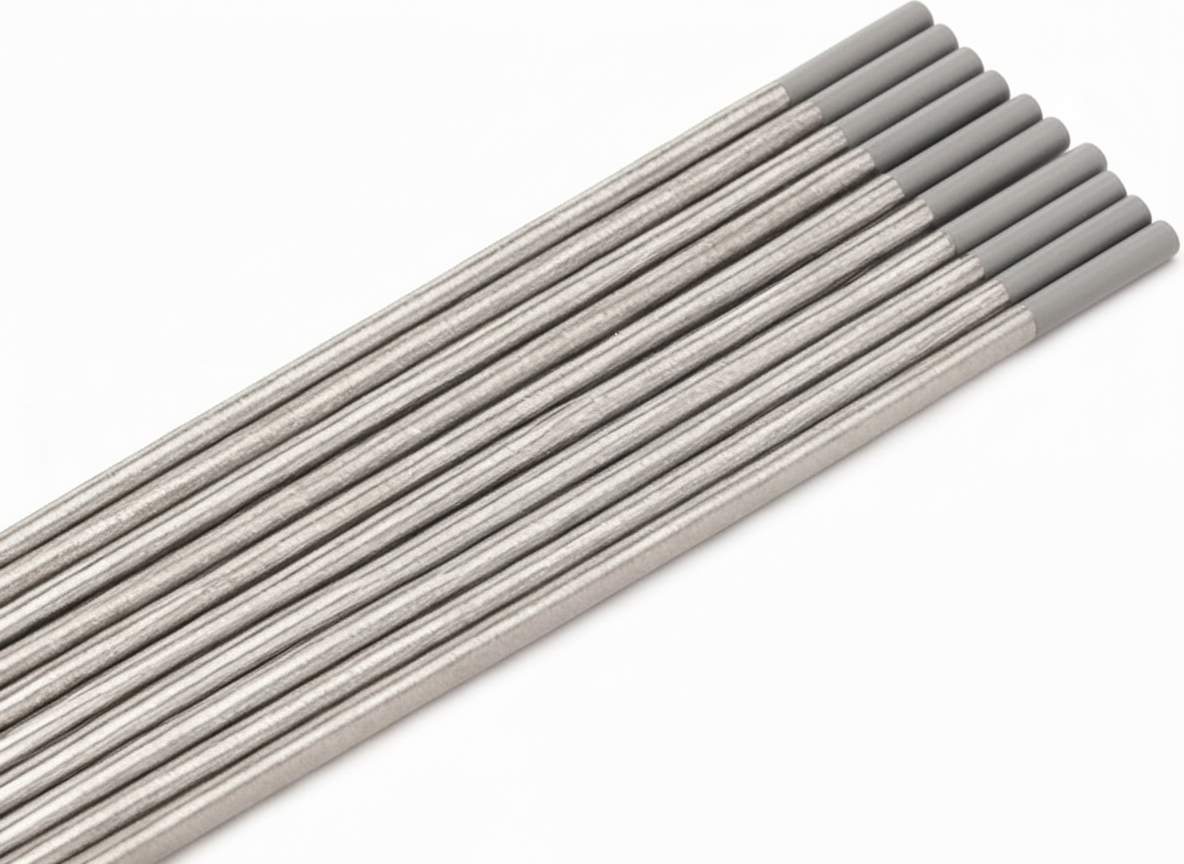
    Tweco VTS30 Velocity Light Duty MIG Welding Contact Tip, 0.030" Wire Size, Standard (Pack of 10)
    “>Tweco VTS30 Velocity Light Duty MIG Welding Contact Tip, 0.030" Wire Size, Standard (Pack of 10)

    If your MIG contact tip keeps burning back, the problem is usually not just the tip. Burnback happens when the wire stops feeding normally while the arc stays on the wire end. The wire then melts back into the tip and can fuse to it.

    This guide covers the common causes that get missed after a tip replacement: wrong tip size, liner drag, spool brake setting, worn drive rolls, and stickout issues.

    Key Takeaways

    • Burnback is often a wire feed problem, not only a consumable problem.
    • A contact tip that is too tight or the wrong size can raise drag and overheat.
    • Liner drag, drive roll wear, and spool brake tension can cause intermittent wire slowdown.
    • Excessive stickout can make burnback more likely by changing arc behavior and wire heating.
    • Start with the wire feed path before replacing more tips.

    What Burnback Means

    In MIG welding, burnback means the wire burns back into the contact tip instead of feeding out at the normal rate. You may see the wire fused to the tip, a cratered wire end, or a tip that overheats quickly after starting the arc.

    1) Check the Contact Tip Size

    The tip bore has to match the wire size closely enough for stable electrical contact, but not so tight that it creates drag. A tip that is too small for the wire can increase friction and heat. A worn or damaged tip can also cause erratic contact and feeding problems.

    Verify the wire diameter and the tip marking before replacing more parts. If the wire size and tip size do not match, correct that first.

    2) Check for Liner Drag

    A liner that has contamination, sharp bends, wear, or the wrong length can make the wire feed unevenly. When wire speed drops even briefly, burnback can happen fast.

    Inspect the liner path for:

    • kinks in the gun cable
    • dirt or shavings inside the liner
    • excessive cable routing bends
    • liner wear at the gun neck or feeder end

    If the wire feed feels rough when you jog it, suspect liner drag before blaming the tip.

    3) Check Drive Rolls

    Worn, mismatched, or improperly tensioned drive rolls can slip or flatten the wire. That creates inconsistent feed speed and can lead to burnback at the tip.

    Inspect the drive rolls for:

    • visible wear or grooving
    • wrong groove type for the wire
    • incorrect pressure adjustment
    • wire dust or debris on the rolls

    If the wire feed is unstable at the feeder, fix the drive roll setup before changing the tip again.

    4) Check Spool Brake Tension

    On spool-fed systems, brake tension that is too tight can overload the drive system. Brake tension that is too loose can let the spool overrun and create feed inconsistency. Either condition can contribute to burnback.

    Verify that the spool turns smoothly and stops without freewheeling. If you hear the feeder laboring or see wire birdnesting risk, the spool brake may need adjustment. Exact brake settings are machine-specific and Unknown (Verify).

    5) Check Stickout

    Stickout is the distance from the contact tip to the work before the arc starts. Too much stickout changes electrical behavior and can make the wire heat up differently. That can increase burnback risk, especially on thin wire or with marginal feed.

    Keep stickout within the procedure used for the job. If the operator has been holding the gun too far from the work, shorten it and test again.

    6) Check Gun Angle and Travel Technique

    Steep angles, excessive arc length, or poor gun positioning can make the wire stick or burn back more easily. A stable push angle and consistent travel help keep the arc and wire feed predictable.

    If burnback happens only with one operator, review technique before replacing parts.

    7) Check Heat and Parameter Balance

    Burnback can also happen when the arc is too hot for the wire feed speed, or when the wire feed is too slow for the voltage and current being used. If the arc stays on too long after the trigger is released, postflow and wire retraction behavior may also matter. Machine settings are Unknown (Verify) without the unit model.

    If the machine is set for a small wire but the feed path is restricted, the result can look like a tip problem even when it is a system problem.

    Support Check Sequence

    1. Confirm wire size and contact tip size match.
    2. Inspect the tip for wear, spatter, and overheating.
    3. Test wire feed by jogging wire with the tip removed.
    4. Check liner drag and cable routing.
    5. Inspect drive rolls and tension.
    6. Verify spool brake tension on spool-fed systems.
    7. Review stickout, gun angle, and welding settings.

    When to Replace the Tip

    Replace the contact tip if it is visibly enlarged, burned, fused, or no longer feeds wire smoothly. If tips keep failing right after replacement, stop changing tips and find the feed restriction first.

    Product / Parts

    For a replacement tip option in 0.030″ wire size, see the following ArcWeld product:

    • Tweco VTS30 Velocity Light Duty MIG Welding Contact Tip, 0.030" Wire Size, Standard (Pack of 10)

      Tweco VTS30 Velocity Light Duty MIG Welding Contact Tip, 0.030" Wire Size, Standard (Pack of 10)

      TWECO velocity light duty air cooled contact tips are designed for use with light duty velocity nozzles. All of the features of velocity result in more convenience and higher productivity for the Welder.

      View at Arc Weld Store

    Verify wire size, gun compatibility, and nozzle family before ordering. Compatibility details beyond the provided product data are Unknown (Verify).

    Safety Notes

    • Shut off the welder and lock out power before servicing the gun or feeder.
    • Let hot contact tips and nozzles cool before handling.
    • Do not clear a wire jam with the trigger held down.
    • Wear eye protection when inspecting or trimming wire.
    • Use caution when checking drive rolls and spool hubs; pinch points are present.

    FAQ

    Why does my tip burn back right after I replace it?

    Usually because the underlying feed issue was not fixed. Check tip size, liner drag, drive rolls, spool brake, and stickout.

    Can a wrong contact tip size cause burnback?

    Yes. A tip that is too small, worn, or damaged can increase drag and heat, which can contribute to burnback.

    Can drive rolls cause a contact tip to burn back?

    Yes. Slipping or worn drive rolls can slow wire feed enough to cause burnback.

    Is burnback always caused by too much heat?

    No. Heat is part of it, but unstable wire feed is a common root cause.

    Sources Checked

    Related Weld Support Guides

  • When to Replace Oxy-Fuel Torch Tips

    Bernard Style Contact Tips - American Torch Tip 1593 Long 3/32" for Quality Welding
    “>Bernard Style Contact Tips - American Torch Tip 1593 Long 3/32" for Quality Welding

    Oxy-fuel torch tips wear over time. A tip that is dirty, distorted, or damaged can cause poor flame shape, unstable cutting, and inconsistent heating. Knowing when to clean and when to replace the tip helps keep the torch operating safely and predictably.

    Key Takeaways

    • Clean the tip first if the issue appears to be slag, soot, or spatter buildup.
    • Replace the tip if the orifices are damaged, enlarged, oval, or no longer clean up after maintenance.
    • Uneven flame, flashback, repeated popping, or poor cut quality can point to tip wear.
    • Do not keep using a tip that leaks, overheats unusually, or shows visible deformation.
    • Match the replacement tip to the torch and application. Compatibility: Unknown (Verify).

    When to Clean a Torch Tip

    Start with cleaning when the tip is only showing light contamination. Common signs include carbon buildup around the face, minor spatter, or restricted flow from dirt in the passages. Use the correct tip cleaners and do not force tools through the orifices. Oversizing the opening will ruin the tip.

    When to Replace a Torch Tip

    Replace the tip when cleaning does not restore normal performance. Typical replacement signs include:

    • Orifices that are no longer round
    • Enlarged or eroded openings
    • Distorted tip face
    • Cracks, burns, or physical damage
    • Persistent backfiring, popping, or unstable flame after cleaning
    • Poor cut speed, rough edges, or loss of flame control

    If the tip has been overheated or dropped, inspect it carefully. Visible damage is a strong reason to replace it.

    Troubleshooting Support

    If performance changes suddenly, check more than the tip. Problems can also come from gas pressure settings, loose connections, damaged torch seals, dirty gas passages, or incorrect tip size for the job. If the torch still runs poorly after cleaning and checking setup, replace the tip and inspect the rest of the torch assembly.

    Replacement Parts

    For welding support and replacement consumables, use the correct part for the torch and application.

    • Bernard Style Contact Tips – American Torch Tip 1593 Long 3/32" for Quality Welding

    Product fitment for oxy-fuel use: Unknown (Verify). This part may not be an oxy-fuel torch tip. Confirm torch type, thread, size, and intended process before ordering or installing.

    Safety Notes

    • Shut off gas supply and bleed the torch before servicing.
    • Do not use a damaged tip if flame stability is poor.
    • Keep tip cleaners, reamers, and replacement tips clean and dry.
    • Follow the torch maker’s maintenance procedure and gas setup instructions.
    • If you suspect flashback, leak, or internal torch damage, remove the tool from service.

    FAQ

    How often should I replace an oxy-fuel torch tip?

    There is no fixed interval. Replace it when wear, damage, or performance problems cannot be corrected by cleaning.

    Can I keep using a tip that still lights?

    Not if the flame is unstable, the cut quality is poor, or the tip is visibly damaged. Lighting alone does not mean the tip is serviceable.

    What is the first step before replacing a tip?

    Inspect and clean it if the issue looks like contamination rather than physical wear. If the tip is damaged or the orifice is no longer correct, replace it.

    Sources Checked

    • Product data provided for ArcWeld support parts
    • General oxy-fuel maintenance and inspection practices

    Related Arc Weld Part

    Bernard Style Contact Tips - American Torch Tip 1593 Long 3/32" for Quality Welding

    Bernard Style Contact Tips – American Torch Tip 1593 Long 3/32" for Quality Welding

    Introducing the ATTC 1593, a top-quality Bernard style contact tip designed for enhanced performance in your welding tasks. This long contact tip features a diameter of 3/32" and is crafted specifically for use with American Torch Tip welding equipment, making it a reliable choice for welders looking to optimize their material handling and results. Made from high-quality materials, the ATTC 1593 contact tip offers…

    View at Arc Weld Store
  • Welding Hose Cracks and When to Replace It

    Product not found.
    “>GOSS HEF-6, Vapor Propane Gas Hose, 1/4 in Hose ID, 6 ft

    Cracked welding hose is a maintenance issue, not a cosmetic one. Once the outer cover shows damage, the hose may already be past safe service depending on location, depth, and gas type. For welders, fabricators, and maintenance buyers, the decision comes down to inspection, leak control, and replacement timing.

    Key Takeaways

    How Hose Cracks Start

    Welding hose cracks usually develop from one or more of these conditions:

    Small surface checks can turn into leaks if the hose is used under pressure or exposed to vibration and movement.

    What to Inspect

    Run a visual and hands-on inspection before each shift or before reconnecting equipment after storage.

    When to Replace the Hose

    Replace the hose when any of the following are present:

    If the damage is near the end fitting and the hose cannot be safely trimmed and reterminated by a qualified person using the correct parts and procedure, replace the assembly. Repair method suitability is Unknown (Verify).

    Troubleshooting Support

    Cracks Are Visible, But No Leak Is Found

    Do not assume the hose is safe. A cover crack may be the first sign of deeper degradation. Continue only if a qualified inspection confirms the hose body is intact and fit for service. If there is any doubt, replace it.

    Hose Feels Hard or Brittle

    Hardening usually points to aging, heat exposure, or chemical attack. A brittle hose should be treated as near end-of-life.

    Leak Is At the Fitting, Not the Hose Body

    Check for loose hardware, damaged threads, poor sealing surfaces, or installation error. If the fitting connection cannot be corrected safely, remove the hose from service.

    Repeated Cracking at the Same Location

    That usually means the hose routing, length, or support is wrong. Fix the routing problem during replacement so the new hose does not fail in the same spot.

    Replacement Process

    1. Shut down the gas supply and isolate the system.
    2. Vent pressure according to the equipment procedure.
    3. Remove the damaged hose from service.
    4. Inspect mating components for wear or contamination.
    5. Install the new hose using the correct gas service parts.
    6. Leak-check all connections before operation.
    7. Verify hose routing to avoid kinks, pinch points, and hot surfaces.

    Product / Parts

    For vapor propane gas service, consider the following hose assembly:

    GOSS HEF-6, Vapor Propane Gas Hose, 1/4 in Hose ID, 6 ft

    GOSS HEF-6, Vapor Propane Gas Hose, 1/4 in Hose ID, 6 ft

    Built for vapor propane gas service, the GOSS HEF-6 is a durable, flexible hose assembly designed for reliable connections between your regulator and torch or appliance. The 1/4 in. inside diameter supports consistent gas flow for common shop and field setups, while the 6 ft length gives you practical reach without excessive slack. Key Features Application: Vapor propane gas (LP) service Hose size: 1/4 in. ID Leng…

    View at Arc Weld Store

    GOSS HEF-6, Vapor Propane Gas Hose, 1/4 in Hose ID, 6 ft is listed for vapor propane gas service. Verify fitment, gas service rating, end connections, and application before installation.

    Safety Notes

    FAQ

    How often should welding hose be replaced?

    There is no universal interval. Replacement depends on condition, exposure, handling, and service type. Inspect regularly and replace on damage or performance change. Exact interval is Unknown (Verify).

    Can small surface cracks be monitored instead of replaced?

    Only if a qualified inspection confirms the hose remains fit for service and there is no leak, reinforcement damage, or heat damage. If uncertainty remains, replace it.

    What is the most common failure point?

    Ends, bends, and areas exposed to abrasion or heat are common failure points.

    Should I patch a cracked welding hose?

    No patching method should be used unless specifically approved for that hose and gas service by the manufacturer and site procedure. Unknown (Verify). In most shop and field cases, replacement is the correct action.

    Sources Checked

    Related Weld Support Guides

  • When to Replace Carbon Arc Electrodes

    Profax AEC-403, Carbon Arc Torch Insulator Assembly, Pack of (2)
    “>Profax AEC-403, Carbon Arc Torch Insulator Assembly, Pack of (2)

    Carbon arc electrodes do not last indefinitely. Replace them when wear, contamination, damage, or fit issues start to affect arc stability, gouging quality, or torch performance. Waiting too long can increase heat input, reduce control, and create avoidable torch or workpiece problems.

    Key Takeaways

    When to Replace a Carbon Arc Electrode

    Use the electrode until it no longer supports a stable, controllable arc. Replace it if you see any of the following:

    Signs the Electrode Is No Longer Serviceable

    Some signs are obvious. Others show up as process problems.

    Troubleshooting Before Replacement

    Do a basic check before discarding the electrode. Some problems come from the setup, not the carbon itself.

    If the problem remains after inspection and cleaning, replace the electrode. If instability continues, inspect the torch components and power delivery path. Unknown (Verify) for model-specific fault isolation.

    Replacement Timing for Maintenance Teams

    For shop and field support, track replacement by condition instead of waiting for a hard failure. Replace electrodes when inspection shows:

    Keep spare electrodes in clean, dry storage and protect them from impact. Carbon parts can be damaged in ways that are not obvious until the torch is in service.

    Product and Parts Check

    When servicing compatible arc gouging torches, verify the correct replacement parts before ordering. The following product is available in the ArcWeld catalog:

    Product link: Profax AEC-403, Carbon Arc Torch Insulator Assembly, Pack of (2)

    Do not assume compatibility beyond the listed torch models. Verify the part number and torch model before installation.

    Safety Notes

    FAQ

    How do I know a carbon arc electrode is worn out?
    Look for heavy tip wear, cracking, chipping, contamination, or unstable arc performance.

    Can I keep using a damaged electrode?
    No. Damage can reduce control and increase the chance of poor gouging performance or torch issues.

    What causes premature electrode replacement?
    Common causes include wrong size, poor storage, contamination, improper setup, and handling damage.

    Should I replace the electrode or the torch part?
    Replace the electrode first if the wear is on the carbon itself. If the torch holder, clamp, or insulator is damaged, inspect and replace those parts as needed. Unknown (Verify) for model-specific repair limits.

    Sources Checked

    Related Arc Weld Part

    Profax AEC-403, Carbon Arc Torch Insulator Assembly, Pack of (2)

    Profax AEC-403, Carbon Arc Torch Insulator Assembly, Pack of (2)

    Profax Insulator Assembly For AEC-3500, AEC-3500-1, AEC-4000-1, AEC-4500-1, AEC-5500 And AEC-5500-1 Arc Gouging Torches. Package of (2)

    View at Arc Weld Store
  • When to Replace a Grinding Wheel

    Pearl Abrasive BG610120 Green Silicon Carbide Bench Grinding Wheel with C120 Grit
    “>Pearl Abrasive BG610120 Green Silicon Carbide Bench Grinding Wheel with C120 Grit

    A grinding wheel should be replaced when it is no longer safe or effective. Wear is normal. Damage, cracks, excessive glazing, or vibration are not. A wheel that is out of balance or reduced below safe usable size can fail during use.

    Key Takeaways

    When a Grinding Wheel Needs to Be Replaced

    Use a replacement wheel when inspection shows damage, abnormal wear, or unsafe operation. Do not wait for complete failure. Grinding wheels are consumable parts, but they are also rotating components that can break under load.

    1. Cracks or fractures

    Any visible crack, line fracture, or broken segment is a reject condition. Do not mount or reuse the wheel. A cracked wheel can fail at operating speed.

    2. Chipping or chunk loss

    Small chips at the edge may be acceptable only if the wheel remains sound and balanced. Larger chip loss, missing sections, or irregular edge damage are reasons to replace the wheel.

    3. Glazing

    A glazed wheel has a shiny, loaded surface that no longer cuts aggressively. Dressing may restore cutting action. If the wheel remains glazed, loaded, or slow-cutting after dressing, replace it.

    4. Excessive wear

    As the wheel diameter gets smaller, surface speed and performance change. A wheel worn below the grinder manufacturer’s minimum size should be replaced. Unknown (Verify) for any specific minimum dimension unless the machine manual is available.

    5. Vibration, wobble, or poor tracking

    Excess vibration, runout, or wobble can point to mounting issues, spindle problems, or wheel damage. If the wheel cannot be trued or balanced to run smoothly, replace it.

    6. Drop damage

    Never install a grinding wheel that has been dropped unless it is fully inspected and approved by the maker’s test procedure. If there is any doubt, replace it.

    Troubleshooting Support

    Wheel is not cutting well

    Wheel chatters or vibrates

    Wheel wears too fast

    Product / Parts Section

    If you need a bench wheel for carbide-tipped tools or selected ferrous and non-ferrous metals, see this option:

    Pearl Abrasive BG610120 Green Silicon Carbide Bench Grinding Wheel with C120 Grit

    Pearl Abrasive BG610120 Green Silicon Carbide Bench Grinding Wheel with C120 Grit

    Green silicon carbide bench grinding wheel for tungsten carbide-tipped tools, ferrous and non-ferrous metals

    View at Arc Weld Store

    Pearl Abrasive BG610120 Green Silicon Carbide Bench Grinding Wheel with C120 Grit
    Green silicon carbide bench grinding wheel for tungsten carbide-tipped tools, ferrous and non-ferrous metals.

    Safety Notes

    FAQ

    How often should a grinding wheel be replaced?

    There is no fixed interval. Replace it when it is cracked, damaged, glazed beyond recovery, worn below usable size, or no longer runs safely.

    Can a glazed wheel be saved?

    Often yes. Dress it first. If the wheel still does not cut properly after dressing, replace it.

    Can I keep using a wheel after it has been dropped?

    Not unless it passes the maker’s inspection procedure. If you cannot verify that it is safe, discard it.

    What is the clearest sign that I need to replace grinding wheel stock?

    Cracks, missing material, or unsafe vibration are the clearest signs. Do not continue using a wheel with structural damage.

    Sources Checked

    WordPress notes: Use the post title as the page H1. This content does not include an H1 tag.

  • PAPR Helmet Airflow Feels Weak

    ESAB Savage A40 PAPR Pre-Filter Replacement, NIOSH Approved, Pack of 5 Filters
    “>ESAB Savage A40 PAPR Pre-Filter Replacement, NIOSH Approved, Pack of 5 Filters

    If your PAPR helmet airflow feels weak, start with the basic flow path: intake, pre-filter, main filter, blower, hose, battery, and helmet seals. Low airflow is usually caused by restriction, a failing power source, or a leak in the air delivery path.

    Key Takeaways

    Troubleshooting Steps

    1) Check the filter condition

    A loaded pre-filter can restrict airflow before the blower can compensate. Remove the pre-filter and inspect it for dust buildup, discoloration, or collapse. If it is loaded, replace it.

    Also inspect the main filter element. If the system still feels weak after a fresh pre-filter, the main filter may be restricted. Use the manufacturer’s replacement schedule and alarm guidance.

    2) Confirm the battery is charged and healthy

    Low battery output can reduce blower speed. Charge the battery fully, then retest the system. If the airflow improves after charging, the battery may be nearing end of service life. Battery health details are Unknown (Verify) without the system manual.

    3) Inspect the hose

    Run your hand along the hose and check for:

    A hose leak or restriction can make the helmet feel underfed even if the blower is running normally.

    4) Listen to the blower

    Power the unit on and listen for the blower. A healthy blower should run consistently. If it sounds weak, surges, rattles, or changes pitch under load, there may be a motor, bearing, or electrical issue. Exact service limits are Unknown (Verify) without the OEM documentation.

    5) Check the helmet air path

    Make sure the helmet inlet, internal air channel, and face seal area are clean and properly installed. A mis-seated component can block or divert airflow. Remove dust or spatter buildup that could interfere with delivery.

    6) Check for alarm conditions

    If the low-flow alarm is active, do not ignore it. The alarm can be triggered by filter loading, airflow restriction, battery issues, or blower faults. If the alarm continues after basic checks, take the unit out of service until the fault is found.

    When to Replace Parts

    If the pre-filter is visibly loaded, replace it before moving on to deeper troubleshooting. For the ESAB Savage A40 PAPR system, use the replacement pre-filter below.

    ESAB Savage A40 PAPR Pre-Filter Replacement, NIOSH Approved, Pack of 5 Filters

    ESAB Savage A40 PAPR Pre-Filter Replacement, NIOSH Approved, Pack of 5 Filters

    Enhance your protection while welding with the ESAB 0700002404 Savage A40 PAPR Pre-Filter. This essential pre-filter acts as a replacement part for the esteemed ESAB Savage A40 Powered Air Purifying Respirator (PAPR) system, ensuring that you maintain optimal air quality while you work in hazardous environments. Designed for professionals, this pack of 5 PAPR pre-filter replacements provides a reliable solution fo…

    View at Arc Weld Store

    Product note: ESAB Savage A40 PAPR Pre-Filter Replacement, NIOSH Approved, Pack of 5 Filters. Compatibility is limited to the listed ESAB Savage A40 PAPR pre-filter replacement application. Verify fitment against your system manual before purchase or installation.

    Safety Notes

    FAQ

    Why does my PAPR helmet feel weak even when the blower is on?

    Most often, the cause is filter loading, a battery that cannot maintain output, or a hose restriction or leak.

    Can a dirty pre-filter cause low airflow?

    Yes. A loaded pre-filter is one of the most common causes of weak airflow and low-flow alarms.

    Should I replace the battery or the filter first?

    Replace or inspect the filter first if it is visibly loaded. If the filter is clean, check the battery and blower performance next.

    What if the airflow is still weak after changing the filter?

    Inspect the hose, battery, blower, and helmet air path. If the issue remains, the fault may be in the blower assembly or another component. Unknown (Verify) without OEM diagnostics.

    Sources Checked

    Category: PAPR Helmet Support

    Related Weld Support Guides

  • Auto-Darkening Helmet Not Switching

    Product not found.
    ™-black-clearlight-4x-auto-darkening-welding-helmet-for-men-with-light-state-and-4-arc-sensors-welding-mask-with-13-4-sq-in-viewing-area-lightweight-welding-hood?utm_source=blog&utm_medium=internal&utm_campaign=auto-darkening-helmet-not-switching”>Miller Digital Infinity™ Black, ClearLight 4X - Auto Darkening Welding Helmet for Men with Light State and 4 Arc Sensors - Welding Mask with 13.4 sq. in. Viewing Area - Lightweight Welding Hood

    If a welding helmet is not switching to dark state, start with the simple checks first. Most failures are caused by blocked sensors, low batteries, incorrect shade settings, dirty cover lenses, or a helmet that is not positioned correctly to see the arc.

    Key Takeaways

    Troubleshooting Steps

    1) Check battery and power

    If the helmet uses batteries, confirm they are installed correctly and have charge. Weak batteries can cause delayed switching or no switching at all. If the helmet has a solar assist system, do not assume solar power alone will recover a depleted or damaged battery. Exact battery type is Unknown (Verify).

    2) Verify shade and mode settings

    Make sure the helmet is in weld mode and not grind mode, light mode, or a lock state. Confirm the shade setting is appropriate for the process. If the setting is too light or the cartridge is in the wrong mode, the change may appear incomplete. Exact shade range is Unknown (Verify).

    3) Inspect sensor windows

    Auto-darkening helmets depend on sensors seeing the arc. Clean the sensor areas on the front of the helmet. Remove spatter, dust, slag, oil, and grinding residue. Even a thin film can block the sensors enough to stop switching.

    4) Check the cover lenses

    Replace damaged or heavily scratched front and rear cover lenses if they are reducing visibility or blocking sensor paths. Heat damage, spatter pitting, and heavy contamination can interfere with normal operation. Use only the lens type specified by the helmet maker. Compatibility is Unknown (Verify).

    5) Confirm arc line of sight

    The sensors need a clear view of the arc. If your hand, torch, nozzle, clamp, or fixture blocks the front of the helmet, the cartridge may not trigger reliably. Reposition your work or head angle and retest.

    6) Test in a different lighting and arc condition

    Some helmets are less responsive in very low light, around reflective surfaces, or with low-amperage arc starts. Test the helmet with a known stable arc if possible. If the problem appears only on one process, the issue may be process-specific. Exact trigger threshold is Unknown (Verify).

    7) Check for damage to the cartridge or housing

    If the helmet has been dropped, overheated, or exposed to spatter at the cartridge seam, the electronics may be damaged. Warping, cracked lenses, or moisture ingress can produce intermittent switching or no switching. Serviceability is Unknown (Verify).

    Support Section

    If the helmet still does not darken after basic checks, document the following before requesting support or replacement:

    For a replacement or upgrade, the ArcWeld product provided for this topic is the Miller Digital Infinity™ Black, ClearLight 4X auto-darkening welding helmet.

    Miller Digital Infinity™ Black, ClearLight 4X - Auto Darkening Welding Helmet for Men with Light State and 4 Arc Sensors - Welding Mask with 13.4 sq. in. Viewing Area - Lightweight Welding Hood

    Miller Digital Infinity™ Black, ClearLight 4X – Auto Darkening Welding Helmet for Men with Light State and 4 Arc Sensors – Welding Mask with 13.4 sq. in. Viewing Area – Lightweight Welding Hood

    Experience Unmatched Clarity and Comfort with Miller Digital Infinity The Miller Digital Infinity auto darkening welding helmet features an industry-leading 13.4 sq. in. viewing area. This welding hood is designed to help ensure that welders enjoy unparalleled visibility and precision. You can say goodbye to tunnel vision with a welding shield specially crafted for high-performance tasks. Experience the difference…

    View at Arc Weld Store

    Product fit, lens dimensions, sensor count, and viewing-area details are based on the provided product listing. Use Unknown (Verify) for any shop-specific compatibility or replacement fitment questions.

    Safety Notes

    FAQ

    Why does my welding helmet stay light?

    Common causes are low batteries, blocked sensors, dirty lenses, incorrect settings, or a damaged auto-darkening cartridge.

    Can a scratched cover lens stop the helmet from switching?

    Yes, if the scratch, spatter, or contamination is heavy enough to block the sensor area or reduce arc detection.

    Why does the helmet work sometimes but not always?

    Intermittent switching often points to weak batteries, sensor obstruction, loose internal connections, or helmet positioning that blocks the arc.

    Should I repair or replace the cartridge?

    If cleaning, battery checks, and lens replacement do not restore normal switching, replacement may be required. Exact repair options are Unknown (Verify).

    Sources Checked

    Related Weld Support Guides

  • Helmet Lens Keeps Fogging

    Product not found.
    “>Lincoln Electric K3034-4 VIKING 3350 Auto Darkening Welding Helmet with 4C Lens, Matte Black

    If your welding helmet lens keeps fogging, the cause is usually one or more of these: warm moist breath getting trapped, poor helmet seal, low airflow, sudden temperature change, or a dirty/damaged lens surface. Start with fit and airflow before replacing parts.

    Key Takeaways

    Troubleshooting Steps

    1) Check helmet fit first

    A helmet that sits too low, too tight, or too loose can trap moisture or let warm air rise into the viewing area. Adjust the headgear so the helmet sits square on your head and seals consistently without pressing uncomfortably on the face.

    2) Inspect airflow under the helmet

    Fogging often happens when exhaled air has no path out of the helmet. If you wear a respirator, bandana, or other face covering, it may redirect moisture toward the lens.

    3) Check temperature difference

    Going from a cold tool room or truck into a hot weld area can cause the inner lens to fog immediately. Cold inner covers and cold shell surfaces are common triggers.

    4) Clean the inside lens and cover plates

    Smoke film, dust, oil, and residue can hold moisture and make fogging worse. Clean the inner lens with a method approved by the helmet manufacturer. If the cover plate is scratched or clouded, replace it.

    5) Check for worn headgear or gaps

    Worn headgear can let the helmet shift during welding. A moving helmet changes the airflow pattern and can create repeated fogging.

    6) Review lens condition

    Fogging is often blamed on the lens, but lens wear can contribute. A scratched inner lens, damaged cover plate, or contaminated surface can hold condensation and reduce visibility.

    7) Consider respirator or face protection stack-up

    If you wear a respirator under the helmet, the combined gear stack can trap exhaled moisture. Fit can also change when you add filters, cartridges, or a face seal. Unknown (Verify) for your exact respirator and helmet combination.

    When to Replace Parts

    Replace parts when fogging continues after fit and cleaning checks.

    Product / Parts Check

    If the helmet itself is part of the problem, use a model with stable fit and clear optics. One available option is:

    Lincoln Electric K3034-4 VIKING 3350 Auto Darkening Welding Helmet with 4C Lens, Matte Black

    Lincoln Electric K3034-4 VIKING 3350 Auto Darkening Welding Helmet with 4C Lens, Matte Black

    Lincoln Electric’s VIKING™ 3350 (K3034-4) is their top-of-the-line auto-darkening helmet series, built to balance optics, comfort, and jobsite versatility for daily welding work. It features Lincoln’s exclusive 4C® Lens Technology with 1/1/1/1 optical clarity and a 12.5 sq. in. auto-darkening viewing area for a clearer view of the puddle and surrounding joint. For comfort, the X6 Headgear™ is designed to distribut…

    View at Arc Weld Store

    This helmet is listed in the ArcWeld catalog. For exact cover lens, headgear, and replacement part fitment, verify the model-specific part numbers before ordering.

    Safety Notes

    FAQ

    Why does my welding helmet lens fog only at the start of the shift?

    Cold storage, temperature change, and moisture on the inner lens are common causes. Let the helmet warm up and check for condensation before welding.

    Can anti-fog spray solve welding helmet lens fogging?

    Sometimes, but only if it is safe for the lens materials and approved by the helmet manufacturer. Unknown (Verify) for your exact helmet and cleaner compatibility.

    Does a respirator make helmet fogging worse?

    It can. A respirator changes airflow and can push moisture toward the lens, especially if the fit is tight under the helmet.

    Should I replace the auto-darkening lens if it fogs?

    Not first. Start with fit, airflow, cleaning, and cover lens inspection. Replace the auto-darkening lens only if it is damaged or the viewing window remains cloudy when dry.

    Sources Checked

    Bottom line: welding helmet lens fogging is usually a fit, moisture, or temperature issue. Check those first, then replace worn lenses or headgear as needed.

    Related Weld Support Guides

  • Troubleshooting Weld Quality Before Replacing Parts

    Tweco MSAK-354 Control Wire Assembly for MIG Guns - High Quality Welding Parts
    “>Tweco MSAK-354 Control Wire Assembly for MIG Guns - High Quality Welding Parts

    If weld quality drops, do not start by replacing parts. Most issues come from process settings, consumables, shielding gas, ground connection, wire feed, or operator technique. Use this weld quality troubleshooting guide to isolate the cause before you spend time and money on parts.

    Key Takeaways

    Start With the Welding Process

    Many weld defects are process related, not part failures. Verify the following before opening the gun or feeder.

    Check Shielding Gas First

    Shielding gas problems can look like bad consumables or a failing gun. Verify gas setup before replacing parts.

    Inspect the Wire Feed System

    Wire feed instability can create arc fluctuation, burnback, and inconsistent bead shape.

    Review Consumables and Contact Surfaces

    Before replacing a control wire assembly or gun component, inspect the basic wear items first.

    Check the Base Metal and Joint Prep

    Weld quality problems often start at the joint.

    Common Symptoms and What to Check

    When a Part Replacement Makes Sense

    Replace parts only after the problem follows the component or shows clear wear. For MIG gun control and feed-related issues, the Tweco MSAK-354 Control Wire Assembly for MIG Guns may be a relevant replacement option when the original assembly is damaged or no longer performing as expected. Use the part only if it matches the existing setup. Compatibility is Unknown (Verify).

    Tweco MSAK-354 Control Wire Assembly for MIG Guns - High Quality Welding Parts

    Tweco MSAK-354 Control Wire Assembly for MIG Guns – High Quality Welding Parts

    Introducing the MSAK-354 Control Wire Assembly, a premium component designed to enhance your MIG welding experience. This high-quality control wire assembly is manufactured by Tweco, a reputable name in the welding industry. Precision-engineered, the MSAK-354 provides reliable performance and durability that meets the demands of both professional welders and DIY enthusiasts. The MSAK-354 is essential for ensuring…

    View at Arc Weld Store

    Do not assume the control wire assembly is the cause of poor weld quality until you have checked process settings, gas coverage, wire feed, and consumables.

    Support Workflow for Maintenance Teams

    1. Document the defect type: porosity, spatter, lack of fusion, undercut, burnback, or instability.
    2. Verify machine settings against the procedure or WPS.
    3. Inspect gas, wire feed, liner, tip, nozzle, and work clamp.
    4. Clean the joint and verify fit-up.
    5. Run a test weld after each change so you know what corrected the issue.
    6. Replace parts only after the fault is isolated.

    Safety Notes

    FAQ

    Why does the weld look bad if the machine seems fine?
    Weld appearance can be affected by shielding gas, contamination, wire feed instability, joint prep, or technique. A machine can operate normally while the process is still out of control.

    Should I replace the gun first?
    No. Check the consumables, wire path, work clamp, gas delivery, and settings first. Replace the gun or its components only after you isolate the fault.

    Can a bad ground cause porosity?
    Yes. A poor work connection can contribute to unstable arc behavior and poor bead quality.

    What is the fastest way to narrow it down?
    Make one change at a time and run a short test weld. That is the most reliable way to separate process issues from hardware issues.

    Sources Checked

  • Stick Welding Porosity Checklist

    Washington Alloy 308L Welding Electrode 10 LB Stick Package - High Quality Stainless Steel Welding
    “>Washington Alloy 308L Welding Electrode 10 LB Stick Package - High Quality Stainless Steel Welding

    Porosity in stick welding shows up as gas pockets in the weld metal. The usual causes are moisture, contamination, poor technique, or unstable shielding from the electrode. Use this checklist to isolate the cause before you change settings or replace parts.

    Key Takeaways

    Troubleshooting Checklist

    1) Check electrode condition

    2) Check base metal cleanliness

    3) Check arc length

    4) Check travel speed

    5) Check amperage and polarity

    6) Check work lead and ground connection

    7) Check joint design and fit-up

    Common Causes and What to Fix First

    Support Section: Electrode Selection

    If porosity keeps returning after cleaning and technique corrections, check whether the electrode matches the job. This draft includes one available product option from Weld Support Parts:

    Washington Alloy 308L Welding Electrode 10 LB Stick Package

    Product: Washington Alloy 308L Welding Electrode 10 LB Stick Package – High Quality Stainless Steel Welding

    Use case: Stainless steel welding applications only as described by the product listing. Other compatibility details are Unknown (Verify).

    Shopify handle: 308l-welding-electrode-10lb

    Shortcode:

    Washington Alloy 308L Welding Electrode 10 LB Stick Package - High Quality Stainless Steel Welding

    Washington Alloy 308L Welding Electrode 10 LB Stick Package – High Quality Stainless Steel Welding

    Elevate your welding projects with the Washington Alloy 308L-16 10lbs Welding Stick Electrode. Designed for stainless steel applications, this high-quality electrode ensures superior arc stability and a clean finish for every weld. Whether you're a professional welder or a DIY enthusiast, this product is a must-have in your welding toolkit. The 308L welding electrode is known for its excellent low carbon content,…

    View at Arc Weld Store

    Note: Confirm base material, procedure, polarity, and storage requirements before use.

    Safety Notes

    FAQ

    What does porosity look like in stick welding?

    It usually appears as small holes, pinholes, or worm-like voids in the weld bead or after grinding.

    Can moisture cause porosity in stick welding?

    Yes. Moisture in the electrode, base metal, or surrounding environment is a common cause.

    Should I increase amperage to fix porosity?

    Not first. Check contamination, electrode condition, arc length, and ground quality before changing amperage.

    Does arc length affect porosity?

    Yes. A long arc increases exposure to air and can make porosity worse.

    What should I check first when porosity appears?

    Start with electrode dryness, joint cleanliness, and arc length.

    Sources Checked

    If porosity continues after these checks, stop and verify the procedure, consumable condition, and machine setup before production welding.

    Related Weld Support Guides

  • Read with Kindle Unlimited