Tag: auto-darkening helmet
-
Auto-Darkening Helmet Not Switching
โข-black-clearlight-4x-auto-darkening-welding-helmet-for-men-with-light-state-and-4-arc-sensors-welding-mask-with-13-4-sq-in-viewing-area-lightweight-welding-hood?utm_source=blog&utm_medium=internal&utm_campaign=auto-darkening-helmet-not-switching”>
If a welding helmet is not switching to dark state, start with the simple checks first. Most failures are caused by blocked sensors, low batteries, incorrect shade settings, dirty cover lenses, or a helmet that is not positioned correctly to see the arc.
Key Takeaways
- Check power, battery condition, and shade settings before replacing parts.
- Clean the front cover lens and sensor windows.
- Confirm the helmet is aimed at the arc and not blocked by hand position, clamps, or workpiece geometry.
- Test the helmet on a known arc source if the setup allows it.
- If the lens still does not switch, the cartridge may be faulty. Use Unknown (Verify) for exact serviceability and replacement procedure.
Troubleshooting Steps
1) Check battery and power
If the helmet uses batteries, confirm they are installed correctly and have charge. Weak batteries can cause delayed switching or no switching at all. If the helmet has a solar assist system, do not assume solar power alone will recover a depleted or damaged battery. Exact battery type is Unknown (Verify).
2) Verify shade and mode settings
Make sure the helmet is in weld mode and not grind mode, light mode, or a lock state. Confirm the shade setting is appropriate for the process. If the setting is too light or the cartridge is in the wrong mode, the change may appear incomplete. Exact shade range is Unknown (Verify).
3) Inspect sensor windows
Auto-darkening helmets depend on sensors seeing the arc. Clean the sensor areas on the front of the helmet. Remove spatter, dust, slag, oil, and grinding residue. Even a thin film can block the sensors enough to stop switching.
4) Check the cover lenses
Replace damaged or heavily scratched front and rear cover lenses if they are reducing visibility or blocking sensor paths. Heat damage, spatter pitting, and heavy contamination can interfere with normal operation. Use only the lens type specified by the helmet maker. Compatibility is Unknown (Verify).
5) Confirm arc line of sight
The sensors need a clear view of the arc. If your hand, torch, nozzle, clamp, or fixture blocks the front of the helmet, the cartridge may not trigger reliably. Reposition your work or head angle and retest.
6) Test in a different lighting and arc condition
Some helmets are less responsive in very low light, around reflective surfaces, or with low-amperage arc starts. Test the helmet with a known stable arc if possible. If the problem appears only on one process, the issue may be process-specific. Exact trigger threshold is Unknown (Verify).
7) Check for damage to the cartridge or housing
If the helmet has been dropped, overheated, or exposed to spatter at the cartridge seam, the electronics may be damaged. Warping, cracked lenses, or moisture ingress can produce intermittent switching or no switching. Serviceability is Unknown (Verify).
Support Section
If the helmet still does not darken after basic checks, document the following before requesting support or replacement:
- Helmet model and serial information, if available
- Battery type and replacement date, if applicable
- Process used: MIG, TIG, stick, or plasma
- Whether the helmet works on one process but not another
- Condition of front cover lens and sensor windows
- Any drops, heat exposure, or spatter damage
For a replacement or upgrade, the ArcWeld product provided for this topic is the Miller Digital Infinityโข Black, ClearLight 4X auto-darkening welding helmet.
Miller Digital Infinityโข Black, ClearLight 4X – Auto Darkening Welding Helmet for Men with Light State and 4 Arc Sensors – Welding Mask with 13.4 sq. in. Viewing Area – Lightweight Welding Hood
Experience Unmatched Clarity and Comfort with Miller Digital Infinity The Miller Digital Infinity auto darkening welding helmet features an industry-leading 13.4 sq. in. viewing area. This welding hood is designed to help ensure that welders enjoy unparalleled visibility and precision. You can say goodbye to tunnel vision with a welding shield specially crafted for high-performance tasks. Experience the difference…
View at Arc Weld StoreProduct fit, lens dimensions, sensor count, and viewing-area details are based on the provided product listing. Use Unknown (Verify) for any shop-specific compatibility or replacement fitment questions.
Safety Notes
- Do not weld with a helmet that does not darken reliably.
- Verify the helmet response before striking an arc on a live job.
- Replace damaged cover lenses before use.
- Follow the manufacturerโs inspection and maintenance instructions.
- If the cartridge fails test checks, remove the helmet from service until it is repaired or replaced.
FAQ
Why does my welding helmet stay light?
Common causes are low batteries, blocked sensors, dirty lenses, incorrect settings, or a damaged auto-darkening cartridge.
Can a scratched cover lens stop the helmet from switching?
Yes, if the scratch, spatter, or contamination is heavy enough to block the sensor area or reduce arc detection.
Why does the helmet work sometimes but not always?
Intermittent switching often points to weak batteries, sensor obstruction, loose internal connections, or helmet positioning that blocks the arc.
Should I repair or replace the cartridge?
If cleaning, battery checks, and lens replacement do not restore normal switching, replacement may be required. Exact repair options are Unknown (Verify).
Sources Checked
- Provided ArcWeld product listing for Miller Digital Infinityโข Black, ClearLight 4X auto-darkening welding helmet
- YESWELDER Large View Auto Darkening Welding Helmet (LYGโM800H)
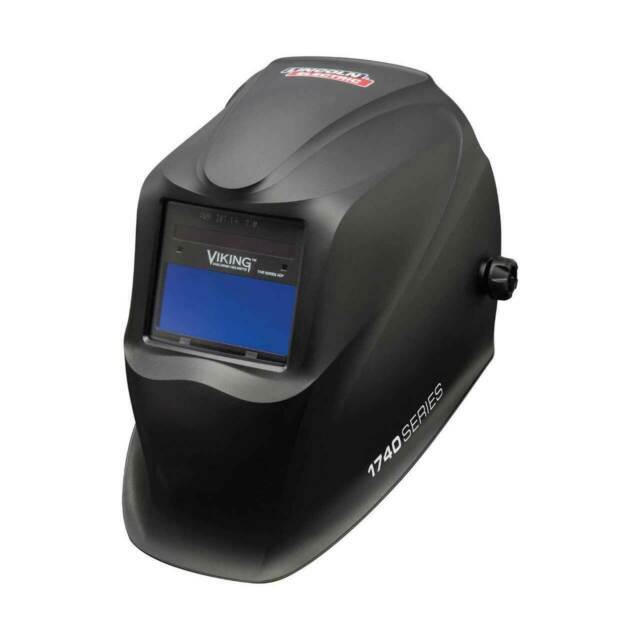
- Lincoln Auto-Darkening Welding Helmet for Beginners
- YESWELDER LYG-Q800D Auto-Darkening Welding Helmet Review (2025)
Related Weld Support Guides
- YESWELDER Large View Auto Darkening Welding Helmet (LYGโM800H)
- Aluminum ER 5554 3/64โณ X 5lb. MIG Welding Wire Spool By Washington Alloy โ Weld Support Parts Blog
- Lincoln Auto-Darkening Welding Helmet for Beginners
- YESWELDER LYG-Q800D Auto-Darkening Welding Helmet Review (2025): 180ยฐ Side View, True-Color Clarity
Welding Helmet Grind Mode Troubleshooting: Lens Stays Light, Wonโt Darken, or Grind Button Fails
If a welding helmet is left in grind mode, the auto-darkening filter may stay in its light state and will not darken correctly when an arc starts. That is the first thing to check when a helmet suddenly โstops darkeningโ after grinding, wire brushing, fit-up, or cleanup. Grind mode is useful because it keeps the lens light for grinding visibility, but it must be switched back to weld mode before striking an arc.
The fast repair is to stop welding, turn the helmet away from the arc, verify the mode indicator, switch out of grind mode, test the auto-darkening filter, clean the sensors, check the battery, and confirm shade/sensitivity/delay settings. Do not weld through a helmet that is stuck in grind mode or one that only works intermittently. For related helmet checks, see auto-darkening welding helmet not working, auto-darkening helmet flicker on aluminum TIG, and auto-darkening helmet shade range and standards.
Common Symptoms
- Helmet stays light when the arc starts.
- Helmet darkens during testing, then fails after grinding.
- Grind light, LED, icon, or display remains active.
- External grind button does not toggle consistently.
- Internal mode button is dirty, stuck, or hard to read.
- Lens darkens while grinding instead of staying light.
- Helmet flickers between light and dark during grinding sparks.
- ADF works for MIG or stick but behaves poorly during low-amp TIG.
- Helmet will not wake up after sitting in storage.
- Lens works only after the battery is moved, tapped, or replaced.
Likely Causes
| Cause | What It Does | Quick Check |
|---|---|---|
| Helmet left in grind mode | Disables normal welding darkening response | Check mode display, LED, or grind icon |
| Weak battery | Causes no-darken, slow response, flicker, or mode reset | Replace with correct battery type |
| Blocked sensors | ADF cannot detect the arc reliably | Clean front lens and sensor windows |
| Dirty cover lens | Reduces arc signal and visibility | Replace scratched or spatter-covered lens |
| Faulty grind switch | Helmet stays stuck in grind or weld mode | Toggle switch repeatedly and inspect button feel |
| Wrong sensitivity | Lens may not trigger or may trigger from shop light | Reset sensitivity for process and environment |
| Wrong delay | Lens clears too fast or too slowly after arc stop | Adjust delay and retest |
| ADF cartridge failure | Helmet becomes unreliable even after settings and battery checks | Remove from service and replace cartridge or helmet |
Fast Diagnosis Sequence
- Stop welding immediately if the helmet stays light, flickers, or does not darken reliably.
- Check whether grind mode is active. Look for the grind icon, LED, external button position, or display setting.
- Switch to weld mode and confirm the shade range is appropriate for the process and amperage.
- Test the auto-darkening filter with the helmet manufacturerโs test button or a safe arc-test procedure.
- Clean the front cover lens and sensor windows with a soft cloth.
- Replace the outside cover lens if scratched, spatter-covered, smoky, cracked, or warped.
- Replace the battery if the helmet uses replaceable cells or shows weak response.
- Reset sensitivity and delay to normal welding settings.
- Inspect the grind button, wiring area, cartridge seat, and battery contacts.
- If the helmet still fails, remove it from welding service and replace the ADF cartridge or helmet.
When the Helmet Stays Light
A helmet that stays light after grinding is usually still in grind mode, has a weak battery, has blocked sensors, or has a failed ADF cartridge. Grind mode may be controlled by an external button, internal control, digital menu, flip-up filter, or mode selector. Some helmets use a light-state shade such as DIN 3, DIN 3.5, or DIN 4 during grind mode, which is not a welding shade.
- Switch out of grind mode before welding.
- Check the indicator every time the helmet is used for grinding between welds.
- Do not rely on memory; verify the mode before striking the next arc.
- Do not weld if the ADF only darkens after tapping the shell or moving the battery.
- Use a compliant passive helmet as backup if the ADF cannot be trusted.
When the Helmet Darkens While Grinding
If the lens darkens while grinding, the helmet may not actually be in grind mode, the grind switch may not be engaging, or the sensors may be reacting to bright sparks, sunlight, LED lights, or nearby welding arcs. Confirm the mode indicator first. Then check whether the helmet has separate cut, grind, X-mode, weld, or low-current settings.
- Confirm the grind icon or grind LED is active.
- Check the external grind button for dirt, damage, or poor tactile response.
- Move away from nearby welding arcs during testing.
- Shield the sensors from direct sunlight or bright reflected light if allowed by the manual.
- If the lens still darkens in verified grind mode, remove the helmet from service until the ADF is checked.
Inspection Steps
- Mode control: Verify weld, cut, grind, and any X-mode or low-current settings. A mode mistake can look like lens failure.
- External grind button: Check for broken plastic, worn rubber, stuck travel, spatter damage, or intermittent response.
- Internal controls: Open the helmet and inspect buttons, dials, display markings, and loose cartridge seating.
- Arc sensors: Clean the sensor windows and make sure cover plates, stickers, cheater lenses, tape, or spatter are not blocking them.
- Cover lenses: Replace outside and inside cover lenses that are scratched, cloudy, cracked, heat-warped, smoky, or coated with grinding dust.
- Battery compartment: Inspect battery type, polarity, contacts, corrosion, loose door, and age of the cell.
- ADF cartridge: Check for cracks, delamination, water damage, heat damage, missing safety markings, or wrong cartridge size.
- Helmet shell: Inspect for cracks, damaged front cover frame, missing lens gasket, and gaps that allow sparks or light leaks.
Test Procedures
- Mode reset test: Switch from grind to weld, then power the helmet off and back on if the design allows. Confirm the helmet did not return to grind mode unexpectedly.
- Test-button check: Use the built-in test button where provided. No response means battery, contacts, cartridge, or control failure.
- Known-arc check: With proper PPE and safe positioning, test on a known welding setup. The lens must darken before normal welding begins.
- Sensor-clean test: Clean sensors and replace the front cover lens. If response improves, the issue was blocked arc detection.
- Battery test: Replace with the exact required battery type. Do not mix old and new cells where multiple batteries are used.
- Process test: Check MIG, stick, TIG, and plasma/cutting modes separately. Low-amp TIG often needs higher sensitivity than MIG or stick.
Root Cause Analysis
Grind mode is designed to prevent the auto-darkening filter from darkening during grinding. That improves visibility during grinding, chipping, wire brushing, and fit-up, but it also creates a hazard if the welder forgets to return to weld mode. Many โhelmet not darkeningโ complaints are actually mode problems, especially when the helmet worked before grinding and fails at the next arc strike.
Other grind-mode failures are electrical or optical. Weak batteries can make the controls unreliable. Dirty cover plates and blocked sensors reduce the arc signal. A damaged external grind button can leave the lens stuck in the wrong mode. A failed cartridge may pass once and fail later. A helmet that cannot be verified every time should not be used for welding.
Compatibility Notes
Do not order welding helmet replacement parts by shell shape alone. Verify helmet brand, series, ADF cartridge size, grind-button type, external-control cover, inside and outside cover lens dimensions, battery type, cheater lens compatibility, safety standard markings, and whether the helmet uses weld/cut/grind/X-mode controls. Some helmets use external grind buttons; others use internal buttons or a flip-up clear grinding shield.
Lincoln examples show the spread of designs. Some helmets list external grinding mode, others internal grinding mode, flip-up grinding shields, or external grind buttons. Some ADFs use solar assist plus replaceable lithium or alkaline batteries. Speedglas 9100XXi-style kits use external controls for grinding and memory modes and must match compatible Speedglas shell families. Treat ADF cartridges, grind buttons, batteries, and cover lenses as helmet-family-specific until verified.
What To Verify Before Ordering
- Helmet manufacturer, series, and exact model.
- ADF cartridge part number and viewing-area size.
- External grind button, internal grind control, flip-up grind shield, or digital menu design.
- Outside cover lens size and inside cover lens size.
- Battery type, quantity, polarity, and battery-door condition.
- Shade range and whether the helmet supports weld, cut, grind, and low-current TIG modes.
- Sensor count and sensor location.
- Cheater lens holder and magnifier compatibility.
- Helmet shell condition, front lens frame, gasket, and retaining clips.
- Applicable safety markings and shop PPE requirements.
Common Wrong-Part Mistakes
- Replacing cover lenses while the helmet is still left in grind mode.
- Ordering an ADF cartridge that fits the opening but does not match the control layout.
- Using the wrong battery type or installing the battery with reversed polarity.
- Buying a helmet with grind mode but no clear mode indicator for production work.
- Assuming safety glasses make it acceptable to weld while the ADF is in grind mode.
- Ignoring scratched cover plates and blaming the cartridge for poor visibility.
- Using low-amp TIG with sensitivity set for MIG or stick.
- Using a helmet with damaged or missing safety-standard markings.
Field Fix vs Proper Fix
| Problem | Field Fix | Proper Fix |
|---|---|---|
| Helmet left in grind mode | Switch to weld mode before striking arc | Build a pre-arc mode check into shop procedure |
| Lens will not darken | Stop welding and test helmet | Replace battery, clean sensors, verify settings, replace ADF if unreliable |
| Grind button intermittent | Use backup helmet | Replace verified button assembly, front cover, cartridge, or helmet as designed |
| Lens darkens while grinding | Confirm grind mode is active | Check mode switch, sensor response, cartridge condition, and nearby arc/light interference |
| Low-amp TIG flicker | Increase sensitivity and delay | Use a helmet with documented low-amp TIG capability and clean sensor exposure |
Related Failure Paths
- Arc flash exposure: Welding in grind mode can leave the lens too light for the arc.
- Helmet not darkening: Mode setting, battery, sensors, cover lens, or cartridge failure can cause no-darken symptoms.
- ADF flicker: Low sensitivity, low-amp TIG, blocked sensors, or bright shop conditions can make the lens unstable.
- Poor visibility: Scratched or dirty cover plates can make a good ADF look bad.
- False grind activation: Damaged external buttons or mode controls can leave the helmet in the wrong state.
- Wrong replacement cartridge: Incorrect ADF size, control layout, shade range, or shell compatibility can create unsafe operation.
Safety Notes
- Never weld with a helmet that is in grind mode.
- Test the auto-darkening function before each use.
- Wear ANSI-rated safety glasses under the hood, especially for grinding, chipping, and wire brushing.
- Use the correct welding shade for process and amperage.
- Do not use cracked cover lenses, damaged ADF cartridges, missing gaskets, or helmets with light leaks.
- Do not bypass helmet controls or tape buttons into position.
- Remove unreliable helmets from service until repaired or replaced.
- Use ventilation or respiratory PPE as required; a standard welding helmet is not respiratory protection.
Sources Checked
Sources checked include welding helmet troubleshooting references, auto-darkening helmet buying and safety guidance, Lincoln helmet catalog data, Speedglas ADF catalog data, and related Weld Support Parts helmet support articles. Final replacement must be verified by helmet model, ADF cartridge, grind-control design, battery type, cover lens size, sensor layout, safety markings, shade range, and process requirement.
Why Auto-Darkening Helmets Flicker on Aluminum TIG but Not MIG or Stick
An auto-darkening helmet that behaves normally on MIG or stick but flickers on aluminum TIG is usually not failing in the same way as a helmet that will not darken at all. Aluminum TIG exposes weak points in sensor detection, sensitivity settings, low-current arc recognition, torch angle, reflected light, and delay settings. The arc can be stable at the weld, but the helmet may not be seeing enough consistent arc signal to stay dark.
This is a narrower support article for welders who already have a working auto-darkening hood but only see flicker during AC aluminum TIG. For broader helmet selection, see the Best Auto-Darkening Welding Helmet for TIG guide and the auto-darkening welding helmet buying guide.
Key Takeaways
- Aluminum TIG flicker is commonly caused by low TIG arc signal, blocked sensors, low sensitivity, short delay, or reflective arc angles.
- MIG and stick usually create brighter, broader, easier-to-detect arcs, so the same helmet may seem fine on those processes.
- AC TIG, tight torch angles, cup position, filler hand position, and workpiece geometry can partly shield the arc from the helmet sensors.
- Increase sensitivity, increase delay, clean the cover lens, replace weak batteries, and confirm that the helmet is rated for the TIG amperage used.
- Do not keep welding with a helmet that flickers, flashes, or fails a pre-use darkening check.
Problem / Context
The symptom is specific: the helmet darkens normally for MIG or stick welding, but during aluminum TIG it rapidly switches between dark and light, pulses, or drops shade during starts, crater fill, or low-amperage sections. This is different from a dead helmet. For total failure, use the broader checklist in Auto-Darkening Welding Helmet Not Working: Causes and Fixes.
Aluminum TIG is a harder detection case because the welder may run low current, use a tight cup angle, weld around corners, or move the torch in a way that hides part of the arc from the helmet sensors. MIG and stick normally throw more visible arc energy and spatter glow into the front of the hood, so a marginal sensor setup may still work there.
Root Causes
Low sensitivity setting: Many helmets have sensitivity ranges intended for different welding conditions. Some manufacturer instructions list higher sensitivity positions for stable TIG arcs, low-current TIG, inverter TIG, or cases where part of the arc is obscured. If the helmet is still on a lower general-purpose setting, it may detect MIG and stick but drop out on aluminum TIG.
Short delay setting: If the delay is set too short, the lens may return to light state during brief arc intensity changes, pulsing, repositioning, or crater fill. This can feel like flicker even when the helmet is detecting the arc correctly at the start.
Blocked arc sensors: The torch cup, filler rod hand, bench edge, pipe joint, corner joint, or the welderโs head angle can block the arc from one or more front sensors. This matters more in TIG because the arc is smaller and more concentrated than a typical MIG or stick arc.
Dirty or damaged cover lens: Smoke film, grinding dust, aluminum oxide dust, fingerprints, and spatter haze can reduce what the sensors see. A hazy lens can also make the puddle look washed out. If visibility is the main issue, see auto-darkening filter lens fit and visibility checks before assuming the whole helmet is bad.
Weak battery or solar-assist limitation: Some helmets use replaceable batteries, some use solar assist, and some use sealed cells. Weak power can make response inconsistent, especially when welding starts and stops repeatedly.
Helmet not suited for low-amp TIG: Some low-cost or older auto-darkening filters work acceptably on MIG and stick but are less reliable at low TIG amperage. Minimum TIG amp rating is often unclear on retailer listings. Treat missing low-amp TIG data as Unknown (Verify).
Grinding mode or light-state lock: A helmet left in grind mode or light-state lock may not darken. A helmet partly stuck between modes can also behave inconsistently. Always confirm weld mode before striking an arc.
Solution
- Stop welding and inspect the helmet before continuing. Do not keep welding through repeated flicker.
- Confirm the helmet is in weld mode, not grind mode, cut mode, or light-state lock.
- Clean or replace the outer cover lens. Clean the sensor windows according to the helmet manual.
- Replace the batteries if the helmet uses replaceable cells. Battery type: Unknown (Verify from helmet manual).
- Increase sensitivity one step at a time until the helmet stays dark during aluminum TIG starts and steady welding.
- Increase delay if the lens drops out during pulsing, crater fill, or brief arc-length changes.
- Reposition the hood and torch so the front sensors have a direct view of the arc.
- Test at the actual TIG amperage used, not only on MIG or stick.
- If flicker remains, compare the helmetโs TIG amp rating and sensor count against manufacturer documentation. Missing rating: Unknown (Verify).
- Use a passive shade lens or a TIG-capable replacement helmet until the auto-darkening issue is resolved.
Specs / Verification Notes
| Check Point | Why It Matters on Aluminum TIG | Status |
|---|---|---|
| Minimum TIG amperage rating | Confirms whether the ADF is designed to detect low-current TIG arcs | Unknown (Verify) |
| Number of arc sensors | More sensor coverage can reduce dropout when one sensor is blocked | Unknown (Verify) |
| Sensitivity control | Needed for low-current TIG and partially obscured arcs | Verify helmet has adjustable sensitivity |
| Delay control | Helps prevent light-state return during arc pulsing or crater fill | Verify helmet has adjustable delay |
| Battery type | Weak batteries can cause inconsistent darkening | Unknown (Verify) |
| ANSI Z87.1 marking | Confirms eye and face protection compliance marking | Verify on helmet and manual |
Product Section
If the helmet uses replaceable CR2032 cells, fresh batteries are a low-cost maintenance step before replacing the full hood. Battery fit varies by helmet model, so confirm the required battery type in the manufacturer manual before ordering. Battery compatibility: Unknown (Verify).
- Rome Tech CR2032 battery for Welding Helmet compatible with Welding Helmet Viking / G5 9000 9100 FX x xx xxi 100 Series 3m SL100 9000 9002 9100. Please, check your Welding Helmet needs battery CR2032 before purchasing!
- RTB CR2032 batteries are designed to last long. Enjoy long CR2032 lithium 3V coin battery life without worry. Use this time with pleasure.
- CR2032 lithium 3V coin battery is reliable and provides consistent power to your Welding Helmet. This means you can trust CR 2032 battery for Welding Helmet to work when you need it most, ensuring you always have working Welding Helmet.
- CR2032 lithium battery is designed to withstand extreme temperatures, whether hot or cold. Battery CR2032 3V lithium cell robust construction makes it resistant to vibration and impact, ensuring it can withstand the rigours of daily use.
- Rome Tech multifunctional CR 2032 3V battery for Welding Helmet can be used for various electronic devices such as watches, fitness trackers, calculators, digital cameras, remote controls, and many more.
Last update on 2026-06-26 / Affiliate links / Images from Amazon Product Advertising API
Comparison Table
| Process | Helmet Behavior | Likely Reason | Best First Fix |
|---|---|---|---|
| Aluminum TIG | Flickers or drops shade | Low-current arc, blocked sensor, AC arc behavior, short delay | Raise sensitivity and delay; clean sensors |
| MIG | Usually stable | Brighter, broader arc signal with easier sensor detection | Use as comparison test only |
| Stick | Usually stable | Strong arc light and electrode angle often expose sensors clearly | Use as comparison test only |
| Grinding mode | May stay light | Darkening function disabled | Return to weld mode before welding |
Related Failure Paths
Helmet does not darken at all: This is usually a battery, mode, sensor, or cartridge failure issue. Use the auto-darkening helmet not working checklist.
Wrong helmet type for the work: Some shops keep a passive hood as a backup for awkward TIG joints or outdoor stick welding. The auto-darkening vs passive welding helmet comparison explains where each type fits.
Fixed-shade filter mismatch: A shade 10 filter may be useful in some compact hood setups, but it is not automatically correct for every TIG amperage or aluminum job. Check the ArcOne S240-10 auto-darkening filter support guide for fit and shade cautions.
Low-amp TIG helmet selection: If the current helmet lacks a published TIG amp rating or has poor sensor coverage, compare it against helmets documented for TIG work in the TIG auto-darkening helmet buyer guide.
Safety Notes
Arc radiation can injure eyes and skin. A welding helmet must use the correct filter shade for the welding process and current. OSHA guidance states that protective eye and face devices must comply with ANSI Z87.1, and side protection or safety glasses may also be required where flying particles are present.
Do not use a flickering auto-darkening helmet as a normal condition. If sensitivity and delay adjustments do not produce reliable darkening, remove the helmet from service until the battery, cartridge, cover lens, sensors, and safety markings are verified.
Auto-darkening helmets do not provide respiratory protection by themselves. Aluminum TIG can still involve cleaning chemicals, ozone, shielding gas displacement, and fume exposure depending on the shop setup. Use ventilation and respiratory protection according to the job hazard assessment.
FAQ
Why does my helmet flicker only on aluminum TIG?
Aluminum TIG can produce a smaller or more directional arc signal at the helmet sensors, especially at low amperage or with the cup blocking the arc. MIG and stick are usually easier for the sensors to detect.
Should sensitivity be higher for TIG?
Often yes. Many helmets require higher sensitivity for low-current TIG, inverter TIG, or arcs that are partly blocked from sensor view. Increase sensitivity gradually and confirm that the helmet still lightens correctly after welding.
Can AC balance or pulse settings cause helmet flicker?
They can contribute to the symptom if arc intensity changes enough for the helmet to drop below its detection threshold. The practical fix is usually helmet sensitivity, delay, sensor exposure, and confirming the helmetโs TIG capability.
Does flicker mean the helmet is unsafe?
Repeated flicker means the helmet is not performing reliably for that task. Stop and troubleshoot before continuing. If it cannot be corrected, use a properly shaded passive helmet or a TIG-capable auto-darkening helmet.
Will replacing the cover lens help?
Yes, if the cover lens is dirty, scratched, smoky, or spatter-damaged. A poor cover lens can reduce both visibility and sensor performance.
Can the same helmet be used for TIG, MIG, and stick?
Yes, but only if the helmet has the correct shade range, reliable sensor performance, and manufacturer support for the TIG amperage used. Multi-process claims should be verified against the manual, not only retailer copy.
Next Step
Before replacing the helmet, test it in this order: weld mode, clean lens, fresh battery, higher sensitivity, longer delay, direct sensor view, and actual aluminum TIG amperage. If the hood still flickers while MIG and stick remain stable, the helmet may not be suitable for that TIG application. Use the helmet lens speed, shade range, and standards guide to compare replacement requirements.
Sources Checked
- 3M Speedglas 9100 Series user instructions: sensitivity positions for stable TIG, low-current TIG, inverter TIG, obscured TIG arcs, light-state lock, dark-state lock, and delay behavior.
- OSHA Eye Protection against Radiant Energy during Welding and Cutting in Shipyard Employment fact sheet: ANSI Z87.1 compliance, side protection, filter lens shade guidance, and ANSI/AWS shade references.
- Weld Support Parts: Auto-Darkening Welding Helmet Buying Guide 2025.
- Weld Support Parts: Best Auto-Darkening Welding Helmet for TIG.
- Weld Support Parts: Auto-Darkening vs Passive Welding Helmets.
- Weld Support Parts: Auto-Darkening Welding Helmet Not Working: Causes and Fixes.
- Weld Support Parts: ArcOne S240-10 Auto-Darkening Welding Filter Support Guide.
- Amazon search result checked for ASIN B0D7J214QR. Battery compatibility remains Unknown (Verify).
Best Welding Helmet Replacement Lenses for Clear Visibility
If your weld puddle looks hazy or washed out, your helmet lens is usually the problemโnot your settings. Replacing the outer cover lens is the fastest, cheapest fix (and it’s a consumable in any busy shop).
Not sure this is your issue? See the full troubleshooting guide:Why You Can’t See Your Weld Pool (And How to Fix It)
Last update on 2026-06-26 / Affiliate links / Images from Amazon Product Advertising API
Key Takeaways
- Start with the outer cover lens (the clear protective lens). It takes the scratches and spatter so your ADF doesn’t have to.
- If you weld MIG or flux-core, keep a spare pack on hand and swap lenses as soon as visibility drops.
- Buy OEM lenses when possible (Lincoln/Miller/3M/Jackson). Aftermarket quality varies.
- Verify your helmet’s lens size/model before ordering.
- Replace any lens that’s cracked, deeply scratched, or heat-warped.
Quick Comparison
| Product | What It Is | Fits | Best For |
|---|---|---|---|
| Lincoln KP2898-1 | Outer cover lens (5-pack) | Viking 3350/850S/750S | Lincoln owners, high spatter |
| Miller 216326 | Outer cover lens (5-pack) | Digital Elite / Elite series (verify model) | Miller owners, daily shop use |
| 3M Speedglas 9100 outer cover lens | Outer cover lens (pack size varies) | Speedglas 9100 series (verify) | Speedglas owners |
Top Picks (Outer Cover Lenses)
1) Lincoln KP2898-1 (VIKING Outside Cover Lens)
OEM outside cover lenses for Lincoln Viking helmets. This is the simplest fix when your view is cloudy from scratches, spatter, or grinding dust.
Key specs: Unknown (Verify)
Best for: Lincoln Viking 3350/850S/750S users who want a quick visibility reset.
Buy: Last update on 2026-06-26 / Affiliate links / Images from Amazon Product Advertising API
2) Miller 216326 (Front Lens Cover)
OEM front cover lenses for Miller helmets. If you’re running MIG all day, these are a low-cost consumable that keeps your view crisp.
Key specs: Unknown (Verify)
Best for: Miller Digital Elite/Elite-series users (confirm fitment before ordering).
Buy: Last update on 2026-06-26 / Affiliate links / Images from Amazon Product Advertising API
Still deciding? Compare these options below.
Last update on 2026-06-26 / Affiliate links / Images from Amazon Product Advertising API
3) 3M Speedglas 9100 Outer Cover Lens (Verify exact model)
Speedglas lenses are helmet-specific. If you’re on a 9100 series hood, start by replacing the outer cover lens before assuming your auto-darkening filter is failing.
Key specs: Unknown (Verify)
Best for: Speedglas 9100 series owners who want OEM clarity.
Buy: Last update on 2026-06-26 / Affiliate links / Images from Amazon Product Advertising API
Top Pick Callout
Top pick (best overall for most welders):OEM outer cover lenses for your exact helmet model.
Reason: outer lenses are the part that gets destroyed first, and replacing them restores visibility immediately with minimal cost.
Buying Guide: How to Choose
- Confirm your helmet model (inside label or manual). Don’t guess.
- Confirm lens type: outer cover lens vs inner lens vs ADF. This page is for outer cover lenses.
- Check the pack quantity, so you’re not re-ordering every month.
- Replace on a schedule if you weld daily (or whenever you notice haze).
FAQ
Do I need to replace the auto-darkening filter (ADF) if I can’t see?
Usually no. Replace the outer cover lens first. If the view is still hazy, then inspect the ADF and inner lens.
How often should I replace the outer cover lens?
As needed. In high-spatter work, it can be monthly. In cleaner TIG work, it can last much longer.
Will any 4.5″ x 5.25″ lens fit my helmet?
Not always. Many helmets share sizes, but fitment varies by brand and series. Verify before ordering.
Why does my lens look cloudy right after I replace it?
Check for protective film you forgot to peel, dust inside the helmet, or a scratched inner lens.
Safety Notes
- Wear safety glasses under the hood.
- Replace lenses that are cracked or heavily scratched.
- Use ANSI Z87.1-rated eye/face protection.

Why You Can’t See Your Weld Pool (And How to Fix It)
Your helmet lens is probably dirty, scratched, or damagedโand it’s costing you quality welds.
If you’re squinting through your helmet or struggling to see the puddle clearly, the problem isn’t your eyesight. It’s your lens. Dirty, scratched, or worn lenses block light and create a hazy view that makes precision impossible. The good news: this is an easy fix.
Symptoms of a Bad Helmet Lens
- Hazy or cloudy view even in good light
- Scratches or scuffs visible on the lens surface
- Difficulty seeing the weld pool or joint
- Lens feels sticky or has residue buildup
- Darkening is uneven or inconsistent across the lens
- You’re lifting your helmet more often to see clearly
Why This Happens
Welding helmets take a beating. Spatter, grinding dust, and UV exposure degrade the lens over time. The outer clear lens (the protective layer) scratches easily from handling and contact with metal. The inner auto-darkening filter (if you have one) can accumulate dust and residue, especially in high-spatter processes like MIG.
Even small scratches refract light and reduce contrast, making it harder to follow your bead. Residue from flux, spatter, or shop dust acts like a filter, dimming your view and forcing you to compensate by tilting your head or adjusting your shadeโboth bad habits that slow you down.
AWS D1.1 welding standards don’t specify lens cleanliness, but they do require clear, undamaged optics for safe, quality welds. A damaged lens compromises both.
The Fix (Step-by-Step)
Step 1: Clean the lens thoroughlyStart with the outer clear lens. Use a soft, lint-free cloth and warm water with a drop of mild soap. Wipe gentlyโdon’t scrub. Dry completely. For the inner auto-darkening filter, use a dry cloth only (water can damage the LCD).
Step 2: Inspect for damageHold the lens up to light. Look for scratches, cracks, or discoloration. If you see deep scratches or cracks, the lens needs replacement. Small surface scratches won’t affect visibility much, but they’ll get worse.
Step 3: Replace if necessaryIf cleaning doesn’t help, order replacement lenses. Most helmets use standard sizes: outer clear lenses (usually 4.5″ x 5.25″ or similar) and inner filters (if auto-darkening). Check your helmet model or measure the lens.
Step 4: Install the new lensMost helmets have a simple snap-in or screw-on design. Remove the old lens, snap or screw in the new one. Takes 30 seconds.
Step 5: Test before weldingStrike a test arc or wave the helmet at a light source. The lens should darken instantly and evenly. If it doesn’t, check the battery (for auto-darkening) or reinstall the lens.
Real-World Tip
Experienced welders replace outer clear lenses every 2โ3 months in high-spatter environments (MIG, flux-core). It’s cheap insurance. Keep a spare pack of lenses in your toolbox. When visibility drops, swap them out immediately instead of fighting through a bad lens. You’ll weld faster and straighter.
Safety Note
ANSI Z87.1 requires helmets to have impact-resistant lenses and proper UV/IR protection. A cracked or heavily scratched lens fails this standard and puts your eyes at risk. Replace damaged lenses before your next weld.
Next Steps
If this keeps happening, your helmet lens is likely worn or damaged. See the best replacement options โ Best Welding Helmet Replacement Lenses for Clear Visibility
Best Auto-Darkening Welding Helmet for TIG (Buyerโs Guide + Top Picks)
Where to Buy (Fast Links)
Top Pick (overall):- 4C Lens Technology improves visibility and reduces eye strain
- Better clarity, real color view – 1/1/1/1 Optical Clarity
- Superior comfort with the pivot style headgear
- Longer battery life
- 3 year warranty
Last update on 2026-06-26 / Affiliate links / Images from Amazon Product Advertising API
Also solid options:- For sentinel helmet shell
- Product type: headgear
- Easy to use
Last update on 2026-06-26 / Affiliate links / Images from Amazon Product Advertising API
Key Takeaways
- For TIG, prioritize arc detection + stability: more sensors and a fast switching speed help reduce โblinkโ and nuisance light.
- Shade range matters: look for a wide weld shade range (commonly 9โ13) plus a usable low shade/light state for setup.
- Viewing area is productivity: bigger windows help with torch angle control and out-of-position work.
- Comfort is not optional: headgear quality affects neck fatigue and consistency on longer sessions.
Comparison Table
| Model | Key Specs (verified) | Best For | ArcWeld Link | Amazon (AAWP) |
|---|---|---|---|---|
| Lincoln Electric VIKING 3350 (Polar Arc graphic listing) | Viewing area: 12.5 sq in; Shade range: 5โ13; Switching speed: 1/25,000 sec; 4C optics | All-around TIG/MIG with a large window and fast lens | N/A |
Lincoln Electric VIKING 3350 Polar Arc Welding Helmet with 4C Lens Technology – K3255-3
Last update on 2026-06-26 / Affiliate links / Images from Amazon Product Advertising API |
| ESAB Sentinel A50 (helmet referenced via ESAB spec sheet/manual) | Viewing area: 3.93″ x 2.36″; Shade range: DIN 5โ8 / 9โ13; Sensors: 4; Switching speed: 1/25,000 sec; Classification: 1/1/1/2 | TIG welders who want a modern UI + stable ADF performance | N/A |
ESAB 0700000811 Headgear for Sentinel Helmet Shell
Last update on 2026-06-26 / Affiliate links / Images from Amazon Product Advertising API |
| Miller Digital Elite (manual/spec sheet series) | Unknown (Verify): viewing area; Unknown (Verify): shade range; Unknown (Verify): switching speed; Modes include weld/cut/grind/X-Mode (verify per exact model) | Welders who want multiple modes and sunlight-interference control (X-Mode) | N/A |
Last update on 2026-06-26 / Affiliate links / Images from Amazon Product Advertising API |
Product Reviews (What to Buy and Why)
Top Pick: Lincoln Electric VIKING 3350 (4C Lens)
Why itโs here: The VIKING 3350 series is a common โbuy onceโ helmet category for serious shop use. The large viewing area helps with torch positioning and joint tracking, and the switching speed is fast enough for frequent starts.
- Viewing area: 12.5 sq in (manufacturer listing)
- Shade range: 5โ13 (operator manual/product description)
- Switching speed: 1/25,000 sec (spec sheet)
- Optics: 4C technology (manufacturer listing)
ArcWeld link: N/A
Amazon:
- 4C Lens Technology improves visibility and reduces eye strain
- Better clarity, real color view – 1/1/1/1 Optical Clarity
- Superior comfort with the pivot style headgear
- Longer battery life
- 3 year warranty
Last update on 2026-06-26 / Affiliate links / Images from Amazon Product Advertising API
ESAB Sentinel A50 (ADF Helmet Platform)
Why itโs here: The Sentinel A50 platform is known for a modern control interface and a balanced shell. For TIG, the verified ADF specs (shade range + switching speed + 4 sensors) are the baseline you want.
- Viewing area: 3.93″ x 2.36″ (100 x 60 mm)
- Shade range: DIN 5โ8 / 9โ13
- Sensors: 4
- Switching speed: 1/25,000 sec (light to dark)
- Classification: 1/1/1/2
ArcWeld link: N/A
Amazon:
- For sentinel helmet shell
- Product type: headgear
- Easy to use
Last update on 2026-06-26 / Affiliate links / Images from Amazon Product Advertising API
Miller Digital Elite (Series)
Why itโs here: Millerโs Digital Elite line is popular for multi-mode use and features like X-Mode (designed to reduce sunlight interference). For TIG buyers, confirm the exact modelโs shade range and lens specs before purchasing.
- Modes: Weld / Cut / Grind / X-Mode (series documentation)
- Shade range: Unknown (Verify per exact model)
- Viewing area: Unknown (Verify per exact model)
- Switching speed: Unknown (Verify per exact model)
ArcWeld link: N/A
Amazon:
Last update on 2026-06-26 / Affiliate links / Images from Amazon Product Advertising API
Buying Guide: How to Choose a TIG Auto-Darkening Helmet
- Low-amp TIG stability: If you do thin stainless or chromoly, prioritize consistent arc detection and a quality ADF. More sensors can help when your torch angle blocks one sensor.
- Shade range and light state: You want a comfortable light state for fit-up and a weld shade range that covers your amperage and process.
- Viewing area: Bigger windows help you keep the puddle and joint in view without โhuntingโ your line.
- Headgear: If the helmet wonโt stay where you set it, youโll fight it all day. Comfort equals consistency.
- Consumables availability: Check cover lens availability and cost. A helmet you canโt keep clear is a helmet you wonโt use.
FAQ
What shade should I use for TIG welding?
Shade selection depends on amperage and process. Start with the helmet manufacturerโs shade chart and adjust for comfort and visibility. When in doubt, go darker and verify against recognized guidance (e.g., ANSI Z49.1 referenced by many manufacturers).
Do more arc sensors matter for TIG?
They can. TIG often involves tight torch angles and out-of-position work that can block a sensor. More sensors can reduce the chance of the lens failing to darken when your line-of-sight changes.
Is โtrue colorโ worth it?
For many TIG welders, improved color recognition helps with puddle control and reduces fatigue. Verify the manufacturerโs optics claims and focus on measurable specs first (switching speed, shade range, optical classification).
Can I use the same helmet for TIG and MIG?
Yesโmost quality auto-darkening helmets are designed for multiple processes. The key is choosing a helmet with a shade range and detection performance that works for your TIG use cases.
Safety Notes (Do Not Skip)
- Eye/face protection: Use a welding helmet and safety eyewear that meet applicable standards (commonly referenced: ANSI Z87.1).
- General welding safety: Follow recognized safety practices (commonly referenced by manufacturers: ANSI Z49.1), including proper ventilation and fire prevention.
- PPE reminder: Helmet + safety glasses, gloves, appropriate jacket/sleeves, and respiratory protection when required by fume exposure and material.
SOURCES & VERIFICATION
Sources Checked (manufacturer specs/manuals)
- Lincoln Electric VIKING 3350 operator manual (shade range, operation): https://assets.lincolnelectric.com/assets/EU/OperatorManuals/IM2044rev0-Viking3350-ENG.pdf
- Lincoln Electric VIKING 3350 product page (feature/spec highlights): https://www.lincolnelectric.com/en/products/k3034-4
- ESAB Sentinel A50 spec sheet (viewing area, shade range, sensors, switching speed, classification): https://josefgases.com/product_ref//spec-sheets/0700000811.pdf
- ESAB Sentinel A50 manual (operation/shade guidance): https://www.rapidwelding.com/files/ESAB%20Sentinel%20A50%20Instruction%20Manual.pdf
- Miller Digital Elite series manual (series overview, safety references): https://www.millerwelds.com/files/owners-manuals/o256476p_mil.pdf
Verification Checklist
- Keyword sourcing: Amazon/Google-style buyer-intent phrasing targeted: โbest auto-darkening welding helmet for TIGโ
- ASINs confirmed:
- Lincoln Electric VIKING 3350 (Polar Arc listing): B01ASC228W
- ESAB Sentinel A50: B079Z45BKP (Amazon result surfaced as ESAB Sentinel A50 context; verify listing is the helmet, not an accessory, before publishing)
- Miller Digital Elite (T94 listing): B0FPSDTLZH (verify exact model identity before publishing)
- Specs sourced from manufacturer docs: Lincoln + ESAB specs are manufacturer-verified in links above; Miller specs require model-specific confirmation (marked Unknown/Verify).
- ArcWeld links checked: Not available from provided sources in this run โ marked N/A per rule.