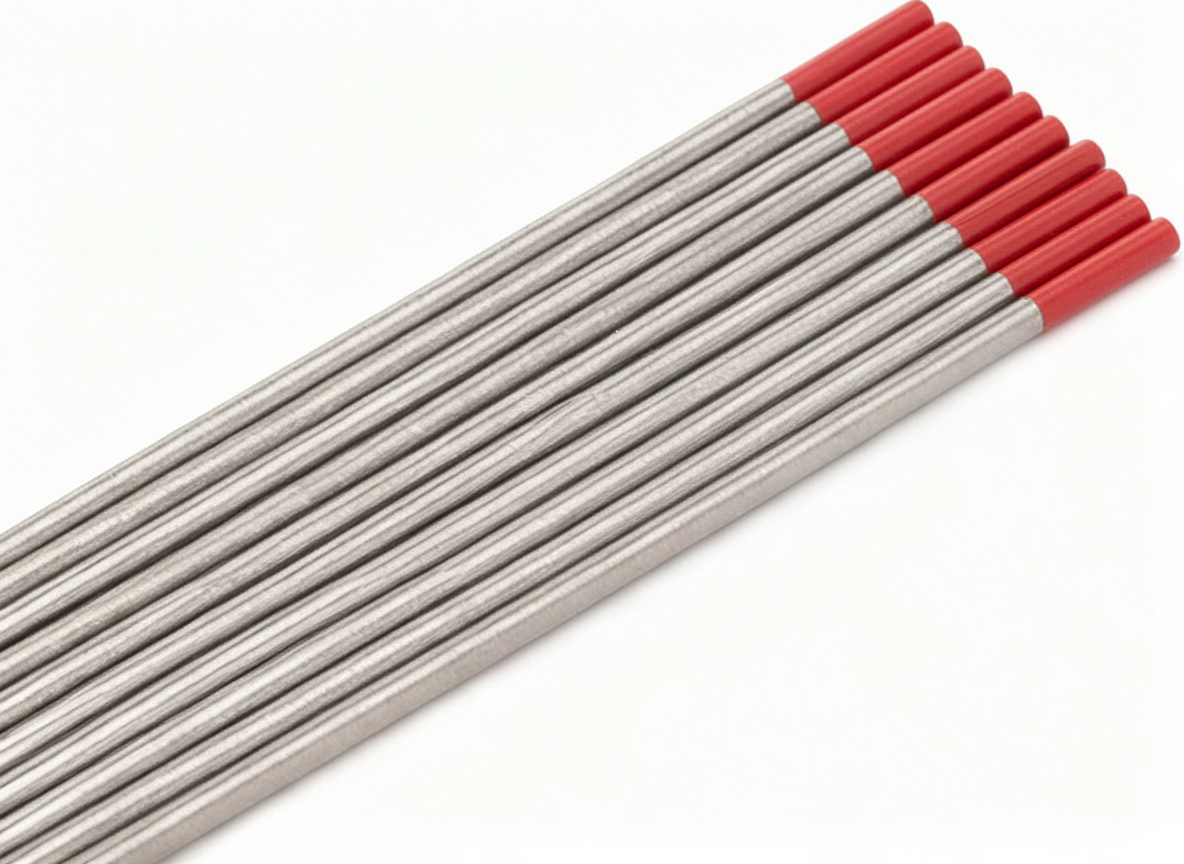
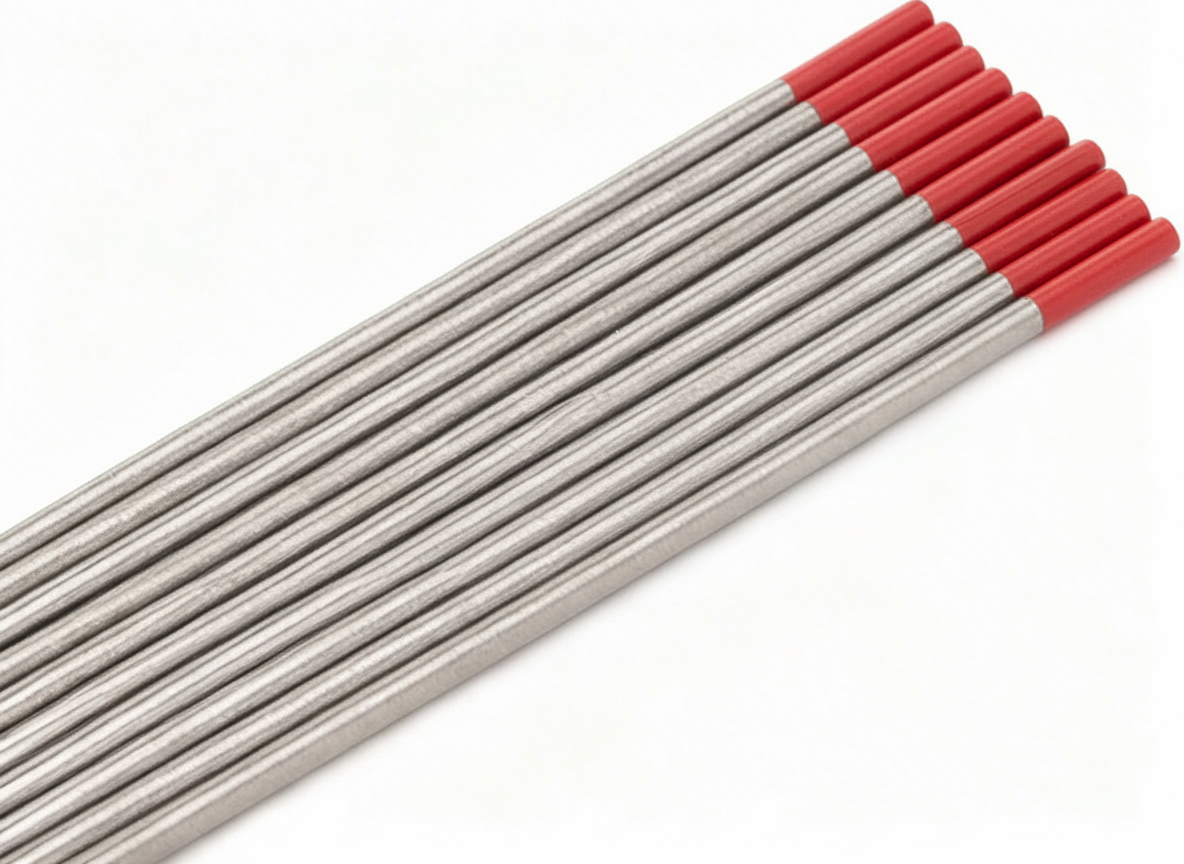
Category: Tig Support

Tig machines, consumables, parts breakdowns, and accessories

  • Why TIG Arc Wanders or Starts Hard

    Why TIG Arc Wanders or Starts Hard

    If the tig arc wandering or a TIG arc starts hard, the cause is usually in one of four areas: work clamp contact, tungsten preparation, shielding gas coverage, or torch consumables. Start with the basics and verify each part of the current path and gas path before changing machine settings.

    Key Takeaways

    • Poor ground path can make arc starts unstable.
    • Contaminated or poorly ground tungsten can cause arc wandering.
    • Low gas flow, leaks, or draft can disturb shielding and arc stability.
    • Damaged cups, collet bodies, or gas lenses can reduce shielding and control.
    • Do not assume the torch is the problem until the work clamp and tungsten are verified.

    Troubleshooting Steps

    1) Check the work clamp and ground path

    Make sure the work clamp is attached to clean metal with solid contact. Paint, rust, mill scale, oil, or loose clamp contact can interrupt current flow and make the arc hard to start or unstable once started.

    • Move the clamp closer to the weld area if the current path is long.
    • Inspect the clamp jaw, cable, and connector for heat damage or looseness.
    • Verify the workpiece is clean where the clamp lands.

    2) Inspect tungsten preparation

    TIG arc wandering often starts with the tungsten. A dirty, blunt, uneven, or contaminated tungsten will not focus the arc well. Grind the tungsten lengthwise and keep the tip consistent with the process requirements for your material and amperage.

    • Use a clean dedicated grinding wheel or method for tungsten only.
    • Remove contamination if the tungsten touched filler, the puddle, or the cup.
    • If the tip is balled, split, or uneven, replace or regrind it.

    3) Verify shielding gas coverage

    Gas issues can cause wandering starts, contamination, and erratic arc behavior. Check the cylinder flow, regulator, hose condition, torch seals, and cup coverage. Drafts in the work area can also break shielding gas coverage.

    • Verify gas is actually flowing at the torch.
    • Inspect hose connections and torch O-rings or seals, if equipped. Unknown (Verify).
    • Reduce air movement from fans, doors, or shop draft near the weld.
    • Confirm the gas type and flow rate are set for the job. Unknown (Verify).

    4) Inspect torch consumables

    Worn consumables can create inconsistent shielding and make arc starts less precise. Look at the cup, collet, collet body, and any gas lens components for cracks, buildup, or poor fit.

    • Replace cracked or heat-damaged cups.
    • Check for contamination inside the torch head.
    • Verify the consumables match the torch and tungsten size used. Unknown (Verify) if not confirmed by the torch model.

    5) Check start settings and process setup

    If the basics are correct, review start settings. Too little or too much start current, improper HF start behavior, or incorrect post-flow can affect arc initiation and stability. Exact settings depend on the machine and process. Unknown (Verify).

    • Confirm the machine is set for the intended TIG process.
    • Check foot pedal, torch switch, or remote input function.
    • Verify the tungsten size is appropriate for the current range. Unknown (Verify).

    When the Arc Wanders During the Weld

    If the arc starts correctly but wanders during travel, look for heat buildup, tungsten contamination, arc length changes, or shielding disruption from torch angle and stickout.

    • Keep tungsten stickout consistent.
    • Hold a stable torch angle.
    • Do not extend the tungsten farther than needed for access.
    • Recheck gas coverage if the weld area is tight or recessed.

    Product and Parts

    When consumables are worn or the torch needs a cleaner gas shield, a stubby gas lens kit can help improve visibility and access on compatible torches. Product compatibility below is provided only as listed.

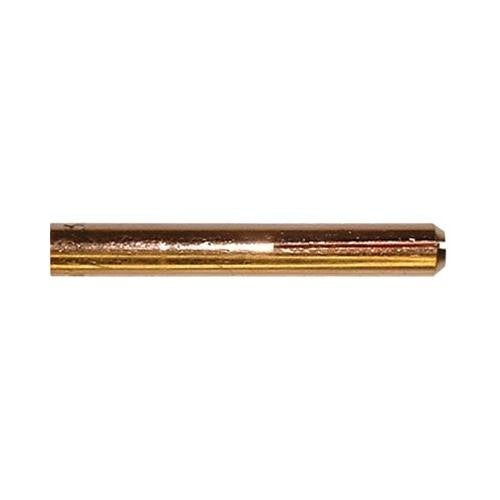
    CK SGL-KITM TIG Accessory Kit, Stubby Gas Lens, 4GL, 1/16, 3/32, 1/8

    Short description: Complete TIG torch accessory kit from CK Worldwide featuring stubby gas lens design for improved visibility and precision. Compatible with CK Worldwide TIG torches 17, 18, and 26. Includes three gas lens sizes (4GL) and three collet body sizes (1/16, 3/32, 1/8) for versatile tungsten electrode compatibility. Essential consumables for TIG welding on mild steel, stainless, and aluminum.

    Use the listed product only where it matches the torch and tungsten setup. If torch model or consumable size is not confirmed, verify before ordering.

    CK SGL-KITM TIG Accessory Kit, Stubby Gas Lens, 4GL, 1/16, 3/32, 1/8

    CK SGL-KITM TIG Accessory Kit, Stubby Gas Lens, 4GL, 1/16, 3/32, 1/8

    Complete TIG torch accessory kit from CK Worldwide featuring stubby gas lens design for improved visibility and precision. Compatible with CK Worldwide TIG torches 17, 18, and 26. Includes three gas lens sizes (4GL) and three collet body sizes (1/16, 3/32, 1/8) for versatile tungsten electrode compatibility. Essential consumables for TIG welding on mild steel, stainless, and aluminum.

    View at Arc Weld Store

    Safety Notes

    • Shut power off before changing consumables or touching internal torch parts.
    • Allow hot tungsten and cups to cool before handling.
    • Do not grind tungsten in a way that contaminates the shop or exposes hands and eyes to dust.
    • Use local exhaust ventilation when welding and when grinding tungsten.
    • Do not weld with damaged leads, cracked torch parts, or leaking gas equipment.

    FAQ

    Why does TIG arc wandering happen right at start?

    The most common causes are poor ground contact, contaminated tungsten, or weak shielding gas coverage.

    Can a bad work clamp cause hard starts?

    Yes. A poor clamp connection can interrupt the current path and make arc initiation unreliable.

    Does tungsten shape matter?

    Yes. An uneven or contaminated tungsten can make the arc unstable and harder to direct.

    Can airflow affect TIG starts?

    Yes. Draft can disturb shielding gas and cause unstable starts or contamination.

    Sources Checked

    • Provided ArcWeld product data for CK SGL-KITM TIG Accessory Kit
    • Topic brief: troubleshoot arc starts, grounding, tungsten prep, and shielding gas issues
  • TIG Torch Gets Too Hot During Welding

    TIG Torch Gets Too Hot During Welding

    If you are dealing with tig torch overheating, treat it as a setup or duty-cycle problem first. Excess heat at the torch can damage the body, burn consumables, and reduce shielding gas performance. The cause is usually current demand, poor cooling, loose connections, restricted gas flow, or a torch body that is not suited to the job.

    Key Takeaways

    • High heat at the torch usually points to too much amperage for the torch setup, poor technique, or worn parts.
    • Check torch body condition, cable routing, connections, gas flow, and consumables before replacing major parts.
    • Overheating can shorten tungsten life, damage collets and cups, and increase the chance of arc instability.
    • Use replacement parts that match the torch family and amperage requirement. Compatibility details not listed here are Unknown (Verify).

    Troubleshooting: Why the Torch Is Getting Too Hot

    1. Amperage is too high for the torch body

    Running more current than the torch can handle will build heat quickly. This is the first item to check when the handle, head, or cable becomes uncomfortable to touch during normal welding intervals. If the torch is near its limit, reduce amperage or move to a torch body designed for the job. Exact duty-cycle limits for your setup are Unknown (Verify).

    2. Torch body is worn or damaged

    Internal wear, loose fittings, or heat damage can make the torch run hotter than normal. Inspect the body for cracking, loose head alignment, damaged insulators, and signs of prior overheating. If the torch body has been degraded, repair or replacement is the correct fix, not higher gas flow or a larger cup alone.

    3. Poor electrical contact is creating resistance heat

    Loose collet bodies, worn consumables, dirty threads, and poor connections in the power path can add resistance and create local heat. Clean and tighten all serviceable joints. Replace parts that no longer hold properly.

    4. Shielding gas coverage is not stable

    Restricted gas flow, leaks, or a damaged cup can force longer arc time and higher heat input at the torch. Check the gas line, fittings, regulator, and nozzle area for leaks or blockage. If the gas stream is unstable, the arc can become harder to control and increase torch load.

    5. Cable routing is adding heat and strain

    A tight bend, twisted lead, or cable dragged across hot work can raise torch temperature and reduce performance. Route the torch lead with a smooth bend radius and keep it away from direct contact with hot metal. If the cable insulation is damaged, remove the torch from service.

    6. Duty cycle is being exceeded

    Even a torch that is correctly sized can overheat if it is used beyond its intended duty cycle. Shorten arc time, add cool-down breaks, or shift to a torch setup that is better matched to the amperage and joint size. Published duty-cycle data for the exact setup is Unknown (Verify).

    Support Checks That Help Isolate the Problem

    • Inspect the tungsten, collet, collet body, cup, and back cap for discoloration or heat damage.
    • Check whether the torch overheats faster on long beads than on tack work.
    • Compare heat buildup at low and high amperage to see whether the issue tracks current demand.
    • Confirm gas flow is consistent at the torch and not restricted by kinks or damaged fittings.
    • Verify that the torch body matches the welding process and current range. Exact compatibility is Unknown (Verify) unless documented by the manufacturer.

    Parts and Replacement Considerations

    If the torch body itself is the weak point, replacing it can solve recurring heat problems better than swapping consumables repeatedly. For a rigid air-cooled option, one available part is the Weldtec WT-26 Rigid Torch Body, 200A Air Cooled, 70 Degree Head for Reliable Welding.

    This part is provided through the allowed ArcWeld product link:

    Weldtec WT-26 Rigid Torch Body, 200A Air Cooled, 70 Degree Head for Reliable Welding

    Weldtec WT-26 Rigid Torch Body, 200A Air Cooled, 70 Degree Head for Reliable Welding

    Introducing the Weldtec WT-26 Torch Body, a top-tier choice for professionals in need of a reliable and durable welding solution. Designed for use with gas and capable of handling up to 200 amps, this rigid torch body ensures exceptional performance in a variety of applications. The WT-26 features a standard 70-degree head, which allows for increased maneuverability and accessibility in tight spaces. With its air-…

    View at Arc Weld Store

    Use this only if it matches your torch family and welding setup. Exact compatibility with your machine, leads, and gas setup is Unknown (Verify).

    How to Reduce Torch Heat During Welding

    • Lower amperage if the weld procedure allows it.
    • Shorten arc time and allow cooling breaks.
    • Keep the torch lead straight enough to avoid sharp bends and pinch points.
    • Replace worn consumables before they create resistance or unstable arc behavior.
    • Check all gas and power connections before continuing production work.
    • Use a torch body that is sized for the application instead of pushing a smaller torch past its limit.

    Safety Notes

    • Stop welding if the torch body, cable, or connector becomes excessively hot to touch.
    • Do not handle damaged insulation, cracked housings, or burnt consumables without proper cooldown.
    • Hot torches can cause burns even after the arc is off.
    • Use proper PPE and follow the machine and torch manufacturer instructions.
    • If overheating is repeated, remove the torch from service until the cause is corrected.

    FAQ

    Why does my TIG torch get hot so fast?

    Common causes are high amperage, poor duty-cycle management, worn parts, loose connections, restricted gas flow, or a torch body that is not suited to the application.

    Can a bad tungsten make the torch overheat?

    Yes, indirectly. A poor tungsten setup can make the arc unstable and increase heat load on the torch and consumables.

    Should I replace the torch or just the consumables?

    If the torch body is cracked, loose, or repeatedly overheating under normal use, replacement may be the better option. If the issue is worn consumables or loose fittings, start there first.

    Is the WT-26 right for every TIG setup?

    Unknown (Verify). Match the torch body to your amperage, process, lead configuration, and machine requirements before ordering.

    Sources Checked

    • Allowed ArcWeld product:
      Weldtec WT-26 Rigid Torch Body, 200A Air Cooled, 70 Degree Head for Reliable Welding

      Weldtec WT-26 Rigid Torch Body, 200A Air Cooled, 70 Degree Head for Reliable Welding

      Introducing the Weldtec WT-26 Torch Body, a top-tier choice for professionals in need of a reliable and durable welding solution. Designed for use with gas and capable of handling up to 200 amps, this rigid torch body ensures exceptional performance in a variety of applications. The WT-26 features a standard 70-degree head, which allows for increased maneuverability and accessibility in tight spaces. With its air-…

      View at Arc Weld Store
    • Allowed internal link: Aluminum ER 5554 3/64″ X 5lb. MIG Welding Wire Spool By Washington Alloy – Weld Support Parts Blog

    Related Weld Support Guides

  • How to Identify and Replace Compatible TIG Torch Consumables for Optimal Welding Performance

    Correct TIG torch consumables affect arc stability, shielding gas coverage, tungsten control, heat handling, and weld consistency. The wrong collet, cup, gas lens, back cap, or tungsten size can cause poor starts, arc wandering, porosity, overheating, loose tungsten, and premature torch damage.

    TIG consumables are not universal. Parts must be matched to the torch series, torch head design, tungsten diameter, gas setup, cup style, and manufacturer fitment data. If the torch model, part number, or consumable family cannot be confirmed, the correct compatibility answer is: Unknown (Verify).

    Key Takeaways

    • Do not order by appearance alone. Many TIG consumables look similar but use different threads, tapers, lengths, or seating surfaces.
    • Identify the torch first. Confirm torch series, cooling type, head size, and OEM part number before matching front-end parts.
    • Match the full consumable stack. Cup, collet, collet body or gas lens, back cap, insulator, and tungsten diameter must work together.
    • Gas lens parts are not always interchangeable with standard collet bodies. Cup style and insulator requirements may change.
    • Machine model alone is not enough. A welder may accept several torch assemblies with different front-end consumables.
    • Replace damaged consumables early. Burned collets, cracked cups, worn gas lenses, and damaged threads cause repeat weld defects.

    Start by Identifying the TIG Torch

    The torch determines the consumable family. Before replacing parts, confirm the exact torch type instead of assuming compatibility from the welding machine model.

    Identification Point What to Check Why It Matters
    Torch series Look for markings on the handle, torch head, cable label, or package documentation. Consumables are usually organized by torch family and head size.
    Cooling type Air-cooled or water-cooled. Water-cooled and air-cooled torches may use different bodies, heads, cables, and duty ratings.
    Torch head style Rigid, flex, valve, pencil, modular, or specialty head. Some head designs require specific insulators, back caps, or cup systems.
    Amperage rating Verify from OEM torch documentation. Undersized torch parts can overheat during high-amperage welding.
    Connector configuration Dinse, gas-through Dinse, lug, separate gas line, water lines, remote lead, or proprietary connector. Important when replacing the full torch assembly, not just front-end consumables.
    Cable length Confirm original length if replacing the torch or lead assembly. Length affects voltage drop, handling, cooling, and machine setup.

    Common TIG torch families are often sold in small-head and large-head groups, but visual similarity does not prove fitment. Always verify the actual torch model and consumable family using OEM documentation or confirmed supplier fitment data.

    Know the TIG Consumable Stack

    A TIG torch front end works as a stack. If one part is mismatched, the entire assembly may leak gas, fail to clamp the tungsten, or seat incorrectly.

    Consumable Function Compatibility Checks Replace When
    Back cap Compresses the collet and seals the rear of the torch. Thread type, cap length, torch series, rear seal or O-ring style. Threads are worn, cap is cracked, O-ring leaks, or tungsten will not tighten.
    Collet Grips the tungsten electrode. Tungsten diameter, torch series, taper style, material, length. Tungsten slips, collet is split, burned, distorted, or discolored from overheating.
    Collet body Holds the collet and directs shielding gas through the cup. Torch series, thread size, tungsten diameter, standard cup compatibility. Threads are damaged, gas holes are blocked, seat is worn, or gas flow is uneven.
    Gas lens Uses screens or diffusers to improve shielding gas flow. Torch series, tungsten diameter, cup type, insulator requirements, stickout needs. Screen is clogged, crushed, contaminated, overheated, or flow pattern is unstable.
    Cup/nozzle Directs shielding gas around the tungsten and weld puddle. Cup thread or slip fit, size, length, material, gas lens or standard body match. Cracked, chipped, contaminated, overheated, loose, or wrong size for the joint.
    Insulator/gasket Seals and electrically isolates parts at the torch head. Torch head, cup style, gas lens style, shoulder height, seating surface. Cracked, burned, flattened, missing, or causing gas leaks.
    Tungsten electrode Carries the arc and controls arc shape. Diameter, alloy type, current type, amperage range, polarity, tip preparation. Contaminated, split, balled incorrectly, unstable arc, or ground to improper geometry.

    Compatibility Verification Checklist

    Use this checklist before ordering or installing replacement TIG torch consumables.

    Verification Item Status to Confirm
    Torch series Confirmed from torch marking, OEM manual, or verified supplier fitment data.
    Machine model Confirmed if replacing the full torch or connector-side assembly.
    Connector type Confirmed for complete torch replacement: Dinse size, gas-through style, lug, water lines, or proprietary plug.
    Amperage rating Confirmed from torch and machine documentation.
    Wire size Not applicable to TIG torch front-end consumables. For TIG filler rod, verify filler diameter separately from torch parts.
    Gas type Confirmed for the welding procedure. TIG commonly uses inert shielding gas, but gas selection must match the application and procedure.
    Cable length Confirmed when replacing the torch assembly or lead package.
    Consumable family Confirmed for standard collet body, gas lens, large-diameter gas lens, stubby kit, or specialty cup system.
    OEM part number Confirmed when available. If unavailable: Unknown (Verify).
    Connector configuration Confirmed before replacing any torch package, adapter, or power cable.

    Standard Collet Body vs Gas Lens: Do Not Mix Parts Blindly

    Standard collet body setups and gas lens setups may use different cups, insulators, and part lengths. A cup that fits a standard body may not fit a gas lens. A gas lens may also require a different insulating gasket or cup style depending on the torch family.

    Setup Typical Use Fitment Risk
    Standard collet body General TIG welding where standard gas coverage is sufficient. Using the wrong cup thread or tungsten diameter can cause gas leaks or poor tungsten clamping.
    Gas lens Improved gas coverage, longer tungsten stickout, stainless, titanium, or tight joint access when procedure-appropriate. Requires matching gas lens cup, tungsten diameter, and correct insulator for the torch.
    Stubby setup Shorter front-end length for access in tight spaces. Stubby kits are torch-family specific. Universal fitment: Unknown (Verify).
    Large gas lens setup Higher shielding coverage for specific applications. May require special cups and insulators. Fitment must be verified before installation.

    How to Identify Worn or Incorrect TIG Consumables

    Bad TIG consumables often create symptoms that look like gas problems, tungsten problems, or machine problems. Inspect the torch front end before changing machine settings.

    Symptom Likely Consumable Issue Inspection Step
    Tungsten slips or moves Wrong collet size, overheated collet, damaged back cap, worn collet taper. Confirm tungsten diameter and inspect the collet for cracks, burn marks, and loss of spring tension.
    Porosity or gray weld surface Cracked cup, missing insulator, gas lens clogging, gas leak at torch head. Inspect cup, gasket, collet body holes, gas lens screens, and torch seals.
    Arc wandering Contaminated tungsten, wrong tungsten diameter, loose collet, worn collet body. Regrind tungsten correctly and verify collet/body match.
    Cup overheats or cracks Excessive amperage for torch setup, poor gas flow, cup too close, wrong cup style. Verify torch rating, cup size, stickout, and cooling condition.
    Gas flow sounds turbulent Damaged gas lens, blocked holes, wrong cup, missing insulator. Remove front-end parts and inspect gas passages for spatter, oxide, dust, and screen damage.
    Back cap bottoms out before tightening Wrong collet length, wrong back cap, mismatched torch family. Compare new and old parts side-by-side and verify OEM fitment.

    Step-by-Step Replacement Procedure

    1. Shut down the machine. Turn off welding power and shielding gas before disassembly.
    2. Let the torch cool. Ceramic cups, collets, and torch heads can stay hot after welding.
    3. Remove the back cap. Loosen slowly and remove the tungsten so it does not fall or break.
    4. Disassemble the front end. Remove the cup, collet body or gas lens, collet, and insulator if needed.
    5. Inspect every sealing surface. Look for cracked ceramic, burned O-rings, damaged threads, missing insulators, and clogged gas passages.
    6. Compare old and new parts. Confirm length, taper, thread, tungsten diameter, cup fit, and torch family.
    7. Install the matching collet body or gas lens. Thread it in by hand first. Do not force mismatched threads.
    8. Install the correct collet. Match the collet to the tungsten diameter being used.
    9. Insert clean tungsten. Use the tungsten alloy, diameter, and tip preparation required by the welding procedure and machine manufacturer.
    10. Tighten the back cap gently. Tighten enough to hold the tungsten securely. Excessive force can distort the collet.
    11. Install the correct cup. Confirm that it seats squarely and does not wobble.
    12. Check gas flow. Test flow with the torch pointed away from people and confirm stable shielding before welding.
    13. Run a test bead. Verify arc stability, gas coverage, tungsten hold, and torch temperature before returning to production work.

    How to Avoid Ordering the Wrong TIG Torch Consumables

    • Do not rely only on cup color. Cup material and color do not confirm thread or torch fitment.
    • Do not rely only on torch handle shape. Handles are often replaced and may not identify the torch head.
    • Save old parts until fitment is confirmed. Compare dimensions, threads, and seating surfaces before discarding the original consumables.
    • Match tungsten diameter across the whole stack. Collet and collet body or gas lens must match the electrode diameter.
    • Verify gas lens kits carefully. Gas lens conversion may require a different cup and insulator.
    • Use OEM part numbers when possible. If the part number cannot be verified, mark the fitment as Unknown (Verify).
    • Check full torch replacement separately. Front-end consumables and machine-side connectors are different compatibility questions.

    Common Replacement Mistakes

    </

    Mistake Result Correction
    Installing the wrong collet diameter Tungsten slips, arcs inconsistently, or will not tighten. Match collet size to tungsten diameter.
    Using a standard cup on an incompatible gas lens Poor seating, leaks, or damaged threads. Verify cup family for the gas lens being used.
  • TIG Ceramic Cup Cracking Causes: Thermal Shock, Over-Tightening, Gas Lens Fit, and Torch Heat

    If a TIG ceramic cup cracks, breaks in a clean ring, chips at the end, splits at the base, or keeps failing after short welds, do not treat it as a random fragile part. A cracked cup usually points to thermal shock, over-tightening, wrong cup/insulator stack, gas lens bottoming out, excessive amperage, short tungsten stickout, torch overheating, impact damage, or a mismatched torch front-end setup.

    The fast repair is to stop welding, let the torch cool, remove the cup by hand, inspect the gas lens or collet body, verify the insulator and sealing ring, replace the cracked cup, and test at normal argon flow. Do not force the cup tight with pliers and do not keep welding with a cracked cup. A cracked TIG cup can disturb shielding gas, overheat the collet body, blacken the tungsten, cause porosity, and make the arc unstable. For related front-end checks, see TIG shielding gas coverage troubleshooting, TIG collet body overheating symptoms, and TIG torch gas leak troubleshooting.

    Common Symptoms

    • Cup cracks around the base near the torch head.
    • Cup breaks off in a clean ring near the front edge.
    • Cup chips after light contact with the part or table.
    • Ceramic turns brown, white, chalky, or heat-stained.
    • Cracking happens mostly on AC aluminum or long high-amp welds.
    • Gas lens screen shows heat discoloration or blockage.
    • Tungsten turns black or blue even with normal argon flow.
    • Porosity appears after the cup cracks.
    • Cup feels stuck on the gas lens or collet body after welding.
    • New cups crack quickly on one torch but not another.

    Likely Causes

    CauseWhat It DoesQuick Check
    Thermal shockCracks ceramic from rapid heat/cool cyclingCracking follows high heat, water contact, or cold-air blast
    Over-tighteningLoads the ceramic until heat expansion breaks itCup cracks at base or feels forced against lens
    Gas lens bottoming outCup contacts the lens instead of seating on insulatorInspect insulator/sealing ring and cup depth
    Wrong cup/insulator stackCreates poor support, leaks, or mechanical stressVerify standard vs gas lens parts as a matched set
    Overheated torch front endCooks cup, collet body, and gas lensCheck amperage, duty cycle, coolant, and stickout
    Too-short tungsten stickoutHolds arc heat too close to cup faceFront edge breaks or heat stains quickly
    Impact or side loadingChips or cracks ceramic from contact with workLook for uneven chips or side cracks
    Low-quality or wrong cupFails early under normal heatCompare torch series, cup series, and material

    Fast Diagnosis Sequence

    1. Stop welding when the cup cracks. Do not continue with a broken gas shield.
    2. Let the torch cool before touching the cup, gas lens, or collet body.
    3. Remove the cup by hand. If tools are needed, the cup may have been over-tightened or heat-seized.
    4. Inspect the cup crack pattern: base crack, front ring break, side chip, or full-length split.
    5. Inspect the insulator, gasket, gas lens sealing ring, and gas lens screen.
    6. Confirm the cup belongs to the torch series and front-end system being used.
    7. Install the new cup snug only. Do not wrench it tight.
    8. Verify argon flow at the cup and check for gas leaks.
    9. Retest with normal tungsten stickout and shorter arc-on time.
    10. If cracking returns, check torch amperage rating, duty cycle, coolant flow, and front-end compatibility.

    Inspection Steps

    • Cup base: Cracks at the base usually point to over-tightening, wrong insulator, missing sealing ring, or heat expansion against the gas lens.
    • Cup front edge: A clean ring break near the front often points to arc heat too close to the ceramic, high AC heat, or poor tungsten stickout.
    • Cup bore: Look for metal deposits, tungsten spatter, grit, and heat checking that can disturb argon flow.
    • Gas lens: Check for plugged mesh, heat discoloration, loose filter, wrong length, or contact marks where the cup bottomed out.
    • Insulator/gasket: Missing, wrong, cracked, or flattened insulators can let the cup sit crooked or contact hot metal.
    • Collet body: Loose or overheated collet bodies create resistance heat and can cook the cup from the inside.
    • Torch head: Inspect for loose head, melted insulation, damaged threads, or water-cooled torch overheating from poor coolant flow.
    • Technique: Check whether the cup is being dragged, rested against the part, or bumped during tight-joint welding.

    Test Procedures

    • Hand-tight test: Install the cup by hand until it seats snugly. If it must be forced to hold, the cup, insulator, or gas lens stack is wrong.
    • Known-good stack test: Install a matched cup, collet, collet body or gas lens, insulator, back cap, and tungsten. If cracking stops, the original stack was mismatched or damaged.
    • Heat-load test: Run a short weld at lower amperage and normal duty cycle. If the cup survives, the original setup was overheating the front end.
    • Stickout test: Increase tungsten stickout within proper shielding limits. If the front ring stops cracking, the arc was too close to the cup.
    • Gas-flow test: Check flow at the cup with a TIG flow tester. Too little flow loses shielding; too much flow can create turbulence.
    • Cool-down test: Let the torch cool naturally. Do not hit hot ceramic with water, solvent, compressed air, or cold metal contact.

    Root Cause Analysis

    A TIG cup is a ceramic gas nozzle. Its job is to protect the collet body and direct argon around the tungsten and weld puddle. It is heat resistant, but it is not flexible. If the cup is tightened against the gas lens, squeezed by the wrong insulator, or shocked by fast temperature change, the ceramic cracks. If the arc heat is too close to the cup, the front edge overheats and can break off.

    Cracking also follows torch overheating. A loose collet body, wrong tungsten size, high amperage, long arc-on time, or poor water cooling can overheat the torch head. The cup may be the visible failed part, but the heat source may be deeper in the torch front end. Replace the cup, then find out why the cup was overloaded.

    Compatibility Notes

    Do not order TIG ceramic cups by cup number alone. Verify torch series, standard versus gas lens setup, cup thread or push-on style, collet body type, gas lens length, insulator/gasket, sealing ring, tungsten diameter, amperage, and required stickout. A #7 cup for one torch front-end system may not seat correctly on another system.

    Common 9/20-style torch parts are not the same as common 17/18/26-style torch parts. Stubby gas lens kits, large-diameter gas lens kits, standard collet body cups, and long cups all require the correct matching parts. If the cup bottoms out on the gas lens before seating on the insulator, the ceramic can crack during heat cycling.

    What To Verify Before Ordering

    • TIG torch series: 9, 17, 18, 20, 26, or manufacturer-specific equivalent.
    • Air-cooled or water-cooled torch.
    • Standard collet body or gas lens collet body.
    • Cup size, cup length, and cup series.
    • Threaded cup, push-on cup, stubby cup, long cup, or large-diameter cup style.
    • Correct insulator, gasket, or gas lens sealing ring.
    • Tungsten diameter and tungsten stickout.
    • Welding amperage, AC/DC mode, and duty cycle.
    • Argon flow and cup access requirement.
    • Whether the cup is alumina, lava, glass, quartz, or another specialty cup material.

    Common Wrong-Part Mistakes

    • Using a gas lens cup with a standard collet body.
    • Installing a gas lens body without the correct sealing ring or insulator.
    • Mixing 9/20 and 17/18/26 front-end consumables.
    • Using pliers to tighten ceramic cups.
    • Running a small cup too close to the puddle on high-amperage AC aluminum.
    • Replacing cracked cups repeatedly while ignoring an overheated collet body.
    • Buying “WP-style” cup kits without checking the actual torch head and consumable stack.

    Field Fix vs Proper Fix

    ProblemField FixProper Fix
    Cup chipped from impactInstall spare cupReplace and adjust work access or torch handling
    Cup cracks at baseInstall new cup hand-tightVerify insulator, sealing ring, gas lens, and over-tightening
    Front ring breaks offReplace cup and increase stickout slightlyCorrect heat load, cup size, stickout, and gas coverage
    Cup browns or heat stainsLet torch cool between weldsCheck duty cycle, amperage, cooling, and collet body heat
    Cup cracks after gas lens changeReinstall old known-good setupUse a matched gas lens kit with correct insulator and cup

    Related Failure Paths

    • Black tungsten: A cracked cup or gas leak can pull air into the shielding zone.
    • Porosity: Broken cup geometry creates poor argon coverage at the puddle.
    • Arc wander: Gas turbulence and overheated collet parts can destabilize the arc.
    • Collet body overheating: Loose or mismatched conductive parts can heat the cup from inside.
    • Gas lens damage: Plugged or overheated screens can create turbulence and cup stress.
    • Torch overheating: Excess amperage, high duty cycle, or poor cooling can crack front-end ceramics.

    Safety Notes

    • Turn off output before changing cups, tungsten, collets, or gas lenses.
    • Let ceramic cups cool before removal. Hot ceramic can burn gloves and skin.
    • Wear eye protection when handling cracked ceramic parts.
    • Do not use compressed air, water, or solvent to rapidly cool a hot cup.
    • Do not weld with cracked cups, leaking torch parts, or exposed conductors.
    • If a water-cooled torch overheats, stop and check coolant level, flow, return line, and cooler operation.
    • Follow torch manufacturer amperage and duty-cycle ratings.

    Sources Checked

    Sources checked include TIG torch parts catalogs, gas lens/cup compatibility references, TIG shielding troubleshooting references, and related Weld Support Parts TIG support articles. Final cup replacement must be verified by torch series, cup system, gas lens or collet body type, insulator/sealing ring, tungsten diameter, amperage, duty cycle, shielding gas, and work-access requirement.

  • TIG Filler Rod Contamination Problems: Porosity, Dirty Welds, Black Tungsten, and Wrong Alloy Checks

    If TIG filler rod is contaminated, the weld can show porosity, black specks, gray bead color, soot, oxide islands, unstable arc behavior, or cracking even when the tungsten and argon flow look correct. Filler rod contamination comes from oil, moisture, fingerprints, shop dust, aluminum oxide, rust, mill scale, grinding grit, marker, solvent residue, mixed-alloy storage, or using the wrong filler metal for the base material.

    The fast fix is to stop welding, switch to a known-clean filler rod from sealed storage, clean the base metal to bright material, regrind contaminated tungsten, verify shielding gas coverage, and run a controlled test bead. Do not keep feeding a dirty rod into the puddle and adjust amperage around it. Filler contamination goes directly into the weld pool. For related TIG contamination checks, see why your TIG weld is getting contaminated, TIG porosity troubleshooting, and TIG shielding gas coverage troubleshooting.

    Common Symptoms

    • Small pinholes or bubbles appear in the TIG bead.
    • Weld puddle pops, spits, or forms black flecks when filler is added.
    • Weld looks clean during autogenous fusion but turns dirty when filler is introduced.
    • Tungsten turns black shortly after filler touches the puddle.
    • Aluminum welds show black soot, gray islands, or peppery porosity.
    • Stainless welds lose color control or show sugar/oxidation at the edge of coverage.
    • Carbon steel welds show porosity even after gas flow and cup size are checked.
    • Cracking appears after using filler from an unknown tube or mixed rack.
    • Rod end smokes, flakes, rusts, or leaves residue before it melts into the puddle.

    Likely Causes

    CauseWhat It DoesQuick Check
    Oil or fingerprints on rodIntroduces hydrocarbons into the weld poolWipe rod with clean solvent-compatible cloth
    Moisture on fillerCan contribute hydrogen and porosityCheck storage, condensation, open tubes, and wet benches
    Rust or oxideCreates inclusions, poor wetting, and porosityInspect rod surface under good light
    Aluminum oxide on fillerResists melting cleanly and contaminates puddleClean rod and base metal before welding
    Grinding dust or shop debrisAdds foreign material directly to puddleCheck rods stored near grinders or plasma tables
    Wrong filler alloyCan cause cracking, wrong color, corrosion issues, or strength mismatchVerify AWS class and base metal
    Mixed rods in one tubeCreates unknown chemistrySeparate by marked package and rod stamp where available
    Dirty gloves handling clean rodTransfers oil, cutting fluid, or carbon dustUse clean TIG gloves for filler handling

    Fast Diagnosis Sequence

    1. Run a short autogenous bead on clean base metal with no filler.
    2. If the autogenous bead is clean, add filler from the suspect rod.
    3. If contamination appears only when filler is added, remove that filler from service.
    4. Switch to known-clean filler from original packaging or controlled storage.
    5. Regrind tungsten if the contaminated puddle touched or vapor-coated the electrode.
    6. Clean the base metal and filler rod with the correct method for the material.
    7. Verify argon flow at the cup and check for drafts, leaks, cracked cups, or damaged gas lens.
    8. Confirm filler alloy matches the base metal and service requirement.
    9. Run a second test bead with clean filler and compare bead appearance.
    10. If contamination remains, troubleshoot shielding gas, base metal, tungsten, and torch parts next.

    Inspection Steps

    • Rod surface: Look for rust, white aluminum oxide, dark fingerprints, oil film, dust, grinding grit, paint marker, tape adhesive, or unknown residue.
    • Rod ends: Cut off ends that were dropped, dragged across a bench, touched to the floor, or stored open in a dirty tube.
    • Packaging: Check whether rods are still in labeled packaging or mixed loose in an unmarked container.
    • Storage: Open tubes, damp cabinets, welding carts, and benches near grinders are common contamination sources.
    • Gloves: Dirty gloves can transfer oil, carbon dust, anti-spatter, coolant, or aluminum oxide to otherwise clean filler.
    • Base metal match: Verify filler class before assuming the problem is dirt. Wrong filler selection can look like contamination or cracking.
    • Shielding gas: Filler contamination and poor shielding can look similar. Confirm gas coverage before scrapping a full tube of rod.
    • Tungsten: Contaminated filler can dirty the tungsten. A bad tungsten can then contaminate the next test bead.

    Test Procedures

    • No-filler test: Weld a clean fusion bead without filler. If it stays clean, the base metal, tungsten, and shielding may be acceptable.
    • Known-good filler test: Repeat with fresh filler from controlled storage. If the bead improves, the original rod was suspect.
    • Wipe test: Pull the rod through a clean white cloth with approved cleaner. Dark residue means the rod is carrying oil, oxide, or shop dust.
    • Cut-end test: Clip 1 to 2 inches off the filler end and retest. Rod ends often collect the most handling contamination.
    • Alloy verification test: Compare package label, AWS classification, heat/lot marking, and procedure requirement. Unknown filler should not be used on critical work.
    • Shielding comparison test: Hold the same clean filler under proper cup coverage and then outside gas coverage. If the hot rod end oxidizes outside the gas, technique is contributing.

    Cleaning Filler Rod Correctly

    Clean filler rod only with a method compatible with the material and procedure. For many steel and stainless TIG applications, a clean lint-free wipe and approved solvent may be enough to remove oil. For aluminum, remove oil first, then address oxide with a dedicated stainless brush or approved mechanical cleaning method. Do not use a carbon steel brush on aluminum or stainless filler.

    • Use clean gloves after cleaning the rod.
    • Keep cleaned rods off dirty benches and welding tables.
    • Do not dip cleaned rods into solvent containers that already contain shop grit.
    • Do not use oily rags, shop towels with cutting fluid, or compressed air from oily lines.
    • Store cleaned rods back in a labeled dry tube or sealed container.

    Material-Specific Contamination Problems

    MaterialCommon Filler ContaminationTypical Weld Symptom
    AluminumOxide, oil, moisture, dirty wire surfaceBlack soot, porosity, poor wetting
    Stainless steelCarbon steel dust, oil, wrong alloy mix-upRust staining, poor color, corrosion risk, cracking
    Carbon steelRust, oil, mill scale dust, paint markerPorosity, dirty puddle, inclusions
    Nickel alloysWrong filler, sulfur/chloride contamination, shop dustCracking, corrosion-performance loss, dirty puddle
    TitaniumOil, oxygen exposure, dirty filler handlingColor shift, embrittlement risk, unacceptable oxidation

    Root Cause Analysis

    TIG filler rod melts directly into the weld puddle. Any contamination on the rod becomes part of the molten metal or decomposes in the arc. Oil, grease, paint, and moisture can form gas and porosity. Oxides and grinding dust can become inclusions. Wrong alloy selection can cause cracking, color mismatch, reduced corrosion resistance, or mechanical-property problems that look like a welding technique failure.

    Filler contamination is often missed because the welder checks the gas bottle, tungsten, cup, and base metal first. A useful separation test is to weld without filler, then add filler from a known-good tube. If the weld only becomes dirty when filler is introduced, the filler rod, filler handling, or filler selection is part of the failure path.

    Compatibility Notes

    Do not order TIG filler rod by diameter alone. Verify AWS classification, base metal, service temperature, corrosion requirement, strength requirement, post-weld finishing, anodizing expectations, and procedure requirements. Aluminum examples include ER4043, ER5356, ER1100, ER5556, ER2319, ER5554, and ER5654, but the correct selection depends on base alloy and service. Stainless, nickel, copper, magnesium, and titanium filler selection must be verified by material and procedure.

    Also verify packaging and storage needs. Solid MIG wires and TIG rods should be protected from humid environments and contamination with moisture, dirt, and oil. Rods left loose on a bench, mixed into open tubes, or stored near grinders should be treated as Unknown (Verify) for critical welds.

    What To Verify Before Ordering

    • Base metal alloy or material grade.
    • Required AWS/ASME filler classification.
    • Rod diameter and length.
    • Weld process: TIG, oxyfuel, MIG, or multiprocess use.
    • Shielding gas and purge requirements.
    • Service environment: structural, food service, marine, high temperature, corrosion, pressure, or cosmetic.
    • Post-weld finishing: anodizing, polishing, machining, passivation, or painting.
    • Lot/heat traceability requirement.
    • Storage condition and packaging condition.
    • Whether the rod is clean enough for procedure-qualified or code work.

    Common Wrong-Part Mistakes

    • Using unmarked filler from a mixed rack.
    • Using ER4043 when the job requires ER5356, or using ER5356 where service temperature or base alloy makes it unsuitable.
    • Using carbon-contaminated filler on stainless work.
    • Handling cleaned filler with oily gloves.
    • Using rods stored open in humid shop air for critical work.
    • Assuming a clean-looking rod is clean enough for aluminum or stainless.
    • Using filler rod from a damaged package without checking rust, moisture, or oxide.

    Field Fix vs Proper Fix

    ProblemField FixProper Fix
    Rod dropped on floorCut off contaminated endClean or discard depending on procedure criticality
    Porosity starts when filler is addedSwitch to known-clean fillerVerify filler storage, alloy, cleaning, and gas coverage
    Aluminum filler is oxidizedClean rod and test weldUse fresh, dry, properly stored filler and clean base metal
    Unknown rods in tubeDo not use on critical workReplace with labeled filler with traceability where required
    Stainless filler contaminated by carbon steel dustClean if allowed for noncritical workSegregate stainless filler and tools from carbon steel contamination

    Related Failure Paths

    • TIG porosity: Oil, moisture, oxides, and dirty filler introduce gas or inclusions into the weld pool.
    • Black tungsten: Contaminated puddle vapor and poor gas coverage can dirty the tungsten.
    • Sooty TIG welds: Dirty filler, dirty base metal, or poor shielding can all create surface contamination.
    • Arc instability: Contamination changes puddle behavior and can cause popping or arc wander.
    • Cracking: Wrong filler selection or contamination can create weld-metal chemistry problems.
    • Corrosion failure: Wrong stainless, nickel, or aluminum filler can pass appearance inspection but fail service requirements.

    Safety Notes

    • Use compatible cleaners and allow solvents to evaporate before welding.
    • Keep flammable cleaners away from arcs, hot metal, and grinding sparks.
    • Do not weld over chlorinated solvents or unknown cleaning residue.
    • Wear gloves when handling cleaned filler rod to avoid cuts and oil transfer.
    • Use ventilation and respiratory protection appropriate for the base metal, filler, coating, and cleaner.
    • Segregate filler metals by alloy and label to avoid wrong-metal welds.
    • For code, pressure, food-grade, aerospace, or critical repair work, use verified filler with required traceability.

    Sources Checked

    Sources checked include TIG porosity and contamination references, aluminum welding guidance, filler metal catalog data, and related Weld Support Parts TIG troubleshooting articles. Final filler rod selection must be verified by base metal alloy, AWS classification, rod diameter, procedure requirement, storage condition, traceability requirement, shielding gas, and service environment.

  • TIG Collet Body Overheating Symptoms: Hot Torch Front End, Black Tungsten, Arc Wander, and Gas Lens Damage

    If a TIG collet body overheats, the torch front end may run hot, the tungsten may discolor, the arc may wander, the cup may crack, or the electrode may loosen after a short weld. The collet body is part of both the electrical contact path and the shielding gas path. When it is loose, worn, mismatched, contaminated, cracked, or overloaded, it can create resistance, poor tungsten clamping, gas turbulence, and rapid consumable failure.

    The fast check is to stop welding, let the torch cool, remove the cup, inspect the collet body or gas lens collet body, confirm the collet matches tungsten diameter, verify the torch amperage and duty cycle, and check shielding gas flow. Do not keep tightening a damaged collet body or increasing argon flow to compensate. Replace damaged parts and verify torch family before ordering. For related TIG failures, see TIG shielding gas coverage troubleshooting, why TIG tungsten turns black, and TIG torch gas leak troubleshooting.

    Common Symptoms

    • Collet body, gas lens, or torch head gets hotter than normal at the same amperage.
    • Tungsten slips, rotates, or pulls out after the back cap is tightened.
    • Tungsten turns black, gray, blue, or chalky near the torch end.
    • Arc wanders even after the tungsten is freshly ground.
    • Starts become inconsistent, noisy, or hard to control.
    • Cup cracks, browns, or shows heat staining near the base.
    • Gas lens screen turns dark, plugs, melts, or sheds debris.
    • Collet body threads discolor, gall, seize, or feel loose in the torch head.
    • Welds show porosity, soot, or oxidation even with normal argon flow.
    • Tungsten tip balls, splits, or erodes faster than expected.

    Likely Causes

    CauseWhat It DoesQuick Check
    Loose collet bodyAdds electrical resistance and heat at the torch headInspect threads and seating after cooling
    Wrong collet sizeFails to clamp tungsten firmlyMatch collet to tungsten diameter
    Wrong collet body familyCreates poor fit, gas leak, or cup mismatchVerify 9/20 vs 17/18/26 or torch-specific parts
    Overloaded torchHeat exceeds torch and consumable ratingCompare amperage and duty cycle to torch rating
    Plugged gas lens screenRestricts gas and overheats the lens bodyHold screen to light and inspect for blockage
    Excessive tungsten stickoutReduces shielding and overheats tungsten/front endShorten stickout or use proper gas lens setup
    Short post-flowHot tungsten and front end oxidize after arc-offIncrease post-flow and hold torch over weld
    Wrong cup or insulator stackLeaks gas or leaves the collet body exposedVerify cup, gasket, insulator, and gas lens parts as a set

    Fast Diagnosis Sequence

    1. Stop welding if the cup, torch head, or collet body is overheating or discoloring.
    2. Let the torch cool before removing the cup or collet body.
    3. Remove the tungsten and inspect whether it was clamped evenly.
    4. Inspect the collet for splits, distortion, oxidation, or loss of spring tension.
    5. Remove the collet body or gas lens body and inspect threads, sealing face, and gas passages.
    6. Confirm the collet body matches the torch series and tungsten diameter.
    7. Confirm the cup and insulator match the standard or gas-lens setup being used.
    8. Check argon flow at the cup, not just at the regulator.
    9. Verify the torch is not being run beyond its amperage and duty-cycle rating.
    10. Reassemble with clean matched parts and test at reduced amperage before returning to production.

    Inspection Steps

    • Collet body threads: Look for galling, black oxide, copper discoloration, damaged threads, or signs that the body was cross-threaded.
    • Collet grip: The tungsten should clamp firmly without excessive back-cap force. If the tungsten spins, slides, or rocks, replace the collet and verify size.
    • Gas lens screen: Screens should be clean and intact. Plugged, burned, crushed, or loose screens can create turbulence and heat.
    • Cup base: Brown staining, white powder, or cracks near the base can indicate overheating, leakage, or over-tightening.
    • Insulator and gasket: Missing or wrong seals can expose the torch head to heat and create argon leaks.
    • Torch head: Inspect for melted insulation, loose head, damaged threads, or heat discoloration around the front end.
    • Back cap: A damaged O-ring or wrong cap can affect gas sealing and tungsten clamping.
    • Tungsten diameter: Verify the tungsten matches the collet and collet body system, not just the label on the storage tube.

    Test Procedures

    • Tungsten grip test: Tighten the back cap normally and try to rotate the tungsten by hand after power is off. Movement means worn collet, wrong size, or poor seating.
    • Known-good front-end test: Install a known-good collet, collet body or gas lens, cup, insulator, and back cap. If heat drops, the original front-end stack was the failure.
    • Gas flow test: Use a TIG flow tester at the cup. A regulator reading does not prove smooth gas at the torch.
    • Post-flow test: Increase post-flow and hold the torch still after arc-off. If tungsten stays bright, hot oxidation was part of the issue.
    • Amperage test: Run a short bead at lower amperage. If overheating stops, verify tungsten size, torch rating, and duty cycle.
    • Stickout test: Reduce tungsten stickout and retest. Excess stickout without a correct gas lens can overheat the tungsten and disturb shielding.

    Root Cause Analysis

    The collet body holds the collet and tungsten in position while helping deliver welding current and shielding gas. If the collet body is loose or has poor contact, electrical resistance rises and the front end gets hot. If the gas passages or gas lens screen are blocked, argon flow becomes restricted or turbulent. If the collet is worn or the wrong size, the tungsten does not clamp firmly and arc stability suffers.

    Overheating also comes from using the torch outside its rating. A small air-cooled torch can overheat quickly at higher amperage or long arc-on time. A water-cooled torch can overheat if coolant flow is low or the cooler is off. In either case, the collet body may show the symptom, but the root cause may be torch duty cycle, poor cooling, excessive amperage, or an incorrectly matched consumable stack.

    Compatibility Notes

    Do not order TIG collet bodies by appearance alone. Verify torch series, tungsten diameter, standard versus gas lens setup, cup style, insulator/gasket, back cap, and cooling type. Common 9/20-style parts are smaller than common 17/18/26-style parts. Gas lens collet bodies also require the correct gas lens cup and sealing parts. A standard cup may not fit correctly on a gas lens body unless the system is designed for that combination.

    For Lincoln PTA/PTW-style examples, Lincoln lists gas lens collet bodies by torch family and tungsten diameter. For PTA-9, PTW-20, and 20H-320 family parts, 45V41 through 45V45 cover 0.020 through 1/8 inch tungsten. For PTA-17, PTA-26, and PTW-18 family parts, 45V29, 45V24, 45V25, 45V26, 45V27, and 45V28 cover 0.020 through 5/32 inch tungsten. Those are examples for verified torch families, not universal TIG torch fitment.

    What To Verify Before Ordering

    • TIG torch series: 9, 17, 18, 20, 26, or manufacturer-specific equivalent.
    • Air-cooled or water-cooled torch.
    • Tungsten diameter and tungsten type.
    • Standard collet body or gas lens collet body.
    • Collet size matching tungsten diameter.
    • Cup style and cup size.
    • Insulator, gasket, sealing ring, or gas lens seal stack.
    • Back cap length and O-ring condition.
    • Actual welding amperage and duty cycle.
    • Argon flow, torch stickout, and work access requirements.

    Common Wrong-Part Mistakes

    • Using a 17/18/26 collet body on a 9/20 torch system or the reverse.
    • Installing a gas lens body without the matching gas lens cup and insulator.
    • Using the right tungsten diameter but the wrong collet body family.
    • Replacing only the tungsten when the collet has lost grip.
    • Over-tightening the back cap to compensate for a worn collet.
    • Ignoring a plugged gas lens screen and increasing flow until turbulence gets worse.
    • Running a small air-cooled torch at high amperage long enough to cook the front end.

    Field Fix vs Proper Fix

    ProblemField FixProper Fix
    Tungsten slipsRetighten back cap lightlyReplace correct-size collet and inspect collet body
    Collet body discoloredLet torch coolCheck loose connection, amperage, duty cycle, and matched parts
    Gas lens screen burnedInstall spare gas lensVerify gas flow, cup size, stickout, and torch rating
    Cup cracks at baseReplace cupVerify insulator/gasket, heat load, and over-tightening
    Black tungstenRegrind tungstenFix gas coverage, post-flow, leaks, and front-end consumables

    Related Failure Paths

    • Black tungsten: Poor gas coverage, short post-flow, or overheated front-end parts oxidize the electrode.
    • Arc wander: Loose tungsten, worn collet, damaged collet body, or poor grind can make the arc unstable.
    • Porosity: Gas leakage or turbulence at the collet body/cup area can expose the weld puddle to air.
    • Gas lens failure: Plugged or overheated screens disturb flow and reduce shielding quality.
    • Torch overheating: Excess amperage, high duty cycle, poor cooling, or loose electrical contact can concentrate heat at the torch head.

    Safety Notes

    • Turn off output before changing tungsten, collets, collet bodies, cups, or back caps.
    • Let the torch cool before touching the collet body or ceramic cup.
    • Do not weld with cracked cups, burned insulators, exposed conductors, or leaking torch hoses.
    • Use eye protection when grinding tungsten or handling broken ceramic cups.
    • Use dust control when grinding tungsten, especially thoriated tungsten.
    • If a water-cooled torch overheats, stop and check coolant level, flow, return line, and cooler operation before welding again.
    • Follow the torch manufacturer’s duty-cycle and amperage limits.

    Sources Checked

    Sources checked include TIG torch parts catalogs, Lincoln TIG expendable parts references, shielding gas troubleshooting references, and related Weld Support Parts TIG troubleshooting articles. Final collet body replacement must be verified by exact torch series, tungsten diameter, collet type, cup/gas lens setup, sealing parts, torch amperage rating, cooling type, and machine connection.

  • TIG Torch Gas Leak Troubleshooting: Argon Loss, Black Tungsten, Porosity, and Torch Seal Checks

    If a TIG torch has a gas leak, the weld may show black tungsten, gray weld color, porosity, sugaring on stainless, unstable starts, or a loud uneven gas hiss even when the regulator shows normal flow. Start at the cylinder and work forward to the cup. A TIG gas leak can be at the regulator, machine inlet, solenoid, torch hose, power cable/gas hose, torch head, collet body, gas lens, cup seal, back cap O-ring, or torch valve.

    The fast check is to verify 100% argon, confirm flow at the torch with a flow tester, inspect the cup/gas lens/collet body/back cap, then leak-test fittings with approved leak-check solution. Do not raise flow to hide a leak. Too much flow can pull air into the shielding envelope and make the weld dirtier. For related TIG shielding symptoms, see TIG shielding gas coverage troubleshooting, why TIG tungsten turns black, and TIG welds looking sooty.

    Common Symptoms

    • Tungsten turns black, blue, gray, or chalky after welding.
    • Weld bead has porosity, soot, oxidation, or gray color.
    • Stainless shows sugaring, crusting, or dark heat tint near the root.
    • Arc starts unstable even with clean tungsten.
    • Gas hiss sounds loud, weak, pulsed, or uneven at the cup.
    • Regulator flow reads normal, but flow at the cup is low.
    • Shielding improves when the torch hose is moved or held straight.
    • Back cap area hisses during post-flow.
    • Gas flow stops too early and tungsten discolors after arc-off.

    Likely Causes

    CauseWhat It DoesQuick Check
    Loose regulator or hose fittingLeaks argon before it reaches the machine or torchLeak-check fittings with solution
    Cracked TIG gas hosePulls air or loses shielding gas before the cupFlex hose during post-flow and check for bubbles
    Loose collet body or gas lensLeaks inside the torch head or disrupts flowRemove cup and verify body is seated tight
    Damaged back cap O-ringLeaks around the rear of the torch headInspect O-ring for cuts, flattening, heat damage, or missing seal
    Cracked cup or wrong insulatorBreaks the gas seal and creates turbulenceReplace cup and confirm correct gasket/insulator stack
    Plugged gas lens screenRestricts or distorts argon flowHold lens to light and inspect screen
    Bad torch valveLeaks or fails to shut off on valve-style torchesClose valve and check if gas continues
    Short post-flowLets hot tungsten oxidize after weldingIncrease post-flow and hold torch over weld

    Fast Diagnosis Sequence

    1. Confirm the cylinder is 100% argon for normal TIG work unless the procedure calls for another approved shielding gas.
    2. Check the regulator, flowmeter, and cylinder connection.
    3. Confirm gas flow at the torch cup, not only at the regulator.
    4. Inspect the cup for cracks, chips, heat damage, wrong size, or poor seating.
    5. Remove and inspect the collet body or gas lens. It must seat fully in the torch head.
    6. Inspect the back cap O-ring and back cap threads.
    7. Check torch hose, power cable/gas hose, machine inlet, and torch valve for leaks.
    8. Use leak-check solution on fittings. Do not use flame.
    9. Reduce excessive flow if the gas sounds like a hard blast instead of a smooth shield.
    10. Retest with clean tungsten, normal stickout, and no drafts.

    Inspection Steps

    • Regulator and flowmeter: Confirm proper connection, stable flow reading, no damaged CGA fitting, and no cracked hose barb.
    • Machine gas inlet/outlet: Inspect loose fittings, cracked internal hose, and gas solenoid area only with power disconnected.
    • Torch hose: Look for cuts, burned sections, kinks, loose crimps, or leaks that appear only when the hose is flexed.
    • Torch head: Inspect threads, heat damage, loose head-to-body connection, and valve packing on valve torches.
    • Collet body/gas lens: Verify it is the correct type for the torch series and cup system. A loose or mismatched body can leak or disturb gas flow.
    • Back cap: Check O-ring, cap length, threads, and whether the tungsten is clamped without bottoming the cap incorrectly.
    • Cup and insulator: Confirm the cup is not cracked and the correct gasket/insulator is installed for standard or gas-lens setup.
    • Post-flow: Gas must continue long enough to shield the hot tungsten and cooling weld area.

    Test Procedures

    • Cup flow test: Use a TIG flow tester at the cup. A regulator reading alone does not prove flow at the torch.
    • Bubble leak test: Apply approved leak-check solution to fittings during flow or post-flow. Bubbles identify leakage.
    • Hose flex test: Run post-flow and gently flex the hose. If flow or bubbles change, replace damaged hose or cable assembly.
    • Back cap test: Listen and check around the back cap during post-flow. Replace damaged O-rings and verify correct cap.
    • Front-end swap test: Install a known-good cup, collet body/gas lens, collet, back cap, and insulator. If shielding improves, the leak or turbulence was in the torch front end.
    • Post-flow test: Hold the torch still after arc-off. If the tungsten stays bright after increasing post-flow, the issue was hot tungsten oxidation.

    Root Cause Analysis

    TIG shielding must protect the tungsten, arc, filler rod end, and weld puddle from oxygen and nitrogen. A leak before the torch wastes argon and can lower flow at the cup. A leak or bad seal inside the torch head can mix air into the shielding zone. A damaged gas lens or cracked cup can create turbulence even when flow volume looks correct.

    Gas leaks are often mistaken for bad tungsten or dirty filler. The tungsten turns black, the weld gets sooty, and the operator increases gas flow. If the actual problem is a cracked cup, missing O-ring, loose gas lens, or leaking hose, more gas may make turbulence worse. Correct the seal and gas path first, then tune cup size, flow, torch angle, and stickout.

    Compatibility Notes

    Do not order TIG torch gas parts by cup size alone. Verify torch series, cooling type, torch head style, collet size, collet body style, gas lens style, cup thread or push-on style, back cap length, O-ring, gasket/insulator, power connector, gas connector, and machine connection. Common 9/20 and 17/18/26-style parts are not automatically interchangeable.

    Gas-lens conversions also require the correct insulator, cup, collet body, collet, and sealing ring where used. Mixing standard collet bodies with gas-lens cups, or using the wrong insulator stack, can create leaks at the torch head. If the torch model or consumable system is not confirmed, mark the part as Unknown (Verify).

    What To Verify Before Ordering

    • TIG torch series: 9, 17, 18, 20, 26, or manufacturer-specific equivalent.
    • Air-cooled or water-cooled torch.
    • Valve torch or machine-solenoid torch.
    • One-piece or two-piece cable/hose arrangement.
    • Back cap length and O-ring style.
    • Collet size matching tungsten diameter.
    • Standard collet body or gas lens collet body.
    • Cup style, cup size, insulator/gasket, and sealing ring.
    • Machine gas connector, quick connector, or separate gas hose fitting.
    • Argon regulator/flowmeter outlet fitting and hose size.

    Common Wrong-Part Mistakes

    • Installing a gas-lens cup without the correct gas-lens body and insulator.
    • Using a 17/18/26 front-end kit on a 9/20 torch.
    • Replacing tungsten repeatedly while leaving a cracked cup in service.
    • Using a back cap with a missing, cut, or flattened O-ring.
    • Over-tightening ceramic cups until they crack.
    • Using a MIG flowmeter or wrong-pressure flow device on a TIG torch setup.
    • Raising argon flow too high and creating turbulence instead of fixing the leak.

    Field Fix vs Proper Fix

    ProblemField FixProper Fix
    Back cap leakReseat cap and reduce movementReplace O-ring or correct back cap
    Cracked cupInstall spare cupVerify correct cup, insulator, and torch angle/stickout
    Loose gas lensSnug gas lens bodyReplace damaged gas lens, filter, seal, or torch threads
    Leaking hoseStop using the torchReplace hose, cable assembly, or torch
    Black tungsten after arc-offAdd post-flowCorrect post-flow, leaks, drafts, and cup coverage

    Related Failure Paths

    • Black tungsten: Hot tungsten is exposed to oxygen from poor shielding, leaks, or short post-flow.
    • Porosity: Air enters the weld puddle through a leak, draft, bad cup seal, or contaminated gas path.
    • Arc instability: Gas turbulence and tungsten oxidation make starts and arc focus inconsistent.
    • Sugaring on stainless: Shielding loss at the puddle or root side allows heavy oxidation.
    • Short consumable life: Leaks and overheating damage cups, collets, gas lenses, and O-rings.

    Safety Notes

    • Close the cylinder valve and bleed pressure before removing gas fittings.
    • Disconnect input power before opening machine covers or checking internal gas hoses.
    • Use approved leak-check solution. Never use flame to find gas leaks.
    • Argon can displace oxygen in confined spaces. Maintain ventilation.
    • Do not weld with cracked torch hoses, burned cables, or leaking torch heads.
    • Hot cups and torch heads can burn skin and gloves; allow cooling before disassembly.
    • Use correct PPE and follow the torch and machine manual for service limits.

    Sources Checked

    Sources checked include TIG torch parts catalog data, TIG shielding gas flow references, torch manual troubleshooting notes, and related Weld Support Parts TIG shielding articles. Final replacement must be verified by torch series, cable/hose style, back cap/O-ring, cup system, collet body or gas lens type, tungsten diameter, machine connection, and shielding gas setup.

  • TIG Tungsten Splitting Causes: Cracked Electrodes, Spitting, Balling, and Arc Instability

    If TIG tungsten is splitting, cracking lengthwise, spitting small particles into the weld, balling excessively, or breaking down after only a few starts, stop and check heat load, shielding, polarity, tungsten type, and grind direction before blaming the torch. A split tungsten usually means the electrode is being overheated, contaminated, oxidized while hot, ground incorrectly, used on the wrong polarity, or run outside the amperage range for its diameter.

    The fast fix is to cut or break off the damaged end, regrind lengthwise on a clean dedicated wheel, verify 100% argon flow, check post-flow, confirm DCEN for steel/stainless, confirm AC settings for aluminum, and make sure the tungsten diameter and type match the amperage. Do not keep welding with a split electrode. Split tungsten can cause arc wander, hard starts, black specks, tungsten inclusions, porosity, and repeated rework. For related TIG issues, see unstable TIG arc from poor tungsten prep, TIG tungsten turning black, and TIG shielding gas coverage troubleshooting.

    Common Symptoms

    • Tungsten splits lengthwise after arc starts.
    • Tip cracks, flakes, or sheds particles into the puddle.
    • Arc wanders or splits into multiple weak arc points.
    • Tungsten balls excessively on AC aluminum.
    • Tungsten turns black, blue, gray, or chalky after welding.
    • Tip breaks down quickly at amperage that used to work.
    • Black specks appear in the TIG weld puddle.
    • Starts become hard, inconsistent, or noisy.
    • Electrode cracks after touching filler rod or the weld puddle.

    Likely Causes

    CauseWhat It DoesQuick Check
    Amperage too high for diameterOverheats the tungsten and causes cracking, balling, or erosionCompare amps to tungsten diameter range
    Wrong polarityOverloads the electrode, especially on DCEPUse DCEN for most steel/stainless TIG
    Too much AC cleaning/EPPuts extra heat into the tungstenReduce EP/cleaning action if tungsten overheats
    Wrong tungsten typeElectrode may split or erode in the applicationVerify tungsten type for AC or DC process
    Grinding across the electrodeCreates stress risers and arc wanderGrind lengthwise only
    Contaminated grind wheelEmbeds steel, aluminum, or abrasive contaminationUse dedicated tungsten grinder/wheel
    Poor shielding or short post-flowOxidizes hot tungsten and weakens the tipCheck argon, cup, gas lens, leaks, drafts, and post-flow
    Dipping tungstenContaminates and shocks the electrodeRegrind after any puddle or filler contact

    Fast Diagnosis Sequence

    1. Stop welding as soon as the tungsten splits or starts spitting.
    2. Cut back to clean tungsten. Do not just sharpen over a crack.
    3. Confirm the machine is set to DCEN for carbon steel and stainless steel TIG.
    4. For aluminum, confirm AC mode and reduce excessive EP cleaning if the tungsten overheats.
    5. Verify tungsten diameter against actual amperage, not just material thickness.
    6. Confirm tungsten type: lanthanated, ceriated, pure, zirconated, thoriated, or rare earth.
    7. Check argon flow at the torch and inspect for leaks, drafts, cracked cups, and plugged gas lens screens.
    8. Increase post-flow if the tungsten turns dark after the arc stops.
    9. Regrind lengthwise on a clean dedicated wheel or tungsten grinder.
    10. Run a short test bead and inspect the tungsten before continuing production.

    Inspection Steps

    • Tungsten end: Look for lengthwise cracks, side cracks, melted balling, black oxide, gray frosting, or missing chunks.
    • Grind marks: Marks should run lengthwise toward the tip, not around the circumference.
    • Diameter: A small electrode used at high amperage will overheat and split faster.
    • Collet and collet body: Loose, overheated, or worn parts can cause poor electrical contact and heat concentration.
    • Cup or gas lens: Check for cracks, plugged screens, wrong cup size, excessive stickout, or gas turbulence.
    • Shielding gas: Verify 100% argon for normal TIG work unless the procedure calls for another approved mix.
    • Post-flow: Tungsten must stay shielded while it cools after the arc stops.
    • Work lead: Poor work connection can make starts unstable and encourage repeated tungsten contamination.

    Test Procedures

    • Amperage reduction test: Drop amperage or move to a larger tungsten. If splitting stops, the original electrode was overloaded.
    • Polarity test: Confirm DCEN on steel or stainless. DCEP puts heavy heat into the tungsten and can destroy the tip quickly.
    • Post-flow test: Hold the torch still after arc stop. If tungsten no longer turns black or cracks, hot oxidation was part of the failure.
    • Gas coverage test: Block drafts, reduce excessive stickout, inspect the cup/gas lens, and retest. Poor shielding can oxidize and embrittle the tip.
    • Grind direction test: Regrind lengthwise on a clean wheel. If arc stability improves and splitting drops, prep was contributing.
    • Contamination test: Replace tungsten after a dip. If the next electrode holds up, the previous one was contaminated rather than defective.

    Root Cause Analysis

    Tungsten splitting is usually a heat-and-stress failure. The electrode carries current, holds a point, and sits in a hot arc zone while surrounded by shielding gas. If the tungsten is too small, the polarity puts too much heat into the electrode, the AC balance is too aggressive, or gas coverage fails while the tungsten is still hot, the tip can oxidize, weaken, crack, or shed particles into the weld.

    Grinding can also start the failure. Circumferential grinding marks act like grooves around the electrode. The arc can wander around those marks, and heat can concentrate along weak lines. A contaminated wheel can embed foreign metal into the tungsten. Once that contaminated area is heated by the arc, the tip can split, spit, or melt unevenly.

    Compatibility Notes

    Do not choose TIG tungsten by color alone. Verify the AWS/ISO classification, diameter, current type, polarity, machine waveform, base metal, amperage, torch size, cup size, and shielding gas. Many shops use 1.5% or 2% lanthanated tungsten for broad AC/DC work, but the correct choice still depends on the procedure and machine. Pure tungsten is older AC aluminum practice. Zirconated tungsten is commonly used where AC resistance to contamination is desired. Thoriated tungsten is common on DC steel/stainless but requires dust control and safety handling during grinding.

    For high-amperage DC work, using a larger tungsten can reduce overheating and contamination risk. For AC aluminum, too much cleaning action or the wrong tungsten can cause balling and splitting. For micro-TIG or low-amperage starts, a smaller tungsten may be needed, but it must not be pushed into a higher amperage range.

    What To Verify Before Ordering

    • Tungsten diameter and length.
    • Tungsten classification, not just color code.
    • Base metal: steel, stainless, aluminum, magnesium, nickel, titanium, or other.
    • Current type: AC, DCEN, or special waveform.
    • Amperage range and duty cycle.
    • Torch size, collet size, collet body, gas lens, cup size, and back cap.
    • Shielding gas type and flow range.
    • Grinding method and dust extraction requirements.
    • Whether the procedure restricts thoriated tungsten or radioactive materials.

    Common Wrong-Part Mistakes

    • Using too small of a tungsten because it starts easily at low amperage.
    • Using thoriated tungsten on high-heat AC aluminum without checking the machine and tungsten manufacturer guidance.
    • Buying by color code only when color markings vary by standard or supplier.
    • Using a collet that does not match tungsten diameter.
    • Using a cracked cup or plugged gas lens and blaming the electrode.
    • Grinding tungsten on the same wheel used for steel or aluminum.
    • Reusing dipped tungsten without cutting back past contamination.

    Field Fix vs Proper Fix

    ProblemField FixProper Fix
    Tungsten split after one startCut back and regrindVerify polarity, amperage, shielding, and tungsten type
    Tip balls too much on ACReduce heat input and regrindAdjust AC balance, use correct tungsten, and confirm diameter
    Tungsten turns blackIncrease post-flow and hold torch stillFix gas leaks, drafts, cup/gas lens problems, and post-flow settings
    Black specks in weldStop and replace/regrind tungstenPrevent dipping, spitting, and cracked tungsten contamination
    Arc wanders after grindingRegrind lengthwiseUse dedicated grinder, correct angle, and clean tungsten storage

    Related Failure Paths

    • Unstable TIG arc: Split or contaminated tungsten gives the arc multiple attachment points.
    • Black tungsten: Usually tied to shielding loss, short post-flow, drafts, or moving the torch out of gas coverage while hot.
    • Tungsten inclusions: Cracked or dipped tungsten can break off into the weld puddle.
    • Porosity: Poor shielding that oxidizes tungsten can also contaminate the weld pool.
    • Hard starts: Wrong grind, contamination, poor work clamp, or wrong tungsten size can make starts inconsistent.

    Safety Notes

    • Wear eye protection when grinding or snapping tungsten.
    • Use dust extraction or a controlled tungsten grinder, especially with thoriated tungsten.
    • Do not breathe grinding dust from tungsten or contaminated electrodes.
    • Keep thoriated tungsten grinding dust away from shared bench grinders and general shop surfaces.
    • Turn off output before changing tungsten, collets, cups, or torch parts.
    • Handle hot tungsten and cups with pliers or gloves.
    • Follow the electrode SDS and shop respiratory protection requirements.

    Sources Checked

    Sources checked include tungsten electrode current range references, TIG torch accessory catalog data, shielding gas troubleshooting references, and related Weld Support Parts TIG troubleshooting articles. Final tungsten selection must be verified by exact welding process, material, polarity, amperage, torch consumables, shielding gas, machine waveform, and safety requirements.

  • Miller Multimatic 215 PRO Accessories, Consumables, and Fitment Checks

    The Miller Multimatic 215 PRO is a 120/240 V multiprocess welder for MIG, flux-cored, DC TIG, and stick welding. The accessory side matters because the machine uses specific Miller gun, spool gun, TIG, drive roll, liner, and MDX consumable families. Do not order by “Miller MIG tip” alone.

    Factory Package Contents

    • Power source
    • 15 ft MDX-100 MIG gun
    • 15 ft electrode holder lead with 25 mm Dinse-style connector
    • 15 ft work cable with clamp
    • 6.5 ft power cord with MVP 120 V and 240 V plugs
    • Flow gauge regulator and gas hose for argon or argon/CO2 mix
    • Two .030 in contact tips
    • Quick Select drive roll for .024, .030/.035 solid wire and .030/.035 flux-cored wire
    • Cord wraps and material thickness gauge

    Accessory Compatibility Notes

    AccessoryMiller partWhat to verify
    MDX-100 MIG gun177002915 ft, 100 A, MDX consumables, .030–.035 wire
    Spoolmate 100300371.030–.035 aluminum 4043 only; 135 A, 30% duty cycle
    Spoolmate 150301272.030–.035 4000/5000 aluminum; 150 A, 60% duty cycle
    TIG Contractor Kit301917 / 301916Wireless or wired pedal version; A-150 torch included
    Weldcraft A-150 TIG torchWP1712RDI2512.5 ft, 150 A, 25 mm flow-through Dinse connector
    Running gear/cylinder rack301239Single cylinder up to 7 in diameter or 65 lb
    Protective cover301737Confirm cover is listed for Multimatic 215 PRO

    Amazon Accessory Match Found

    A confirmed Amazon listing was found for the Miller Spoolmate 150, part 301272. This is a useful upgrade when aluminum feed consistency matters more than the lower-cost Spoolmate 100.

    Miller Spoolmate 150 Spool Gun – 150A MIG Welder Spool Gun for Aluminum, Steel & Stainless Steel – Aluminum Spool Gun Welder with 20-Ft Cable, Nozzle & Extra Contact Tips – Ideal for Light Fabricators
    • Light Fabrications Made Easier: Experience a smooth welding experience with our Miller Spoolmate 150 Spool Gun; With its consistent wire feed & 20 ft of cable reach & accessibility, our welding spool gun is ideal for for home hobbyists & light fabricators; Comes with with a nozzle & extra contact tips
    • Welding Versatility: Designed for MIG (MGAW) welding, our MIG spool gun lets you weld both 4000 & 5000 series aluminum wire; Our Miller aluminum spool gun welder also works with steel & stainless steel wires, making it ideal for various applications
    • Spool Visibility for Maximum Efficiency: Thanks to our Miller spool gun’s clear cover, you’ll always know how much wire you have left; Avoid unexpected interruptions during your projects to help enhance both your efficiency & productivity at the job
    • Heavy-Duty Durability: Our MIG welder spool gun is crafted with tough & durable parts, including a heavy-duty drive motor & a cast aluminum gearbox; Project after project, you can count on our aluminum welding spool gun’s reliability & performance
    • Hook-Up Recommendations: Our aluminum welding gun runs on 150A at 60 percent duty cycle & is compatible with the Millermatic 211 Auto-Set with MVP, Millermatic 211, Multimatic 200 (with serial number MF364047N), Multimatic 215, Syncrowave 210 TIG (Retrofit & accessory kit required) & Syncrowave 210 TIG/MIG Complete; Power cord not included

    Last update on 2026-06-09 / Affiliate links / Images from Amazon Product Advertising API

    MDX-100 Consumables

    The included MDX-100 uses Miller MDX consumables. Confirm the gun model and wire size before ordering tips, nozzles, diffusers, or liners. A confirmed WSP Miller MDX-100 MIG gun parts breakdown is available for visual part matching.

    Part typePart numbersUse note
    Contact tipsT-M023, T-M030, T-M035, T-M045, T-M047Match tip bore to wire diameter
    NozzlesNS-M1200B, NS-M1200C, NS-MFLXBrass, copper, or gasless nozzle
    DiffuserD-M100Replace if gas ports clog or threads are damaged
    LinersLM1A-15, LMD2A-15, LMD3A-15Match liner range to wire size

    Common Wrong-Part Mistakes

    • Ordering Miller FasTip, M-Series, or Bernard Centerfire consumables for the MDX gun. Miller states these are not compatible with MDX Series guns.
    • Buying Spoolmate 100 parts for a Spoolmate 150 gun.
    • Assuming every WP-17 torch has the correct 25 mm flow-through Dinse connector.
    • Ordering a liner only by length without checking wire diameter range.
    • Using the wrong drive roll groove for solid wire versus flux-cored wire.

    Inspection Steps Before Ordering

    • Read the gun label: MDX-100, Spoolmate 100, Spoolmate 150, or Weldcraft A-150.
    • Confirm wire size: .023, .030, .035, .045, or 3/64 in.
    • Check connector style: MIG gun connection, spool gun direct connect, or 25 mm Dinse TIG connector.
    • Inspect nozzle threads, diffuser face, tip bore, liner end, drive roll groove, and cable strain relief.
    • For TIG, verify torch, collet, collet body, cup size, tungsten diameter, pedal type, and gas hose setup.

    Common Symptoms and Likely Accessory Causes

    SymptomLikely causeCheck first
    BurnbackWorn tip, poor feed path, wrong tensionTip bore, liner, drive roll pressure
    BirdnestingLiner drag, wrong groove, loose drive setupDrive roll, liner match, gun cable bends
    PorosityGas issue or clogged diffuser/nozzleGas flow, D-M100 diffuser, nozzle spatter
    Aluminum feeding problemsWrong spool gun or wire familySpoolmate model and wire alloy
    TIG arc will not control correctlyFoot control mismatch or connector issue301580 wireless or 301589 wired pedal setup

    Field Fix vs Proper Fix

    A field fix is cleaning spatter from the nozzle, trimming wire, reseating the liner, and reducing sharp gun bends. The proper fix is replacing the worn tip, diffuser, liner, drive roll, or gun accessory with the correct Miller-listed part number. Do not keep increasing drive tension to overcome a bad liner; that usually creates more feed damage.

    Safety Notes

    • Disconnect input power before opening panels or changing internal drive components.
    • Shut off shielding gas before changing regulators, hoses, or TIG kits.
    • Use proper eye, hand, and respiratory protection when welding, grinding, or cutting contaminated metal.
    • Do not exceed rated duty cycle for the gun, spool gun, torch, or machine input voltage.

    Related Parts Breakdown

    Use the confirmed WSP replacement gun parts diagram for MDX-100 consumable identification. Related MDX family reference: Miller MDX-250 MIG gun parts breakdown.

  • ESAB Rogue ES 151iP PRO Stick Welder: Fitment, Specs, and Ordering Guide

    The Product not found.

    %C2%AE-rogue-es-151ip-pro-stick-welder?utm_source=blog&utm_medium=internal&utm_campaign=esab-rogue-es-151ip-pro-stick-welder-guide”>ESAB Rogue ES 151iP PRO Stick Welder is a portable inverter-based welding power source built for Stick/SMAW, MMA pulse, and Live TIG/GTAW use. This guide focuses on ordering accuracy: input power, output range, electrode size limits, included items, TIG limitations, and the checks to make before you add it to a shop, field service truck, maintenance department, or training lab.

    Key Takeaways

    • Arc Weld Store lists this model as ESAB Rogue ES 151IP PRO Stick Welder, SKU 0705002021.
    • The ESAB manual identifies the Rogue ES 151iP PRO as intended for MMA/SMAW/Stick, MMA pulse, and TIG/GTAW welding.
    • The 151iP PRO supports 120 V or 230 V single-phase input and automatically adjusts to the supplied input voltage when correctly protected.
    • For Stick welding, the ESAB manual lists a setting range of 20–150 A on 230 V and 20–110 A on 120 V.
    • Arc Weld Store notes that the Rogue ES 151iP PRO welds electrodes up to 3.2 mm, or 1/8 in.
    • Live TIG capability is available, but the TIG torch is sold separately; TIG torch model and consumable compatibility must be verified before ordering TIG accessories.

    Product Overview

    The ESAB Rogue ES 151iP PRO is a compact DC Stick/TIG power source for users who need a portable welder with controlled arc characteristics, dual-voltage flexibility, and pulse Stick capability. Arc Weld Store describes the machine as using high-performance power electronics and digital control to provide a precise, consistent arc. It is intended for professional users welding alloyed steel, non-alloyed steel, stainless steel, and cast iron.

    For buyers comparing this machine to a higher-output Stick welder, the main ordering question is electrode size and available input power. The 151iP PRO is the smaller Rogue PRO option in this comparison, with Arc Weld Store noting electrode capacity up to 1/8 in. If your work regularly requires 5/32 in. electrodes, compare the ESAB 0705002022, Rogue ES 201IP PRO Stick Welder

    “>ESAB Rogue ES 201iP PRO Stick Welder before ordering.

    Upper-middle CTA: Product not found.

%C2%AE-rogue-es-151ip-pro-stick-welder?utm_source=blog&utm_medium=internal&utm_campaign=esab-rogue-es-151ip-pro-stick-welder-guide”>View this product at Arc Weld Store.

Best For

Key Specs

ProductESAB Rogue ES 151iP PRO Stick Welder
Arc Weld Store SKU0705002021
Processes listed by ESAB manualMMA / SMAW / Stick, MMA pulse, TIG / GTAW
Input voltage230 V ±15%, 1-phase, 50/60 Hz; 120 V ±15%, 1-phase, 50/60 Hz
Stick setting range20–150 A at 230 V; 20–110 A at 120 V
Live TIG setting range10–150 A at 230 V; 10–140 A at 120 V
Stick duty cycle at 230 V150 A / 26 V at 25%; 97 A / 23.9 V at 60%; 75 A / 23 V at 100%
Stick duty cycle at 120 V110 A / 24.4 V at 25%; 70 A / 22.8 V at 60%; 55 A / 22.2 V at 100%
Maximum electrode size stated by Arc Weld Store3.2 mm / 1/8 in.
Dimensions15.8 x 6 x 10.4 in.
Weight20.28 lb
Enclosure classIP23S
Generator noteESAB manual recommends generators with AVR or equivalent/better regulation and 7 kW rated power
Included equipment per ESAB manualPower source, work clamp leadset, electrode holder leadset, power adapter, shoulder strap, instruction manual, quick start guide
TIG torchSold separately per Arc Weld Store product description

Compatibility / Fitment Notes

This is a welding power source, so the most important fitment checks are electrical supply, electrode size, process setup, cable connections, duty cycle, and accessory selection.

Before You Order

Accessories / Compatible Products

Only order accessories after confirming process, electrode size, PPE needs, and TIG setup details. Do not assume TIG torch consumables fit this machine unless the torch model and consumable family are verified.

“>ESAB Rogue ES 201iP PRO Stick Welder — compare if you need higher Stick output or larger electrode capability.
  • Weldcote Metals Klearview Auto-darkening Welding Helmet

    Weldcote Metals Klearview Auto-darkening Welding Helmet

    $153.31

    In Stock

    View Product
    “>Weldcote Metals Klearview Auto-Darkening Welding Helmet — PPE option for Stick and TIG work; verify shade and jobsite requirements.
  • Revco GM1611L, Mig Welding Glove (Large)

    Revco GM1611L, Mig Welding Glove (Large)

    $26.84

    In Stock

    View Product
    “>Revco GM1611 Leather Welding Gloves — hand protection option for welding and shop work; verify size and heat protection needs.
  • Large TIG Welding Gloves - Black Stallion 25GL Goatskin with Kevlar Stitching, Great Dexterity

    Large TIG Welding Gloves – Black Stallion 25GL Goatskin with Kevlar Stitching, Great Dexterity

    $17.71

    In Stock

    View Product
    “>Black Stallion 25GL Goatskin TIG Welding Gloves — TIG glove option where dexterity is needed; verify size and application.
  • Weld Support Parts Breakdown Reference

    No confirmed Weld Support Parts breakdown page was found for the ESAB Rogue ES 151iP PRO power source during source checking. Because the Arc Weld product page states that the TIG torch is sold separately and does not identify a torch model, TIG torch parts and consumables should be verified by torch model before ordering.

    Common Applications

    Shipping / Returns Notes

    Arc Weld Store lists this product as typically shipping within 1–2 business days, shipping from Corydon, Indiana, with free ground shipping to the lower 48 on qualifying orders. Returns are listed as accepted on unused items in original packaging. For ordering support, Arc Weld Store advises contacting sales@arcweldinc.com with the part number, equipment model, and application before opening an incorrect item.

    FAQ

    What is the Arc Weld Store SKU for the ESAB Rogue ES 151iP PRO?

    Arc Weld Store lists the SKU as 0705002021.

    Can the Rogue ES 151iP PRO run on 120 V and 230 V?

    Yes. The ESAB manual lists the Rogue ES 151iP PRO for 120 V ±15% and 230 V ±15%, single-phase, 50/60 Hz input. Always verify the rating plate and electrical setup before use.

    What size Stick electrodes can this welder run?

    Arc Weld Store states that the Rogue ES 151iP PRO welds electrodes up to 3.2 mm / 1/8 in.

    Does the ESAB Rogue ES 151iP PRO include a TIG torch?

    No. Arc Weld Store states that the machine can TIG weld mild steel or stainless steel through Live TIG functionality, but the TIG torch is sold separately.

    What comes with the Rogue ES 151iP PRO?

    The ESAB manual lists the included equipment as the power source, work clamp leadset, electrode holder leadset, power adapter, shoulder strap, instruction manual, and quick start guide.

    Should I buy the Rogue ES 151iP PRO or the Rogue ES 201iP PRO?

    Choose based on verified output needs, electrode diameter, input power, and duty cycle. Arc Weld Store states that the 151iP PRO welds up to 1/8 in. electrodes, while the 201iP PRO is listed for electrodes up to 5/32 in.

    Safety Notes

    Sources Checked

    End CTA: Ready to verify the model and order? Product not found.%C2%AE-rogue-es-151ip-pro-stick-welder?utm_source=blog&utm_medium=internal&utm_campaign=esab-rogue-es-151ip-pro-stick-welder-guide”>Check current stock at Arc Weld Store.

    Stream with Amazon Music