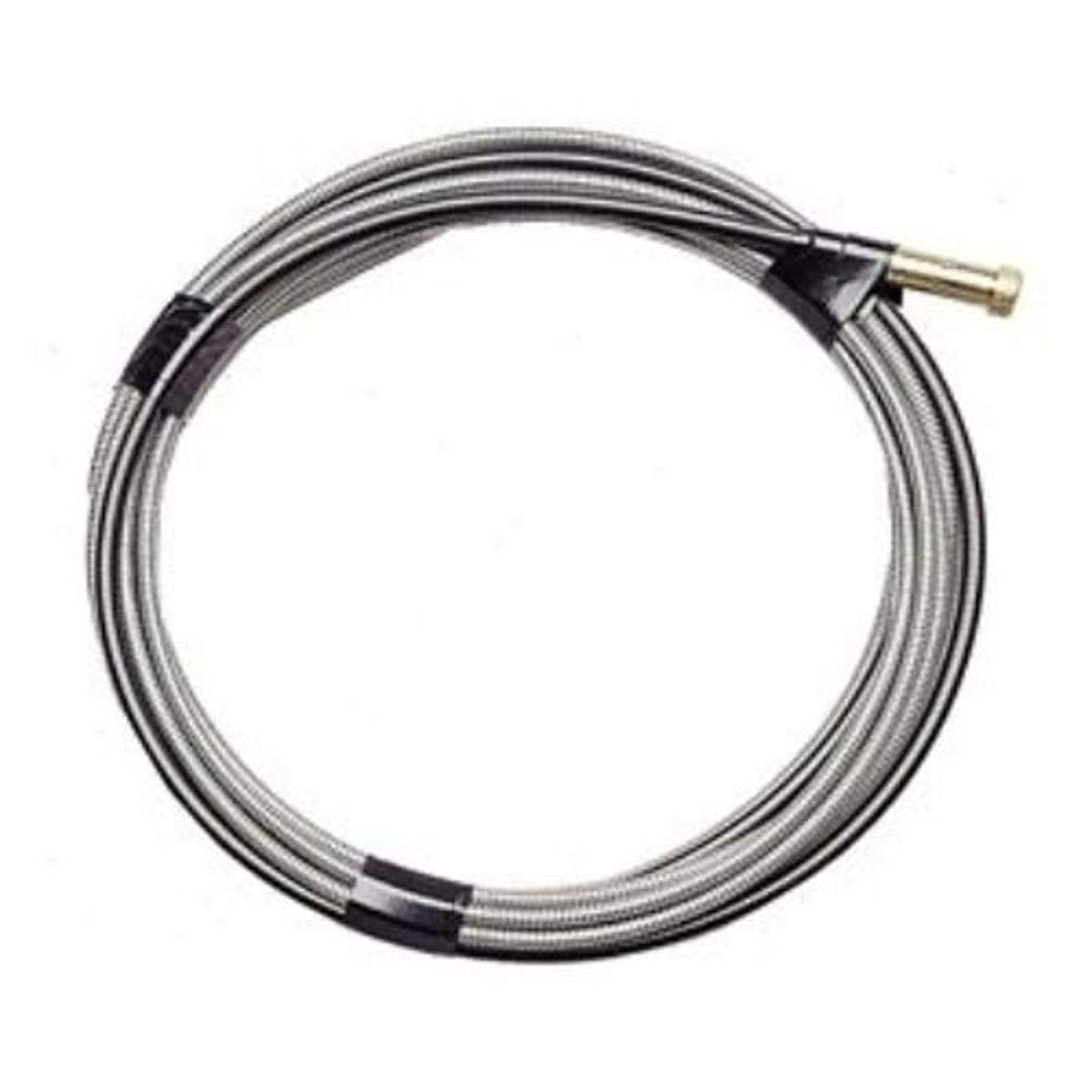
Tag: MIG gun liner

  • Why does my MIG wire keep sticking in the contact tip? (Fast Burnback Fix)

    If your MIG wire keeps welding itself to the contact tip and stopping the weld cold, youโ€™re dealing with burnbackโ€”the arc climbs up the wire and fuses it inside the tip. The good news: you can usually fix it in minutes by addressing feed consistency first, then consumables.

    This guide is a fast, symptom-first troubleshooting path that avoids random setting changes and gets you back to a stable arc.


    Where to Buy (Quick Fix Parts)

    The most likely failed components when wire sticks in the tip are:

    • Contact tipย (worn, spattered, wrong size, overheated)
    • Gun linerย (dirty, kinked, wrong size, or packed with dust/rust)
    • Nozzle/diffuser areaย (spatter buildup causing heat and drag)

    Top Pick (Primary Fix)

    Unknown (Verify ASIN).
    Reason: contact tips are the #1 โ€œswap firstโ€ consumable for burnback, but the correct tip depends on gun style (Tweco/Lincoln/Miller) and wire diameter.

    Backup / Consumable Option

    Unknown (Verify ASIN).
    Reason: liners are the next most common fix when feeding is inconsistent, but liner fit depends on gun model + length + wire type.


    Key Takeaways

    • If wire sticks in the tip, assumeย wire feed slowed downย before you assume settings are wrong.
    • Swap theย contact tip firstย (fastest, cheapest diagnostic).
    • Then check forย liner dragย andย drive-roll issuesย (tension, size, debris).
    • Donโ€™t chase voltage/WFS until the wire feeds smoothly with the gun straight.

    Symptoms (Fast Diagnosis)

    • Wire fuses to the contact tip during a start or mid-bead
    • Arc gets harsh, then the gun โ€œstutters,โ€ then stops feeding
    • You hear the drive rolls slip or chatter
    • Tip is discolored/blue, wire is balled up at the end
    • Wire feeds fine with the gun straight, but sticks when the lead is bent

    Root Causes (Mapped to Symptoms)

    • Wire sticks on startsย โ†’ wire speed too low at start, stickout too short, tip partially blocked
    • Random sticking mid-beadย โ†’ inconsistent feeding (liner drag, roll tension wrong, spool drag too high)
    • Drive rolls slip + stickingย โ†’ roll tension too loose, wrong roll groove, worn rolls, dirty wire
    • Only happens when lead is bentย โ†’ liner kinked/worn, lead routed too tight, liner too short/long
    • Tip burns up fastย โ†’ wrong tip size, poor electrical contact at tip/diffuser, excessive heat from short stickout

    Quick Fix (Do This First)

    Do these in order. This avoids over-adjusting your machine.

    • Stop and cut the wireย clean (donโ€™t yank it out under tension).
    • Replace the contact tipย (fastest way to eliminate a partially blocked/worn tip).
    • Straighten the gun leadย and test-feed wire. If it feeds better straight than bent, suspect the liner/lead routing.
    • Back off drive-roll tension, then re-tighten just enough to feed without slipping (donโ€™t crush the wire).
    • Check spool drag: the spool should not freewheel, but it also shouldnโ€™t feel โ€œbraked.โ€

    Step-by-Step Fix

    1. Power downย and remove the nozzle and contact tip.
    2. Inspect the tip bore: if itโ€™s ovaled, packed with spatter, or the wire shows scoring, replace it.
    3. Check stickoutย (typical short-circuit MIG is often around 3/8 in. / 10 mm; exact value depends on process and parameters). If youโ€™re extremely short, you can overheat the tip fast.
    4. Verify wire size matches tip sizeย (Unknownโ€”verify whatโ€™s installed). A mismatch can cause drag or arcing at the tip.
    5. Open the feeder:
      • Confirm correctย drive-roll grooveย (solid vs flux-core knurled; correct diameter).
      • Setย tensionย so the wire feeds reliably but does not deform.
    6. Check the liner:
      • Blow out debris (dry air only; avoid introducing oil).
      • If the liner is kinked, rusty, or packed with dust, replace it.
    7. Reassembleย and run a short test bead.
    8. Only after feed is stable:ย fine-tune wire speed and voltageย one change at a time.

    Parts That Actually Fix This

    Contact Tip

    Replace when:

    • Wire sticks repeatedly
    • Tip bore is worn/oval
    • Spatter is baked inside the tip Adjust instead when:
    • Tip is clean/new and the problem tracks with feed speed or stickout

    Liner

    Replace when:

    • Feeding changes dramatically when the lead is bent vs straight
    • Wire feels โ€œgrittyโ€ when you hand-feed
    • You see rust/dirt coming out when you remove the tip

    Drive Rolls

    Replace/repair when:

    • Rolls are worn smooth
    • Wrong groove type/size is installed Adjust instead when:
    • Tension is simply too tight/too loose

    Diffuser / Nozzle (if relevant)

    Replace when:

    • Threads are damaged or the tip doesnโ€™t seat tightly
    • Spatter buildup is severe and recurring

    Replace vs Adjust (Fast Decision Table)

    ProblemAdjust FirstReplace
    Wire sticks only on startsIncrease wire feed slightly, confirm stickoutContact tip
    Wire sticks randomly mid-beadCheck drive-roll tension + spool dragLiner (if feed changes with lead bend)
    Drive rolls slip/chatterIncrease tension slightly, verify grooveDrive rolls (if worn/wrong type)
    Tip overheats/discolors fastIncrease stickout slightly, confirm duty cycle habitsTip + check diffuser seating

    Copy table

    Rule: If not fixed in 2โ€“3 minutes โ†’ replace the consumable.


    Prevention Tips

    • Keep wire clean and dryย (rusty wire increases liner drag fast).
    • Store spools sealed when possible; wipe dust off before loading.
    • Route the gun lead withย wide bends, not tight loops.
    • Replace tips on a routine interval based on usage (Unknownโ€”verify for your duty cycle and wire type).
    • Periodically blow out or replace linersโ€”especially if you run dirty environments (fabrication dust, grinding debris).

    Safety Notes

    • Wear anย ANSI Z87.1ย rated welding helmet and safety glasses under the hood.
    • Use proper welding gloves and keep hands clear of pinch points in the feeder.
    • Maintain ventilation appropriate for the material and process (especially galvanized, stainless, and flux-core fumes).

    FAQ

    Why does burnback happen even when my settings โ€œused to workโ€?

    Consumables drift. A slightly worn tip, dirty liner, or tight spool brake can slow feed just enough that the arc climbs into the tip.

    Can a bad ground cause wire sticking in the tip?

    It can contribute to unstable arc behavior, but most โ€œwire welded to tipโ€ events still trace back to feed inconsistency or a blocked/worn tip.

    Should I crank drive-roll tension to stop slipping?

    No. Too much tension can deform the wire, increase liner drag, and make feeding worse. Set tension to the minimum that feeds reliably.

    Why is it worse when the gun cable is bent?

    Thatโ€™s a classic liner/lead-routing indicator: bending increases friction, which slows wire feed and triggers burnback.


    Internal Links (Related WSP Guides)

  • Why does my MIG wire keep birdnesting? (Fast Fix in 10 Minutes)

    If your MIG wire tangles into a โ€œbirdโ€™s nestโ€ at the feeder, youโ€™re not dealing with a settings problem firstโ€”youโ€™re dealing with a feed-path problem. This guide walks you through a symptom-first diagnosis and a fast, repeatable fix you can do without chasing voltage/WFS all over the place.


    Where to Buy (Quick Fix Parts)

    Most birdnesting comes from wire drag (liner/tip) or push force (drive-roll tension/incorrect rolls). These are the parts that fail most often:

    • MIG gun liner (kinked, packed with debris, wrong size for wire)
    • Contact tip (spatter-packed, undersized, overheated, worn oval)
    • Drive rolls (wrong groove type/size, worn, contaminated)

    Top Pick (Primary Fix)

    Unknown (Verify ASIN) โ€” MIG gun liners are highly gun-specific (brand/model/length/wire size). Iโ€™m not inserting an AAWP box without a verified ASIN that matches the exact gun style.

    Backup / Consumable Option

    Unknown (Verify ASIN) โ€” contact tips must match your gun style and wire diameter (.023/.030/.035/.045). Iโ€™m not inserting an AAWP box without a verified ASIN.


    Key Takeaways

    • Birdnesting happens when the feeder pushes wire faster than the gun can pass it.
    • Fix the mechanical feed path before touching voltage or wire speed.
    • If itโ€™s not fixed in 2โ€“3 minutes, stop adjusting and replace the consumable (tip/liner) thatโ€™s causing drag.
    • The most common causes are drive-roll tension too tight, liner restriction, or wrong drive-roll groove.

    Symptoms (Fast Diagnosis)

    • Wire tangles between the drive rolls and inlet guide (classic birdnest)
    • Wire feed surges, then stops, then surges again
    • Wire has deep โ€œtooth marksโ€ from the drive rolls
    • You hear the drive motor working but wire wonโ€™t feed smoothly
    • Tip gets hot fast / wire stubs into the puddle (often paired with drag)

    Root Causes (Mapped to Symptoms)

    • Birdnest right at the feeder โ†’ drive-roll tension too tight, wrong rolls, or liner/tip drag
    • Deep roller marks on wire โ†’ tension too high or wrong groove type (V-groove vs knurled vs U-groove)
    • Feed is smooth with gun straight, jams when bent โ†’ liner kinked/worn/dirty, or cable routing too tight
    • Wire stubs and then tangles โ†’ contact tip restriction (spatter/size mismatch) creating back-pressure
    • Frequent tangles after changing wire size โ†’ liner and tip not matched to the new wire diameter

    Quick Fix (Do This First)

    Do these in order, fast, and donโ€™t โ€œcompensateโ€ with more tension:

    1. Straighten the gun lead (no tight coils, no sharp bends).
    2. Back off drive-roll tension until it just feeds, then increase only enough to prevent slipping.
    3. Clip the wire, remove the nozzle, and check the contact tip for spatter blockage or wrong size.
    4. If the problem changes when you bend the lead, suspect the liner immediately.

    Unknown (Verify ASIN) โ€” Iโ€™m omitting the AAWP box here due to unverified ASIN.


    Step-by-Step Fix

    1. Power down and open the feeder.
      Cut the wire at the birdnest and remove the tangled section. Donโ€™t try to โ€œpull it throughโ€ the liner.
    2. Confirm the wire path is correct.
      Make sure the wire is seated in the inlet guide and the correct drive-roll groove.
    3. Set drive-roll tension correctly (donโ€™t guess).
      • Start low.
      • Feed wire into free air.
      • Increase tension only until the wire feeds without slipping.
        If you need โ€œcrush tensionโ€ to feed, the restriction is downstream (tip/liner).
    4. Check spool brake / hub tension.
      Too loose can overrun and contribute to tangles when you stop feeding. Too tight adds drag. Set it so the spool doesnโ€™t coast excessively.
    5. Remove nozzle and inspect the contact tip.
      Replace the tip if:
      • Itโ€™s spatter-packed
      • The bore looks oval
      • The wire drags when you hand-feed
    6. Test with the gun lead straight vs bent.
      If it feeds straight but binds when bent, replace/clean the liner and re-route the lead.
    7. Only after feed is stable, re-check WFS/voltage.
      Birdnesting is rarely fixed by voltage. Chasing settings usually wastes time.

    Parts That Actually Fix This

    Liner

    Replace the liner when:

    • Feed changes dramatically when the lead is bent
    • Youโ€™ve had repeated birdnests (wire shavings pack the liner)
    • The liner is the wrong size for the wire (common after switching diameters)

    Adjust instead when:

    • The liner is fine but the lead routing is too tight (re-route first)

    Contact tips

    Replace the tip when:

    • Wire drags through the tip by hand
    • Tip is overheated, spattered, or worn
    • You changed wire diameter and didnโ€™t change tips

    Adjust instead when:

    • Tip is correct and clean, but stickout/work angle is causing stubbing (less common than restriction)

    Drive rolls

    Replace or change rolls when:

    • Groove type is wrong for the wire (solid vs flux-core)
    • Groove size doesnโ€™t match wire diameter
    • Rolls are worn smooth or contaminated

    Adjust instead when:

    • Rolls are correct, but tension is simply too high

    Diffuser / nozzle (if relevant)

    Replace when:

    • Nozzle is packed with spatter and you canโ€™t maintain clearance
    • Diffuser threads are damaged and tip wonโ€™t seat correctly

    Replace vs Adjust (Fast Decision Table)

    ProblemAdjust FirstReplace
    Birdnesting at feederDrive-roll tension down; straighten leadContact tip if wire drags; liner if bend-sensitive
    Wire has heavy roller marksReduce tension; confirm correct grooveDrive rolls if wrong type/size or worn
    Feeds straight, jams when bentRe-route lead; reduce bendsLiner (most common)
    Wire stubs then tanglesCheck stickout and technique brieflyContact tip (most common restriction)

    Rule: If not fixed in 2โ€“3 minutes โ†’ replace the consumable causing drag (tip/liner) instead of cranking tension.


    Prevention Tips

    • Keep the gun lead as straight as practical during welding (avoid tight coils on the floor).
    • Match consumables to wire diameter every time you change wire.
    • Blow out or replace liners on a schedule based on shop dust and wire type (interval: Unknown; depends on environment and usage).
    • Avoid overtight drive-roll tension. Excess tension creates wire shavings that pack the liner and make the next birdnest more likely.

    Safety note: Wear safety glasses rated to ANSI Z87.1 when clipping wire and clearing tangles. Use gloves when handling sharp wire ends. Maintain proper ventilation when welding and when cleaning spatter/consumables.


    FAQ

    Why does my MIG birdnest right after I change wire size?

    Most often: the liner and/or contact tip wasnโ€™t changed to match the new wire diameter, or the drive rolls are on the wrong groove.

    Should I tighten the drive rolls more to stop birdnesting?

    Usually no. If you need high tension to feed, youโ€™re masking a restriction (tip/liner/lead routing). Too much tension also chews the wire and makes liner drag worse.

    Why does birdnesting happen only when I bend the gun lead?

    Thatโ€™s a classic liner/lead-routing indicator: the wire is binding when the path tightens. Straighten the lead; if it persists, service/replace the liner.

    Can a bad spool cause birdnesting?

    It can contribute (rusty/dirty wire, inconsistent cast), but most birdnesting is still caused by tension + restriction. Verify spool brake tension and check for wire shavings in the feeder.


    Internal Linking (Add These)

    • Link to your pillar: complete MIG wire feed troubleshooting
    • Link to related failure: burnback troubleshooting guide
    • Link to related failure: birdnesting causes and fixes
    • Link to consumables context: a relevant post on MIG contact tips and sizing (if you have one)
Listen with Audible